1. Introduction
The MIOPS Smart+ is a versatile high-speed camera and flash trigger designed to expand your photography capabilities. It integrates multiple modes and built-in sensors into a single compact device, allowing for advanced techniques such as lightning photography, sound-activated captures, and precise timelapses. The device features a user-friendly LCD screen and can be controlled via a dedicated smartphone application for both iOS and Android devices. Its firmware is upgradable, ensuring access to new features and improvements.
2. What's Included
Your MIOPS Smart+ package includes the following components:
- MIOPS Smart+ trigger unit
- Connection cable (MIOPS Cable-N3) for select Nikon cameras
- Connection cable for flash units
- USB cable for charging and data transfer
- Rechargeable Li-ion battery (pre-installed or separate)

3. Setup
3.1. Charging the Battery
The MIOPS Smart+ is powered by a rechargeable Li-ion battery. Connect the provided USB cable to the MIOPS Smart+ unit and to a USB power source (e.g., computer, wall adapter) to charge the device. The charging indicator will show the battery status.
3.2. Connecting to Your Camera
To connect the MIOPS Smart+ to your camera:
- Mount the MIOPS Smart+ onto your camera's hot shoe for secure placement.
- Connect one end of the camera connection cable (MIOPS Cable-N3 for Nikon cameras) to the appropriate port on the MIOPS Smart+ unit.
- Connect the other end of the cable to your camera's remote shutter release port. Ensure the cable is securely attached to both devices.


3.3. Connecting to a Flash Unit
To trigger an external flash unit, connect the provided flash connection cable from the MIOPS Smart+ to your flash unit's sync port. Refer to your flash unit's manual for specific port locations.
4. Operating Modes
The MIOPS Smart+ offers various operating modes for different photographic applications. Navigate through the modes using the device's LCD screen and control buttons.

4.1. Smartphone Control
The MIOPS Smart+ can be controlled wirelessly via a smartphone application available for iOS and Android. This application allows you to change device settings, select modes, and initiate captures within Bluetooth range, providing enhanced flexibility and convenience.
Video 4.1: This video demonstrates the various high-speed photography capabilities of the MIOPS Smart+ trigger, including sound, timelapse, and laser modes, and its smartphone control features.
4.2. Sound Mode
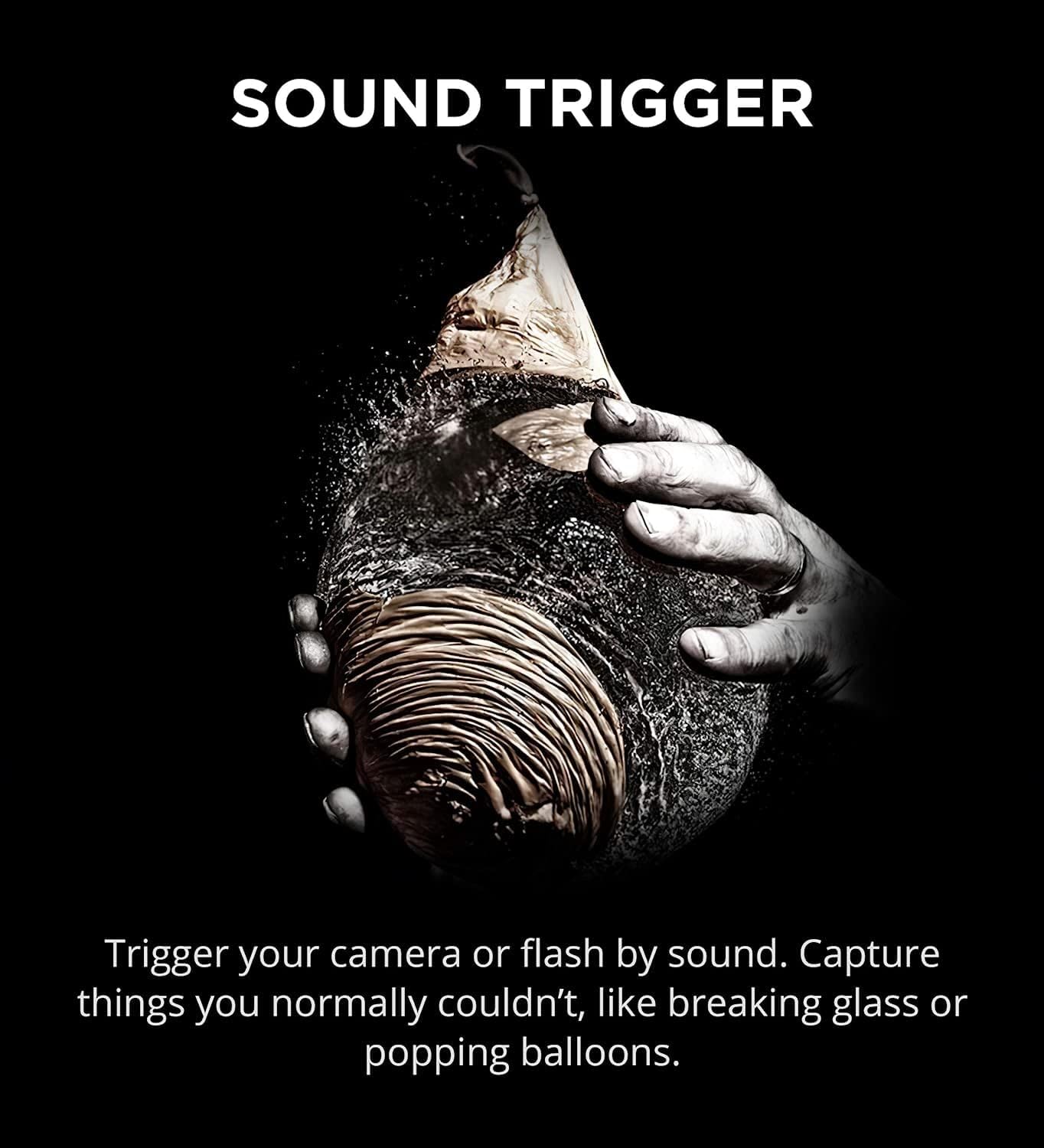
In Sound Mode, the MIOPS Smart+ triggers your camera or flash in response to sound. This is ideal for capturing events like breaking glass, popping balloons, or other sudden audio occurrences, allowing for precise high-speed captures.

4.3. Timelapse Mode
The Timelapse Mode allows you to capture a series of images over an extended period, which can then be compiled into a video showing change over time. You can specify the interval between photos, exposure settings, and the total number of photos, enabling timelapses that span days or even months.

4.4. Lightning Mode
Utilizing its integrated light sensor, the MIOPS Smart+ can detect lightning strikes and instantly trigger your camera. This mode is designed for capturing dynamic lightning events with high precision, ensuring you don't miss the perfect shot.

4.5. Laser Mode
The Laser Mode transforms your camera into a high-speed capture device by triggering it when a laser beam is broken. This is particularly useful for capturing fast-moving subjects or precise moments, such as water splashes or wildlife photography, where exact timing is critical.

4.6. HDR Photography
The MIOPS Smart+ supports High Dynamic Range (HDR) photography, allowing you to capture multiple exposures of the same scene. This feature is beneficial for creating images with a wider range of tonal detail, even if your camera does not have a built-in bracketing function.

4.7. Advanced Scenarios and DIY
The MIOPS Smart+ allows users to combine various features and modes to create custom scenarios. This flexibility enables photographers to design unique triggering sequences for highly specific and creative photographic projects.
5. Maintenance
5.1. Battery Life
The MIOPS Smart+ is designed for power efficiency, offering up to 4 days of operation on a single charge. To maximize battery life, ensure the device is fully charged before extended use and power it off when not in use.
5.2. Firmware Updates
MIOPS regularly releases firmware updates to introduce new features and improve performance. These updates are free for the lifetime of the product. Connect your MIOPS Smart+ to a computer via the USB cable and visit the official MIOPS website for instructions on how to update the firmware.
6. Troubleshooting
If you encounter issues with your MIOPS Smart+, consider the following common troubleshooting steps:
- Device Not Powering On: Ensure the battery is charged. Connect the MIOPS Smart+ to a power source using the USB cable.
- Camera Not Triggering:
- Verify that the camera connection cable is securely attached to both the MIOPS Smart+ and your camera's remote shutter release port.
- Confirm that the cable is compatible with your specific Nikon camera model (N3 cable for compatible Nikon cameras).
- Check your camera settings to ensure it is configured to accept external triggers.
- Smartphone App Connectivity Issues:
- Ensure Bluetooth is enabled on your smartphone and the MIOPS Smart+ device.
- Restart both the MIOPS Smart+ and your smartphone.
- Make sure the MIOPS app is updated to the latest version.
- Inaccurate Triggering (Sound/Laser):
- Adjust the sensitivity and delay settings within the MIOPS Smart+ unit or the smartphone app.
- Ensure the sensors are clean and unobstructed.
For more detailed troubleshooting or specific technical support, please visit the official MIOPS website or contact their customer service.
7. Specifications
| Feature | Specification |
|---|---|
| Product Dimensions | 3.94 x 0.2 x 0.2 inches |
| Item Weight | 8.8 ounces |
| Item Model Number | MIOPS-SM-N3 |
| Batteries | 1 Lithium Ion battery required |
| Brand | MIOPS |
| Special Feature | Smartphone integration, firmware updates |
| Color | Orange |
| Max Number of Supported Devices | 1 |
| Compatible Devices | Camera |
8. Warranty and Support
For information regarding product warranty, returns, and customer support, please refer to the documentation included with your MIOPS Smart+ or visit the official MIOPS website. The manufacturer provides ongoing support and resources for optimal product usage.


