1. Introduction
The Steelcase Gesture Office Chair is engineered to adapt to the human body and various work postures, providing ergonomic support for extended periods. Its intuitive adjustments and 360-degree arms ensure a comfortable and precise fit, promoting well-being throughout your workday.

Figure 1: Front view of the Steelcase Gesture Office Chair in Nickel Fabric.
2. Setup
Your Steelcase Gesture chair arrives fully assembled. Upon receipt, carefully remove all packaging materials. Position the chair at your workstation, ensuring adequate space for movement and adjustments. Verify that all components are securely in place before initial use.
3. Operating Instructions: Adjustments
The Steelcase Gesture chair features intuitive controls located on the right side, designed for easy access and immediate feedback. Refer to the video below for a visual guide to adjustments.
Video 1: Steelcase Gesture Chair Adjustment Guide. This video demonstrates how to utilize the various adjustment features of the chair for optimal comfort and support.
3.1. Seat Height Adjustment
- To raise the seat: Lift the lever located on the right side of the chair while lifting your body weight.
- To lower the seat: Remain seated and lift the lever, allowing your body weight to lower the seat.
- Adjust until your feet are flat on the floor and your knees are at approximately a 90-degree angle.
3.2. Seat Depth Adjustment
- To extend the seat: While seated, turn the knob located on the right side of the chair away from you.
- To retract the seat: While seated, turn the knob towards you.
- Position the seat depth to allow 2-3 inches between the front edge of the seat and the back of your knees.
3.3. Back Recline Tension
- To increase recline resistance: Turn the knob located on the right side of the chair forward.
- To decrease recline resistance: Turn the knob backward.
3.4. Back Stop (Recline Lock)
- The lever located on the right side allows you to set the limit of recline. It offers four settings: upright lock, full recline, and two intermediate stops.
- Engage the desired setting by moving the lever to the corresponding position.
3.5. Armrest Adjustments (360-Degree Arms)
The 360-degree arms offer extensive adjustability to support the full range of motion of the human arm.
- Arm Height: Lift the lever located under each armrest to raise or lower the arm. Release the lever to lock in place.
- Arm Width: Push the armrest in or pull it out to adjust the width.
- Arm Cap Position: Grasp the arm cap and slide it in any direction (forward, backward, inward, outward, pivot) to find your optimal support.
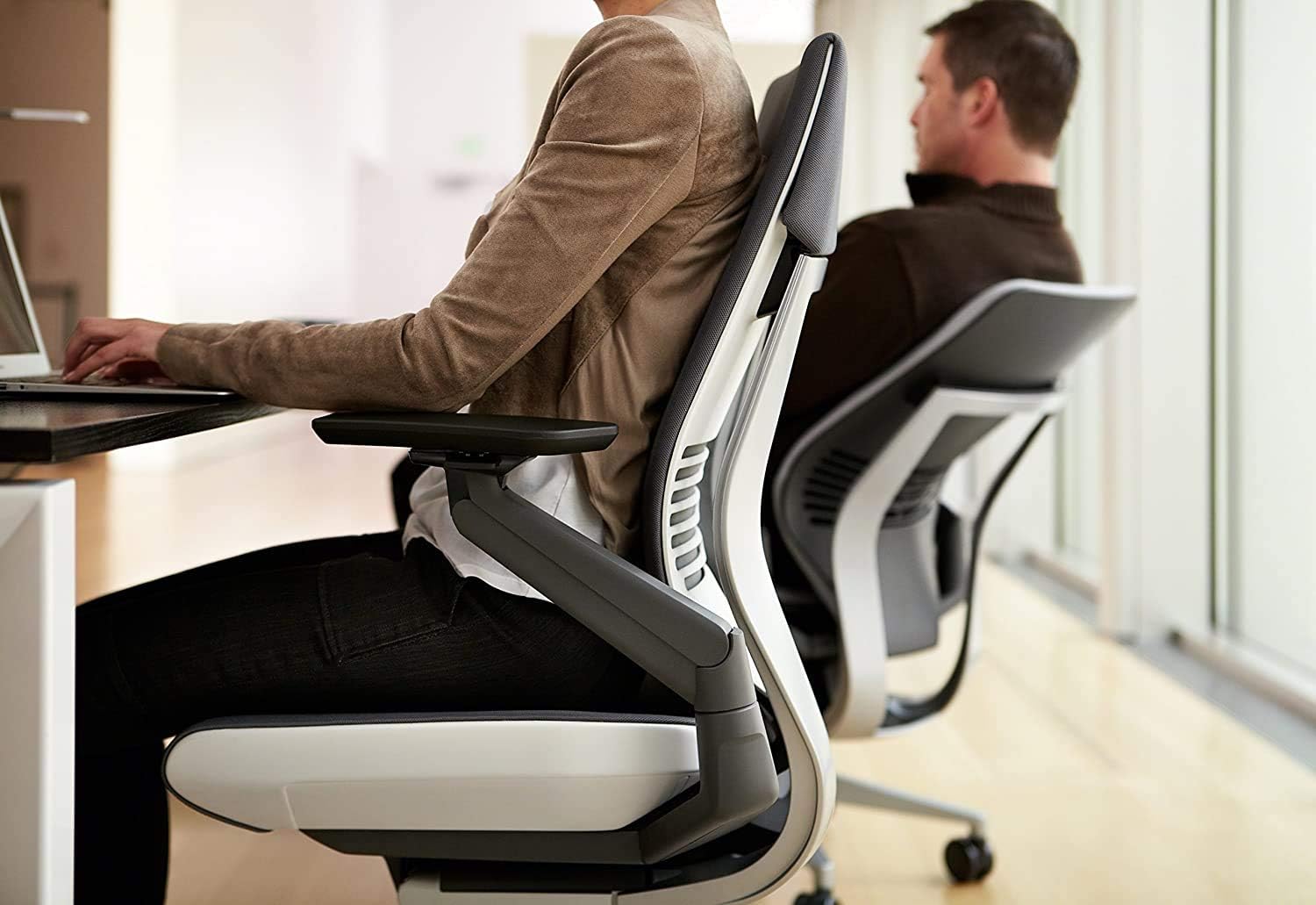
Figure 2: Side view of a person utilizing the ergonomic design of the Steelcase Gesture Office Chair.
3.6. Optional Lumbar Support Adjustment
- If your chair is equipped with optional lumbar support, grasp the handles on both sides of the backrest.
- Slide the lumbar support up or down to your desired position for optimal lower back comfort.
4. Maintenance
Proper care and maintenance will extend the life and performance of your Steelcase Gesture chair.
- Cleaning Fabric: For general cleaning, spot wash with a mild, water-free solvent or dry cleaning product. Always test in an inconspicuous area first.
- Frame and Base: Wipe down the frame and base with a soft, damp cloth. Avoid abrasive cleaners.
- Casters: Periodically check casters for debris (hair, lint) and clean as needed to ensure smooth movement.
- General Inspection: Regularly inspect all moving parts and fasteners to ensure they are secure.
5. Troubleshooting
If you encounter any issues with your Steelcase Gesture chair, refer to the following common troubleshooting tips:
- Squeaking or Noise: Ensure all bolts and screws are tightened. Apply a small amount of silicone-based lubricant to moving parts if necessary, avoiding contact with fabric.
- Difficulty Adjusting: Verify that no levers or knobs are jammed or obstructed. Refer to the operating instructions for correct adjustment procedures.
- Chair Sinks or Does Not Hold Height: This may indicate an issue with the gas cylinder. Contact Steelcase customer support for assistance.
- Armrest Instability: Check that the armrest locking mechanisms are fully engaged after adjustment.
6. Specifications
| Brand | Steelcase |
| Model Name | Gesture |
| Color | Nickel Fabric |
| Product Dimensions | 32.5"D x 27.5"W x 21.25"H |
| Item Weight | 70 pounds |
| Maximum Weight Recommendation | 400 Pounds |
| Material | 100% Polyester Fabric, Foam Fill |
| Back Style | Continuous Back |
| Special Features | Adjustable Height, Arm Rest, Ergonomic, Seat Lock, Tilting |
| Surface Recommendation | Carpet |
7. Warranty and Support
The Steelcase Gesture chair is backed by a 12-year warranty, reflecting our commitment to quality and durability. For warranty claims, technical support, or any product-related inquiries, please contact Steelcase Customer Support.
Visit the official Steelcase website or refer to your purchase documentation for detailed warranty terms and contact information.
8. Safety Information
Please observe the following safety guidelines to ensure safe and proper use of your Steelcase Gesture chair:
- Do not exceed the maximum weight recommendation of 400 pounds.
- Avoid standing on the chair or using it as a step stool.
- Ensure all adjustments are securely locked before use to prevent unexpected movement.
- Keep fingers and clothing clear of moving parts during adjustments.
- California Proposition 65 Warning: This product can expose you to chemicals including [specific chemicals, if known, otherwise general statement], which are known to the State of California to cause cancer and birth defects or other reproductive harm. For more information go to www.P65Warnings.ca.gov.


