
Introduction
Thank you for choosing the Kaiser MSA-7908MX 8-inch Bluetooth Speaker. This portable amplified speaker is designed to provide high-quality audio with versatile connectivity options, including Bluetooth, USB, Micro SD, and auxiliary input. It also features a microphone input for karaoke and a recording function. Please read this manual carefully to ensure proper use and to maximize your enjoyment of the product.
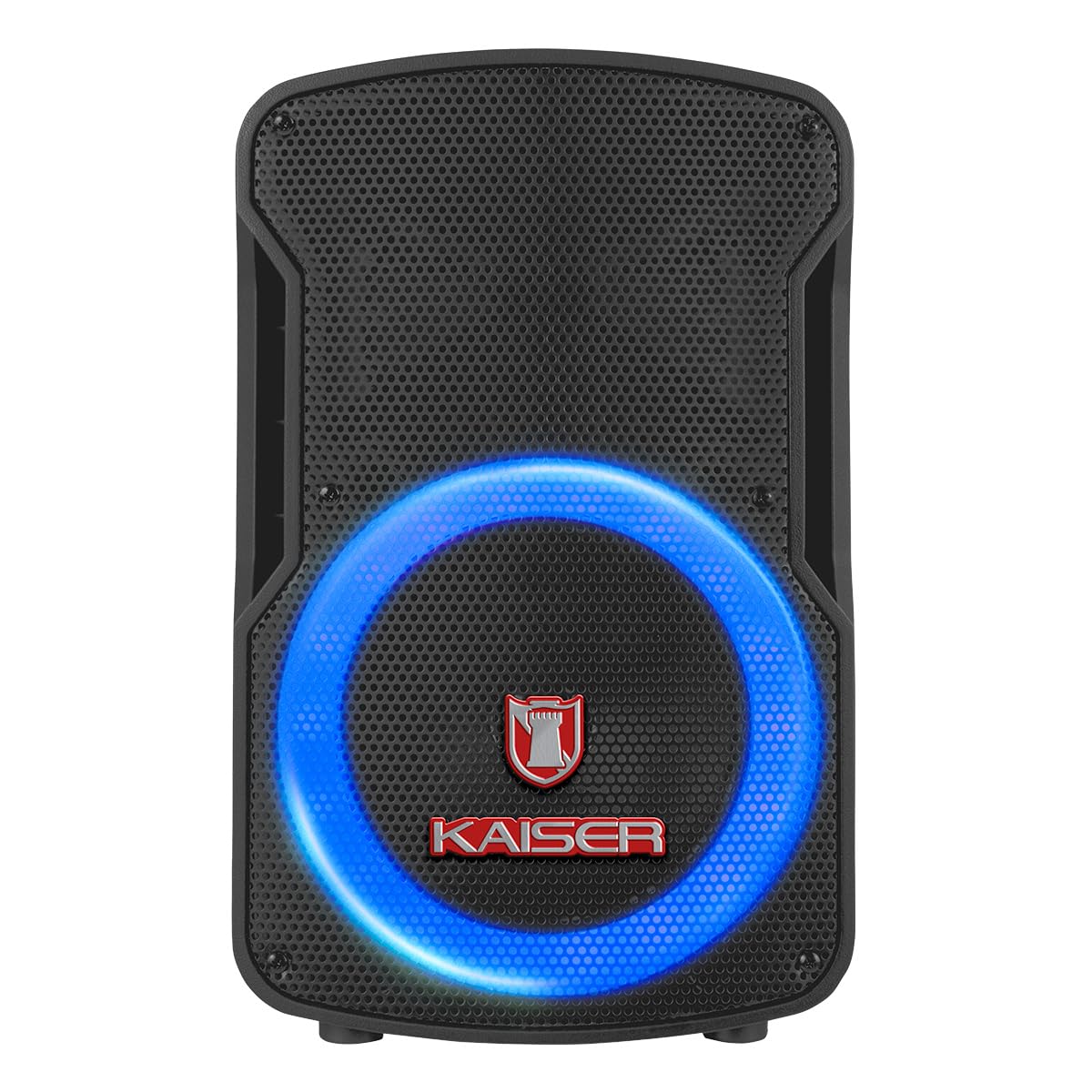
Figure 1: Front view of the Kaiser MSA-7908MX speaker with illuminated LED ring.
Product Features
- Wireless Connectivity: Bluetooth for seamless audio streaming from compatible devices.
- KSR-Link Technology: Allows linking two MSA-7908MX speakers wirelessly for enhanced stereo sound.
- Multiple Playback Options: USB port and Micro SD card slot for direct audio playback.
- Microphone Input: 6.3mm input for wired microphone, ideal for karaoke or public speaking.
- Auxiliary Input: 3.5mm input for connecting external audio devices.
- FM Radio: Built-in FM tuner for listening to your favorite radio stations.
- Recording Function: Ability to record audio directly to USB or Micro SD.
- Adjustable Audio Controls: Independent knobs for Volume, Treble (Agudos), Bass (Bajos), Echo, and Microphone Volume (Vol Mic).
- LED Illumination: Dynamic LED light ring around the speaker for visual effects.
- Portable Design: Compact and lightweight with a built-in handle for easy transport.
Package Contents
The Kaiser MSA-7908MX package includes the following items:
- Kaiser MSA-7908MX 8-inch Amplified Speaker
- Wired Microphone
- Remote Control
- Charging Cable
Controls and Connections
The rear panel of the MSA-7908MX speaker houses all the main controls and connection ports. Familiarize yourself with these components for optimal operation.

Figure 2: Rear control panel of the Kaiser MSA-7908MX speaker.
- Volume Knob: Adjusts the overall master volume.
- Treble (Agudos) Knob: Adjusts high-frequency sounds.
- Bass (Bajos) Knob: Adjusts low-frequency sounds.
- Echo Knob: Controls the echo effect for the microphone.
- Microphone Volume (Vol Mic) Knob: Adjusts the volume of the connected microphone.
- Digital Display: Shows current mode, track number, and other information.
- Mode Button: Switches between Bluetooth, USB, Micro SD, AUX, and FM radio modes.
- Playback Controls: Play/Pause, Previous Track, Next Track, Record, and KSR-Link buttons.
- Micro SD Card Slot: Insert a Micro SD card for audio playback.
- USB Port: Insert a USB drive for audio playback or recording.
- AUX Input: 3.5mm jack for connecting external audio devices.
- MIC Input: 6.3mm jack for connecting the wired microphone.
- Power Switch: Turns the speaker ON or OFF.
- LED Switch: Turns the speaker's LED illumination ON or OFF.
Setup
1. Initial Charging
Before first use, fully charge the speaker for approximately 4 hours. Connect the charging cable to the speaker's power input and a suitable power source. The charging indicator will show the charging status.
2. Power On/Off
Locate the Power Switch on the rear panel. Flip the switch to the 'ON' position to power on the speaker. Flip it to 'OFF' to power off.
3. Bluetooth Pairing
- Turn on the speaker. The digital display will show 'BLUE' or 'BT' indicating Bluetooth mode. If not, press the 'Mode' button until Bluetooth mode is selected.
- Enable Bluetooth on your mobile device (smartphone, tablet, etc.).
- Search for available Bluetooth devices and select 'MSA-7908MX' from the list.
- Once paired, the speaker will emit a confirmation sound, and the digital display will indicate a successful connection.
4. KSR-Link (True Wireless Stereo) Pairing
To connect two MSA-7908MX speakers for a stereo experience:
- Ensure both speakers are powered on and in Bluetooth mode, but not yet paired with any device.
- On one of the speakers (this will be the master speaker), press and hold the 'KSR-Link' button. The speaker will emit a pairing sound.
- The two speakers will automatically connect to each other. A confirmation sound will indicate successful pairing.
- Now, pair your mobile device with the master speaker via Bluetooth as described in step 3. Audio will play through both speakers in stereo.
5. Microphone Connection
Connect the wired microphone to the 6.3mm 'MIC' input on the rear panel. Adjust the 'Vol Mic' and 'Echo' knobs to your desired levels.
6. Auxiliary Input
Connect an external audio device (e.g., MP3 player, laptop) to the 3.5mm 'AUX' input using a compatible audio cable. Press the 'Mode' button until 'AUX' mode is selected on the speaker.
7. USB/Micro SD Playback
Insert a USB drive or Micro SD card (pre-loaded with MP3 audio files) into the respective port. The speaker will automatically switch to USB or Micro SD mode and begin playback. If not, press the 'Mode' button to select the correct source.
8. FM Radio
Press the 'Mode' button until 'FM' mode is selected. Use the 'Previous Track' and 'Next Track' buttons to scan for radio stations. For better reception, extend the antenna if available or reposition the speaker.
Operating Instructions
1. Volume Adjustment
Rotate the 'Volume' knob clockwise to increase volume and counter-clockwise to decrease it.
2. Equalizer Controls
Use the 'Treble (Agudos)' and 'Bass (Bajos)' knobs to fine-tune the audio output to your preference.
3. Microphone Effects
Adjust the 'Echo' knob to add an echo effect to the microphone audio. The 'Vol Mic' knob controls the microphone's output level.
4. Recording Function
While a microphone is connected and a USB drive or Micro SD card is inserted, press the 'REC' button to start recording. Press it again to stop recording. The recorded audio will be saved to the USB drive or Micro SD card.
5. LED Illumination
Flip the 'LED' switch on the rear panel to turn the speaker's dynamic LED light ring ON or OFF.
Video 1: Demonstrates the speaker's controls, LED lights, dimensions, and included accessories. This video provides a visual guide to the physical features and basic operation.
Video 2: Highlights the speaker's key features, control panel, and included accessories such as the microphone and remote control. This video offers a quick overview of the product's capabilities.
Maintenance
- Cleaning: Use a soft, dry cloth to clean the exterior of the speaker. Do not use abrasive cleaners or solvents.
- Storage: Store the speaker in a cool, dry place away from direct sunlight and extreme temperatures.
- Battery Care: To prolong battery life, avoid fully discharging the battery frequently. Recharge the speaker regularly, even if not in use for extended periods.
- Water Exposure: This speaker is not waterproof. Avoid exposing it to water or high humidity.
Troubleshooting
| Problem | Possible Cause | Solution |
|---|---|---|
| No power | Battery is discharged; Power switch is OFF. | Charge the speaker; Flip the Power switch to ON. |
| No sound | Volume is too low; Incorrect mode selected; Device not connected properly. | Increase master volume and source volume; Press 'Mode' button to select correct input; Reconnect Bluetooth/AUX cable/USB/Micro SD. |
| Bluetooth not connecting | Speaker not in Bluetooth mode; Device too far; Speaker already paired with another device. | Press 'Mode' button to select Bluetooth; Move device closer (within 10m); Disconnect from other devices and try pairing again. |
| Microphone not working | Microphone not connected; Microphone volume too low; Microphone switch is OFF. | Ensure microphone is securely plugged into the 'MIC' input; Increase 'Vol Mic' knob; Turn on the microphone's power switch. |
Specifications

Figure 3: Dimensions of the Kaiser MSA-7908MX speaker.
- Brand: Kaiser
- Model: MSA-7908MX
- Connectivity Technology: Bluetooth
- Color: Black
- Compatible Devices: Laptop, Smartphone
- Mounting Type: Floor Mount
- Power Source: Battery
- Connector Type: 3.5 mm, 6.3 mm
- Audio Input: Audio inputs
- Frequency Response: 150 KHz
- Impedance: 4 Ohms
- Output Wattage: 6500 Watts (PMPO), 25 Watts (RMS)
- Item Dimensions (L x W x H): 24.5 x 29.5 x 44.5 centimeters
- Item Weight: 5210 Grams
- External Material: Plastic
- Recommended Uses: For smartphones and laptops
- Manufacturer Part Number: MSA-7908BTE
- Country of Origin: China
Warranty and Support
This product is sold without a specific warranty. For any technical assistance, troubleshooting, or inquiries regarding your Kaiser MSA-7908MX speaker, please refer to the retailer where the product was purchased or visit the official Kaiser support website for further information.


