Introduction
This manual provides essential information for setting up, operating, maintaining, and troubleshooting your Samsung Galaxy S6 Edge+ smartphone. Please read these instructions carefully to ensure optimal performance and longevity of your device.
The Samsung Galaxy S6 Edge+ features a 5.7-inch Quad HD Super AMOLED display with a resolution of 2560x1440 pixels, offering a vibrant visual experience. It operates on the Android operating system and is powered by a 2.1 GHz processor.
1. Setup
1.1 What's in the Box
Verify that all items are present in your product packaging:
- Samsung S6 Edge+ device
- Pre-Installed SIM Card
- Wall Charger
- USB Cable
1.2 Device Layout
Familiarize yourself with the physical components of your Galaxy S6 Edge+.
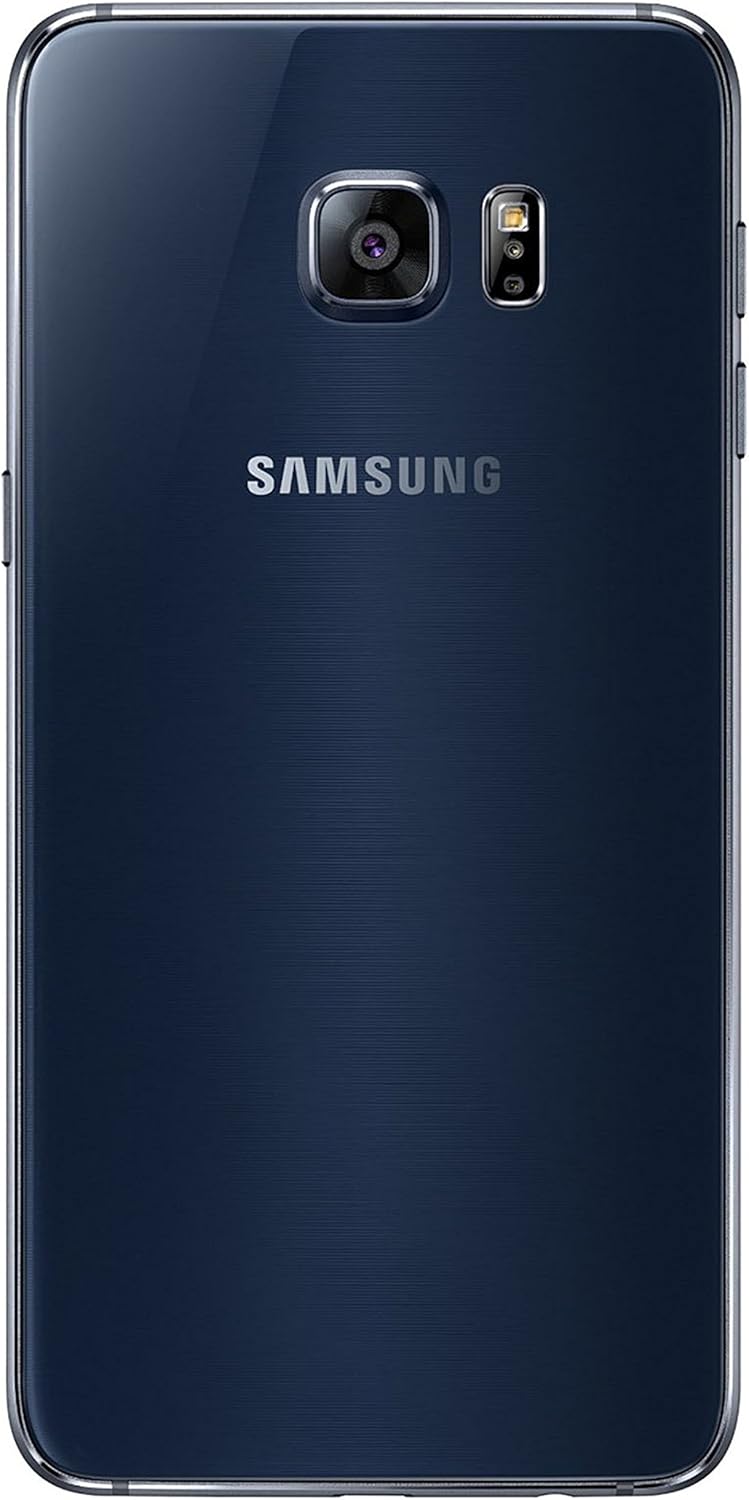
Image 1.1: Front view of the Samsung Galaxy S6 Edge+ smartphone. This image displays the device's 5.7-inch curved Super AMOLED screen, the home button with integrated fingerprint sensor, and the front-facing camera.

Image 1.2: Back view of the Samsung Galaxy S6 Edge+ smartphone. This image highlights the rear 16-megapixel camera module, LED flash, and the Samsung branding.

Image 1.3: Side view of the Samsung Galaxy S6 Edge+ smartphone. This image illustrates the placement of the power button on one side and the volume rocker on the opposite side, along with the device's slim profile.
1.3 Powering On and Initial Setup
- Charge the Device: Connect the USB cable to the phone's USB-C port and the wall charger. Plug the charger into a power outlet. Allow the device to charge for at least 30 minutes before first use.
- Power On: Press and hold the Power button (located on the right side of the device) until the Samsung logo appears.
- Follow On-Screen Prompts: The device will guide you through the initial setup process, including language selection, Wi-Fi connection, Google account setup, and security settings (e.g., fingerprint sensor setup).
2. Operating Your Device
2.1 Basic Navigation
- Touchscreen: Navigate by tapping, swiping, pinching, and spreading on the display.
- Home Button: Press to return to the home screen. Double-press to quickly launch the camera.
- Recent Apps Button: Tap to view recently used applications.
- Back Button: Tap to return to the previous screen.
2.2 Edge Screen Features
The curved edge display offers additional functionalities:
- Edge Panels: Swipe from the edge of the screen to access customizable panels for favorite apps, contacts, news feeds, and more.
- Night Clock: Set the edge screen to display the time during specific hours when the main screen is off.
- Edge Lighting: The edge screen can light up when you receive calls or notifications while the device is face down.
2.3 Camera Usage
The Galaxy S6 Edge+ is equipped with a 16-megapixel rear camera and a front camera for photos and videos.
- Launch Camera: Tap the Camera icon on the home screen or double-press the Home button.
- Take a Photo: Tap the Shutter button on the screen.
- Record Video: Switch to video mode and tap the Record button.
- Settings: Access camera settings to adjust resolution, modes, and other options.
2.4 Connectivity
- Wi-Fi: Connect to wireless networks for internet access. Go to Settings > Connections > Wi-Fi.
- Cellular Data (4G): Access mobile internet through your service provider. Ensure your SIM card is active. Go to Settings > Connections > Data usage.
- Bluetooth: Pair with other Bluetooth devices like headphones or speakers. Go to Settings > Connections > Bluetooth.
- GPS: Utilize location services for navigation and location-based apps.
3. Maintenance
3.1 Cleaning Your Device
To maintain the device's appearance and functionality:
- Use a soft, lint-free cloth to wipe the screen and body.
- Avoid using harsh chemicals, abrasive cleaners, or aerosol sprays.
- Do not expose the device to excessive moisture.
3.2 Software Updates
Regularly check for and install software updates to ensure your device has the latest features, security patches, and performance improvements.
- Go to Settings > Software update > Download and install.
- Ensure your device is connected to Wi-Fi and has sufficient battery charge before starting an update.
3.3 Battery Care
To maximize battery life and performance:
- Avoid extreme temperatures.
- Use the provided Samsung charger and USB cable.
- Utilize power-saving modes (Settings > Device care > Battery) to extend usage time when needed.
- The device supports quick charging, allowing for rapid replenishment of battery power.
4. Troubleshooting
4.1 Common Issues and Solutions
| Issue | Solution |
|---|---|
| Device not powering on | Ensure the battery is charged. Connect to the charger and wait a few minutes before attempting to power on again. |
| Battery drains quickly | Close unused apps, reduce screen brightness, disable unnecessary features (Bluetooth, GPS, Wi-Fi when not in use), and enable power-saving modes. Check for background app activity. |
| Apps freezing or crashing | Restart the app. If the issue persists, clear the app's cache (Settings > Apps > [App Name] > Storage > Clear cache) or reinstall the app. Ensure the device software is up to date. |
| No network connection | Check if Airplane mode is off. Verify SIM card is properly inserted. Restart the device. Contact your service provider if the issue continues. |
4.2 Factory Reset
If your device experiences persistent issues that cannot be resolved through other troubleshooting steps, a factory reset may be necessary. This will erase all data on your device, so ensure you back up important information first.
- Go to Settings > General management > Reset > Factory data reset.
- Follow the on-screen instructions to confirm the reset.
5. Specifications
| Feature | Detail |
|---|---|
| Model Name | Galaxy S6 Edge+ |
| Operating System | Android (initially 5.1.1 Lollipop) |
| Display Size | 5.7 Inches |
| Display Technology | AMOLED |
| Display Resolution | 2560 x 1440 pixels (Quad HD) |
| Processor Speed | 2.1 GHz |
| RAM | 32 GB |
| Memory Storage Capacity | 32 GB |
| Rear Camera | 16 MP |
| Connectivity | Wi-Fi, Cellular (4G), Bluetooth, GPS |
| Audio Jack | USB-C |
| Batteries | 1 Lithium Ion battery (included) |
| Product Dimensions | 2.98 x 0.27 x 6.06 inches |
| Item Weight | 5.4 ounces |
| Phone Talk Time | 10 Hours |
| Phone Standby Time (with data) | 336 hours |
| Wireless Carrier | Sprint |
Note: "RAM" listed as 32 GB in some specifications refers to internal storage capacity, not volatile memory. The Samsung Galaxy S6 Edge+ typically features 4GB of RAM. The audio jack type is listed as USB-C in the provided data, however, the S6 Edge+ typically uses a Micro-USB port for charging and data transfer, and a 3.5mm headphone jack. Please refer to your device for exact port types.
6. Warranty and Support
6.1 Product Warranty
Your Samsung Galaxy S6 Edge+ is covered by a limited manufacturer's warranty. For detailed information regarding warranty terms, conditions, and duration, please refer to the warranty card included with your product or visit the official Samsung website.
6.2 Customer Support
For technical assistance, service, or further inquiries, please contact Samsung customer support. You can find contact information and support resources on the official Samsung website:


