
1. Introduction and Overview
This manual provides essential information for the safe and effective use of your T-Power 5V Charger. This AC/DC adapter is designed to provide reliable power for compatible devices, including the Brookstone Tranquil Moments Sound Sleep Therapy Bedside Speaker & Sleep Sounds Bluetooth 406876 865623 Alarm Clock. It features a wide input voltage range and includes a durable USB cable for convenient charging.
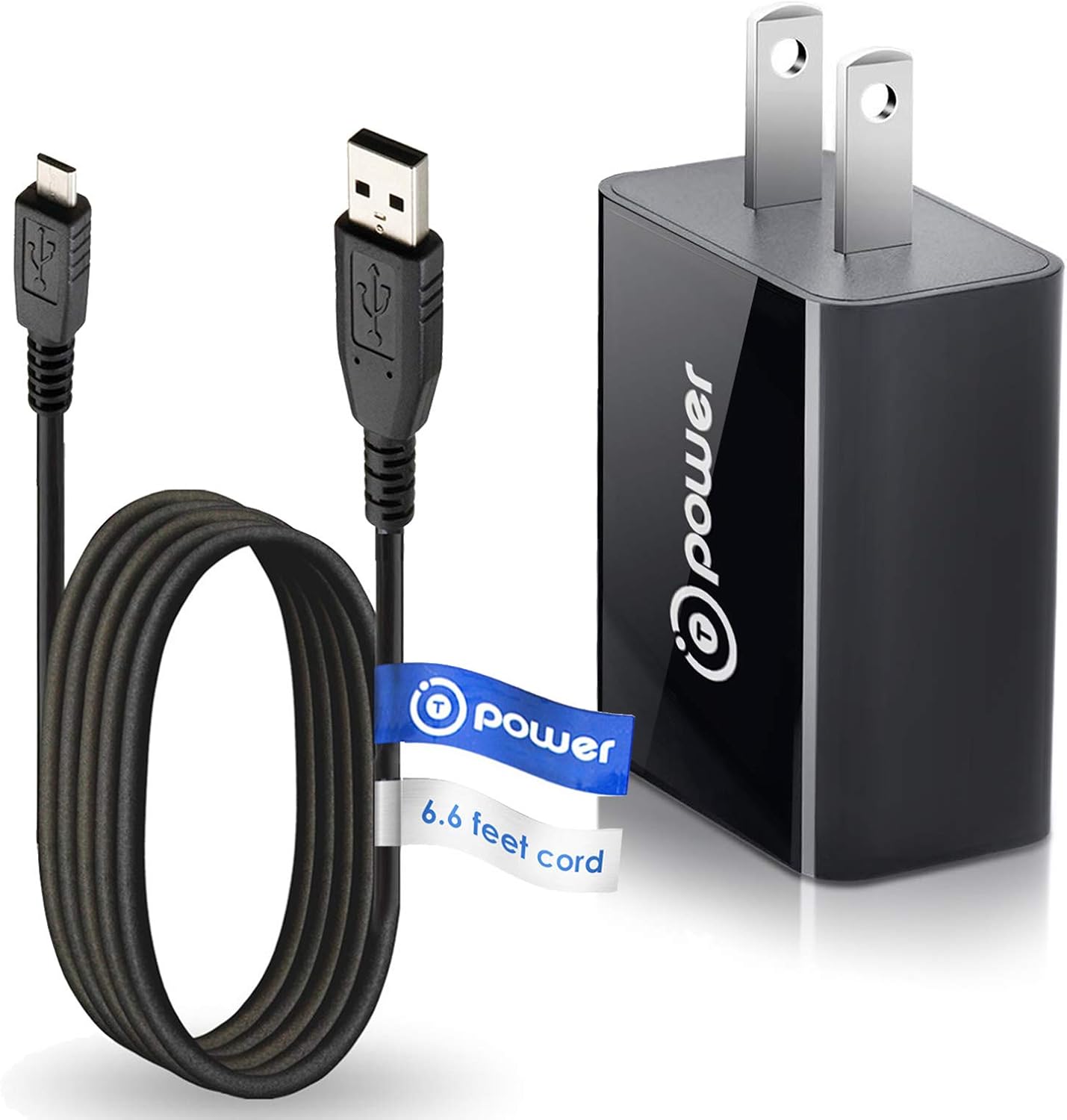
Image: T-Power 5V Charger with included USB cable.
2. Product Features
- Input Voltage Range: AC 100V - 240V, suitable for international use.
- Output: DC 5V 2A (2 Amp) for efficient charging.
- Compatibility: Specifically designed for 5V DC devices such as the Brookstone Tranquil Moments Sound Sleep Therapy Bedside Speaker & Sleep Sounds Bluetooth 406876 865623 Alarm Clock.
- Included Cable: Comes with a 6-foot long USB-A to Micro-USB data cable.
- Superior Safety Protections: Built-in safeguards against over-current, over-temperature, over-voltage, short circuit, electrostatic discharge, magnetic field interference, and general overvoltage.
- Durability: Constructed with high-quality materials for a longer lifespan, tested to withstand 10,000 bends.

Image: Illustration of the charger's durable design and high-quality materials.
3. Setup and Connection
- Verify Compatibility: Before connecting, ensure your device requires a 5V DC input and matches the specified models (e.g., Brookstone Tranquil Moments Sound Sleep Therapy Bedside Speaker & Sleep Sounds Bluetooth 406876 865623 Alarm Clock).
- Connect Cable to Charger: Insert the USB-A end of the provided cable into the USB port on the T-Power charger block.
- Connect to Device: Insert the Micro-USB end of the cable into the charging port of your compatible device.
- Plug into Power Outlet: Insert the charger's prongs into a standard AC wall outlet (100V-240V).
Once connected, your device should begin charging. Refer to your device's manual for specific charging indicators.

Image: Views of the T-Power 5V Charger block.
4. Operation
The T-Power 5V Charger operates automatically once connected to a power source and a compatible device. It delivers the necessary 5V DC power to charge or operate your device. No user interaction is required beyond proper connection.
5. Safety Information
As an electrical item, this charger must be handled with care. Please observe the following safety guidelines:
- Storage: Store the charger in a dry, cool place, away from direct sunlight and extreme temperatures.
- Monitoring: While in use, the charger should be monitored. If it appears to be overheating, disconnect it from the power outlet and your device immediately.
- Damage: Do not use the charger if the casing or cable is damaged.
- Water Exposure: Avoid exposing the charger to water or other liquids.
- Ventilation: Ensure adequate ventilation around the charger during use. Do not cover it.
The charger is equipped with multiple protection features:
- Over-Current Protection
- Over-Temperature Protection
- Over-Voltage Protection
- Short Circuit Protection
- Electrostatic Protection
- Magnetic Field Protection

Image: Overview of the charger's superior safety features.
6. Maintenance
To ensure the longevity and proper functioning of your T-Power charger:
- Cleaning: Disconnect the charger from the power outlet and device before cleaning. Use a soft, dry cloth to wipe the surface. Do not use liquid cleaners or aerosols.
- Cable Care: Avoid sharp bends or kinks in the cable. Do not pull the cable to disconnect the charger from the outlet; always grasp the plug.
- Storage: When not in use, store the charger and cable neatly to prevent damage.
7. Troubleshooting
If you encounter issues with your T-Power charger, consider the following:
- Device Not Charging:
- Ensure the charger is securely plugged into a working wall outlet.
- Verify that the USB cable is firmly connected to both the charger and your device.
- Confirm that your device is compatible with a 5V DC 2A power input.
- Try using a different wall outlet.
- Inspect the cable and charger for any visible damage.
- Charger Overheating:
- Immediately disconnect the charger from the power outlet and your device.
- Ensure there is adequate ventilation around the charger.
- If overheating persists after cooling down and re-connecting, discontinue use and contact customer support.
8. Specifications
| Attribute | Detail |
|---|---|
| Brand | T POWER |
| Manufacturer | T-Power |
| Model Number | TP-jJ8-FH2 |
| Input Voltage Range | AC 100V - 240V |
| Output Amperage | 2 Amps (2A) |
| Product Dimensions | 4 x 4 x 2 inches |
| Item Weight | 4 ounces |
| Included Components | AC Adapter, USB Cable |

Image: Close-up of the charger's label with technical details.
9. Warranty and Support
T-Power is committed to providing quality products and customer satisfaction.
- Return Policy: You may return your undamaged product and packaging within 30 days of purchase for a full refund.
- Warranty: This product is covered by a 12-Month Warranty, addressing any quality-related issues. Replacements are provided with shipping costs covered.
- Technical Support: If you have questions, need assistance with compatibility, or encounter any issues, please contact T-Power customer support.
For support inquiries, please refer to the contact information provided with your purchase or visit the official T-Power website.