
1. Product Overview
The Vonyx MEG065 is a powerful, portable megaphone designed for voice amplification in various outdoor and indoor settings. It features a robust construction, a detachable microphone, and integrated multimedia functions including an MP3 player with USB and SD card support, a recording function, and a siren. The megaphone operates on a rechargeable lithium battery or eight C-Cell batteries, offering flexibility and extended use.
Key Features:
- High Power Output: 65 Watts maximum for clear and far-reaching sound.
- Extended Range: Effective communication up to 1.2 kilometers.
- Multimedia Playback: Integrated MP3 player with USB and SD card slots.
- Recording Function: Capture and playback voice messages.
- Siren Function: Built-in siren for emergency or attention-grabbing situations.
- Detachable Microphone: Anti-feedback microphone for clear voice transmission.
- Dual Power Options: Operates with the included rechargeable lithium battery or 8 C-Cell batteries (not included).
- Durable Construction: Made from robust ABS material with a protective rubber bumper.
- Portability: Lightweight design with an adjustable shoulder strap for easy carrying.
2. Safety Instructions
- Do not expose the megaphone to rain or moisture to prevent electric shock.
- Avoid pointing the megaphone directly at people's ears at close range to prevent hearing damage.
- Keep the device away from extreme temperatures and direct sunlight.
- Do not attempt to disassemble or repair the unit yourself. Refer all servicing to qualified personnel.
- Use only the specified battery types and charging methods.
- Ensure proper ventilation when charging the battery.
- Keep out of reach of children.
3. Parts List
Before use, ensure all components are present:
- Vonyx MEG065 Megaphone Unit
- Detachable Microphone with coiled cable
- Rechargeable Lithium Battery
- Shoulder Strap
- Power Adapter for charging (if included, not explicitly stated but implied by "built-in charger" and "220 Volt")

Image 3.1: Vonyx MEG065 Megaphone with its detachable microphone. This image shows the main unit, the horn, the handle, and the microphone connected via a coiled cable.
4. Setup
4.1 Battery Installation and Charging
The MEG065 megaphone can be powered by the included rechargeable lithium battery or by 8 C-Cell batteries (not included).
- To install the rechargeable battery: Open the battery compartment located at the rear of the megaphone. Insert the rechargeable lithium battery, ensuring correct polarity. Close the compartment securely.
- To charge the rechargeable battery: Connect the power adapter (if included) to the charging port on the megaphone and plug it into a standard 220V power outlet. The charging indicator light will illuminate. Charge until the indicator light changes or turns off, indicating a full charge.
- To install C-Cell batteries: If using C-Cell batteries, open the battery compartment and insert 8 C-Cell batteries, observing the correct polarity markings. Close the compartment securely. Note: C-Cell batteries are not rechargeable within the unit.

Image 4.1: The rechargeable lithium battery provided with the Vonyx MEG065 megaphone.

Image 4.2: Illustration of the megaphone's battery compartment and the process of charging the internal battery.
4.2 Attaching the Shoulder Strap
Attach the adjustable shoulder strap to the designated loops on the megaphone for convenient carrying and hands-free operation.

Image 4.3: The Vonyx MEG065 megaphone with the adjustable shoulder strap attached, demonstrating its portability.
5. Operation
5.1 Basic Voice Amplification
- Ensure the megaphone is powered on using the ON/OFF switch, usually located on the microphone or main unit.
- Hold the microphone close to your mouth.
- Adjust the volume control on the microphone to your desired level.
- Speak clearly into the microphone.
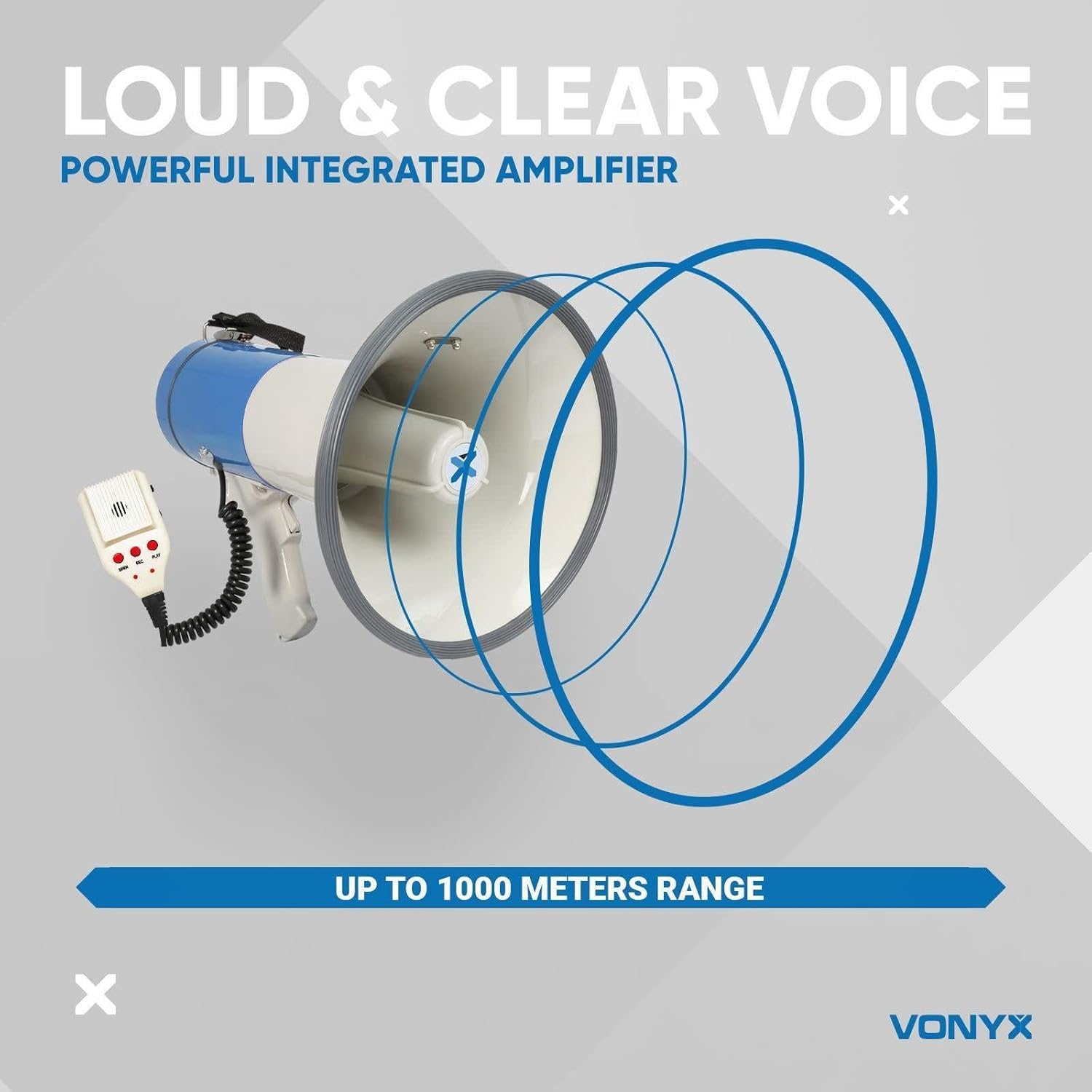
Image 5.1: Detailed view of the detachable microphone's control panel, showing buttons for Siren, Record, Play, Power, and Volume.
5.2 Using the Siren Function
To activate the siren, press the "SIREN" button on the microphone. Press it again to deactivate.
5.3 Recording and Playback
- To record: Press and hold the "RECORD" button on the microphone. Speak clearly into the microphone. Release the button to stop recording.
- To play back: Press the "PLAY" button on the microphone to listen to your recorded message.
5.4 MP3 Playback (USB/SD)
The megaphone features a built-in MP3 player that supports USB flash drives and SD cards.
- Insert a USB flash drive into the USB port or an SD card into the SD card slot on the megaphone's control panel.
- The megaphone should automatically detect and begin playing MP3 files.
- Use the control buttons (e.g., Play/Pause, Next/Previous Track) on the megaphone's panel to manage playback.

Image 5.2: Close-up of the megaphone's control panel showing the USB port with a USB stick inserted and the SD card slot.
6. Maintenance
- Cleaning: Wipe the megaphone with a soft, dry cloth. Do not use abrasive cleaners or solvents.
- Storage: Store the megaphone in a cool, dry place when not in use. Remove C-Cell batteries if storing for extended periods to prevent leakage.
- Battery Care: For the rechargeable battery, avoid fully discharging it frequently. Charge it periodically even if not in use to maintain battery health.
7. Troubleshooting
| Problem | Possible Cause | Solution |
|---|---|---|
| No sound output |
|
|
| Distorted sound |
|
|
| MP3 player not working |
|
|
8. Specifications
| Model Number | MEG065 |
| Power Output | 65 Watts (Max) |
| Effective Range | Up to 1.2 km |
| Power Source | Rechargeable Lithium Battery (included) or 8 x C-Cell Batteries (not included) |
| Battery Type | Lithium Metal (rechargeable) |
| Charging Voltage | 220 Volt (via power adapter) |
| Material | Acrylonitrile Butadiene Styrene (ABS) |
| Dimensions (Diameter x Length) | 230 x 340 mm (23 x 23 x 34.5 cm) |
| Weight | 1.3 kg |
| Connectivity | USB, SD Card Slot |
9. Warranty & Support
For warranty information and technical support, please refer to the documentation provided at the time of purchase or contact your retailer. Keep your proof of purchase for any warranty claims.
Manufacturer: Vonyx
Website: www.vonyx.com (Note: This is a placeholder URL as no official website was provided in the input. Users should consult their product packaging or retailer for official support channels.)


