Introduction
This manual provides essential information for the safe and efficient operation of your Truper 1500 W Power Inverter, Model INCO-1500. Please read all instructions carefully before use and retain this manual for future reference.
Safety Instructions
WARNING: Failure to follow these safety instructions may result in electric shock, fire, and/or serious injury.
- Do not open the inverter casing. There are no user-serviceable parts inside.
- Keep the inverter away from water, moisture, and flammable materials.
- Ensure adequate ventilation around the inverter to prevent overheating.
- Connect the inverter only to a 12V DC power source.
- Do not exceed the inverter's rated power output of 1500W.
- Always connect the inverter to the battery terminals correctly: positive to positive, negative to negative.
- Disconnect the inverter from the power source when not in use.
- Keep children away from the inverter.
Product Overview
Familiarize yourself with the components of your Truper 1500 W Power Inverter.
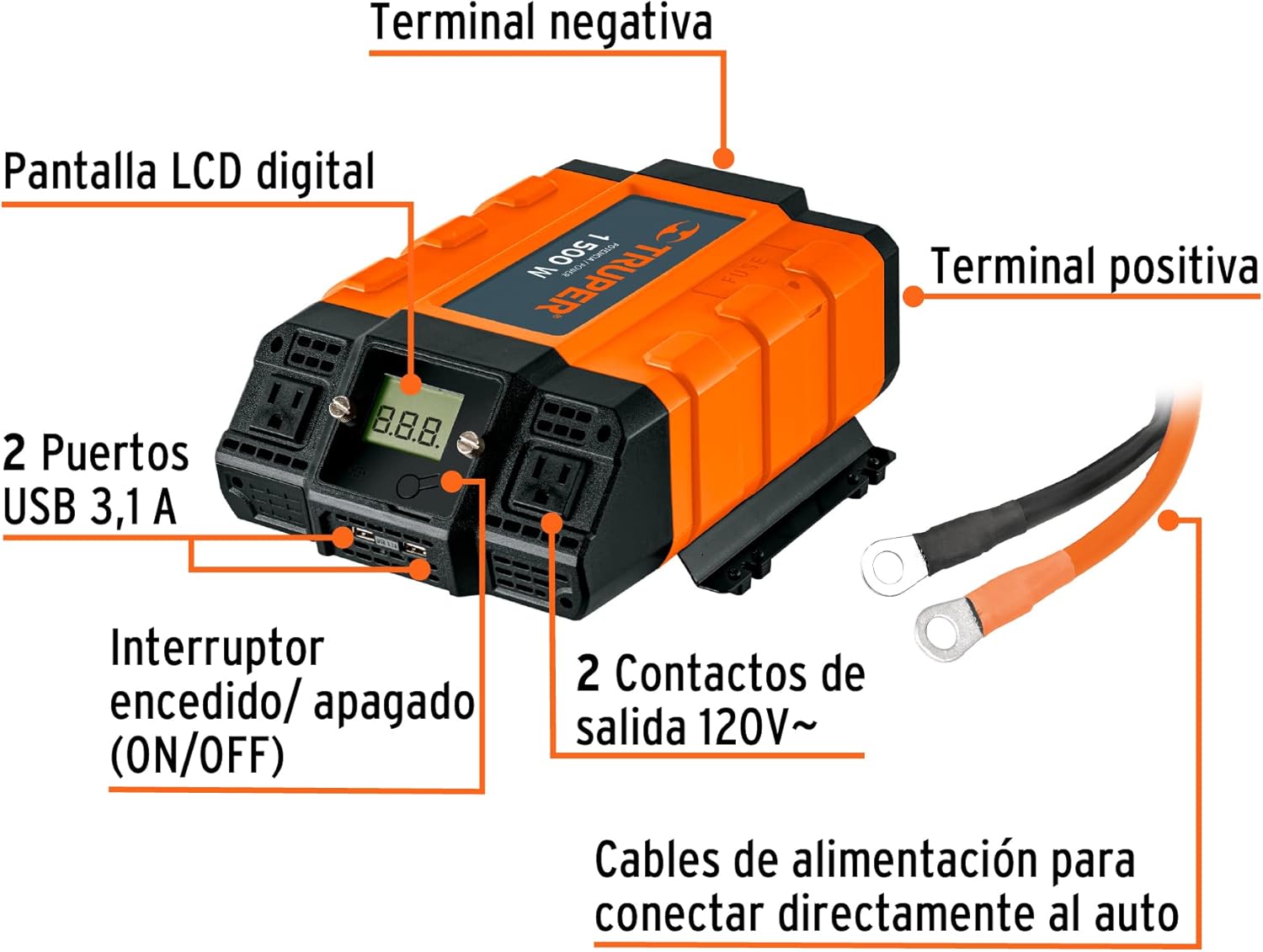
Image 1: Front view of the Truper 1500 W Power Inverter showing its main components. These include the Digital LCD Display, ON/OFF Switch, two USB 3.1A Ports, two 120V~ AC Outlets, Positive Terminal, and Negative Terminal. Power cables for direct car connection are also shown.
- Digital LCD Display: Shows output voltage, input voltage, and error codes.
- ON/OFF Switch: Controls the power to the inverter.
- USB 3.1A Ports: For charging USB-powered devices.
- 120V~ AC Outlets: Standard household outlets for AC appliances.
- Positive Terminal: Red terminal for positive battery connection.
- Negative Terminal: Black terminal for negative battery connection.
- Power Cables: Heavy-duty cables for connecting the inverter directly to a 12V car battery.
Setup
Follow these steps to properly set up your power inverter:
- Ensure the inverter's ON/OFF switch is in the "OFF" position.
- Connect the red (positive) power cable to the inverter's positive terminal and then to the positive terminal of your 12V battery.
- Connect the black (negative) power cable to the inverter's negative terminal and then to the negative terminal of your 12V battery.
- Ensure all connections are secure and tight.
- Place the inverter in a well-ventilated area, away from direct sunlight, heat, or moisture.

Image 2: Connection diagram illustrating how to connect the power inverter to a 12V battery and then to a device (e.g., a portable tool). The diagram shows the machine/device connected to the inverter, and the inverter connected to the battery.
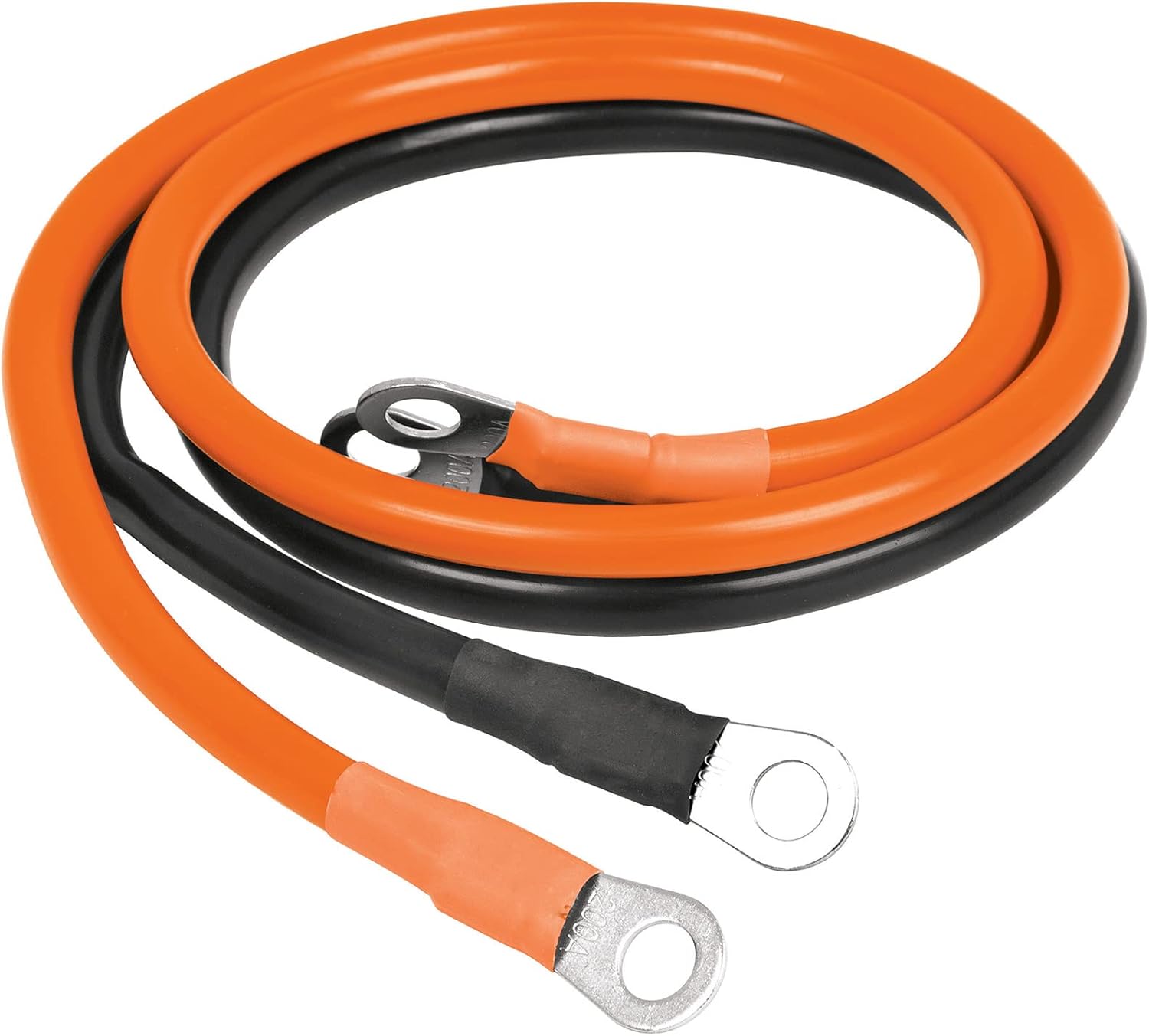
Image 3: A close-up view of the orange and black power cables, which are 85 cm long, used for connecting the inverter to a battery. These cables feature ring terminals for secure attachment.
Operating Instructions
Once the inverter is properly set up:
- Turn the inverter's ON/OFF switch to the "ON" position. The LCD display will illuminate, showing the input voltage and output voltage.
- Plug your AC appliance into one of the 120V~ AC outlets or your USB device into a USB port.
- Ensure the total power consumption of all connected devices does not exceed 1500W.
- When finished, turn the inverter's ON/OFF switch to the "OFF" position and disconnect your devices.
The Truper 1500 W Power Inverter is suitable for powering various electronic devices and portable tools:

Image 4: Visual examples of common applications for the power inverter, including charging cell phones and tablets, powering video game consoles, operating portable tools, running other electronic equipment, and charging laptops.
Maintenance
- Keep the inverter clean and free from dust and debris. Use a dry cloth for cleaning.
- Regularly check the battery connections for tightness and corrosion.
- Store the inverter in a cool, dry place when not in use.
- Ensure the ventilation openings are not blocked.
Troubleshooting
| Problem | Possible Cause | Solution |
|---|---|---|
| No power output | Inverter switch is OFF; Loose battery connection; Low battery voltage; Overload. | Turn switch ON; Check and tighten connections; Recharge battery; Reduce load. |
| Overheat shutdown | Poor ventilation; Excessive load. | Ensure clear ventilation; Reduce load; Allow to cool. |
| Low battery alarm | Battery voltage is too low. | Recharge or replace the battery. |
Specifications
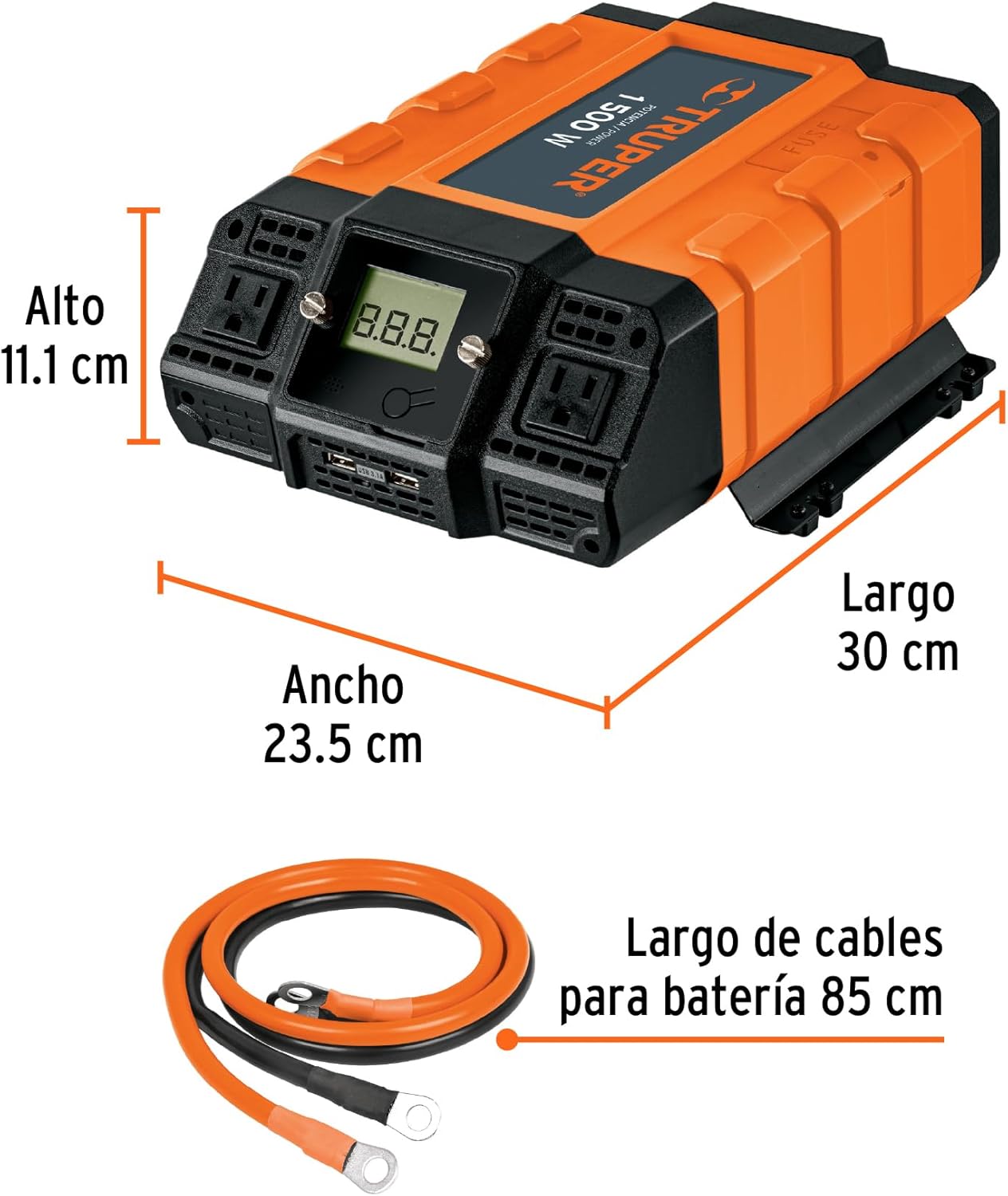
Image 5: Side view of the Truper 1500 W Power Inverter with its physical dimensions indicated: Length 30 cm, Width 23.5 cm, Height 11.1 cm.
- Model: INCO-1500
- Continuous Power: 1500 W
- Input Voltage: 12V DC
- Output Voltage: 120V AC
- USB Output: 3.1A (Total for 2 ports)
- Dimensions (L x W x H): Approximately 30 cm x 23.5 cm x 11.1 cm (11.8 in x 9.25 in x 4.37 in)
- Weight: Approximately 3.1 kg (6.82 lbs)
Warranty and Support
Truper products are manufactured to high-quality standards. For warranty information or technical support, please refer to the contact details provided with your purchase or visit the official Truper website. Keep your proof of purchase for warranty claims.


