
Product Overview
The Kenmore refrigerator air filter 9918 is an original equipment manufacturer (OEM) part designed to maintain a fresh and odor-free environment within your refrigerator. This filter utilizes a unique formula of baking soda, activated carbon, and zeolites to effectively trap and reduce odors from various food items, including onions, garlic, fish, stale milk, overripe fruits, and vegetables.
For optimal performance, the air filter is designed to be effective for up to 6 months. It is compatible with a wide range of Kenmore, Kenmore Elite, and Kenmore Pro refrigerator models, specifically side-by-side series 2534430, 2534438, 2534439, 2534448, 2534449, 2535710, 2535711, 2534433, and 2535533. Additionally, it fits Kenmore Pro upright refrigerator series 2534412 and 2534482, and Kenmore Pro upright freezer series 2534413 and 2534483.
Installation Instructions
Replacing the Air Filter
It is recommended that you replace the air filter approximately every six months or when the "CHANGE FILTER" light illuminates on your refrigerator's control panel.
1. Remove the Old Filter
To begin, locate the air filter cover, typically found on the inside back wall of your refrigerator. Turn the filter cover to the left to detach it from the refrigerator wall. The old filter is located within this cover. Carefully remove the old filter from the cover.

Image description: A diagram illustrating the process of removing the old air filter. It shows a hand turning the filter cover to the left, detaching it from the refrigerator wall, and then removing the filter from inside the cover.
2. Install a New Air Filter
Place the new filter inside of the cover, ensuring that the side marked "FRONT" is facing outward. Once the new filter is securely in place, turn the filter cover to the right to attach it back to the refrigerator wall, locking it into position.
Image description: A diagram illustrating the process of installing the new air filter. It shows placing the new filter into the cover with the "FRONT" side visible, and then turning the cover to the right to secure it to the refrigerator wall.
After changing the filter, push and hold the Air Filter button on your refrigerator's control panel for three seconds to reset the filter sensor. This will turn off the "CHANGE FILTER" indicator light.
CAUTION: Do not put fingers or other objects inside the fan. Doing so could cause bodily harm or product malfunction.
CAUTION: Do not wash the Fresh Air Filter with water. Doing so may degrade the performance. If it is used after the replacement period, the deodorization performance may degrade.
Operating Principles
The Kenmore Elite 9918 Refrigerator Air Filter employs a sophisticated three-layer filtration system. This system, composed of baking soda, activated carbon, and zeolites, actively works to neutralize and eliminate odor-causing agents, ensuring that your stored food remains fresh and ready for consumption.
Under controlled test conditions, this filter has demonstrated its effectiveness by removing 99% of common refrigerator odors, such as those from onion, garlic, meat, bread, and fish, within 30 minutes of installation.
Video description: An animated video from OEM Mania explaining the features and benefits of the 99 Air Filter. It highlights the three-layer design, 99% odor removal efficiency within 30 minutes, and the recommended 6-month replacement cycle. It also mentions the filter's compatibility with LG and Kenmore refrigerators.
Maintenance
For optimal and continuous odor reduction, it is crucial to replace your Kenmore Elite 9918 Refrigerator Air Filter every six months. Regular replacement ensures the filter's active ingredients remain potent and effective in maintaining a fresh environment inside your refrigerator.

Image description: A clear, front-facing view of the Kenmore Elite 9918 Refrigerator Air Filter, showing its white frame and gray filter material.
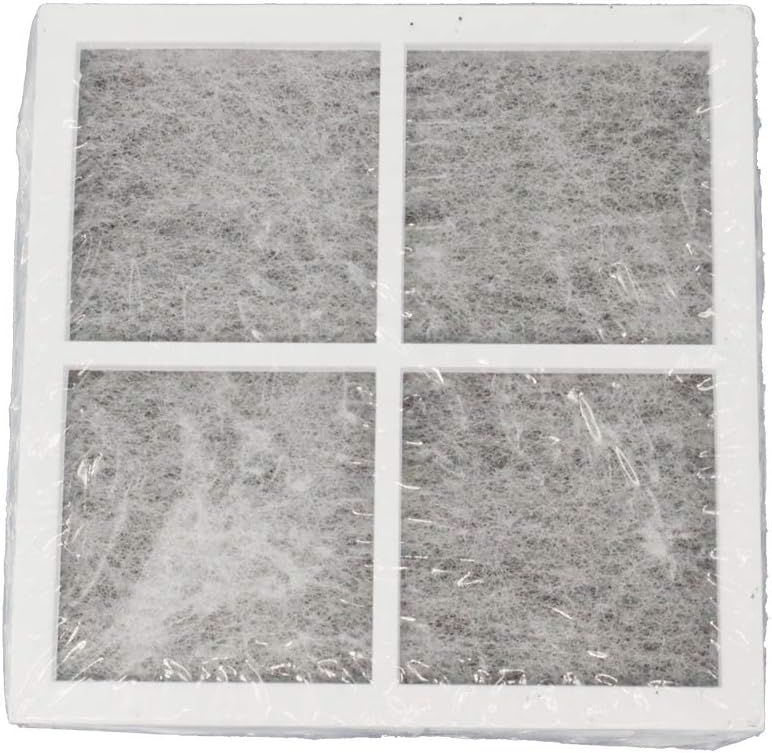
Image description: The Kenmore Elite 9918 Refrigerator Air Filter still sealed in its clear plastic packaging, indicating a new, unused filter.
Troubleshooting
Filter Change Indicator Light Remains On
If the "CHANGE FILTER" light on your refrigerator's control panel remains illuminated after you have replaced the air filter, it indicates that the filter sensor needs to be manually reset.
To reset the sensor: Locate the "Air Filter" button on your refrigerator's control panel. Press and hold this button for approximately three seconds. The indicator light should then turn off, confirming that the sensor has been reset and the refrigerator recognizes the new filter installation.
Product Specifications
| Feature | Detail |
|---|---|
| Brand | Kenmore |
| Model Number | FBA_9918 |
| Item Weight | 0.634 ounces (0.02 Kilograms) |
| Product Dimensions | 3.25 x 3.1 x 0.38 inches |
| Material Type | Carbon |
| Included Components | Air filter |
| Compatibility | Kenmore, Kenmore Elite, Kenmore Pro side-by-side refrigerators (series 2534430, 2534438, 2534439, 2534448, 2534449, 2535710, 2535711, 2534433, 2535533), Kenmore Pro upright refrigerators (series 2534412, 2534482), Kenmore Pro upright freezers (series 2534413, 2534483). |
| Recommended Replacement | Every 6 months |
Customer Support
For any questions or assistance regarding your Kenmore Elite 9918 Refrigerator Air Filter, please contact the seller, OEM Mania, via Amazon's messaging system.
You can also visit the official Kenmore store on Amazon for more product information and support: Kenmore Store.