
Introduction
This manual provides comprehensive instructions for the operation, setup, and maintenance of your Rotel RA-812 Stereo Integrated Amplifier. Designed for optimal audio performance and reliability, the RA-812 offers a range of features and controls to enhance your listening experience. Please read this manual thoroughly to ensure proper use and to maximize the performance of your amplifier.
Important Safety Information: To prevent fire or shock hazard, do not expose this appliance to rain or moisture.
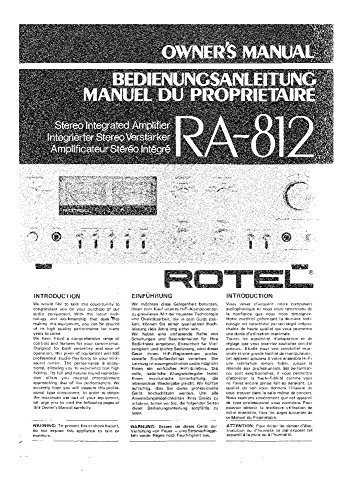
Image: Front cover of the Rotel RA-812 Owner's Manual. The cover displays "OWNER'S MANUAL" in English, German ("BEDIENUNGSANLEITUNG"), and French ("MANUEL DU PROPRIETAIRE"), along with "Stereo Integrated Amplifier" and its translations. The model number "RA-812" is prominently featured, and a partial view of the amplifier's front panel is visible below the text. The Rotel logo is also present.
Setup and Connections
Unpacking
Carefully remove the RA-812 amplifier from its packaging. Retain all packing materials for future transport or storage. Inspect the unit for any signs of damage incurred during shipping. If damage is found, contact your dealer immediately.
Placement
Place the amplifier on a stable, level surface away from direct sunlight, heat sources, and excessive moisture. Ensure adequate ventilation around the unit; do not block ventilation openings. Allow at least 10 cm (4 inches) of clear space above and around the amplifier for proper heat dissipation.
Connecting Speakers
The RA-812 is designed for use with speakers having an impedance of 4 to 16 ohms. Connect your speakers to the speaker terminals on the rear panel. Ensure correct polarity: connect the positive (+) terminal of the amplifier to the positive (+) terminal of the speaker, and the negative (-) terminal of the amplifier to the negative (-) terminal of the speaker. Incorrect polarity will result in poor sound quality.
- Turn off the amplifier and all connected components before making any connections.
- Strip approximately 1.5 cm (0.6 inches) of insulation from the ends of your speaker wires.
- Twist the bare wire strands tightly to prevent short circuits.
- Loosen the binding posts on the amplifier's rear panel.
- Insert the bare wire into the hole of the binding post and tighten securely.
- Repeat for all speaker connections, ensuring correct polarity for each.
Connecting Audio Sources
Connect your audio source components (e.g., CD player, tuner, turntable) to the corresponding input jacks on the rear panel of the RA-812 using high-quality RCA cables. Ensure that the left and right channels are connected correctly (typically red for right, white/black for left).
- PHONO Input: For turntables with a moving magnet (MM) cartridge. If your turntable has a moving coil (MC) cartridge, an external MC pre-amplifier may be required.
- TUNER Input: For connecting an AM/FM tuner.
- CD Input: For connecting a CD player.
- AUX Input: For connecting other line-level audio devices.
- TAPE 1/2 (REC/PLAY): For connecting tape decks or other recording devices. Use the PLAY jacks for playback and REC jacks for recording.
Power Connection
Once all audio and speaker connections are made, connect the supplied AC power cord to the AC inlet on the rear panel of the amplifier and then to a suitable wall outlet. Ensure the power switch on the front panel is in the OFF position before plugging in.
Operating Instructions
Front Panel Controls
- POWER Switch: Turns the amplifier ON or OFF.
- INPUT Selector: Selects the desired audio source (PHONO, TUNER, CD, AUX, TAPE 1, TAPE 2).
- VOLUME Control: Adjusts the overall output volume.
- BASS Control: Adjusts the low-frequency response.
- TREBLE Control: Adjusts the high-frequency response.
- BALANCE Control: Adjusts the left/right channel balance.
- LOUDNESS Switch: Engages or disengages the loudness compensation circuit, which boosts bass and treble at low volume levels.
- MONO/STEREO Switch: Selects between mono and stereo playback.
- HEADPHONE Jack: For connecting stereo headphones. Plugging in headphones will mute the main speaker outputs.
Basic Operation
- Ensure all connections are secure and correct.
- Turn the VOLUME control to its minimum setting.
- Press the POWER switch to turn on the amplifier.
- Select the desired input source using the INPUT selector.
- Start playback on your selected audio source.
- Slowly increase the VOLUME control to a comfortable listening level.
- Adjust BASS, TREBLE, and BALANCE controls as desired for optimal sound.
Maintenance and Care
To ensure long-term performance and appearance of your Rotel RA-812 amplifier, follow these maintenance guidelines:
- Cleaning: Dust the unit regularly with a soft, dry cloth. For stubborn marks, use a slightly damp cloth with a mild, non-abrasive cleaner. Never use harsh chemicals or solvents.
- Ventilation: Ensure that the ventilation openings are not blocked by dust or debris. Periodically check and clean them if necessary.
- Power Cord: Inspect the power cord for any damage. If damaged, replace it immediately with an approved cord.
- Storage: If storing the amplifier for an extended period, disconnect it from power, clean it, and store it in a cool, dry place, preferably in its original packaging.
Troubleshooting
If you experience problems with your RA-812 amplifier, consult the following table before seeking professional service:
| Problem | Possible Cause | Solution |
|---|---|---|
| No power | Power cord not connected; Power switch off; Blown fuse. | Check power cord connection; Ensure power switch is ON; Consult service center for fuse replacement. |
| No sound | Incorrect input selected; Volume too low; Speaker wires disconnected/incorrectly connected; Headphones plugged in. | Select correct input; Increase volume; Check speaker connections and polarity; Disconnect headphones. |
| Distorted sound | Input level too high; Speaker impedance mismatch; Damaged speaker wires. | Reduce source volume; Ensure speakers are 4-16 ohms; Check/replace speaker wires. |
| Hum or buzz | Ground loop; Poor cable shielding; Proximity to other electronic devices. | Ensure all components are on the same power circuit; Use shielded cables; Move amplifier away from other electronics. |
If the problem persists after trying these solutions, please contact your authorized Rotel dealer or a qualified service technician.
Specifications
Note: Specifications are subject to change without notice for product improvement.
- Power Output: Refer to original manual for detailed specifications.
- Frequency Response: Refer to original manual for detailed specifications.
- Total Harmonic Distortion (THD): Refer to original manual for detailed specifications.
- Input Sensitivity/Impedance: Refer to original manual for detailed specifications.
- Phono (MM): Refer to original manual for detailed specifications.
- Line (CD, Tuner, AUX, Tape): Refer to original manual for detailed specifications.
- Signal to Noise Ratio (IHF A network): Refer to original manual for detailed specifications.
- Phono: Refer to original manual for detailed specifications.
- Line: Refer to original manual for detailed specifications.
- Speaker Impedance: 4 ohms to 16 ohms
- Power Consumption: Refer to original manual for detailed specifications.
- Dimensions (W x H x D): Refer to original manual for detailed specifications.
- Weight: Refer to original manual for detailed specifications.
Please refer to the original Rotel RA-812 Owner's Manual for precise and complete technical specifications.
Warranty Information
Rotel products are designed and manufactured to the highest quality standards. Your Rotel RA-812 amplifier is covered by a limited warranty, the terms of which may vary by region and country. Please retain your proof of purchase (receipt) as it will be required for any warranty claims.
The warranty typically covers manufacturing defects in materials and workmanship for a specified period from the date of purchase. It generally does not cover damage caused by:
- Accident, misuse, abuse, neglect, or unauthorized modification.
- Improper installation or operation not in accordance with this manual.
- Damage during shipment or due to acts of nature.
- Repair or attempted repair by anyone other than an authorized Rotel service center.
For detailed warranty terms and conditions specific to your region, please consult the warranty card included with your product or contact your authorized Rotel dealer.
Customer Support
Should you require assistance or have questions regarding your Rotel RA-812 amplifier, please contact your authorized Rotel dealer. They are equipped to provide technical support and service.
You may also visit the official Rotel website for additional resources, FAQs, and contact information for Rotel distributors worldwide.


