
1. Introduction
Thank you for choosing the MARVO M319 Gaming Mouse. This manual provides essential information for setting up, operating, and maintaining your new gaming mouse. The M319 is designed for right-handed users, offering an ergonomic shape with textured rubber sides for enhanced grip and comfort during extended gaming sessions. Its durable construction includes contacts rated for 3 million presses and a fabric-protected USB cable for long-lasting reliability.
The M319 is equipped with a competitive optical sensor, providing up to 2400 DPI resolution, ensuring speed and precision for exploring virtual worlds.
2. Package Contents
Please check the package for the following items:
- 1 x MARVO M319 Gaming Mouse
3. Setup
- Connect the Mouse: Plug the USB cable of the MARVO M319 Gaming Mouse into an available USB port on your computer.
- Driver Installation: The mouse is plug-and-play. Your operating system (Windows 7, Windows XP, Linux, or newer versions) will automatically detect and install the necessary drivers. No additional software installation is typically required.
- Verify Functionality: Once connected, move the mouse and click the buttons to ensure it is functioning correctly.
4. Operating Instructions
DPI Adjustment
The MARVO M319 Gaming Mouse features adjustable sensitivity (DPI) to suit various gaming scenarios and personal preferences. You can adjust the DPI in 4 steps:
- Locate the dedicated DPI button positioned just next to the scroll wheel.
- Press this button to cycle through the available DPI settings. Each press will switch to the next sensitivity level.
- Adjust your precision dynamically and quickly based on the in-game situation.
Basic Mouse Functions
- Left Click: Primary action, selection.
- Right Click: Context menu, secondary action.
- Scroll Wheel: Scroll up/down, middle click (programmable in some applications).
5. Features
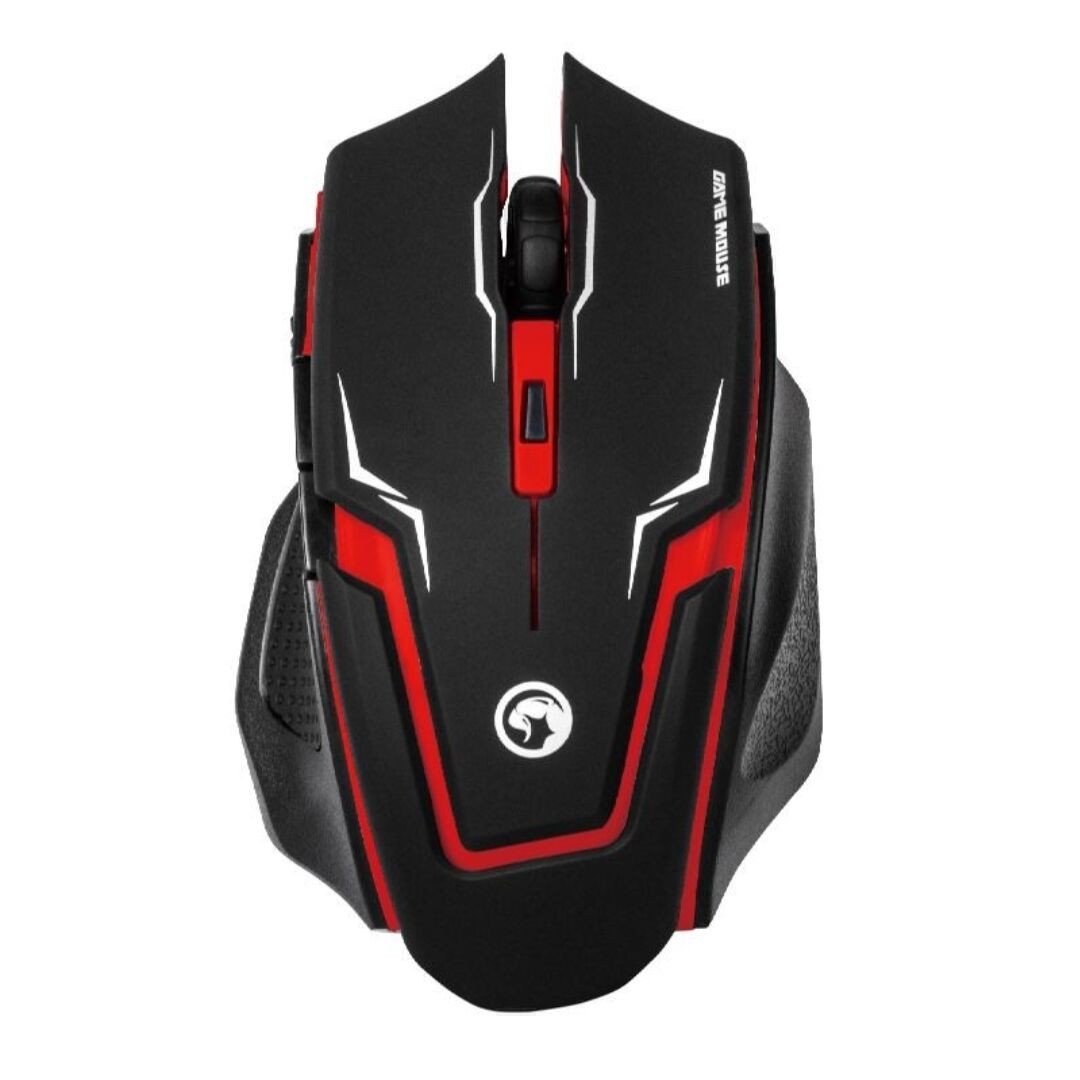
Image 1: The MARVO M319 Gaming Mouse, showcasing its ergonomic shape and red accents.
- Ergonomic Design: Perfectly fits the hand of right-handed users for maximum comfort and stability.
- Textured Rubber Sides: Provides superior grip and adhesion.
- Optical Sensor: Competitive optical sensor for precise tracking.
- Adjustable DPI: 4-step sensitivity adjustment up to 2400 DPI for dynamic precision.
- Durable Switches: Contacts with an estimated 3 million press times for long-term reliability.
- Wired Connectivity: Stable and responsive connection via a fabric-protected USB cable.
- Plug & Play: Easy setup with automatic driver installation.
Product Overview Video
Video 1: An overview of the MARVO M319 Gaming Mouse, highlighting its design and key functionalities. This video is provided by the seller.
6. Maintenance
- Cleaning: Use a soft, dry cloth to clean the mouse surface. For stubborn dirt, slightly dampen the cloth with water. Avoid using harsh chemicals or abrasive materials.
- Sensor Cleaning: Occasionally, use a cotton swab to gently clean the optical sensor located on the underside of the mouse to ensure optimal tracking performance.
- Cable Care: Avoid sharp bends or excessive pulling on the USB cable to prevent damage.
- Storage: Store the mouse in a clean, dry environment when not in use.
7. Troubleshooting
| Problem | Possible Cause | Solution |
|---|---|---|
| Mouse not responding | USB cable not properly connected. Faulty USB port. | Ensure the USB cable is securely plugged into the computer. Try a different USB port. Restart your computer. |
| Erratic cursor movement | Dirty optical sensor. Unsuitable mouse pad/surface. | Clean the optical sensor with a cotton swab. Use a clean, uniform-colored mouse pad or surface. |
| DPI button not changing sensitivity | Software conflict or temporary glitch. | Ensure no other mouse software is interfering. Unplug and replug the mouse. Restart your computer. |
8. Specifications
- Brand: MARVO
- Model: M319
- Color: Red
- Connectivity: Wired (USB)
- Sensor Type: Optical
- DPI: Up to 2400 DPI (4-step adjustable)
- Buttons: 4 (Left, Right, Middle/Scroll Click, DPI)
- Hand Orientation: Right-handed
- Compatible OS: Linux, Windows 7, Windows XP (and newer versions)
- Cable: Fabric-protected USB cable
- Material: Rubber (textured sides)
- Weight: 0.15 Kilograms
- Manufacturer: Shenzhen Mark Technology Co.Ltd
9. Warranty and Support
For warranty information and technical support, please refer to the documentation provided with your purchase or contact your retailer. Keep your proof of purchase for warranty claims.


