
Introduction
The Xqisit 21694 1500mAh Power Bank is a compact and portable external battery designed to provide emergency power to your mobile devices, such as smartphones and tablets, while you are on the go. Its integrated multi-connector cable ensures broad compatibility with various devices, making it a convenient accessory for daily use and travel.

Figure 1: The Xqisit Power Bank shown with keys, illustrating its compact and portable design, ideal for carrying in any bag.
Setup and Initial Charging
Before using your Xqisit Power Bank for the first time, it is recommended to fully charge it. This ensures optimal performance and battery longevity.
- Identify Charging Port: Locate the Micro-USB input port on the power bank. This port is typically labeled or indicated by a small icon.
- Connect to Power Source: Use a standard USB wall adapter (not included) or a computer's USB port. Connect the Micro-USB end of the integrated cable to the power bank's input port and the USB-A end to your power source.
- Charge Indicator: The power bank will typically have an LED indicator that shows the charging status. Refer to the device for specific light patterns (e.g., solid light for fully charged, blinking for charging).
- Full Charge: Allow the power bank to charge until the indicator shows it is fully charged. This may take several hours depending on the power source.
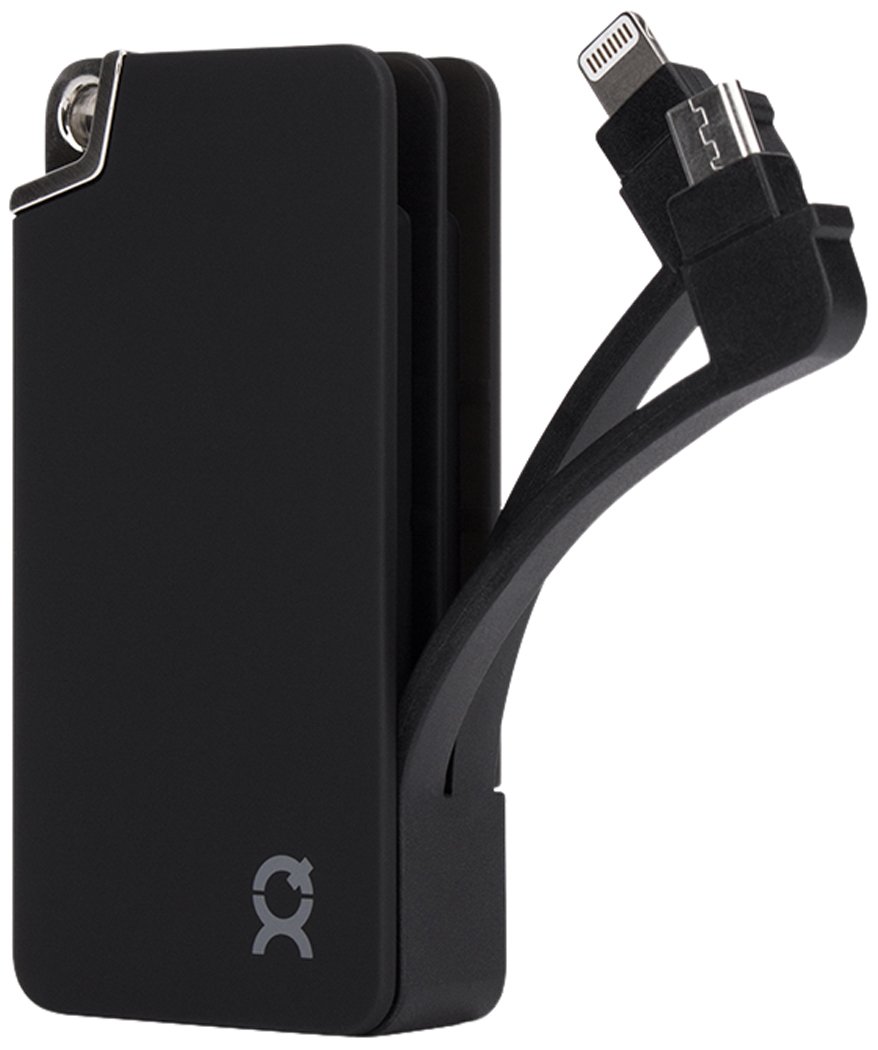
Figure 2: Front and back views of the Xqisit Power Bank, detailing the input and output ports, and product specifications.
Operating Instructions
Once your Xqisit Power Bank is charged, you can use it to power your mobile devices.
- Connect Your Device: The power bank features an integrated cable with multiple connectors: USB, Micro-USB, and Lightning. Select the appropriate connector for your device.
- Plug In: Connect the chosen connector to your smartphone, tablet, or other compatible device.
- Initiate Charging: The power bank should automatically begin charging your device. If not, press the power button on the power bank (if available) to start the charging process.
- Monitor Charging: Your device's screen will indicate that it is charging. The power bank's LED indicator may also change to show active discharge.
- Disconnect: Once your device is sufficiently charged, disconnect it from the power bank.

Figure 3: The Xqisit Power Bank actively charging a smartphone, highlighting its convenience for portable power.

Figure 4: Detailed view of the integrated triple cable, featuring USB, Micro-USB, and Lightning connectors for versatile device compatibility.
Maintenance
Proper maintenance will extend the life of your power bank.
- Cleaning: Use a soft, dry cloth to clean the exterior of the power bank. Avoid using harsh chemicals or abrasive materials.
- Storage: Store the power bank in a cool, dry place away from direct sunlight and extreme temperatures. Do not expose it to moisture.
- Battery Care: For optimal battery health, fully charge the power bank at least once every three months if not in regular use. Avoid completely draining the battery frequently.
- Handle with Care: Avoid dropping the power bank or subjecting it to strong impacts, as this can damage internal components.
Troubleshooting
If you encounter issues with your Xqisit Power Bank, refer to the following common solutions:
- Power Bank Not Charging:
- Ensure the charging cable is securely connected to both the power bank and the power source.
- Try a different USB wall adapter or USB port.
- Verify the power source is active and providing power.
- Device Not Charging from Power Bank:
- Check if the power bank itself is charged.
- Ensure the integrated cable's connector is firmly plugged into your device.
- Confirm you are using the correct connector (Micro-USB or Lightning) for your device.
- Try pressing the power bank's power button to initiate charging.
- Some devices may require a specific charging current; ensure your device is compatible with 5V/1A output.
- Slow Charging:
- Ensure the power bank is fully charged before attempting to charge your device.
- Charging speed can be affected by the device being charged and its current battery level.
- Power Bank Drains Quickly:
- The actual usable capacity can be slightly less than the stated capacity due to energy conversion losses.
- Ensure the power bank is not left in extreme temperatures, which can affect battery performance.
Specifications
| Brand | XQISIT |
| Model Number | 21694 |
| Battery Capacity | 1500 mAh (3.7V) |
| Input | 5V / 1A |
| Output | 5V / 1A |
| Compatible Devices | Smartphone, Tablet |
| Connectors | Integrated USB, Micro-USB, Lightning |
| Dimensions (L x W x H) | 16.89 x 8.79 x 1.19 cm |
| Weight | 99.79 g |
| MFI Certified | Yes (Made for iPod, iPhone, and iPad) |
Warranty Information
This product is covered by a standard manufacturer's warranty. Please refer to the packaging or the retailer's website for specific warranty terms and conditions. Keep your proof of purchase for any warranty claims.
Customer Support
For further assistance or inquiries regarding your Xqisit Power Bank, please contact the retailer where you purchased the product or visit the official XQISIT website for support resources.
