
1. Introduction
This document provides comprehensive instructions for the installation, operation, and maintenance of the Amphenol 10-101987-103 Circular Connector Strain Relief Adapter. This adapter is designed to provide robust strain relief for 6-pin circular connectors, enhancing cable durability and connection integrity in various applications.
Please read this manual thoroughly before attempting installation or use to ensure proper function and safety.
2. Product Overview
The Amphenol 10-101987-103 is a specialized accessory for circular connectors. It consists of a main adapter body and a two-piece clamp mechanism with securing screws. Its primary function is to prevent stress on cable connections by securing the cable firmly at the connector entry point.
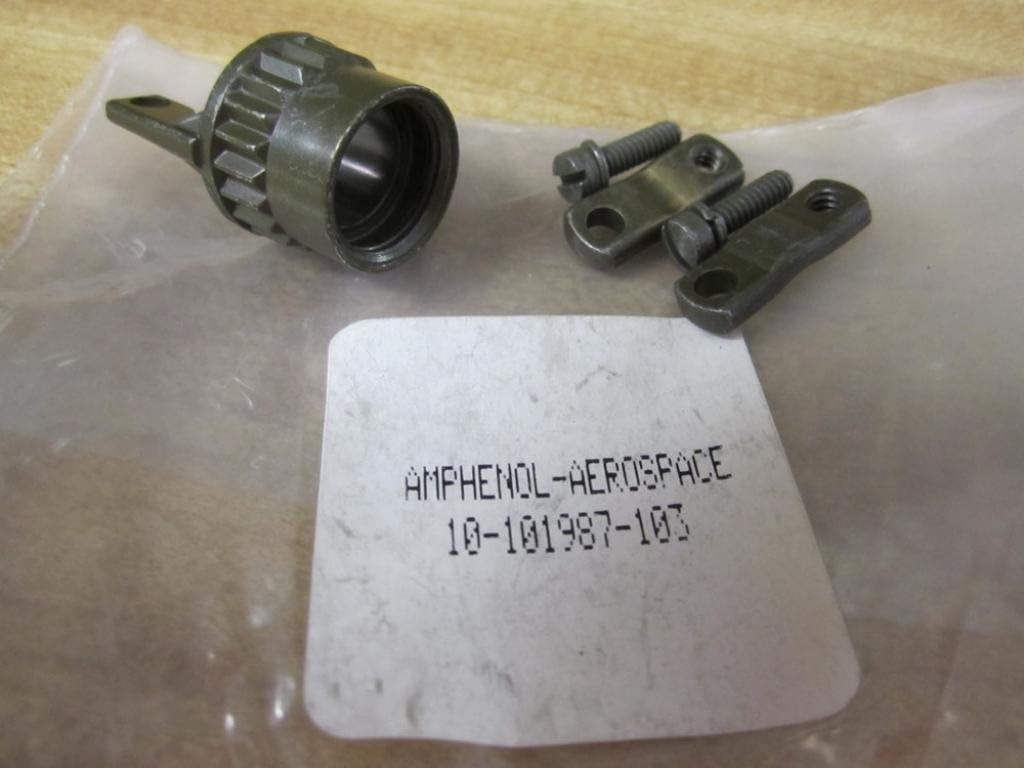
Figure 2.1: Overview of the Amphenol 10-101987-103 strain relief adapter components, including the main body, two clamp pieces, and two screws.
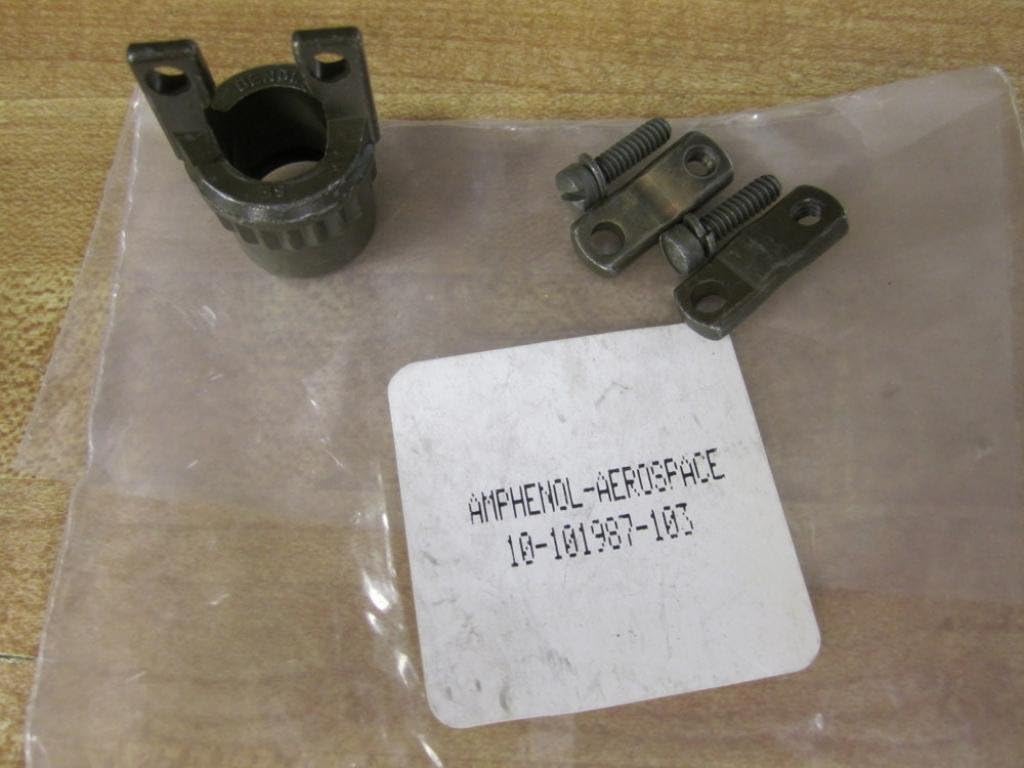
Figure 2.2: The strain relief adapter body shown with the two clamp pieces and screws positioned separately, illustrating the individual components.
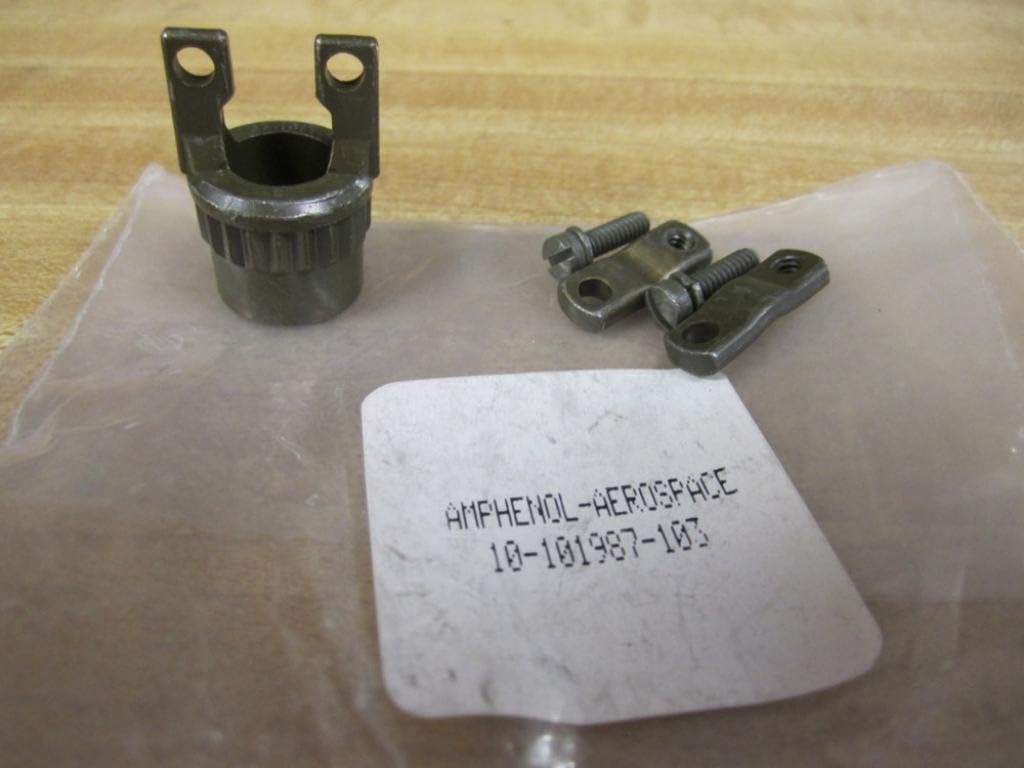
Figure 2.3: A closer view of the strain relief adapter body, with the clamp pieces and screws ready for assembly, demonstrating the design for cable retention.
3. Setup and Installation
Follow these steps to properly install the strain relief adapter onto your 6-pin circular connector:
- Prepare the Connector: Ensure your 6-pin circular connector is fully assembled and wired according to its specific instructions.
- Attach Adapter Body: Thread the main body of the 10-101987-103 adapter onto the rear of the circular connector. Tighten it securely by hand or with an appropriate tool, ensuring a snug fit without over-tightening.
- Position the Cable: Route the cable through the opening of the adapter body.
- Install Clamp Pieces: Place the two clamp pieces around the cable, inside the adapter body. Ensure the grooves on the clamp pieces align with the cable's diameter for a secure grip.
- Secure the Clamps: Insert the provided screws through the holes in the clamp pieces and into the threaded holes in the adapter body. Tighten the screws evenly until the cable is firmly gripped by the clamp, providing effective strain relief. Do not overtighten, as this may damage the cable jacket.
- Verify Installation: Gently pull on the cable to confirm that it is securely held by the strain relief and that no undue stress is placed on the connector's internal connections.
4. Operating Principles
Once installed, the Amphenol 10-101987-103 adapter functions passively to protect the cable-to-connector interface. It distributes mechanical stress (pulling, bending, twisting) away from the delicate solder joints or crimp connections within the circular connector, transferring it to the more robust cable jacket and the strain relief mechanism itself. This significantly extends the lifespan and reliability of the cable assembly.
5. Maintenance
The Amphenol 10-101987-103 strain relief adapter requires minimal maintenance. Periodically inspect the adapter for the following:
- Tightness: Ensure all screws and the main adapter body remain securely tightened. Re-tighten if any looseness is detected.
- Physical Damage: Check for any cracks, bends, or corrosion on the metal components. Replace the adapter if significant damage is observed.
- Cable Integrity: Inspect the cable jacket where it enters and exits the strain relief for signs of wear or damage.
To clean, wipe the adapter with a dry, lint-free cloth. Avoid using harsh chemicals or abrasive materials that could damage the finish.
6. Troubleshooting
This section addresses common issues that may arise during the installation or use of the strain relief adapter.
- Issue: The adapter does not thread onto the circular connector.
- Solution: Verify that the circular connector is compatible with a Size 14 adapter. Ensure threads are clean and free of debris. Do not force the adapter.
- Issue: The cable is not securely gripped by the clamp.
- Solution: Ensure the correct cable diameter is used for this strain relief. Re-check that the clamp pieces are correctly seated and the screws are tightened evenly and sufficiently.
- Issue: Screws are difficult to tighten or loosen.
- Solution: Use the correct screwdriver size. If threads are stripped or damaged, the adapter may need replacement.
7. Specifications
| Attribute | Detail |
|---|---|
| Brand | Amphenol |
| Model Number | 10-101987-103 |
| Type | Circular Connector Strain Relief Adapter |
| Compatible Connector Size | Size 14 (for 6-PIN CONNECTORS) |
| Color/Finish | Olive Drab |
| Material | Military Type (typically aluminum alloy with appropriate plating) |
| Certification | Rohs |
| Part Number | 10-101987-103 |
8. Warranty and Support
For specific warranty information, please refer to the documentation provided at the point of purchase or contact Amphenol directly. General product support and technical assistance can be obtained through authorized Amphenol distributors or their official website.
For further assistance, please visit: www.amphenol.com