
Beautyrest BR54-0419
Contents
Beautyrest Heated Microlight to Berber Blanket
User Manual
Introduction
This manual provides essential information for the safe and effective use of your Beautyrest Heated Microlight to Berber Blanket. Designed for comfort and warmth, this blanket features Secure Comfort Technology to minimize electromagnetic field emissions, soft flexible wires, and ultra-soft microlight plush fabric that reverses to cozy berber. It offers customizable warmth with 20 temperature settings and a 10-hour auto shut-off feature. The blanket is machine washable for easy care and OEKO-TEX certified, ensuring it is free from harmful substances.

Image: The Beautyrest Heated Microlight to Berber Blanket in grey, folded, showcasing its plush texture and the two control units.
Safety Information
Your Beautyrest heated blanket is designed with safety as a priority. It undergoes 78 independent safety tests, exceeding UL requirements. Please adhere to the following guidelines:
- Do not cover the controller while in use to prevent overheating.
- Ensure the blanket is laid flat and untucked, free from heavy objects, to allow for proper heat distribution.
- This product is OEKO-TEX certified, indicating it does not contain harmful substances.
- Always unplug the blanket before cleaning or if it will not be used for an extended period.
- Do not use with infants, incapacitated persons, or persons insensitive to heat.
- Do not use with pets.
- Do not dry clean this product. Dry cleaning solvents may damage the insulation of the heating element.

Image: An illustration detailing the blanket's construction, highlighting its soft plush and sherpa layers, and flexible heating wires, alongside safety certifications.
Setup
- Unpack: Carefully remove the blanket and controllers from the packaging.
- Placement: Lay the blanket flat on your bed, ensuring it is evenly spread without folds or bunches.
- Connect Controller(s):
- For Twin and Full sizes, connect the single controller to the blanket's connector.
- For Queen and King sizes, connect both controllers to their respective connectors on the blanket. Ensure each controller is connected to its designated side.
- Power Connection: Plug the power cord(s) into a standard 110-120V AC electrical outlet. Ensure the outlet is easily accessible.

Image: The blanket laid out on a bed, illustrating its reversible plush and sherpa sides, along with key features like fast heating and UL certification.
Operating Instructions
The Beautyrest heated blanket features an easy-to-use controller with an LCD display for clear temperature and timer settings.
- Turning On/Off: Press the power button (⏻) on the controller to turn the blanket on or off.
- Adjusting Heat Settings: Use the up (▲) and down (▼) arrow buttons to select your desired heat level from 1 to 20. The LCD display will show the current setting.
- Preheat Function: Press the "Preheat" button to quickly warm the blanket before use. This function typically runs for 1 hour.
- Auto Shut-Off Timer: The blanket features a 10-hour auto shut-off for safety and energy conservation. You can adjust the timer if desired (refer to controller specific instructions for detailed timer adjustment).
- Dual Temperature Zones (Queen/King): For Queen and King sizes, each side of the blanket has an independent controller, allowing two users to set their preferred warmth levels simultaneously.

Image: A detailed view of the blanket's control units, highlighting the LCD display, various buttons for heat and timer settings, and an illustration of the durable insulated power cord.
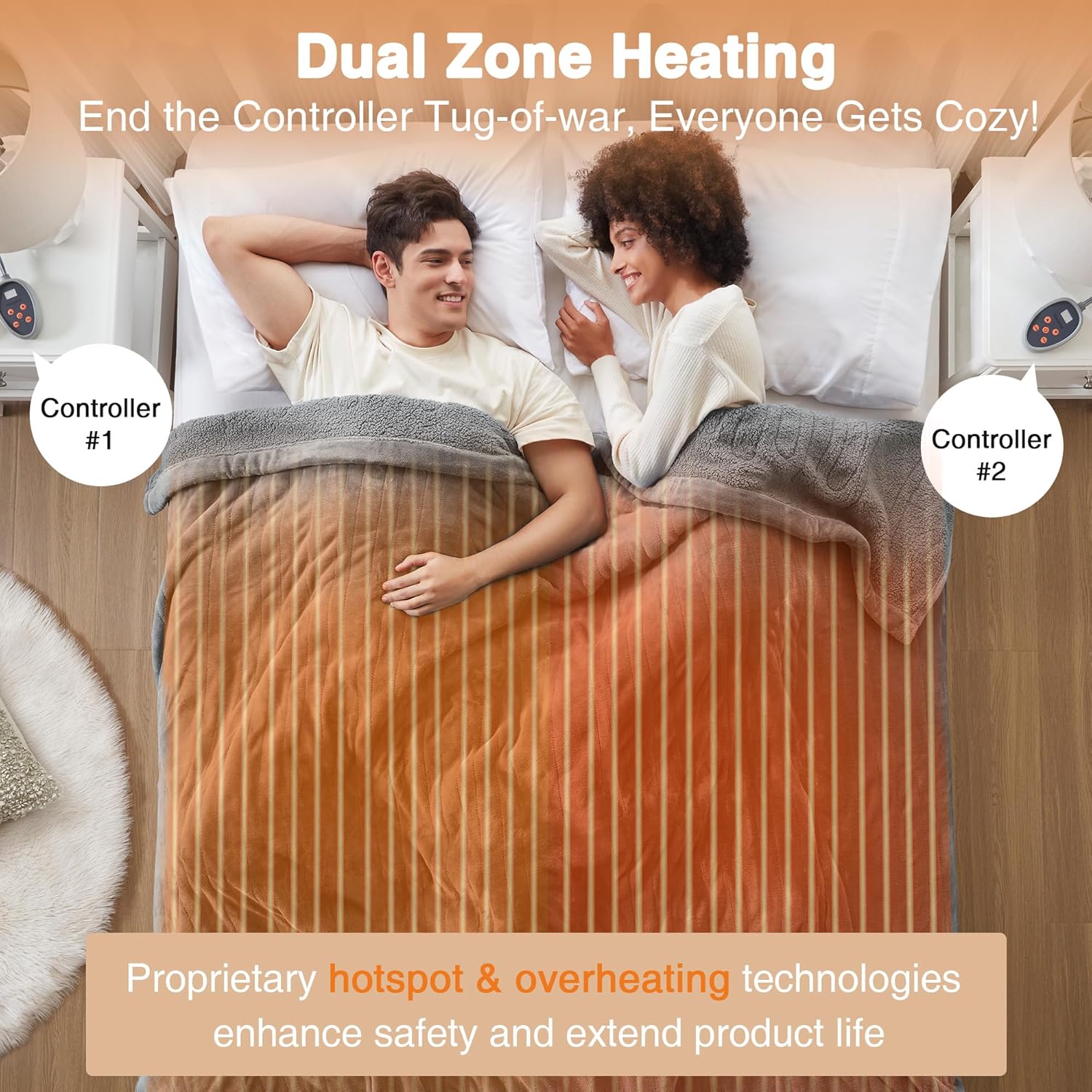
Image: An illustration demonstrating the dual-zone heating capability of the blanket, allowing separate temperature control for two individuals.
Maintenance
Proper care will extend the life of your heated blanket.
- Washing: The blanket is machine washable.
- Always unplug the controller(s) from the blanket and the wall outlet before washing.
- Wash on a gentle cycle with cold water.
- Do not bleach or iron.
- Drying: Tumble dry on low heat or air dry. Ensure the blanket is completely dry before reconnecting to power.
- Storage: When not in use, store the blanket neatly folded in a cool, dry place. Avoid placing heavy objects on top of the blanket during storage, as this can damage the internal wiring.

Image: Instructions for easy care, showing the blanket is machine washable after unplugging the controller.
Troubleshooting
| Problem | Possible Cause / Solution |
|---|---|
| Light blinking / Controller showing "E" error code | Unplug and reconnect the controller, ensuring it is properly seated. If the issue persists, contact customer support. This can indicate a connection issue or an internal fault. |
| Blanket not heating well or at all |
|
| Only parts of the blanket are getting warm | This is usually caused by a bunched or pinched heating element. Lay the blanket flat, untucked, and free from heavy objects. Straighten the heating wires as needed to restore function. Lay the blanket flat and run your fingers along the wire, paying special attention to the top and bottom of the blanket where the wire bends. If any portion of the wire is twisted on itself, manually twist it back. |
Specifications
- Model Name: Auto Shut Off, Virtually Zero EMF, Multi Heat Setting, UL Certified, Machine Washable
- Model Number: BR54-0419
- Material: 100% Polyester (Microlight Plush & Berber)
- Color: Grey
- Size: King (90"L x 100"W)
- Power: 110-120V @ 60Hz (Max 160W)
- Heat Settings: 20 levels
- Auto Shut-Off: 10 hours
- Controllers: 2 (for King size)
- Special Features: Secure Comfort Technology, Auto Shut Off, Adjustable Heat Setting, Auto Run, Quick Heat
- Certifications: UL Certified, OEKO-TEX certified
- UPC: 675716615932

Image: The blanket in a living room setting, highlighting its comfort and potential for smart home integration (smart outlet sold separately).
Warranty and Support
Beautyrest stands by the quality of its products. This heated blanket comes with a 5-Year Limited Warranty. Beautyrest is an American company with over 16 years of experience and a strong track record of product reliability.
For further assistance, troubleshooting, or warranty claims, please refer to the product registration card included with your blanket or visit the official Beautyrest support website. You may also find additional information in the User Guide (PDF) provided by the manufacturer.
Ask a question about this manual
Ask about setup, troubleshooting, compatibility, parts, safety, or missing instructions. Manuals+ will review the question and use this page’s manual context to help answer it.