
Acme ZL-03
Acme ZL-03 Stick Gel Ink Pens User Manual
Model: ZL-03
Introduction
This manual provides essential information for the proper use and care of your Acme ZL-03 Stick Gel Ink Pens. Please read these instructions carefully before first use to ensure optimal performance and longevity of your pens.
Product Overview
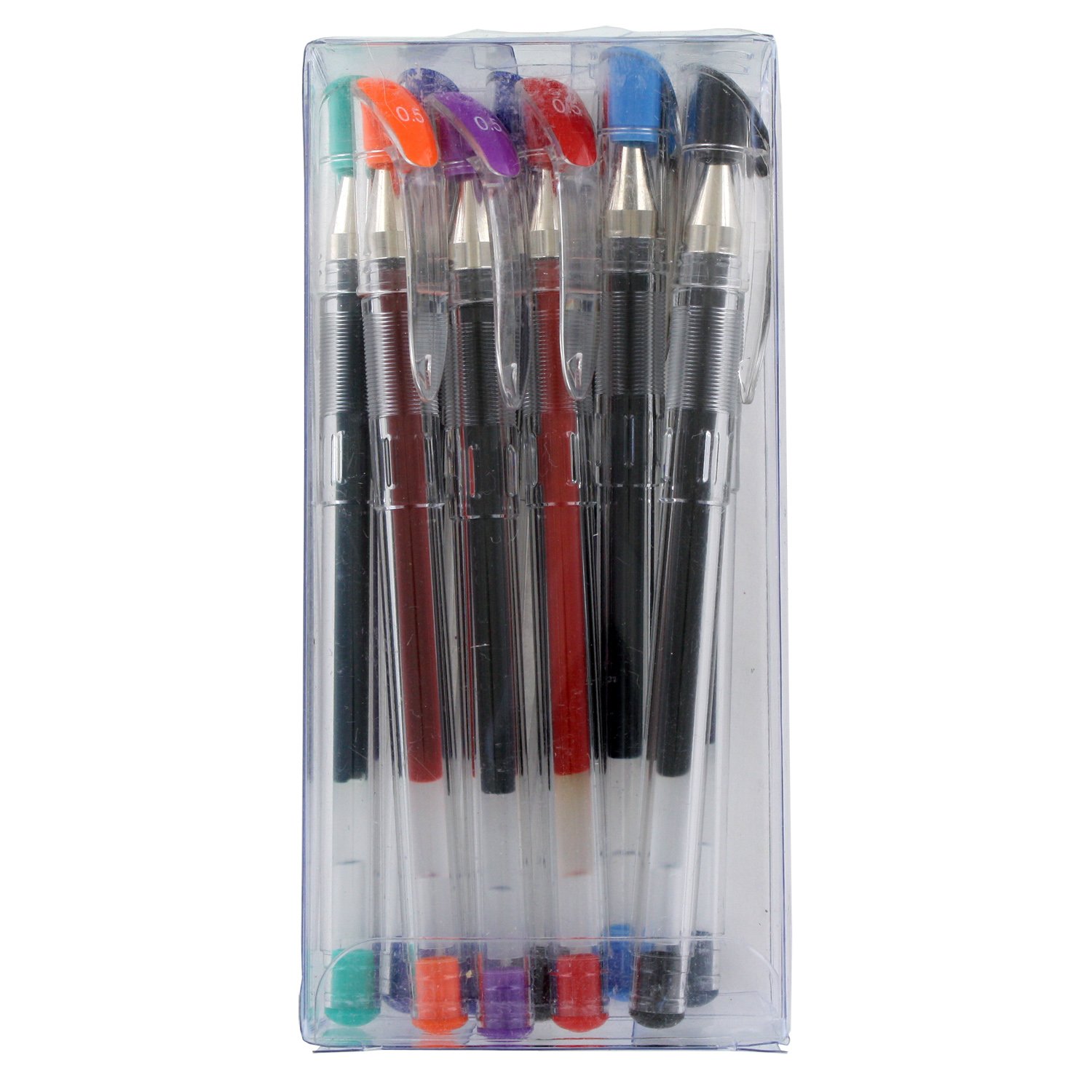
Figure 1: Acme ZL-03 Stick Gel Ink Pens, Pack of 10. This image shows the full pack of ten gel ink pens, each with a clear barrel and a colored cap indicating the ink color. The pens feature a 0.5mm fine point, suitable for precise writing. The assorted colors include black, blue, green, orange, purple, and red, as seen from the caps and ink reservoirs.
The Acme ZL-03 Stick Gel Ink Pens are designed for smooth and consistent writing. This pack includes 10 pens with assorted gel ink colors and a fine 0.5mm point, ideal for various writing tasks, from note-taking to detailed drawing.
Setup
- Unpackaging: Carefully remove the pens from their clear plastic packaging.
- Tip Protection: Each pen comes with a small plastic protective cap or wax bead on the tip to prevent drying and leakage during transit. Gently pull off this protective element before first use.
- Initial Ink Flow: If the ink does not flow immediately, try scribbling on a scrap piece of paper for a few seconds to initiate the ink flow.
Operating Instructions
- Writing: Hold the pen comfortably and apply light to moderate pressure to write. The 0.5mm fine point allows for precise lines.
- Capping: Always replace the cap firmly after each use to prevent the gel ink from drying out. A secure cap also protects the pen tip from damage.
- Ink Colors: Utilize the assorted ink colors (Black, Blue, Green, Orange, Purple, Red) for color-coding notes, highlighting, or creative projects.
Maintenance
- Storage: Store pens horizontally or tip-down to ensure consistent ink flow. Avoid storing in direct sunlight or extreme temperatures, which can affect ink viscosity.
- Cleaning: If the pen tip accumulates dust or debris, gently wipe it with a soft, lint-free cloth. Do not use harsh chemicals or abrasive materials.
- Avoid Dropping: Dropping pens, especially on the tip, can damage the ballpoint and disrupt ink flow.
Troubleshooting
| Problem | Possible Cause | Solution |
|---|---|---|
| Ink not flowing / Skipping | Dried ink on tip, air bubble, or protective cap not fully removed. |
|
| Ink smudging | Ink not fully dried, or excessive pressure. |
|
| Pen feels scratchy | Damaged tip or debris. |
|
Specifications
- Brand: Acme
- Model Number: ZL-03
- Point Type: Fine
- Line Size: 0.5 Millimeters
- Ink Color: Assorted (Black, Blue, Green, Orange, Purple, Red)
- Closure Type: Snap Cap
- Grip Type: Ergonomic
- Product Dimensions: 5.52 x 2.61 x 1.18 inches (approximate, for the pack)
- Item Weight: 4.6 ounces (for the pack)
Warranty and Support
Acme ZL-03 Stick Gel Ink Pens are designed for reliable performance. For any product inquiries or support, please refer to the retailer's return policy or contact Acme customer service through their official website or contact channels. Specific warranty details may vary by region and retailer.
For more information, you may visit the Acme Store on Amazon.
Related documentsZL-03


Ask a question about this manual
Ask about setup, troubleshooting, compatibility, parts, safety, or missing instructions. Manuals+ will review the question and use this page’s manual context to help answer it.