
Introduction
Welcome to your new CORE Super Bright 1250 Lumen Flashlight. This manual provides instructions for safe and effective use, maintenance, and troubleshooting. Please read this manual thoroughly before operating your flashlight.
Safety Information
- Do not look directly into the LED light. The high intensity light can cause temporary vision impairment or permanent eye damage.
- Keep out of reach of children.
- Do not mix old and new batteries or different types of batteries.
- Dispose of batteries according to local regulations.
- Do not attempt to disassemble the flashlight beyond battery replacement. This may void the warranty and cause damage.
Package Contents
- CORE Super Bright 1250 Lumen Flashlight
- 9 AA Alkaline Batteries
Setup
Battery Installation
Your flashlight requires 9 AA batteries for operation. Please follow these steps for proper installation:
- Unscrew the tail cap of the flashlight by turning it counter-clockwise.
- Carefully remove the battery cartridge from the flashlight body.
- Insert 9 AA batteries into the cartridge, ensuring correct polarity (+/-) as indicated on the cartridge.
- Reinsert the loaded battery cartridge into the flashlight body, aligning it properly.
- Screw the tail cap back on clockwise until it is secure. Do not overtighten.

Image Description: A disassembled CORE flashlight showing the main body, the green tail cap, the battery cartridge, and nine AA batteries laid out next to it, illustrating the battery installation process.
Operating Instructions
Power On/Off and Mode Selection
The flashlight features a single button for power and cycling through its various light modes:
- To turn on: Press the power button once. The flashlight will activate in Spot Mode (1250 Lumens).
- To cycle modes: While the flashlight is on, press the power button again to switch to Red Flood Mode (20 Lumens). Press a third time for White Flood Mode (48 Lumens).
- To turn off: Press the power button a fourth time to turn the flashlight off.
- Quick Off Feature: If the flashlight remains in any mode for more than 5 seconds, the next press of the button will turn it off directly, without cycling through other modes.

Image Description: A close-up view of the CORE flashlight's power button, located on the side of the barrel, showing its textured surface for easy grip and operation.
Light Modes in Use

Image Description: The CORE flashlight emitting a bright, focused beam of white light, demonstrating its powerful spot mode.
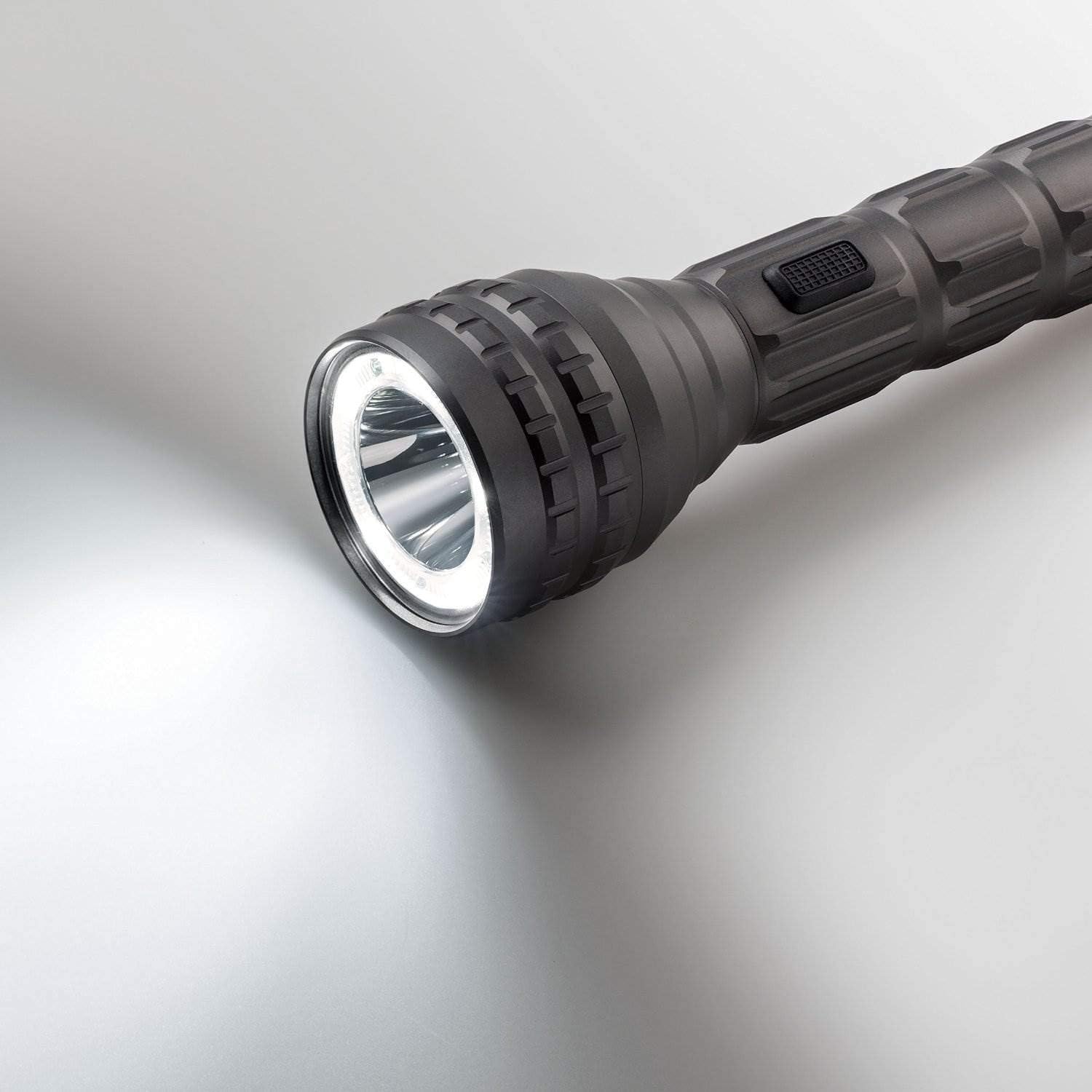
Image Description: The CORE flashlight emitting a wide, diffused beam of white light, illustrating its flood mode for broader illumination.

Image Description: The CORE flashlight emitting a red light, suitable for preserving night vision or signaling.
Key Features
- High Brightness: Up to 1250 Lumens for powerful, long-distance illumination.
- Multiple Light Modes: Spot, Flood, and Red Light for versatile use in various situations.
- Durable Construction: Aerospace-grade aluminum body ensures exceptional longevity and resistance to impact.
- Water-Resistant: IPX4 rating protects against splashing water from any direction, making it suitable for outdoor use.
- CREE LED Technology: Provides efficient, reliable, and high-performance lighting.
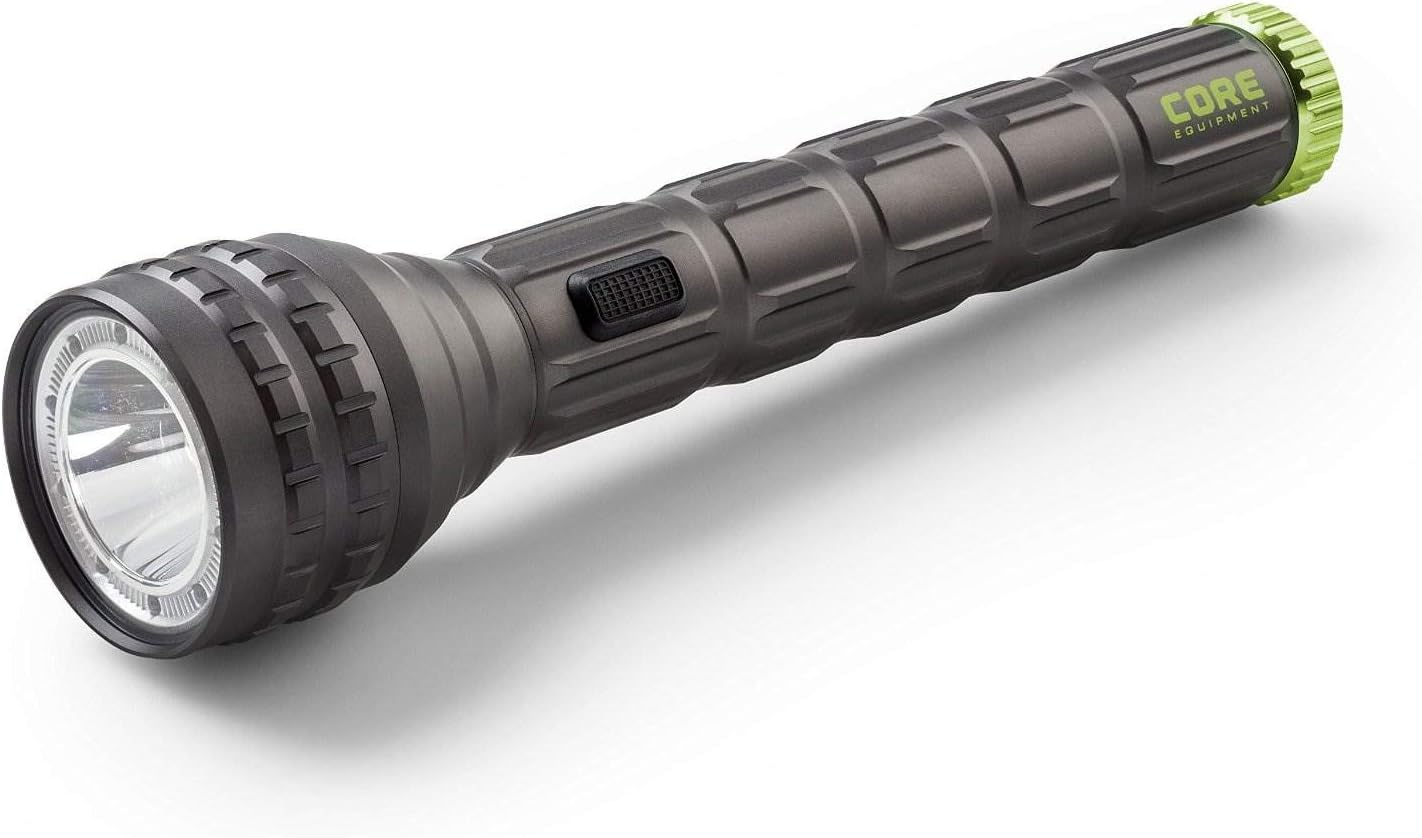
Image Description: The CORE Super Bright Flashlight, a dark gray cylindrical device with a textured grip and a vibrant green accent ring at the tail, showcasing its robust and ergonomic design.
Maintenance
- Cleaning: Wipe the flashlight body with a soft, damp cloth. Do not use abrasive cleaners or harsh chemicals, as these may damage the finish.
- Battery Replacement: Replace all 9 AA batteries simultaneously when the light dims significantly or fails to turn on. Always use fresh, high-quality alkaline batteries.
- Storage: Store the flashlight in a cool, dry place away from direct sunlight. Remove batteries if storing for extended periods (e.g., over 3 months) to prevent potential leakage and damage to the device.
Troubleshooting
| Problem | Possible Cause | Solution |
|---|---|---|
| Flashlight does not turn on | Dead or incorrectly installed batteries | Check battery polarity and ensure all batteries are correctly inserted. Replace all batteries with new ones. |
| Light is dim or flickers | Low battery power or loose connection | Replace all batteries with new ones. Ensure the battery cartridge and tail cap are securely fastened. |
| Cannot cycle through modes | Button malfunction or low battery | Ensure batteries are fresh. If the issue persists, contact customer support. |

Image Description: A visual representation of the CORE flashlight next to a ruler and a credit card for scale, indicating its approximate length of 11.25 inches (28.58 cm).
Specifications
| Feature | Detail |
|---|---|
| Model Number | 40012 |
| Light Source | CREE LED |
| Lumens (Spot Mode) | 1250 Lumens |
| Lumens (Flood Mode) | 48 Lumens |
| Lumens (Red Light Mode) | 20 Lumens |
| Run Time (Spot Mode) | 3 hours 15 minutes |
| Run Time (Flood Mode) | 128 hours |
| Run Time (Red Light Mode) | 110 hours |
| Beam Distance (Spot Mode) | 263 meters |
| Beam Distance (Flood Mode) | 21 meters |
| Beam Distance (Red Light Mode) | 20 meters |
| Water Resistance | IPX4 (Splash Resistant) |
| Body Material | Aerospace-Grade Aluminum |
| Power Source | 9 AA Alkaline Batteries (included) |
| Dimensions | 28.58 x 6.48 x 3.78 cm |
| Weight | 377.05 g (13.3 Ounces) |
| UPC | 817427013625 |
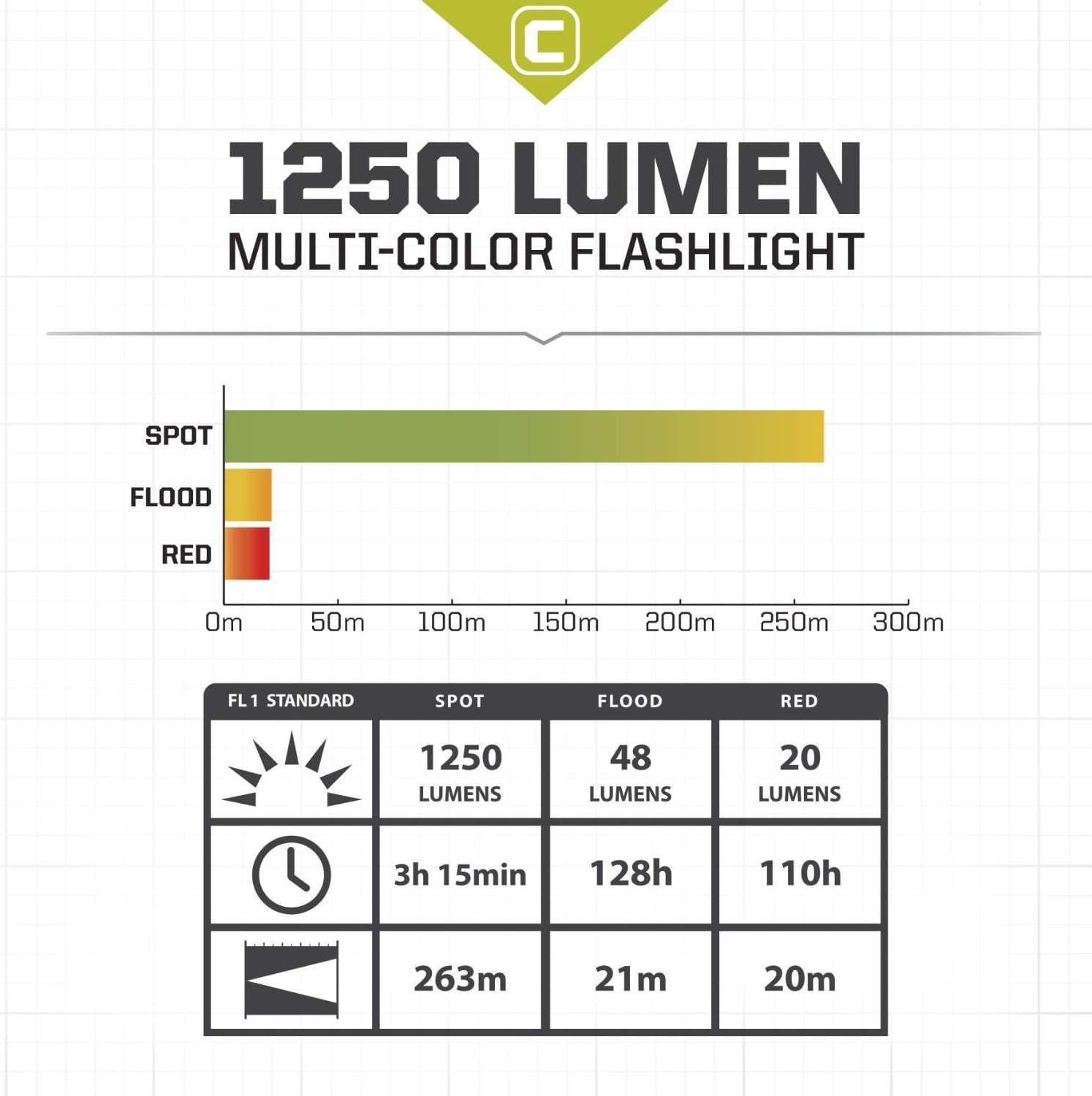
Image Description: A chart detailing the performance specifications of the CORE flashlight, including lumens, run time, and beam distance for Spot, Flood, and Red light modes, adhering to FL1 Standard.
Warranty and Support
For warranty information, technical support, or any inquiries regarding your CORE Super Bright 1250 Lumen Flashlight, please refer to the product packaging for contact details or visit the official CORE website. Keep your purchase receipt as proof of purchase for warranty claims.

