
1. Introduction
This manual provides essential instructions for the safe and effective use of your Panasonic Lumix DMC-FZ330EBK Bridge Camera. Please read this manual thoroughly before using your camera and retain it for future reference. The Lumix DMC-FZ330EBK features a Leica DC Vario-Elmarit F2.8 25-600mm lens, 4K video and photo capabilities, and a robust splash and dust resistant design.
2. Safety Information
- Do not expose the camera to rain, moisture, or extreme temperatures.
- Avoid direct sunlight exposure for extended periods.
- Use only Panasonic-approved batteries and accessories.
- Keep the camera away from strong magnetic fields.
- Do not attempt to disassemble or modify the camera. Refer servicing to qualified personnel.
- Clean the lens and screen with a soft, dry cloth.
3. Package Contents
Verify that all items are present in the package:
- Panasonic Lumix DMC-FZ330EBK Camera Body with Lens
- Battery Pack (Lithium-ion)
- AC Adapter / Battery Charger
- USB Connection Cable
- Shoulder Strap
- Lens Cap
- Lens Hood
4. Setup
4.1. Charging the Battery
- Insert the battery into the charger.
- Connect the charger to a power outlet. The charging indicator will illuminate.
- Once charging is complete (indicator turns off), remove the battery.
4.2. Inserting the Battery and Memory Card
Open the battery/card compartment cover on the bottom of the camera.

Figure 4.2.1: Front view of the camera with the articulated screen extended.
- Insert the charged battery with the correct orientation until it locks into place.
- Insert an SD, SDHC, or SDXC memory card into the slot until it clicks. Ensure the card is facing the correct direction.
- Close the compartment cover securely.
4.3. Attaching the Lens Hood
Align the lens hood with the lens and twist it clockwise until it locks. This helps reduce flare and protects the lens.
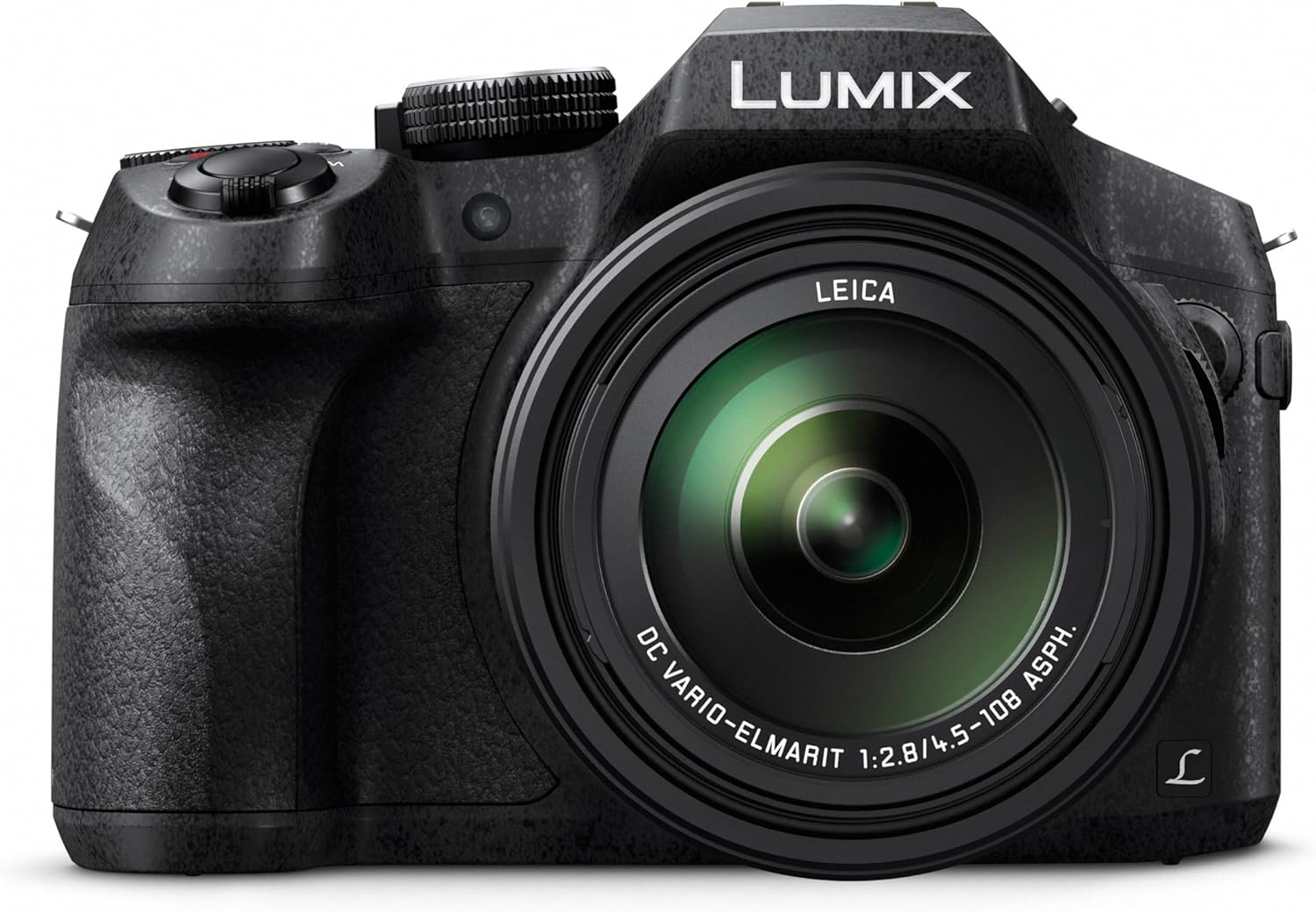
Figure 4.3.1: The camera with its lens hood attached, ready for use.
4.4. Initial Settings
Upon first power-on, the camera will prompt you to set the date, time, and language. Follow the on-screen instructions using the control dial and buttons.
5. Operating the Camera
5.1. Power On/Off
Press the [ON/OFF] button to power the camera on or off.
5.2. Basic Photography
To take a photo:
- Turn the mode dial to your desired shooting mode (e.g., P for Program AE, A for Aperture Priority, S for Shutter Priority, M for Manual, or iA for Intelligent Auto).
- Frame your shot using the electronic viewfinder or the 3-inch articulated LCD touchscreen.
- Press the shutter button halfway to focus. The focus frame will turn green when focus is achieved.
- Press the shutter button fully to take the picture.

Figure 5.2.1: Rear view of the camera, highlighting the control layout including the mode dial, function buttons, and LCD screen.
5.3. Zoom Operation
Use the zoom lever around the shutter button to adjust the 24x optical zoom (25-600mm equivalent). Push the lever towards W for wide-angle and T for telephoto.
5.4. Video Recording (4K)
To record 4K video:
- Set the mode dial to the video recording mode.
- Press the dedicated video record button to start recording.
- Press the button again to stop recording.
The camera supports 4K video capture at 2160p resolution.
5.5. Autofocus and Manual Focus
The camera features a fast autofocus system with 49 focus zones. You can switch between AF modes (AFS/AFF/AFC) and Manual Focus (MF) using the dedicated switch near the viewfinder.
5.6. Using the Flash
The built-in flash can be activated by pressing the flash button. Available flash modes include Auto, On, and Off. Adjust flash settings via the menu.
5.7. Image Playback
Press the [PLAY] button to enter playback mode. Use the control dial or touchscreen to navigate through your photos and videos.

Figure 5.7.1: A hand holding the camera, demonstrating the flexibility of the articulated LCD screen for various shooting angles.
6. Maintenance
6.1. Cleaning the Camera
- Camera Body: Wipe with a soft, dry cloth. For stubborn dirt, use a cloth lightly dampened with water and then dry thoroughly.
- Lens: Use a lens brush to remove dust, then gently wipe with a lens cleaning cloth. Avoid touching the lens surface with your fingers.
- Screen: Use a soft, dry cloth. For smudges, use a screen cleaner specifically designed for electronics.
6.2. Battery Care
- Store batteries in a cool, dry place when not in use.
- Do not fully discharge batteries before recharging to prolong their lifespan.
- Remove the battery from the camera if it will not be used for an extended period.
6.3. Storage
When storing the camera for long periods, ensure it is clean, dry, and stored in a protective bag or case to prevent dust and scratches.
7. Troubleshooting
| Problem | Possible Cause | Solution |
|---|---|---|
| Camera does not power on. | Battery is depleted or incorrectly inserted. | Charge the battery fully and reinsert it correctly. |
| Cannot take pictures. | Memory card is full, locked, or not inserted. | Insert a new card, unlock the card, or ensure it is properly inserted. |
| Images are blurry. | Incorrect focus, camera shake, or dirty lens. | Ensure proper focus, use image stabilization, or clean the lens. |
| Video recording stops unexpectedly. | Memory card speed is too slow for 4K video or card is full. | Use a high-speed memory card (UHS-I Speed Class 3 or higher) or free up space. |
8. Specifications
- Model Number: DMC-FZ330EBK
- Dimensions (W x H x D): 3.6 x 5.18 x 4.61 cm
- Weight: 691 Grams (including battery and memory card)
- Image Sensor: 1-inch MOS Sensor
- Total Fixed Resolution: 12 Megapixels
- Lens: Leica DC Vario-Elmarit 25-600mm (35mm equivalent) F2.8
- Optical Zoom: 24x
- Digital Zoom: 4x
- Image Stabilization: Yes
- Autofocus System: Yes, with 49 focus zones (AF-A, AFS, AFF, AFC)
- ISO Sensitivity: Minimum Extended ISO 25, Maximum Extended ISO 51200
- Shutter Speed: 1/8000 seconds to 30 seconds
- Continuous Shooting Speed: 20 FPS
- Video Recording: 4K (2160p)
- Recording Capacity: Up to 60 minutes (for video)
- Display: 3-inch Articulated Capacitive LCD Touchscreen
- Viewfinder: Electronic
- Flash: Built-in (Auto, On, Off modes)
- Memory Card Slot: 1 (Compatible with SD, SDHC, SDXC)
- Connectivity: Wi-Fi, HDMI, USB
- Battery: 1 Lithium-ion (included)
- Special Features: Splash and dust resistant design
9. Warranty & Support
Your Panasonic Lumix DMC-FZ330EBK camera is covered by a limited warranty. Please refer to the warranty card included in your package for specific terms and conditions, including the warranty period and coverage details.
For technical support, service, or inquiries regarding your product, please visit the official Panasonic support website or contact your local Panasonic customer service center. Contact information can typically be found on the Panasonic website or in the documentation provided with your camera.
Online Resources:
- Panasonic Global Support: https://www.panasonic.com/global/consumer/support.html