
BoomToneDJ XTREM LED
BoomToneDJ Xtrem LED Effect Light Instruction Manual
Model: XTREM LED
1. Introduction
This manual provides essential information for the safe and effective operation of your BoomToneDJ Xtrem LED Effect Light. Please read these instructions thoroughly before installation, operation, or maintenance. Retain this manual for future reference.

Image 1.1: The BoomToneDJ Xtrem LED Effect Light showcasing its dynamic light output, including strobe, derby, and moonflower effects.
2. Product Features
- Integrated multi-effect lighting: Combines Strobe, Derby, and Moonflower effects.
- LED light source for energy efficiency and long lifespan.
- Multiple control modes: DMX512, Automatic, and Sound-Activated.
- User-friendly control panel with digital display for mode selection and settings.
- Robust construction suitable for various event environments.
3. Package Contents
Verify that all items listed below are present and in good condition upon unpacking:
- 1 x BoomToneDJ Xtrem LED Effect Light
- 1 x Power Cable
- 1 x Mounting Bracket with fixing knobs
- 1 x User Manual (this document)
4. Setup
4.1 Unpacking and Inspection
Carefully remove the unit from its packaging. Inspect for any damage that may have occurred during transit. If damage is found, do not operate the unit and contact your dealer immediately.
4.2 Mounting
The Xtrem LED Effect Light can be floor-mounted or suspended from a truss using the included mounting bracket. Ensure the mounting surface or truss is capable of supporting the unit's weight (approximately 6.73 lbs / 3.06 kg). Always use a safety cable when suspending the unit.

Image 4.1: Side view of the unit, illustrating the adjustable mounting bracket for secure positioning.
4.3 Power Connection
Connect the supplied power cable to the AC IN socket on the rear of the unit and then to a compatible power outlet (AC 100-240V, 50/60Hz). Ensure the power source matches the unit's requirements.
4.4 DMX Connection (Optional)
For DMX control, connect a DMX cable from your DMX controller's output to the DMX IN socket on the Xtrem LED Effect Light. If linking multiple units, connect from the DMX OUT of the first unit to the DMX IN of the next, and so on.
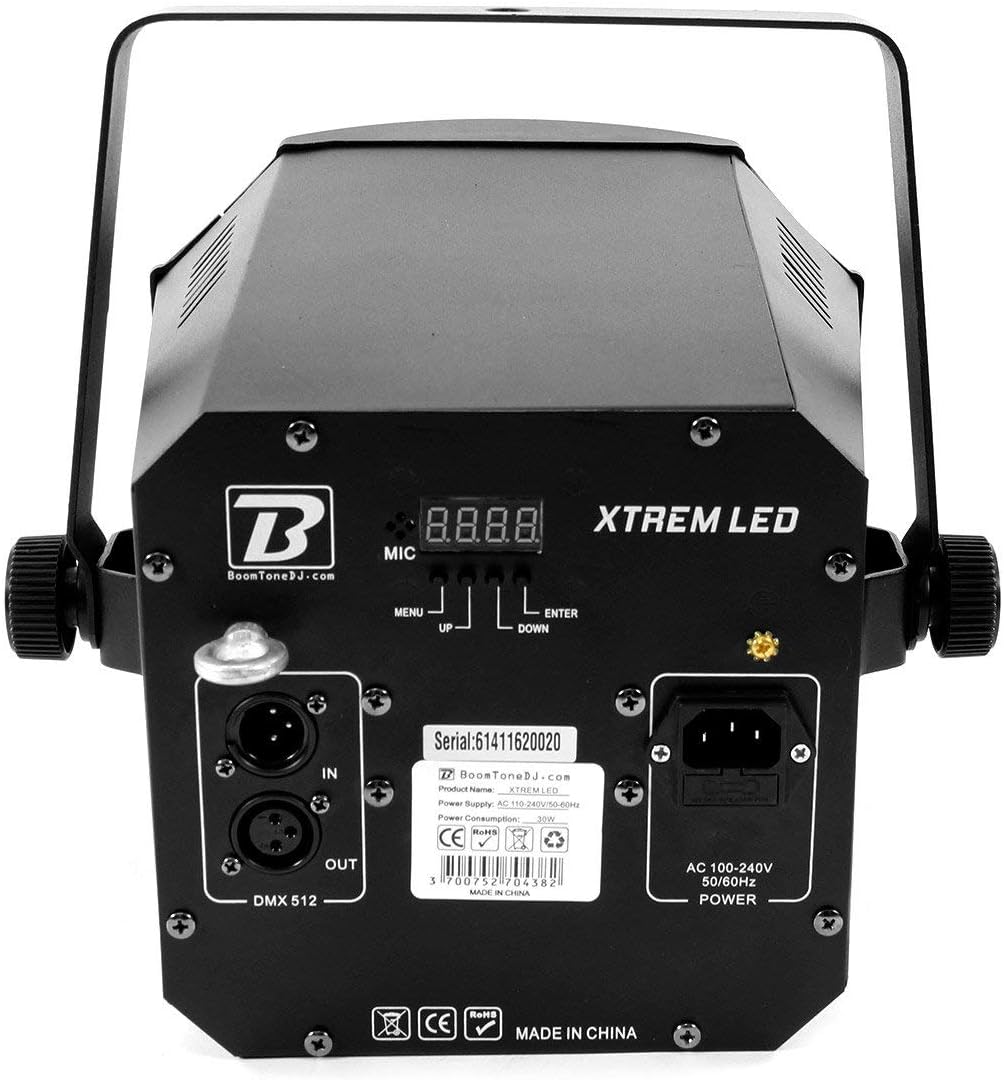
Image 4.2: Rear panel detailing the DMX IN/OUT ports, AC power input, microphone, and control buttons (MENU, UP, DOWN, ENTER) with the digital display.
5. Operating Instructions
5.1 Control Panel Overview
The rear panel features a digital display and four control buttons: MENU, UP, DOWN, and ENTER. These buttons are used to navigate through the unit's settings and select operating modes.
- MENU: Cycles through the main menu options.
- UP/DOWN: Navigates through sub-menus or adjusts parameter values.
- ENTER: Confirms selections or saves settings.
5.2 Operating Modes
The Xtrem LED Effect Light offers several operating modes:
- Automatic Mode: The unit cycles through pre-programmed light shows automatically. Use the MENU button to select an auto program, then ENTER to confirm.
- Sound Active Mode: The unit reacts to sound picked up by its built-in microphone. The light effects will synchronize with the beat of the music. Note that microphone sensitivity is fixed and cannot be adjusted.
- DMX Mode: Allows external control of the unit's functions via a DMX512 controller. Set the DMX address using the control panel. Refer to the DMX Channel Chart (not provided in this manual, consult product documentation or manufacturer website for specific DMX values) for detailed control parameters.
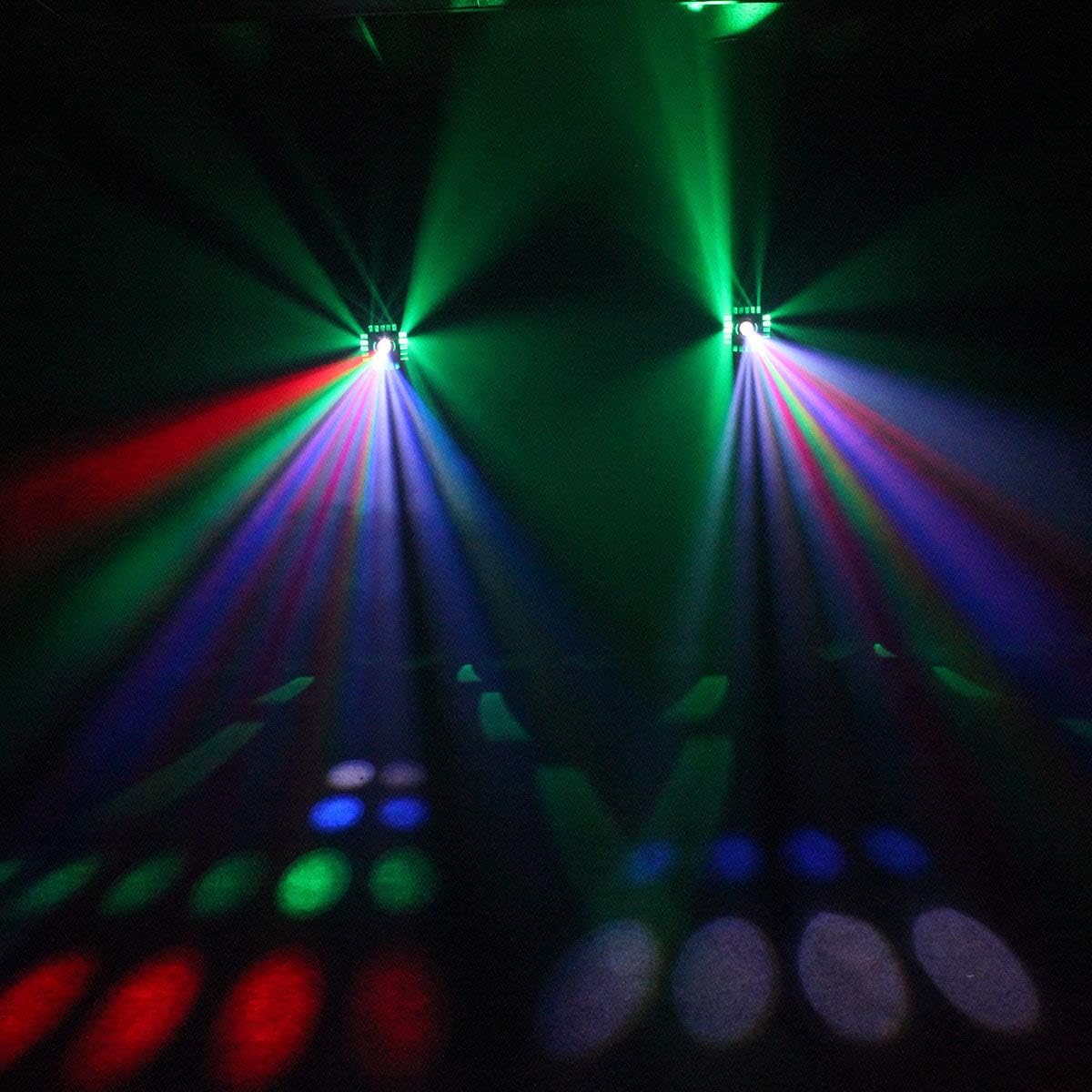
Image 5.1: Example of the multi-color beam effects produced by the unit.

Image 5.2: Example of the blue beam effects produced by the unit.
6. Maintenance
6.1 Cleaning
To maintain optimal light output and extend the unit's lifespan, regularly clean the lenses and housing. Use a soft, lint-free cloth. For stubborn dirt, a mild glass cleaner can be applied to the cloth (not directly to the unit). Ensure the unit is powered off and disconnected before cleaning.
6.2 Storage
When not in use, store the unit in a dry, dust-free environment, preferably in its original packaging or a protective case.
7. Troubleshooting
| Problem | Possible Cause | Solution |
|---|---|---|
| Unit does not power on | No power supply; Faulty cable; Blown fuse | Check power connection; Test power cable; Replace fuse (if accessible and safe to do so) |
| No light output | Unit in standby; Incorrect mode selected; Internal fault | Check display for standby indicator; Select an active mode; Contact support if problem persists |
| DMX control not working | Incorrect DMX address; Faulty DMX cable; DMX controller issue; Incorrect DMX mode selected | Verify DMX address setting; Check DMX cable connections; Test with another DMX controller; Ensure unit is in DMX mode |
| Sound Active mode not responding | Insufficient sound level; Microphone obstructed; Incorrect mode selected | Increase music volume; Ensure microphone is clear; Select Sound Active mode |
8. Specifications
- Model: XTREM LED
- Brand: BoomToneDJ
- Light Source: LED
- Effects: Strobe, Derby, Moonflower
- Power Consumption: 9 Watts
- Input Voltage: AC 100-240V, 50/60Hz
- Control Modes: DMX512, Automatic, Sound Active
- DMX Channels: (Refer to specific DMX channel chart for detailed information)
- Dimensions (approx.): 14.17 x 13.46 x 13.46 inches (36 x 34.2 x 34.2 cm)
- Weight (approx.): 6.73 lbs (3.06 kg)
9. Warranty and Support
For warranty information or technical support, please refer to the warranty card included with your product or visit the official BoomToneDJ website. Keep your proof of purchase for any warranty claims.
Ask a question about this manual
Ask about setup, troubleshooting, compatibility, parts, safety, or missing instructions. Manuals+ will review the question and use this page’s manual context to help answer it.