
Bose 731396-1100
Bose SoundTouch 10 Wireless Speaker User Manual
Model: 731396-1100
Introduction
The Bose SoundTouch 10 wireless speaker offers a compact design with powerful, room-filling sound. It seamlessly integrates with your home Wi-Fi network and Bluetooth devices, allowing you to stream millions of songs from various music services, internet radio stations, and your personal music library. This manual provides essential information for setting up, operating, maintaining, and troubleshooting your SoundTouch 10 speaker.
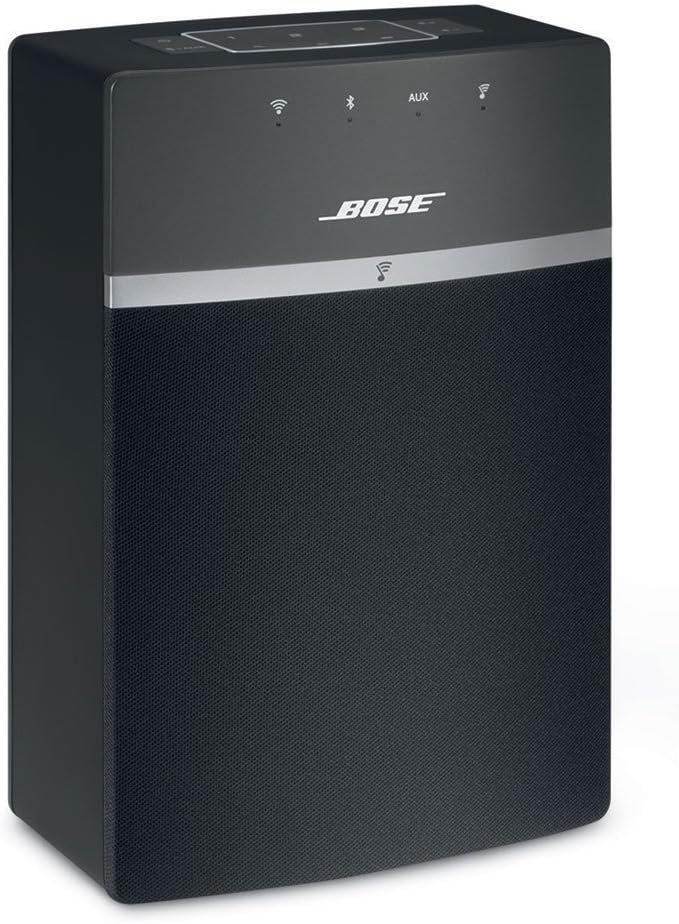
Figure 1: Front view of the Bose SoundTouch 10 Wireless Speaker.
Package Contents
Before you begin, ensure all items are present in the packaging:
- Bose SoundTouch 10 wireless music system
- Power cable
- USB cable
- Remote control

Figure 2: Bose SoundTouch 10 speaker shown with its remote control.
Setup
1. Power Connection
Connect the power cable to the power port on the back of the SoundTouch 10 speaker and then plug it into a wall outlet. The speaker will power on automatically.
2. Download the SoundTouch App
For full functionality and easy control, download the free Bose SoundTouch app on your smartphone or tablet. The app is available on the Apple App Store and Google Play Store.
3. Connect to Wi-Fi
Open the SoundTouch app and follow the on-screen instructions to connect your speaker to your home Wi-Fi network. This enables streaming from music services and multi-room audio.
4. Bluetooth Pairing (Optional)
To connect a Bluetooth device, press the Bluetooth/AUX button on the speaker or remote until the Bluetooth indicator blinks blue. On your device, select "Bose SoundTouch 10" from the Bluetooth settings. The indicator will glow solid white when connected.

Figure 3: The SoundTouch 10 speaker can be controlled via the SoundTouch app on a tablet or smartphone.
Operating the Speaker
Controls
The SoundTouch 10 speaker can be controlled using the top panel buttons, the included remote control, or the SoundTouch app.

Figure 4: Top panel controls for the SoundTouch 10 speaker.
- Power Button: Turns the speaker on or off.
- Bluetooth/AUX Button: Toggles between Bluetooth and auxiliary input modes.
- Volume Buttons (+/-): Adjusts the playback volume.
- Preset Buttons (1-6): Access your favorite music or stations instantly. Configure these presets using the SoundTouch app.
Using Presets
The six preset buttons on the speaker and remote allow for one-touch access to your favorite music sources, such as Spotify playlists, Internet radio stations, or specific albums. To set a preset, simply play the desired content through the SoundTouch app, then press and hold one of the preset buttons (1-6) until the preset indicator confirms it's saved.
Voice Control with Alexa
The SoundTouch 10 speaker is compatible with Alexa-enabled devices (e.g., Amazon Echo Dot). To enable voice control, open the Alexa app, search for "Bose" under the Skills menu, and follow the one-time setup instructions. Once linked, you can use voice commands like "Alexa, play [music] in the [room name]" or "Alexa, turn up the volume."
Multi-Room Audio
Expand your listening experience by adding more SoundTouch speakers throughout your home. Use the SoundTouch app to group speakers and play the same music in every room, or different music in different rooms. You can also pair two SoundTouch 10 speakers for left/right stereo mode via the app.

Figure 5: The compact design of the SoundTouch 10 allows for versatile placement in any room.
Maintenance
- Cleaning: Use a soft, dry cloth to clean the surface of the speaker. Do not use any sprays near the speaker or allow liquids to spill into any openings.
- Placement: Place the speaker on a stable, level surface. Avoid placing it near heat sources or in direct sunlight. Ensure adequate ventilation around the speaker.
- Software Updates: Keep your SoundTouch app and speaker firmware updated to ensure optimal performance and access to new features. Updates are typically managed through the SoundTouch app.
Troubleshooting
| Problem | Solution |
|---|---|
| No power | Ensure the power cable is securely connected to the speaker and a working electrical outlet. |
| No sound | Check the volume level on the speaker and your connected device. Ensure the correct input source (Wi-Fi, Bluetooth, AUX) is selected. |
| Cannot connect to Wi-Fi | Verify your Wi-Fi network is active and within range. Restart your router and the SoundTouch speaker. Re-run the Wi-Fi setup process in the SoundTouch app. |
| Bluetooth pairing issues | Ensure the speaker is in Bluetooth pairing mode (blinking blue light). Delete the speaker from your device's Bluetooth list and try pairing again. Move closer to the speaker. |
| App not responding | Close and reopen the SoundTouch app. Restart your mobile device. Ensure your app is updated to the latest version. |
Specifications
- Model Name: SoundTouch 10
- Model Number: 731396-1100
- Speaker Type: Wireless and Bluetooth Speakers
- Connectivity Technology: Bluetooth, Wi-Fi
- Color: Black
- Product Dimensions (D x W x H): 3.43" x 5.56" x 8.34"
- Item Weight: 2.9 Pounds (approx. 1.32 kg)
- Control Method: Voice, App, Buttons, Remote
- Compatible Devices: Smartphones, Tablets, Personal Computers, Alexa-enabled devices
- Included Components: SoundTouch 10 wireless music system, Power cable, USB cable, Remote control

Figure 6: Product dimensions of the SoundTouch 10 speaker.
Warranty and Support
Bose products typically come with a limited warranty. For specific warranty details and duration, please refer to the warranty card included with your product or visit the official Bose website. For technical support, product registration, or service inquiries, please visit Bose Support or contact Bose customer service directly.
You can also find additional resources and frequently asked questions on the Amazon product page or download the official User Manual (PDF).
Related documents731396-1100


Ask a question about this manual
Ask about setup, troubleshooting, compatibility, parts, safety, or missing instructions. Manuals+ will review the question and use this page’s manual context to help answer it.