
1. Introduction
This user manual provides essential information for the safe and effective use of your UpBright 9V AC/DC Adapter. This adapter is designed as a replacement power supply for various electronic devices, including specific Sony Boombox models (AC-CD980, CFD980, CFD-980), Sony Watchman LCD TVs (FDL-370, FDL-380), and Sony Digital Surround Sound Headphones Systems (MDR-DS5000, MDR-DS5100), as well as Philips SSW-1918EU-1 and HMP3000 devices. It features a wide input voltage range (100-240VAC) and incorporates multiple protection mechanisms to ensure device safety.
Key Features:
- World Wide Input Voltage: 100-240VAC 50/60Hz.
- Output: 9V DC, 1.1A - 2A.
- OVP (Over Voltage output Protection).
- OCP (Over Current output Protection).
- SCP (Short Circuit output Protection).
- CECCCROHS certified for safety and quality.
2. Safety Information
Please read and understand all safety instructions before using this product. Failure to follow these instructions may result in electric shock, fire, or damage to the adapter or connected devices.
- Indoor Use Only: Do not expose the adapter to rain, moisture, or extreme temperatures.
- Proper Voltage: Ensure the wall outlet voltage matches the adapter's input voltage range (100-240V).
- Correct Polarity and Voltage: Always verify that the adapter's output voltage (9V DC) and connector type (Barrel Connector) match the requirements of your device. Incorrect voltage or polarity can damage your device.
- Avoid Overloading: Do not connect devices that exceed the adapter's maximum current output (2A).
- Handle with Care: Do not drop, disassemble, or attempt to repair the adapter. Refer servicing to qualified personnel.
- Unplug When Not In Use: Disconnect the adapter from the power outlet when not in use for extended periods.
- Keep Away from Children: This product is not a toy.
3. Setup
Follow these steps to set up your UpBright AC/DC Adapter:
- Identify Your Device's Power Input: Locate the power input port on your electronic device (e.g., Sony Boombox, LCD TV, Headphones System). Confirm it requires a 9V DC input and has a compatible barrel connector.
- Connect the Adapter to Your Device: Carefully insert the barrel connector of the UpBright adapter into the power input port of your device. Ensure a snug fit.
- Plug into Power Outlet: Insert the adapter's prongs into a standard wall power outlet. Ensure the outlet is easily accessible.
- Power On Your Device: Once connected, you can power on your electronic device.

Figure 3.1: Front view of the UpBright 9V AC/DC Adapter, showing the power prongs and the barrel connector cable. The adapter is black with white text indicating specifications like input/output voltage and current.
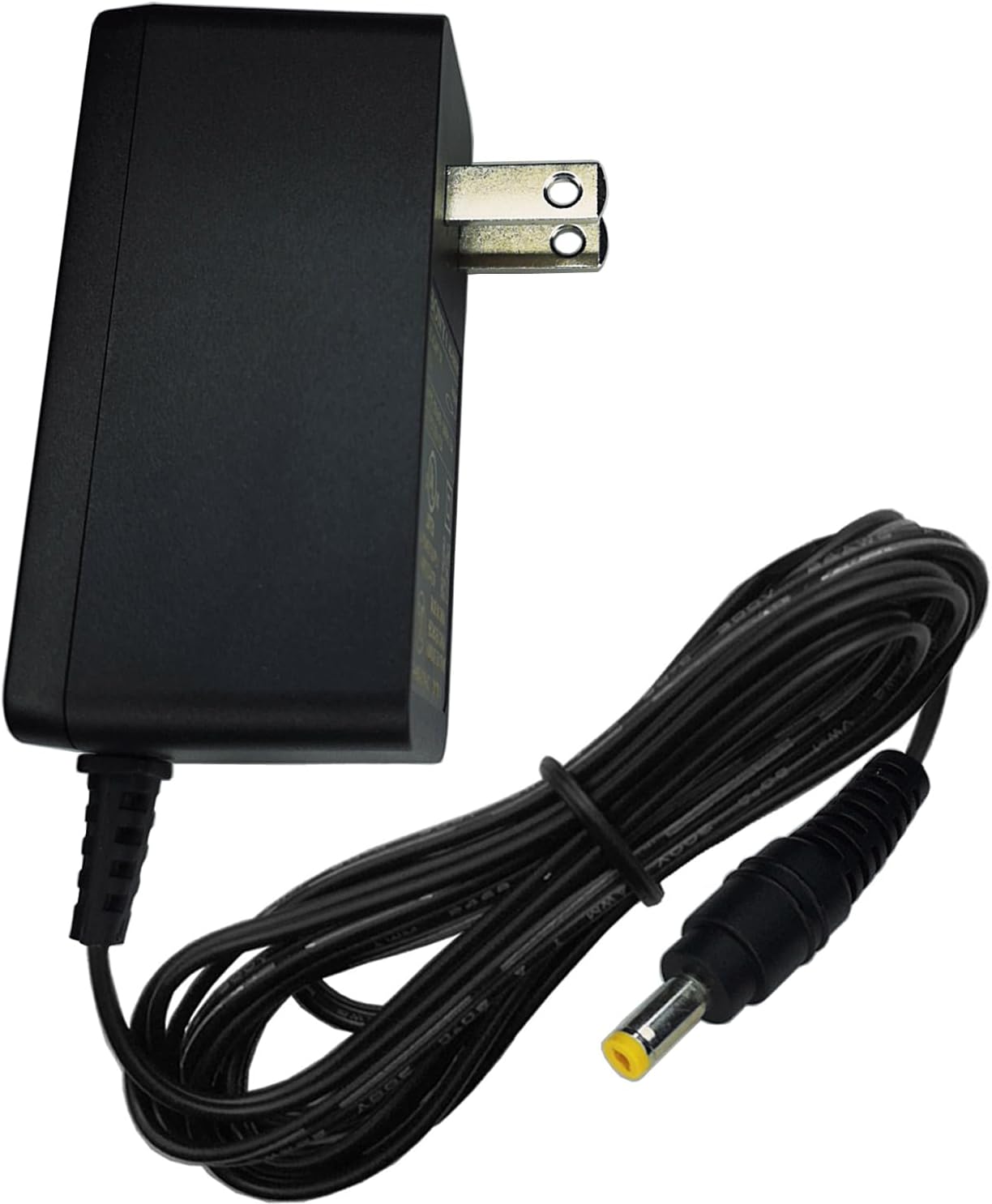
Figure 3.2: Side view of the UpBright 9V AC/DC Adapter, illustrating its compact design and the attached power cable with the barrel connector.
4. Operating
The UpBright 9V AC/DC Adapter operates automatically once connected to a compatible device and a power outlet. It provides a stable 9V DC power supply to your device.
- Automatic Voltage Regulation: The adapter is designed to automatically adjust to input voltages between 100V and 240V, making it suitable for worldwide use.
- Protection Features: Built-in OVP, OCP, and SCP features protect both the adapter and your connected device from potential electrical damage due to voltage spikes, excessive current, or short circuits.
- Indicator Light (if present): Some adapters may have an LED indicator light to show when power is being supplied. Refer to the adapter itself for this feature.
5. Maintenance
Proper maintenance ensures the longevity and safe operation of your UpBright AC/DC Adapter.
- Cleaning: Disconnect the adapter from the power outlet and your device before cleaning. Use a soft, dry cloth to wipe the surface. Do not use liquid cleaners or sprays.
- Storage: When not in use, store the adapter in a cool, dry place, away from direct sunlight and extreme temperatures. Avoid tightly winding the cable to prevent damage.
- Cable Inspection: Periodically inspect the power cable and connectors for any signs of fraying, cuts, or damage. If damage is observed, discontinue use immediately and replace the adapter.
- Ventilation: Ensure the adapter is placed in a well-ventilated area during operation to prevent overheating. Do not cover it with cloths or other materials.
6. Troubleshooting
If you encounter issues with your UpBright AC/DC Adapter, refer to the following common troubleshooting steps:
| Problem | Possible Cause | Solution |
|---|---|---|
| Device not powering on. | No power from outlet; adapter not fully plugged in; incorrect adapter for device; faulty adapter or device. | Check wall outlet with another device. Ensure adapter is fully inserted into both the outlet and the device. Verify adapter specifications (voltage, current, connector) match device requirements. Test with another known-good adapter if possible. |
| Adapter feels hot. | Normal operation; excessive load; poor ventilation. | A slight warmth is normal. Ensure the adapter is not covered and has adequate airflow. Disconnect if it becomes excessively hot to the touch. Ensure the connected device does not draw more current than the adapter's rating. |
| Intermittent power. | Loose connection; damaged cable/connector. | Check all connections for tightness. Inspect the cable and connector for visible damage. If damaged, replace the adapter. |
If the problem persists after trying these solutions, contact UpBright customer support or a qualified technician.
7. Specifications
| Feature | Detail |
|---|---|
| Brand | UpBright |
| Model Number | Sony AC-CD980 CFD980 9VDC AC Power |
| Input Voltage | 100-240VAC, 50/60Hz |
| Output Voltage | 9V DC |
| Output Current | 1.1A - 2A |
| Connector Type | Barrel Connector |
| Compatible Devices | Sony AC-CD980, ACCD980, CFD980, CFD-980 Boombox; FDL-370, FDL-380 Watchman LCD TV; MDR-DS5000, MDR-DS5100 Headphones; Philips SSW-1918EU-1, HMP3000 |
| Special Features | OVP, OCP, SCP Protection (Over Voltage, Over Current, Short Circuit Protection) |
| Product Dimensions | 7.62 x 7.62 x 2.54 cm |
| Item Weight | 113.4 g |
8. Warranty and Support
This UpBright product comes with a limited warranty. Please refer to the warranty certificate included with your purchase for specific terms and conditions. The warranty covers defects in materials and workmanship under normal use.

Figure 8.1: This image illustrates the availability of suitable outlet adapters for international orders (AU, EU, UK types) and highlights the UpBright Limited Warranty Certificate, indicated by a gold product warranty seal.
For technical support, warranty claims, or any inquiries regarding your UpBright AC/DC Adapter, please contact UpBright customer service through the contact information provided on your product packaging or the official UpBright website.
