
1. Introduction
Thank you for choosing the PATONA 1968 Dual USB Charger. This charger is designed for efficient and safe charging of Canon LP-E6, LP-E6N, and LP-E6NH camera batteries. Please read this manual carefully before use to ensure proper operation and to maximize the lifespan of your batteries and charger.
2. Product Overview
The PATONA 1968 Dual USB Charger features two independent charging bays, allowing you to charge one or two compatible batteries simultaneously. It is powered via a standard USB connection, making it convenient for travel and use with various power sources.
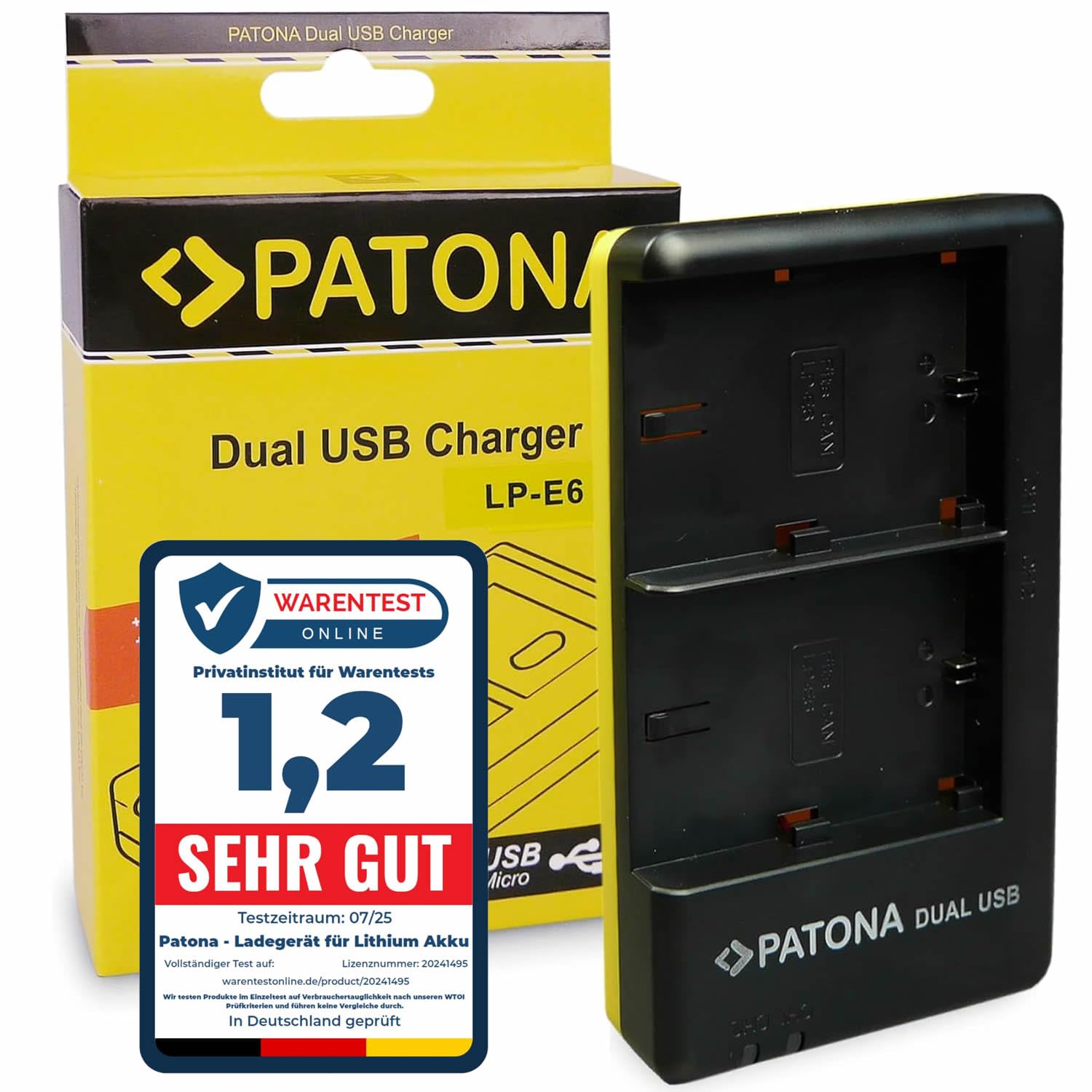
Image 2.1: Front view of the PATONA 1968 Dual USB Charger, showing the two battery slots and PATONA DUAL USB branding.
Package Contents:
- 1 x PATONA 1968 Dual USB Charger
- 1 x USB to Micro-USB Cable (60 cm)
3. Setup
- Connect the Charger: Connect the supplied USB to Micro-USB cable to the charger's Micro-USB input port.
- Power Source: Connect the other end of the USB cable to a suitable USB power source (e.g., USB wall adapter, power bank, computer USB port). The power source should provide 5V/2.1A for optimal charging.
- Insert Batteries: Carefully insert one or two compatible Canon LP-E6, LP-E6N, or LP-E6NH batteries into the charging bays. Ensure the battery contacts align correctly with the charger's pins.

Image 3.1: The PATONA 1968 Dual USB Charger shown with its included USB to Micro-USB cable.
4. Operating Instructions
Charging Process:
- Once batteries are inserted and the charger is connected to a power source, the individual LED indicators above each charging bay will illuminate.
- A red LED typically indicates that the battery is currently charging.
- When the charging process for a battery is completed, its corresponding LED indicator will change color (e.g., to green or blue) or turn off, depending on the specific charger model.
- The charger automatically switches to a slow charging mode once the battery is fully charged to prevent overcharging.
- Charging Current: The charger provides 700mA output when one battery is inserted and 500mA output per battery when both charging bays are occupied.

Image 4.1: Top-down view of the charger, highlighting the LED indicators for each charging slot.
5. Maintenance
- Cleaning: Disconnect the charger from the power source before cleaning. Use a soft, dry cloth to wipe the exterior. Do not use liquid cleaners or solvents.
- Storage: Store the charger in a cool, dry place away from direct sunlight and extreme temperatures.
- Handling: Avoid dropping the charger or subjecting it to strong impacts.
6. Troubleshooting
- Charger not powering on: Ensure the USB cable is securely connected to both the charger and a functional power source. Try a different USB port or power adapter.
- Battery not charging:
- Verify that the battery is correctly inserted into the charging bay with contacts aligned.
- Ensure the battery is compatible with the PATONA 1968 charger (Canon LP-E6, LP-E6N, LP-E6NH).
- The battery might be fully charged or defective. Try charging a different battery if available.
- Slow charging: Ensure your USB power source provides sufficient current (recommended 5V/2.1A). Charging two batteries simultaneously will result in a lower current per battery (500mA each) compared to charging a single battery (700mA).
7. Specifications
| Brand | PATONA |
| Model | 1968 |
| Input | Micro-USB / Type-C USB 5V 2.1A |
| Output (Single Battery) | 8.4V 700mA |
| Output (Two Batteries) | 8.4V 500mA (per battery) |
| Compatible Batteries | Canon LP-E6, LP-E6N, LP-E6NH |
| Dimensions (L x W x H) | 11.5 x 7 x 1.9 cm |
| Weight | 75 g |
| Connector Type | USB (Micro-USB input) |

Image 7.1: The PATONA 1968 Dual USB Charger displaying its physical dimensions.

Image 7.2: Rear view of the PATONA 1968 Dual USB Charger, showing model number, input/output details, and certifications.
8. Warranty and Support
For warranty information or technical support, please refer to the PATONA official website or contact your retailer. Keep your purchase receipt as proof of purchase.