
1. Introduction
This manual provides essential information for the safe and effective operation of your AW 30W 252-LED RGB DMX Wall Washer Light Bar. This lighting fixture is designed to produce mixed colors and various lighting effects, suitable for enhancing ambiance in diverse settings such as parties, gatherings, stages, churches, clubs, and garages.
Please read this manual thoroughly before installation and use, and retain it for future reference.
2. Safety Information
- Ensure the power supply voltage matches the product's requirements (AC85-265V, 50-60Hz).
- Do not expose the device to rain or moisture to prevent electric shock or fire hazards.
- Avoid direct eye exposure to the light source, as it can cause eye damage.
- Always disconnect power before cleaning or performing any maintenance.
- Ensure proper ventilation around the unit to prevent overheating.
- Do not attempt to repair or modify the unit yourself. Refer all servicing to qualified personnel.
- Keep the unit away from flammable materials.
3. Package Contents
Verify that all components are present upon unpacking:
- AW 30W 252-LED RGB DMX Wall Washer Light Bar
- Remote Control
- Power Cord (approximately 3.5 ft long)
- Mounting Brackets (2 pcs)
- Set of Screws for installation

Image: The AW LED Wall Washer Light Bar, its remote control, and the power cord.
4. Product Overview
The AW 30W 252-LED RGB DMX Wall Washer Light Bar features a robust design and versatile lighting capabilities.
Key Features:
- Powerful & Even Lighting: Equipped with 252 LED light beads, producing a total brightness of 2000 Lumens with a 25-degree beam angle for concentrated and far-reaching illumination. Includes a memory function to retain the last setting.
- Convenient Control: Operates via an included remote control with a sensing distance of up to 49 feet. Supports Auto, DMX, Slave, Flash, and Sound/Music modes.
- Durable Construction: Features a sturdy die-cast aluminum housing for rust resistance and efficient heat dissipation, ensuring a long lifespan of approximately 80,000 hours for the LED beads.
- Easy Installation: Comes with two mounting brackets offering 360-degree angle adjustment for flexible installation on walls, ground, or ceilings.
Components:
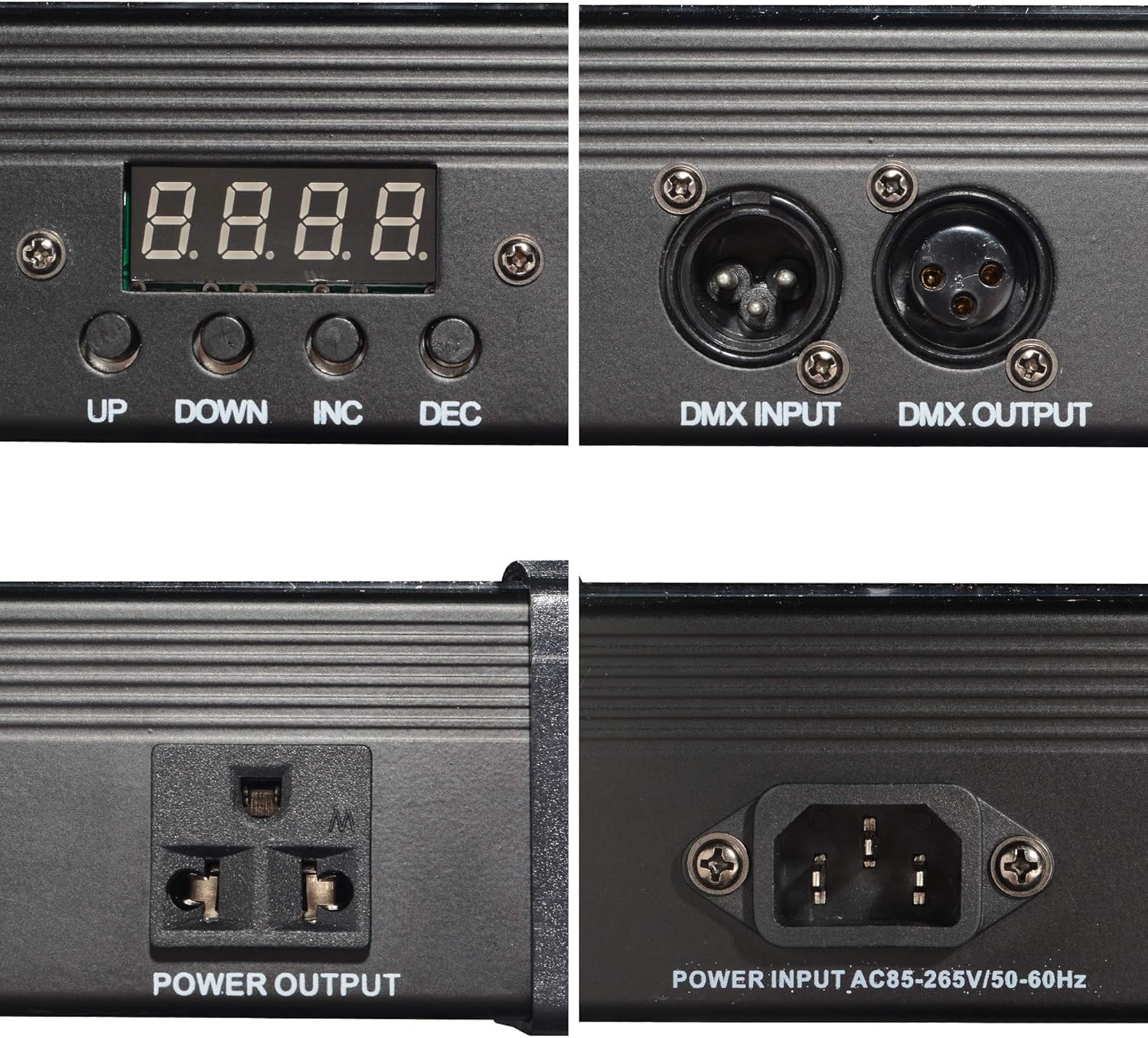
Image: Detailed view of the control panel with LED display, DMX input/output, and power connections.
- LED Display: Shows current mode and settings.
- Control Buttons: UP, DOWN, INC (Increase), DEC (Decrease) for menu navigation and setting adjustments.
- DMX Input/Output: 3-pin XLR connectors for DMX512 control.
- Power Input/Output: AC power connection and pass-through for linking multiple units.
- Mounting Brackets: Adjustable brackets for secure positioning.
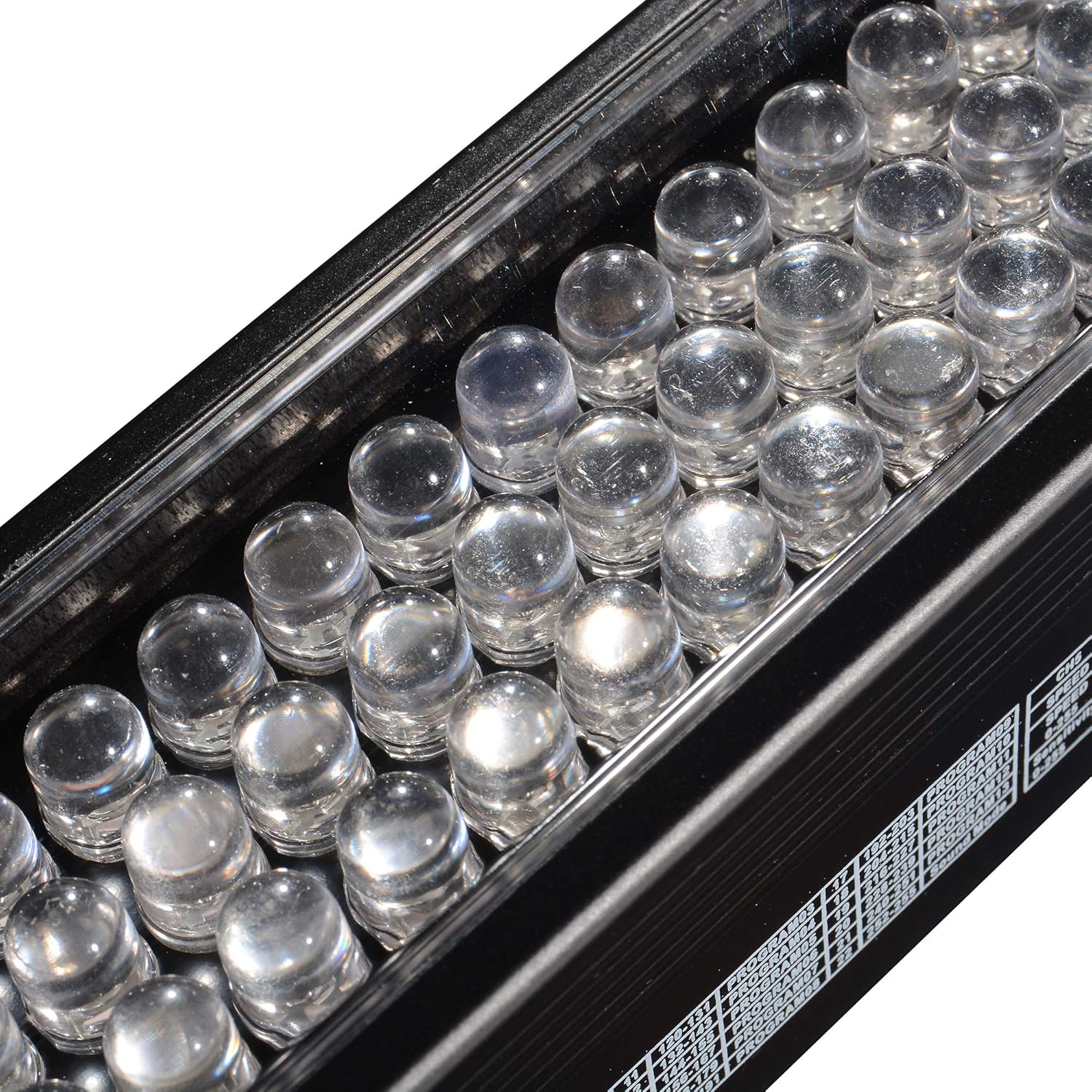
Image: Close-up of the 252 LED light beads.
5. Setup
5.1 Mounting
The light bar can be installed on a wall, ground, or ceiling using the provided mounting brackets.
- Attach the two mounting brackets to the light bar using the included screws.
- Position the light bar in the desired location.
- Securely fasten the brackets to the mounting surface (wall, ground, or ceiling) using appropriate screws and anchors (if necessary).
- Adjust the angle of the light bar using the 360-degree adjustable brackets to achieve the desired lighting direction.

Image: Illustration of flexible mounting options and 360-degree bracket adjustment.
5.2 Power Connection
Connect the provided power cord to the power input port on the light bar and then to a suitable power outlet (AC85-265V, 50-60Hz).
For linking multiple units, connect the power output of one unit to the power input of the next unit.
6. Operating Instructions
The light bar can be controlled via the onboard display and buttons, or using the included remote control, or an external DMX controller.
6.1 Remote Control Operation
The remote control allows for convenient adjustment of colors and lighting modes from a distance of up to 49 feet.

Image: Layout of the remote control with labeled buttons.
- Power Button: Turns the unit ON/OFF.
- Music Button: Activates Sound/Music mode, where lighting effects change with sensed music.
- Effect Button: Cycles through various pre-programmed lighting effects.
- DMX Button: Switches to DMX control mode.
- Slave Button: Sets the unit as a slave in a master/slave setup.
- Flash Button: Activates strobe/flash effects.
- R, G, B Buttons: Directly selects Red, Green, or Blue colors.
- Up/Down Arrows: Adjusts parameters (e.g., brightness, speed) or navigates menus.
- Numeric Buttons (0-9): May be used for specific program selection or DMX address setting.
6.2 Operating Modes
- Auto Mode: The light bar cycles through pre-programmed effects automatically.
- Sound/Music Mode: The light bar reacts to sound or music, changing effects dynamically.
- DMX Mode: Allows control of the light bar using an external DMX512 controller. Refer to the DMX channel chart (not provided in this manual, typically found in a separate DMX guide) for specific channel assignments.
- Master/Slave Mode: Link multiple units where one unit (master) controls the others (slaves) to synchronize lighting effects.
- Flash Mode: Produces strobe or flashing light effects.
6.3 Memory Function
The light bar is equipped with a memory function that retains your last selected setting, providing convenience for consistent use.


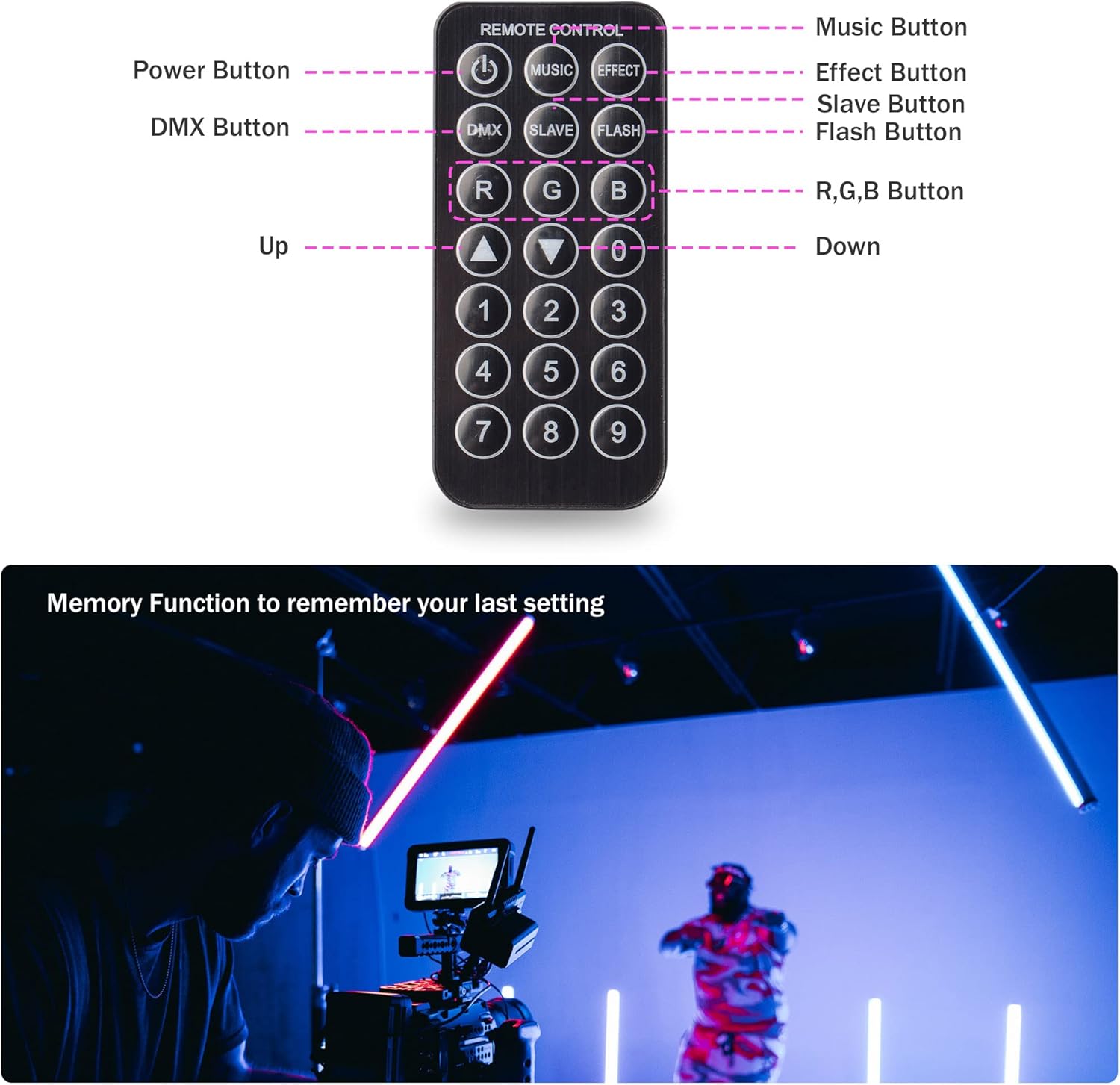

Image: Examples of various color light effects produced by the wall washer light bar.
7. Maintenance
7.1 Cleaning
- Before cleaning, ensure the unit is unplugged from the power source.
- Use a soft, dry cloth to wipe the exterior of the light bar.
- Do not use abrasive cleaners, solvents, or harsh chemicals, as these may damage the finish or internal components.
- Periodically clean the lens to ensure optimal light output.
7.2 Storage
When not in use for extended periods, store the light bar in a cool, dry place, away from direct sunlight and extreme temperatures. It is recommended to store it in its original packaging or a protective case to prevent damage.
8. Troubleshooting
| Problem | Possible Cause | Solution |
|---|---|---|
| Light bar does not power on. | No power supply; faulty power cord; unit malfunction. | Check power connection and outlet. Try a different power cord. If problem persists, contact support. |
| Remote control not working. | Remote battery depleted; obstruction; out of range. | Replace remote battery. Ensure clear line of sight to the light bar's sensor. Operate within 49 ft range. |
| DMX control not functioning. | Incorrect DMX address; faulty DMX cable; incorrect DMX mode. | Verify DMX address setting on the light bar. Ensure DMX cables are 3-pin DMX data cables (not XLR microphone cables). Confirm DMX mode is selected. |
| Lights are dim or inconsistent. | Power fluctuation; unit overheating; dirty lens. | Ensure stable power supply. Check for proper ventilation. Clean the light bar lens. |
9. Specifications
| Feature | Specification |
|---|---|
| Model Number | AW-SGL000006 |
| Power | 30 Watts |
| Light Source | 252 Pcs LED (RGB) |
| Brightness | 2000 Lumens |
| Beam Angle | 25 Degrees |
| Voltage | AC85-265 Volts |
| Amperage | 0.11 Amps |
| Material | Die-cast Aluminum |
| Product Dimensions (L x W x H) | 42.52" x 2.48" x 3.15" (108 cm x 6.3 cm x 8 cm) |
| Item Weight | 5 Pounds |
| Control Modes | Auto, DMX, Slave, Flash, Sound/Music |
| Remote Control Range | Up to 49.25 feet (15 meters) |

Image: The AW LED Wall Washer Light Bar used in different environments, showcasing its versatility.
10. Warranty Information
This product is covered by the manufacturer's standard warranty. Please refer to the warranty card included with your purchase or contact the seller for specific warranty terms and conditions.
11. Support
For technical assistance, troubleshooting, or inquiries regarding your AW 30W 252-LED RGB DMX Wall Washer Light Bar, please contact the seller or manufacturer directly through their official support channels.