
Introduction
This manual provides essential information for the proper use and care of your Barbie: A Princess in Rockstar Camp DVD. Please read these instructions carefully to ensure an optimal viewing experience.
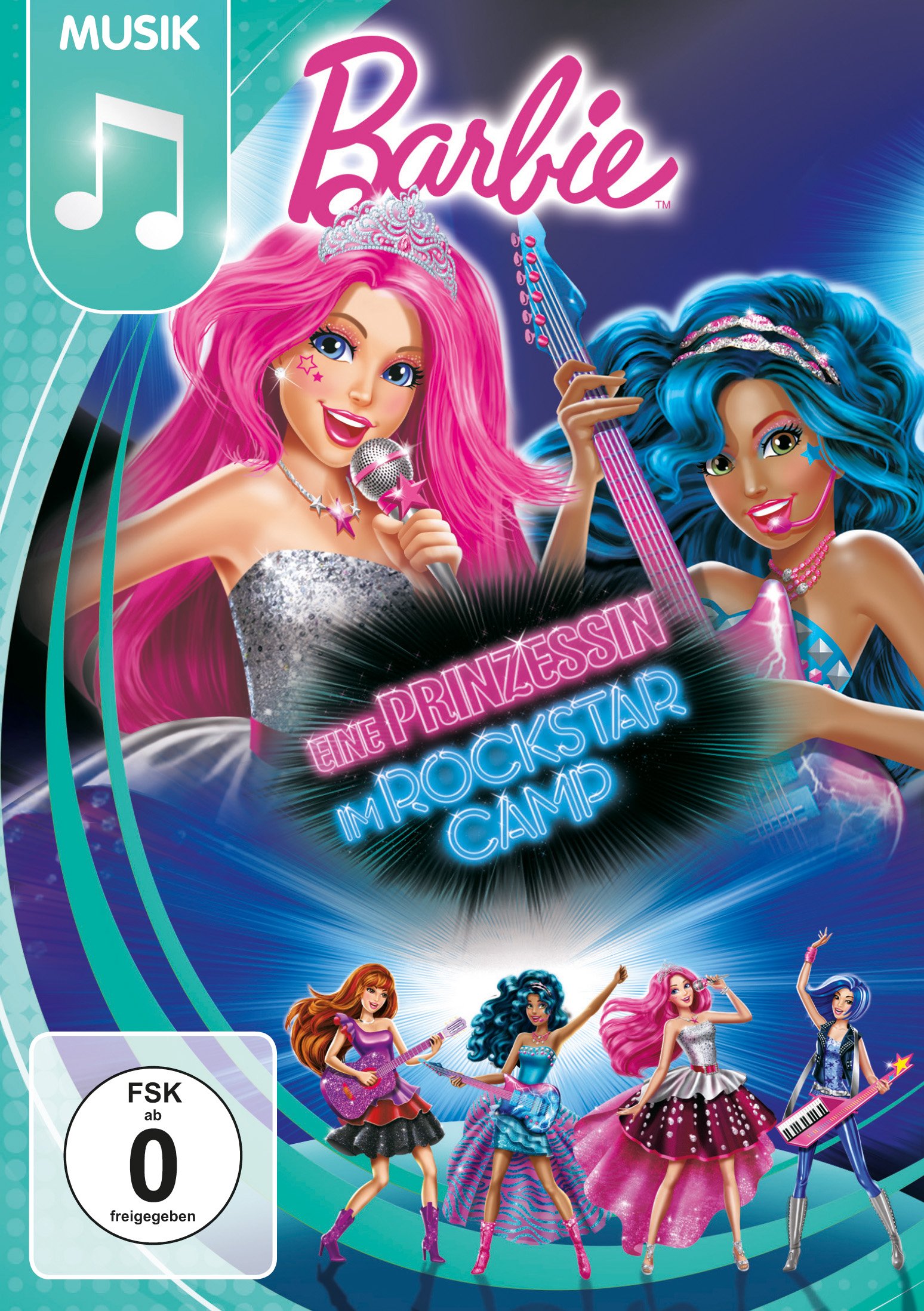
Image: Front cover of the Barbie: A Princess in Rockstar Camp DVD. The cover features Barbie with pink hair and another character with blue hair, both holding musical instruments, against a vibrant background. The title 'Barbie: Eine Prinzessin im Rockstar Camp' is prominently displayed.
Setup
To begin watching your DVD, follow these simple steps:
- Prepare Your Player: Ensure your DVD player or computer with a DVD drive is connected to a television or monitor and powered on.
- Insert the Disc: Gently insert the Barbie: A Princess in Rockstar Camp DVD into the disc tray or slot of your player, label side up.
- Automatic Playback: Most DVD players will automatically start playing the disc or display the main menu. If not, select the 'Play' option from your player's remote control or software interface.
Operating
Navigate the DVD content using your player's remote control or software interface.
Main Menu
From the main menu, you can typically select:
- Play Movie: Starts the main feature film.
- Scene Selection: Allows you to jump to specific chapters or scenes within the movie.
- Languages: Choose your preferred audio language. Available languages include Dutch, English, French, German, Italian, Russian, and Turkish.
- Subtitles: Turn subtitles on or off, and select your preferred language. Available subtitles include Dutch, English, French, Russian, and Turkish.
- Special Features: Access additional content.
Special Features
The DVD includes the following special features:
- Music Videos: Enjoy a selection of music videos from the film.
- Trailer Gallery: View trailers for other Barbie productions.

Image: Back cover of the Barbie: A Princess in Rockstar Camp DVD. It displays several characters from the movie, details about the plot, and lists 'Extras' such as 'Musikvideos' (Music Videos) and 'Trailergalerie' (Trailer Gallery). Language and subtitle options are also visible.

Image: Barbie, with blonde hair and a pink dress, plays a keyboard in a music studio. Three other characters are around her, playing a guitar, a keytar, and drums, indicating a band practice session.
Maintenance
Proper care of your DVD will ensure its longevity and optimal performance.
- Handling: Always hold the DVD by its edges or by placing a finger through the center hole. Avoid touching the shiny playback surface.
- Cleaning: If the disc becomes dirty, gently wipe it with a soft, lint-free cloth from the center outwards. Do not use abrasive cleaners or solvents.
- Storage: Store the DVD in its original case, away from direct sunlight, extreme temperatures, and high humidity.
Troubleshooting
If you encounter issues, try the following solutions:
- Disc Not Playing: Ensure the disc is inserted correctly. Check for visible scratches or smudges on the disc surface and clean if necessary. Try playing another DVD to confirm your player is functioning correctly.
- No Audio/Video: Verify all cables connecting your DVD player to your TV/monitor and audio system are securely connected. Check your TV/monitor's input source.
- Skipping/Freezing: Clean the disc carefully. If the problem persists, the disc may be damaged.
Specifications
| Item Model Number | 8303780 |
| ASIN | B01076V8E8 |
| Media Format | DVD |
| Number of Discs | 1 |
| Aspect Ratio | 1.77:1, 1.78:1 |
| Product Dimensions | 5.35 x 0.55 x 7.48 inches; 2.47 ounces |
| Audio Languages | Dutch (Dolby Digital 5.1), English (Dolby Digital 5.1), French (Dolby Digital 5.1), German (Dolby Digital 5.1), Italian (Dolby Digital 5.1), Russian (Dolby Digital 5.1), Turkish (Dolby Digital 5.1) |
| Subtitles | Dutch, English, French, Russian, Turkish |

Image: A group of Barbie characters, including Barbie herself, are shown on a brightly lit stage, raising their arms in celebration, suggesting a successful performance or event.
Support
For further assistance or inquiries regarding your Barbie: A Princess in Rockstar Camp DVD, please refer to the contact information provided by your retailer or the official Barbie website.
UPC: 5053083037802