
Introduction
The Olympus Infinity SuperZoom 3500 is a sophisticated 35mm point and shoot film camera designed for ease of use and high-quality photography. Featuring a versatile 35-120mm Olympus Zoom Lens, this camera allows for a wide range of photographic expressions, from wide-angle landscapes to telephoto portraits. This manual provides essential information for setting up, operating, maintaining, and troubleshooting your camera to ensure optimal performance and longevity.
Setup
1. Battery Installation
The camera requires batteries for operation. Ensure you use fresh batteries of the correct type (refer to the battery compartment for specifications, typically CR123A or similar). Incorrect battery insertion can prevent the camera from functioning.
- Locate the battery compartment cover on the bottom of the camera.
- Open the cover by sliding or rotating it as indicated by the arrow.
- Insert the batteries according to the polarity indicators (+/-) inside the compartment.
- Close the battery compartment cover securely until it clicks into place.

Figure 1: Bottom view of the camera, illustrating the battery compartment and tripod mount.
2. Film Loading
This camera uses standard 35mm film. Always load film in subdued light to prevent accidental exposure.
- Open the camera back cover by sliding the latch on the side of the camera.
- Place the film cartridge into the film chamber.
- Pull the film leader across to the film take-up spool, ensuring it aligns with the red mark or engages with the sprocket teeth.
- Close the camera back cover firmly until it latches. The camera will automatically advance the film to the first frame. The frame counter on the top display will show '1'.

Figure 2: Rear view of the camera, showing the film door and viewfinder.
Operating the Camera
1. Power On/Off
To power on the camera, slide the power switch, usually located near the shutter button. The lens will extend, and the display will activate. To power off, slide the switch back; the lens will retract.
2. Basic Shooting
Point and shoot operation is straightforward:
- Aim: Frame your subject through the viewfinder.
- Focus: Lightly press the shutter button halfway down. The camera will automatically focus, and a focus indicator (e.g., a green light) will illuminate in the viewfinder.
- Shoot: Press the shutter button fully to take the picture. The camera will automatically advance the film to the next frame.
3. Zoom Function
The Infinity SuperZoom 3500 features a 35-120mm zoom lens. Use the 'W' (Wide) and 'T' (Telephoto) buttons to adjust the focal length.
- Press 'W' to zoom out (wider angle).
- Press 'T' to zoom in (telephoto).

Figure 3: Front-top view of the camera with the zoom lens extended.
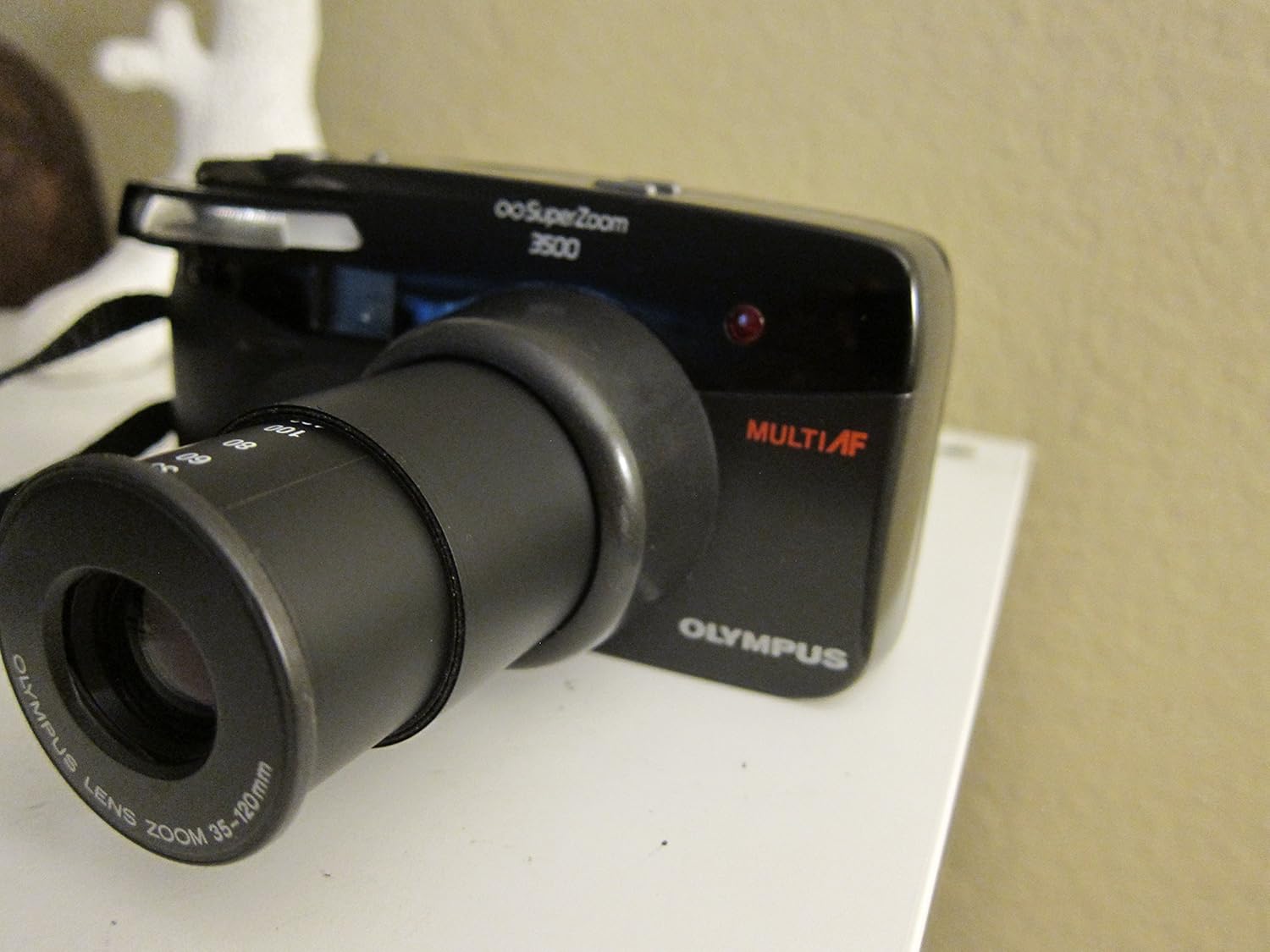
Figure 4: Front-top view of the camera with the zoom lens retracted.
4. Flash Modes
The camera offers various flash modes to suit different lighting conditions. Press the FLASH button to cycle through available modes, which may include:
- Auto Flash: The camera automatically fires the flash when needed.
- Red-Eye Reduction: Fires a pre-flash to reduce red-eye effect.
- Fill-in Flash: Forces the flash to fire, useful for brightening shadows in bright conditions.
- Flash Off: Disables the flash.

Figure 5: Top view of the camera, highlighting the display and control buttons.

Figure 6: Close-up of the LCD display, showing the 'FILL-IN' flash mode indicator.
5. Mode Selection
Press the MODE button to select different shooting modes, if available. Common modes might include:
- Program Auto: Standard automatic shooting.
- Self-Timer: Delays the shutter release for a few seconds.
- Remote Control: For use with an optional remote control.
6. Film Rewinding and Unloading
Once all frames on the film roll have been exposed, the camera will typically rewind the film automatically. Listen for the rewinding sound. Once rewinding is complete, the frame counter will reset or show 'E' (Empty).
- Wait for the camera to complete automatic film rewinding.
- Open the camera back cover.
- Remove the rewound film cartridge.
- Close the camera back cover.
Maintenance
1. Cleaning
- Lens: Use a soft, lint-free cloth or a lens brush to gently remove dust. For smudges, use a specialized lens cleaning solution and cloth. Avoid touching the lens surface with your fingers.
- Camera Body: Wipe the camera body with a soft, dry cloth. For stubborn dirt, slightly dampen the cloth with water. Do not use solvents or abrasive cleaners.
- Viewfinder: Use a soft brush or air blower to remove dust.
2. Storage
- Store the camera in a cool, dry place away from direct sunlight and extreme temperatures.
- If storing for an extended period, remove the batteries to prevent leakage.
- Keep the camera in a protective case to prevent dust and scratches.
3. Battery Care
- Replace batteries promptly when the low battery indicator appears.
- Do not mix old and new batteries, or different types of batteries.
- Dispose of used batteries responsibly according to local regulations.
Troubleshooting
| Problem | Possible Cause | Solution |
|---|---|---|
| Camera does not power on. | Dead or incorrectly inserted batteries. | Check battery polarity; replace with fresh batteries. |
| Film does not advance. | Film not loaded correctly; film leader not engaged. | Re-open camera back and re-load film, ensuring leader is properly engaged. |
| Flash does not fire. | Flash mode set to 'Off'; insufficient charge; too much ambient light. | Check flash mode setting; wait for flash to charge; use 'Fill-in' mode if desired. |
| Photos are blurry. | Camera shake; subject too close/far for focus; dirty lens. | Hold camera steady; ensure subject is within focusing range; clean lens. |
| Lens does not extend/retract. | Obstruction; low battery. | Check for obstructions; replace batteries. |
Specifications
| Feature | Detail |
|---|---|
| Model Name | Infinity Superzoom 3500 |
| Item Model Number | 102-960 |
| Brand | Olympus |
| Film Format Type | 35mm |
| Lens | 35-120mm Olympus Zoom Lens |
| Special Feature | Auto Exposure |
| Item Weight | 12.8 ounces |
| Package Dimensions | 6.4 x 4.6 x 2.8 inches |
| Included Components | Camera Body Only |
| UPC | 050332104723 |
Warranty and Support
For specific warranty information, please refer to the documentation provided at the time of purchase or contact your retailer. Olympus provides customer support for its products. For technical assistance, service, or further inquiries, please visit the official Olympus website or contact their customer service department.
You can visit the Olympus Store on Amazon for more information: Olympus Store
