1. Introduction
Welcome to the world of digital photography with your new Canon EOS Rebel T7 DSLR Camera. This camera is equipped with a 24.1 Megapixel CMOS image sensor, offering highly detailed and vibrant photos and videos. With built-in Wi-Fi and NFC connectivity, sharing your creations is convenient. This manual provides comprehensive instructions to help you get started and make the most of your camera's features.
Please read this manual thoroughly before using your camera to ensure proper operation and to prevent damage. Keep this manual in a safe place for future reference.
2. What's in the Box
Your Canon EOS Rebel T7 DSLR Camera kit includes the following items:
- Canon EOS Rebel T7 Camera Body
- EF-S 18-55mm f/3.5-5.6 IS II Lens
- EF 75-300mm f/4-5.6 III Lens
- Battery Pack LP-E10
- Battery Charger LC-E10
- Eyecup Ef
- Wide Strap EW-400D
- Interface Cable IFC-130U
- EOS Digital Solution Disk
- User Manual Kit
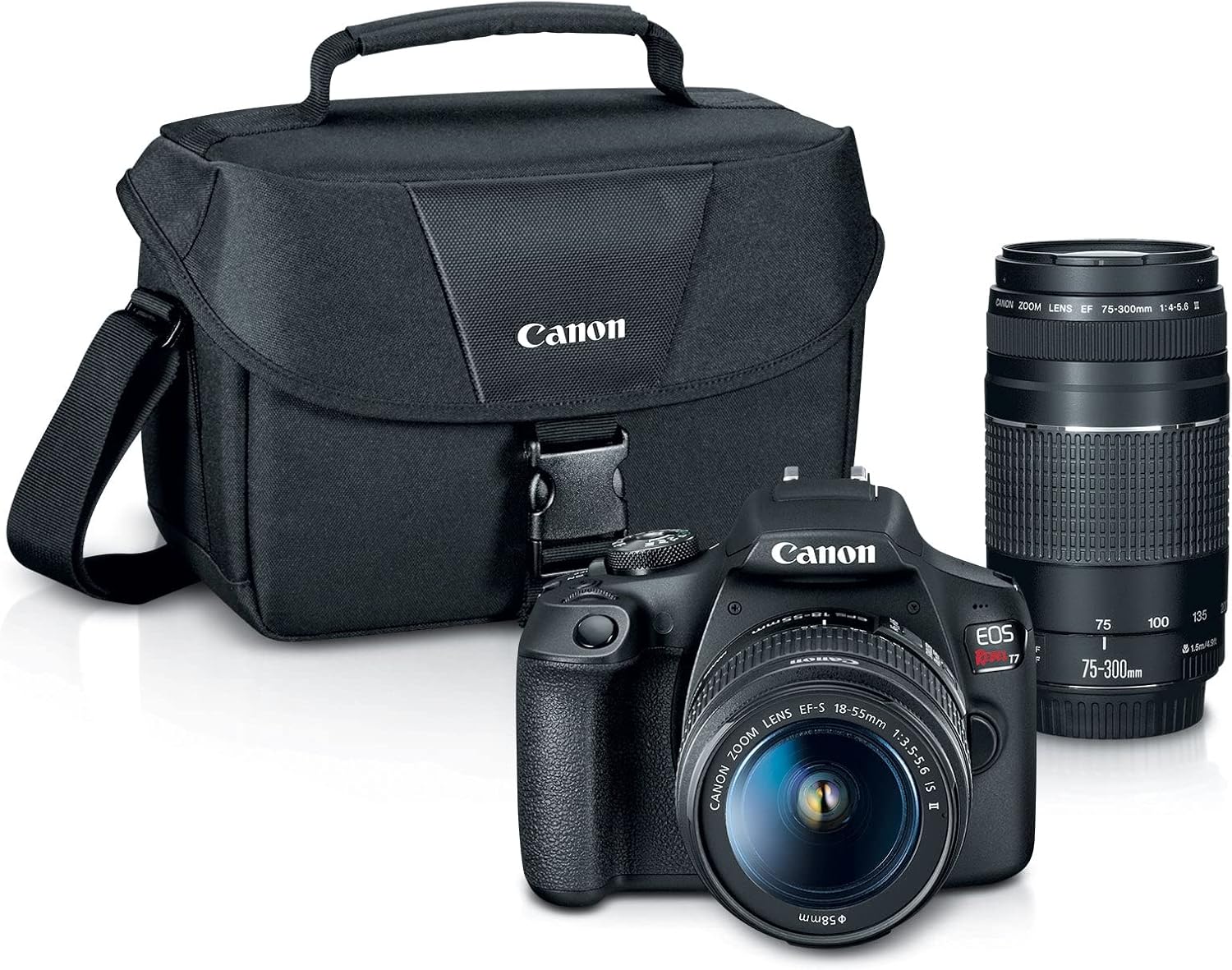
Figure 1: Canon EOS Rebel T7 DSLR Camera 2 Lens Kit with camera bag and accessories.
3. Camera Overview
3.1 Front View
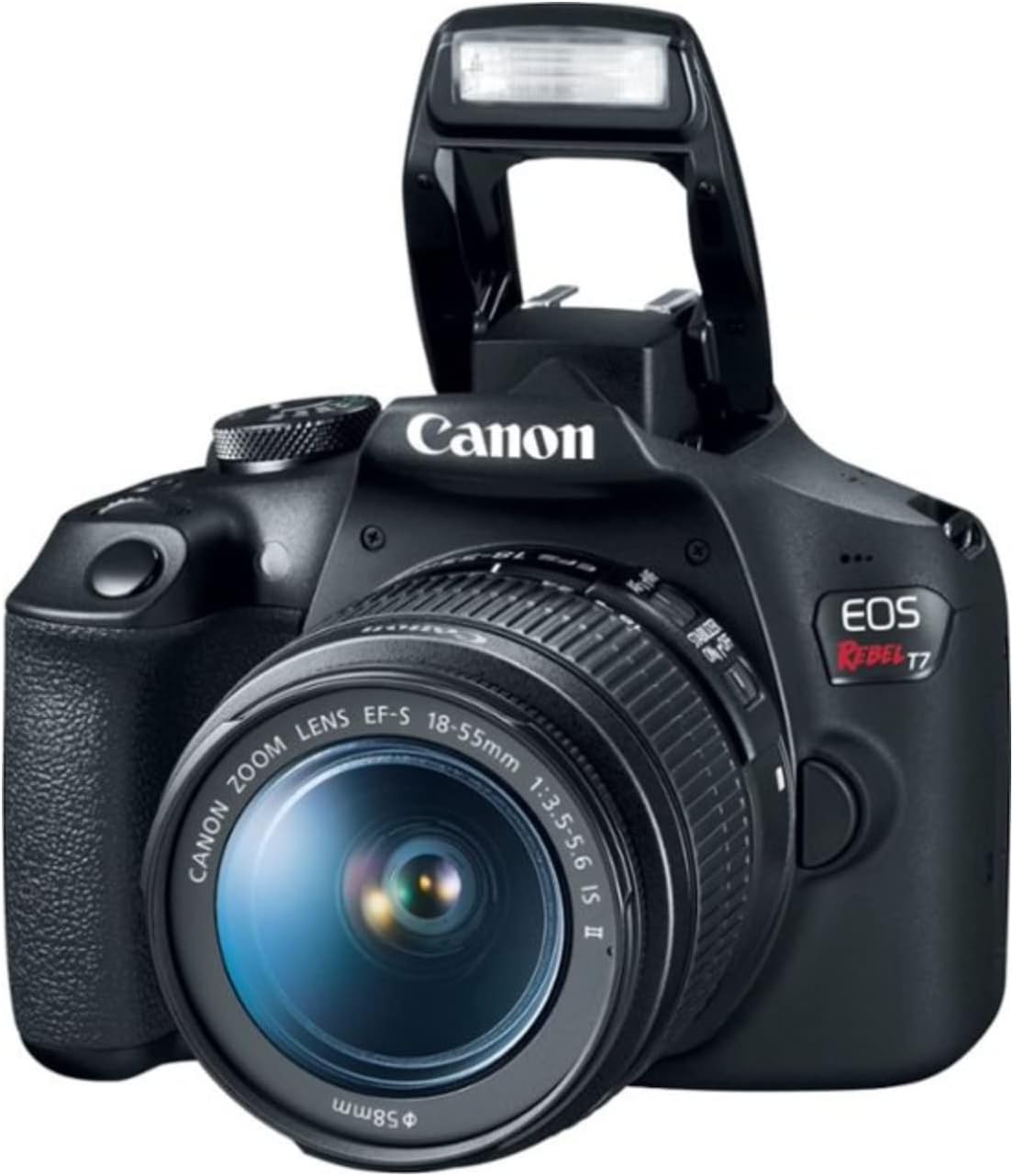
Figure 2: Front view of the Canon EOS Rebel T7 DSLR Camera with the EF-S 18-55mm lens attached and the pop-up flash raised.
The front of the camera features the lens mount, pop-up flash, and the shutter button. The grip is ergonomically designed for comfortable handling.
3.2 Rear View
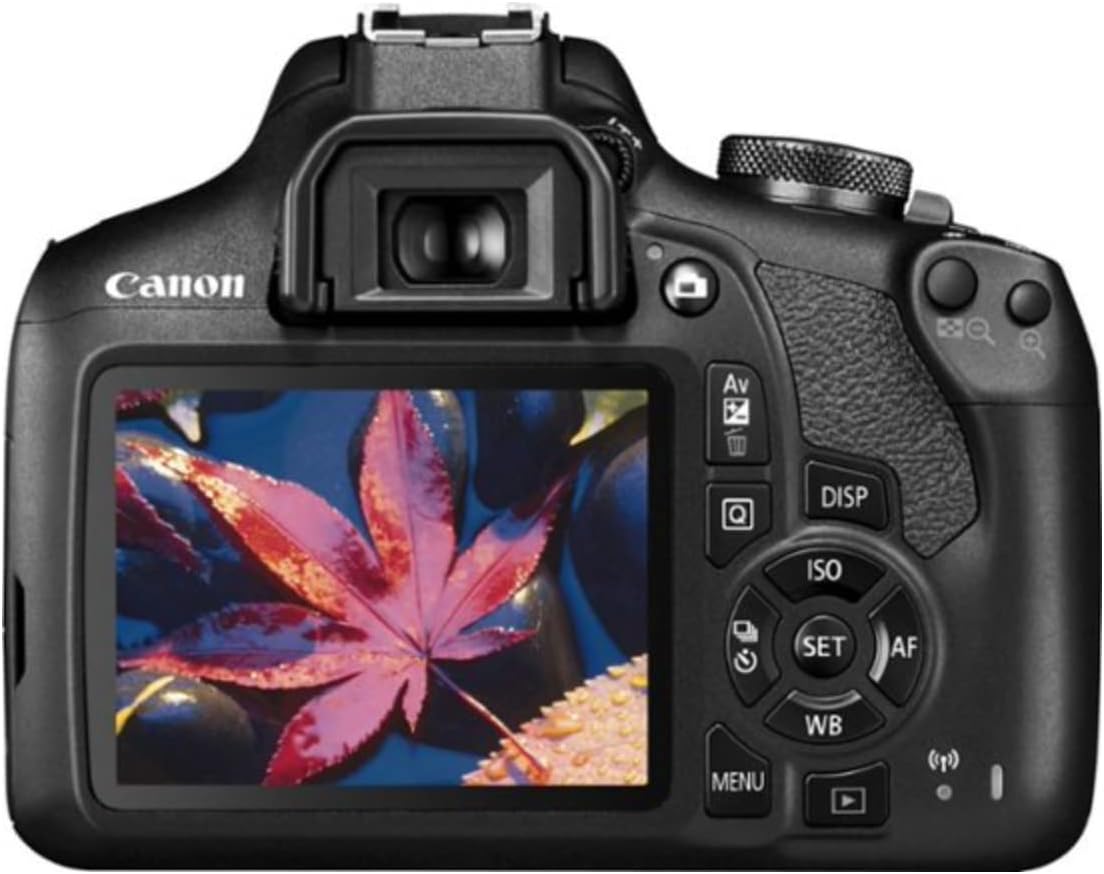
Figure 3: Rear view of the Canon EOS Rebel T7 DSLR Camera, showing the LCD screen and various control buttons.
The rear of the camera includes the 3.0-inch LCD screen, viewfinder, and a range of control buttons for menu navigation, playback, ISO settings, and more. The mode dial is located on the top right for easy access to different shooting modes.
3.3 Top View
The top of the camera houses the mode dial, hot shoe for external flash units, main dial, and the power switch. These controls allow for quick adjustments to camera settings.
4. Lens Overview
Your kit includes two versatile lenses:
- EF-S 18-55mm f/3.5-5.6 IS II: A standard zoom lens suitable for everyday photography, landscapes, and portraits. It features Image Stabilization (IS) to reduce blur.
- EF 75-300mm f/4-5.6 III: A telephoto zoom lens ideal for sports, wildlife, and distant subjects.
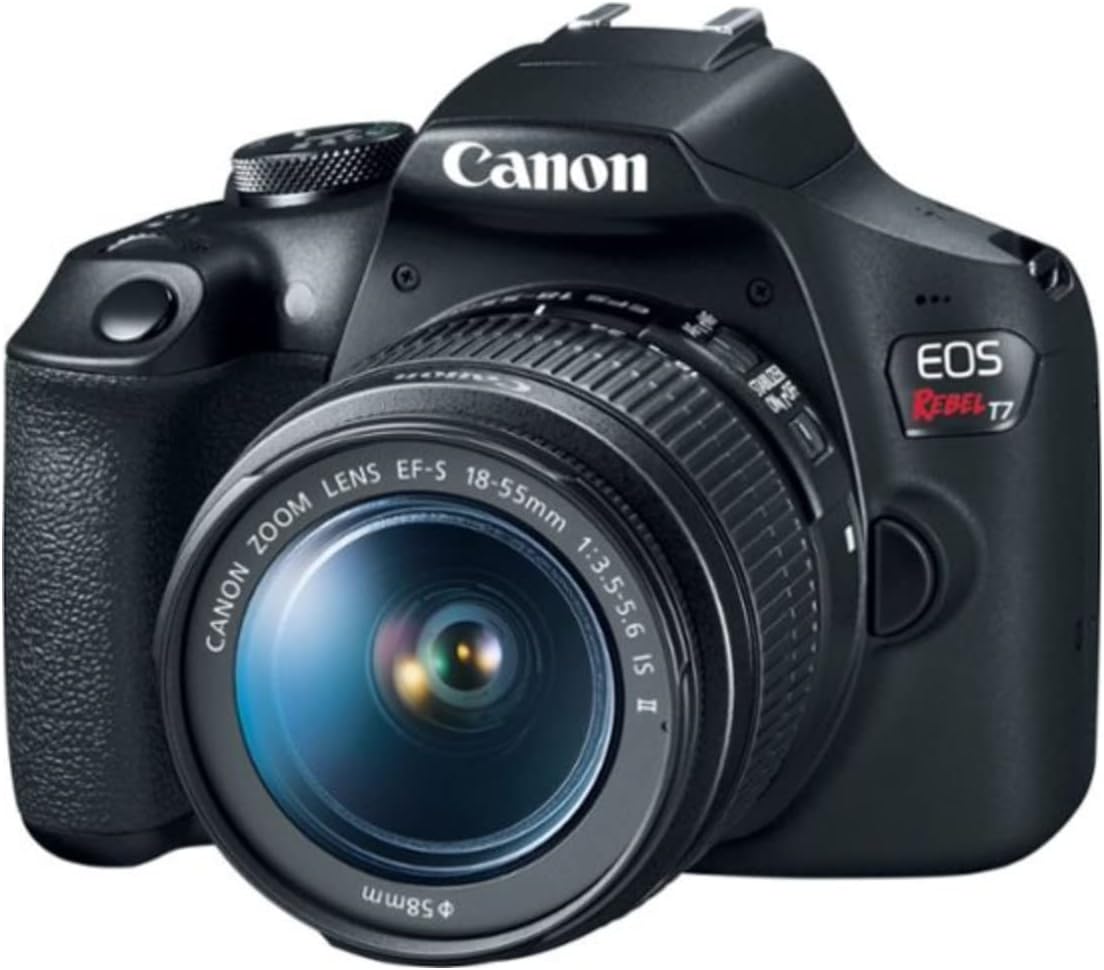
Figure 4: Canon EOS Rebel T7 DSLR Camera with the EF-S 18-55mm lens attached.
5. Setup
5.1 Battery Installation
- Open the battery compartment cover on the bottom of the camera.
- Insert the battery pack (LP-E10) with the electrical contacts facing inward, ensuring it clicks into place.
- Close the battery compartment cover securely.
5.2 Memory Card Insertion
- Open the memory card slot cover on the side of the camera.
- Insert an SD, SDHC, or SDXC memory card with the label facing the front of the camera until it clicks.
- Close the memory card slot cover.
5.3 Attaching Lenses
- Remove the rear lens cap and the camera body cap.
- Align the red dot on the lens with the red dot on the camera body.
- Turn the lens clockwise until it clicks into place.
- Remove the front lens cap.
6. Operating the Camera
6.1 Basic Shooting Modes
Turn the mode dial to select your desired shooting mode:
- Scene Intelligent Auto (A+): The camera automatically analyzes the scene and sets optimal settings. Ideal for beginners.
- Flash Off: Disables the flash for situations where flash is not permitted or desired.
- Creative Auto (CA): Offers more control over background blur and other creative effects while still providing automatic exposure.
- Special Scene Modes (SCN): Includes presets for specific situations like Portrait, Landscape, Close-up, Sports, Food, and Night Portrait.
6.2 Advanced Shooting Modes
For more control, use these modes:
- Program AE (P): The camera sets the shutter speed and aperture, but you can adjust other settings.
- Shutter-Priority AE (Tv): You set the shutter speed, and the camera automatically sets the aperture for correct exposure.
- Aperture-Priority AE (Av): You set the aperture, and the camera automatically sets the shutter speed for correct exposure.
- Manual Exposure (M): You control both shutter speed and aperture.
6.3 Video Recording
The EOS Rebel T7 supports Full HD 1080p video recording.
- Set the mode dial to the movie shooting mode (camera icon).
- Press the Live View shooting/Movie shooting button to start/stop recording.
6.4 Wi-Fi and NFC Connectivity
Use the built-in Wi-Fi and NFC to connect your camera to a smartphone or tablet for remote shooting and image transfer.
- Install the Canon Camera Connect app on your smart device.
- On the camera, go to Menu > Wi-Fi/NFC.
- Follow the on-screen instructions to establish a connection.
Video 1: Canon EOS Rebel T7 Camera and Kit Overview
Video 2: Overview & Demo - Canon EOS Rebel T7 DSLR Camera 2 Lens Kit
7. Maintenance
7.1 Cleaning the Camera Body
- Use a soft, dry cloth to wipe dust and smudges from the camera body.
- For stubborn dirt, lightly dampen the cloth with water or a specialized camera cleaner.
- Never use organic solvents or abrasive cleaners.
7.2 Cleaning Lenses
- First, use a blower brush to remove dust and loose particles from the lens surface.
- If smudges remain, use a lens cleaning solution and a microfiber cloth, wiping gently in a circular motion from the center outwards.
- Avoid touching the lens surface with your fingers.
7.3 Battery Care
- Charge the battery fully before first use and after extended periods of non-use.
- Store batteries in a cool, dry place.
- Remove the battery from the camera when not in use for long periods.
8. Troubleshooting
If you encounter issues with your camera, refer to the following common solutions:
- Camera not turning on: Ensure the battery is charged and correctly inserted.
- Images are blurry: Check lens focus, ensure image stabilization is on (if available on the lens), and use a faster shutter speed or tripod.
- Memory card error: Reinsert the memory card, try a different card, or format the card (this will erase all data).
- Flash not firing: Check flash settings, ensure it's not in 'Flash Off' mode, and verify battery level.
For more detailed troubleshooting, consult the full user manual on the Canon support website.
9. Specifications
| Feature | Specification |
|---|---|
| Model Name | EOS Rebel T7 |
| Sensor Type | CMOS (APS-C) |
| Effective Still Resolution | 24.1 MP |
| Video Resolution | FHD 1080p |
| Compatible Mountings | Canon EF |
| ISO Range | 100-6400 (Expanded to 12800) |
| Autofocus Points | 9-Point AF system |
| Screen Size | 3 Inches |
| Connectivity Technology | HDMI, NFC, USB, Wi-Fi |
| Continuous Shooting | 3 FPS |
| Item Weight | 3 Pounds |
10. Warranty and Support
10.1 Warranty Information
Your Canon EOS Rebel T7 DSLR Camera comes with a 1-year manufacturer's warranty. Please retain your proof of purchase for warranty claims.
10.2 Customer Support
For further assistance, technical support, or service inquiries, please visit the official Canon website or contact their customer service department. You can find detailed contact information and additional resources on the Canon support pages.


