Introduction
This manual provides instructions for the proper installation, use, and maintenance of UpStart Components replacement vacuum bags. These bags are compatible with Oreck XL3600HH and Oreck CCPK8DW (Type CC) vacuum cleaner models. Please read these instructions carefully before installing or using the product to ensure optimal performance and safety.

Image: UpStart Components replacement vacuum bags, 6-pack packaging.
Safety Information
Always follow basic safety precautions when using or maintaining your vacuum cleaner. This includes:
- Ensure the vacuum cleaner is unplugged from the electrical outlet before installing or removing vacuum bags.
- Do not attempt to clean up hazardous materials, liquids, or sharp objects with your vacuum cleaner, as this can damage the vacuum or the bag.
- Keep replacement bags out of reach of children.
Setup and Installation
Follow these steps to properly install a new UpStart Components replacement vacuum bag into your compatible Oreck vacuum cleaner:
- Step 1: Disconnect Power. Unplug your Oreck vacuum cleaner from the wall outlet to prevent accidental startup.
- Step 2: Open Vacuum Bag Compartment. Locate and open the vacuum bag compartment door on your Oreck vacuum. Refer to your Oreck vacuum's original manual if you are unsure of its location.
- Step 3: Remove Old Bag (if present). Carefully remove the full or used vacuum bag. Ensure the bag collar is sealed to prevent dust from escaping. Dispose of the used bag according to local regulations.
- Step 4: Prepare New Bag. Take one new UpStart Components replacement bag. Gently unfold the bag.
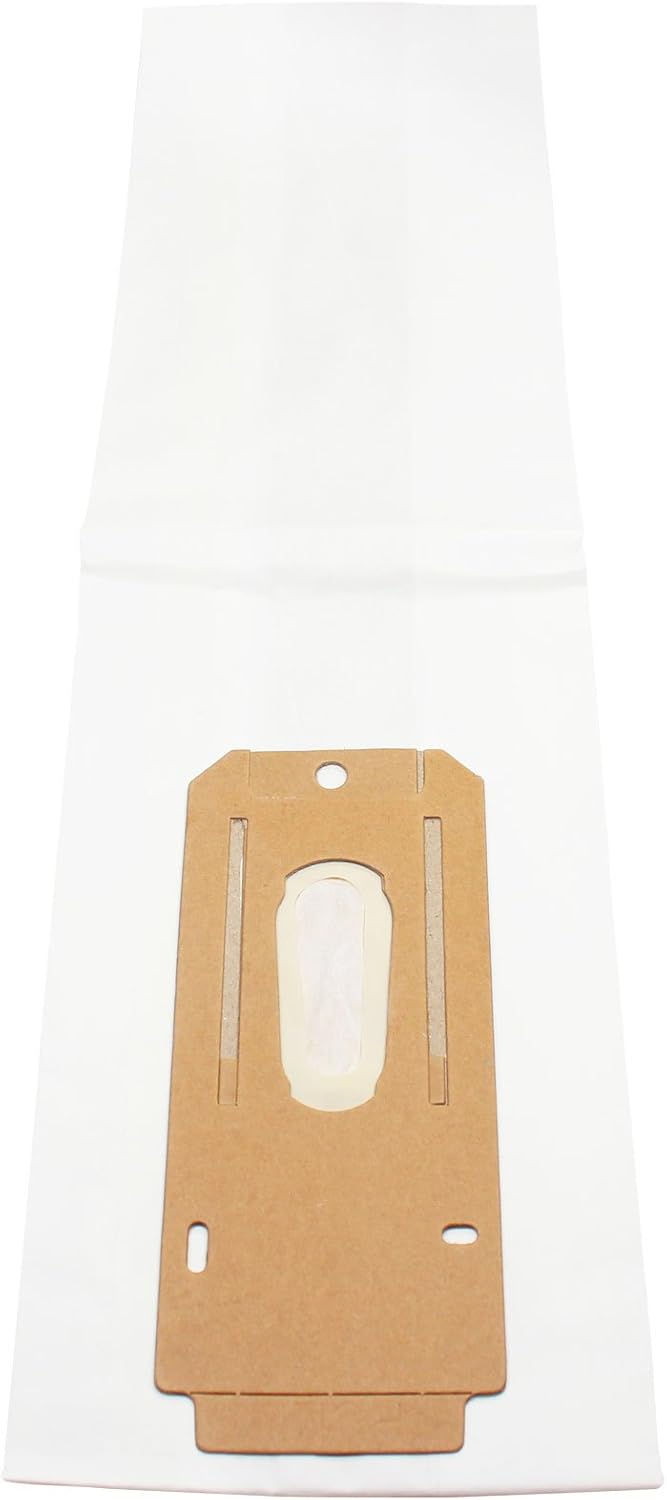
Image: Unfolded replacement vacuum bag.
- Step 5: Insert New Bag. Align the cardboard collar of the new bag with the bag dock inside the vacuum cleaner's compartment. Push the collar firmly onto the dock until it is securely seated. Ensure the bag is fully extended within the compartment without obstructing the door closure.

Image: Close-up of the bag's cardboard collar for proper alignment.
- Step 6: Close Compartment. Close the vacuum bag compartment door securely. Ensure it latches properly.
- Step 7: Reconnect Power. Plug your Oreck vacuum cleaner back into the electrical outlet. The vacuum is now ready for use.
Operating Instructions
These replacement bags function identically to the original Oreck Type CC bags. Monitor your vacuum cleaner's performance and bag indicator (if available) to determine when a bag change is necessary. Typically, bags should be replaced when:
- Suction power noticeably decreases.
- The bag indicator on your vacuum cleaner signals a full bag.
- The bag appears visibly full or heavy.
Regular bag replacement ensures optimal cleaning performance and extends the life of your vacuum cleaner.
Maintenance and Storage
To maintain the quality of your UpStart Components replacement vacuum bags and ensure proper vacuum operation:
- Store unused bags in a cool, dry place, away from direct sunlight and moisture.
- Avoid storing bags near sharp objects that could puncture them.
- Periodically check your vacuum cleaner's filters and clean or replace them as recommended by your Oreck vacuum's manufacturer.

Image: Stack of replacement vacuum bags for storage.
Troubleshooting
If you encounter issues after installing a new vacuum bag, consider the following:
- Reduced Suction:
- Ensure the bag is correctly seated in the bag dock.
- Check if the bag compartment door is fully closed and latched.
- Verify that the bag is not overfilled (if it's not a new bag).
- Inspect the vacuum hose and attachments for blockages.
- Check the vacuum's filters for clogging.
- Dust Leaking from Vacuum:
- Confirm the bag's cardboard collar is securely sealed to the vacuum's bag dock.
- Ensure the bag itself is not torn or damaged.
- Check the vacuum compartment door seal for any damage or improper closure.
- Bag Not Fitting:
- Double-check that your vacuum model (Oreck XL3600HH or CCPK8DW) is compatible with Type CC bags.
- Ensure the bag is unfolded correctly and positioned without creases that prevent proper seating.
Specifications
| Feature | Detail |
|---|---|
| Product Type | Replacement Vacuum Bags |
| Brand | UpStart Components |
| Compatibility | Oreck XL3600HH, Oreck CCPK8DW (Type CC) |
| Number of Items | 6 bags per pack (as per product listing) |
| Material | Standard vacuum bag material (paper/synthetic blend) |
Warranty and Support
This product is an UpStart Components Brand replacement part. It is not an OEM (Original Equipment Manufacturer) product. All mentions of brand names or model descriptions are made strictly to illustrate compatibility. All brand names and logos are registered trademarks of their respective owners. This product is not affiliated with any brands and is not covered under any warranties offered by the original manufacturers.
Any warranties for this product are offered solely by UpStart Components. For warranty claims or support inquiries, please contact UpStart Components directly through their official channels or the retailer from whom the product was purchased.