
Introduction
The Rio 60 Second Pedi and Hard Skin Remover & Foot File is designed to gently and effectively remove hard, rough, and dry skin from your feet. This device utilizes a rotating micro-abrasive roller head to exfoliate the skin, promoting a smoother and healthier appearance. It features two speed settings to cater to different skin conditions and is suitable for regular use.
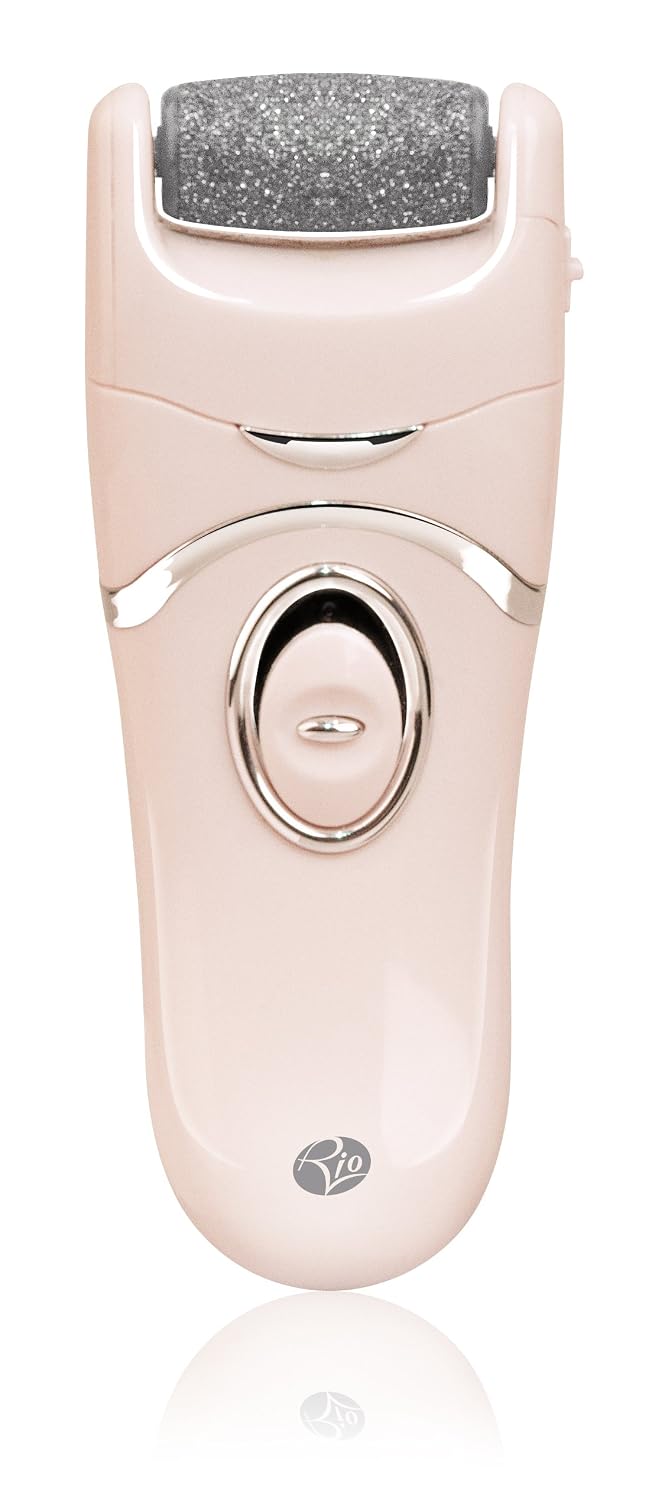
Image 1: Rio 60 Second Pedi and Hard Skin Remover & Foot File.
Safety Information
- Important: Do not use this device on broken, irritated, or infected skin.
- Keep out of reach of children.
- This device is intended for personal use on feet only. Do not use on other parts of the body.
- Avoid applying excessive pressure, as this may cause discomfort or stop the roller from spinning.
- If you experience any discomfort or irritation, discontinue use immediately.
Package Contents
Please check that all items are present in your package:
- 1 x Rio 60 Second Pedi Main Unit
- 1 x Micro-abrasive Roller Head (pre-installed)
- 1 x Additional Replaceable Micro-abrasive Roller Head
- 1 x Cleaning Brush

Image 2: Rio 60 Second Pedi with included accessories.
Setup
Battery Installation
The Rio 60 Second Pedi requires 3 x AAA batteries (not included) for operation.
- Locate the battery compartment cover on the device, typically at the bottom or back.
- Open the battery compartment cover.
- Insert 3 x AAA batteries, ensuring correct polarity (+/-) as indicated inside the compartment.
- Securely close the battery compartment cover.
Operating Instructions
Follow these steps for effective use of your Rio 60 Second Pedi:
- Preparation: Ensure that the skin on your feet is clean and completely dry before use. Do not use the device on broken, irritated, or infected skin.
- Power On: To turn the unit on, press the safety lock button located in the center of the on/off switch, then push the switch upwards.
- Select Speed:
- Push the switch halfway up for Low Speed (1).
- Push the switch all the way up for High Speed (2).
- Application: Gently move the device backwards and forwards over areas of hard or dry skin. Apply for 2-3 seconds at a time, then stop to check the results. Avoid applying the device to one area for too long, as this may cause discomfort. Do not press too hard, as excessive pressure may cause the roller to stop spinning.
- Power Off: To switch off the unit, slide the on/off switch down to the off position.
Maintenance
Cleaning the Device
After each use, clean the device to maintain hygiene and performance:
- Ensure the device is switched off.
- Use the provided cleaning brush to remove any skin debris from the roller head and surrounding areas.
- The roller head can be rinsed under running water. Ensure it is completely dry before reattaching or storing. Do not submerge the main unit in water.
- Wipe the main unit with a damp cloth if necessary, then dry thoroughly.
Replacing the Roller Head
The micro-abrasive roller head is replaceable and should be changed when it shows signs of wear or reduced effectiveness.

Image 3: Close-up of the replaceable roller head.
- Ensure the device is switched off.
- Locate the release button or mechanism for the roller head, usually on the side of the device near the roller.
- Press the release button and gently pull the worn roller head away from the unit.
- Align the new roller head with the slot on the device and push it firmly until it clicks into place.
- Test the device to ensure the new roller head is securely attached and rotates correctly.
Troubleshooting
| Problem | Possible Cause | Solution |
|---|---|---|
| Device does not turn on. | Batteries are incorrectly inserted or depleted. | Check battery polarity. Replace with new AAA batteries. |
| Roller head stops spinning during use. | Excessive pressure is being applied to the skin. | Reduce pressure. The device is designed to work with gentle application. |
| Reduced effectiveness in removing hard skin. | Roller head is worn out or clogged with skin debris. | Clean the roller head with the brush. If still ineffective, replace the roller head. |
Specifications
- Model Number: 5019487085252
- Brand: Rio
- Material: Plastic
- Color: Grey (Note: Product images may show a different color, please refer to your specific product.)
- Product Dimensions: 3.35 x 1.97 x 7.68 inches (8.5 x 5 x 19.5 cm)
- Item Weight: 0.11 Kilograms (approximately 3.88 ounces)
- Batteries: 3 x AAA batteries required (not included)
- Manufacturer: The Dezac Group Ltd
- Speeds: Two (Low: 1400-1500rpm, High: 1700-1900rpm)
Warranty and Support
The Rio 60 Second Pedi and Hard Skin Remover & Foot File comes with a 2-year warranty.
For warranty claims, technical support, or to purchase replacement parts (such as roller heads), please contact the manufacturer or your retailer. Keep your proof of purchase for warranty validation.
Manufacturer: The Dezac Group Ltd