
1. Introduction
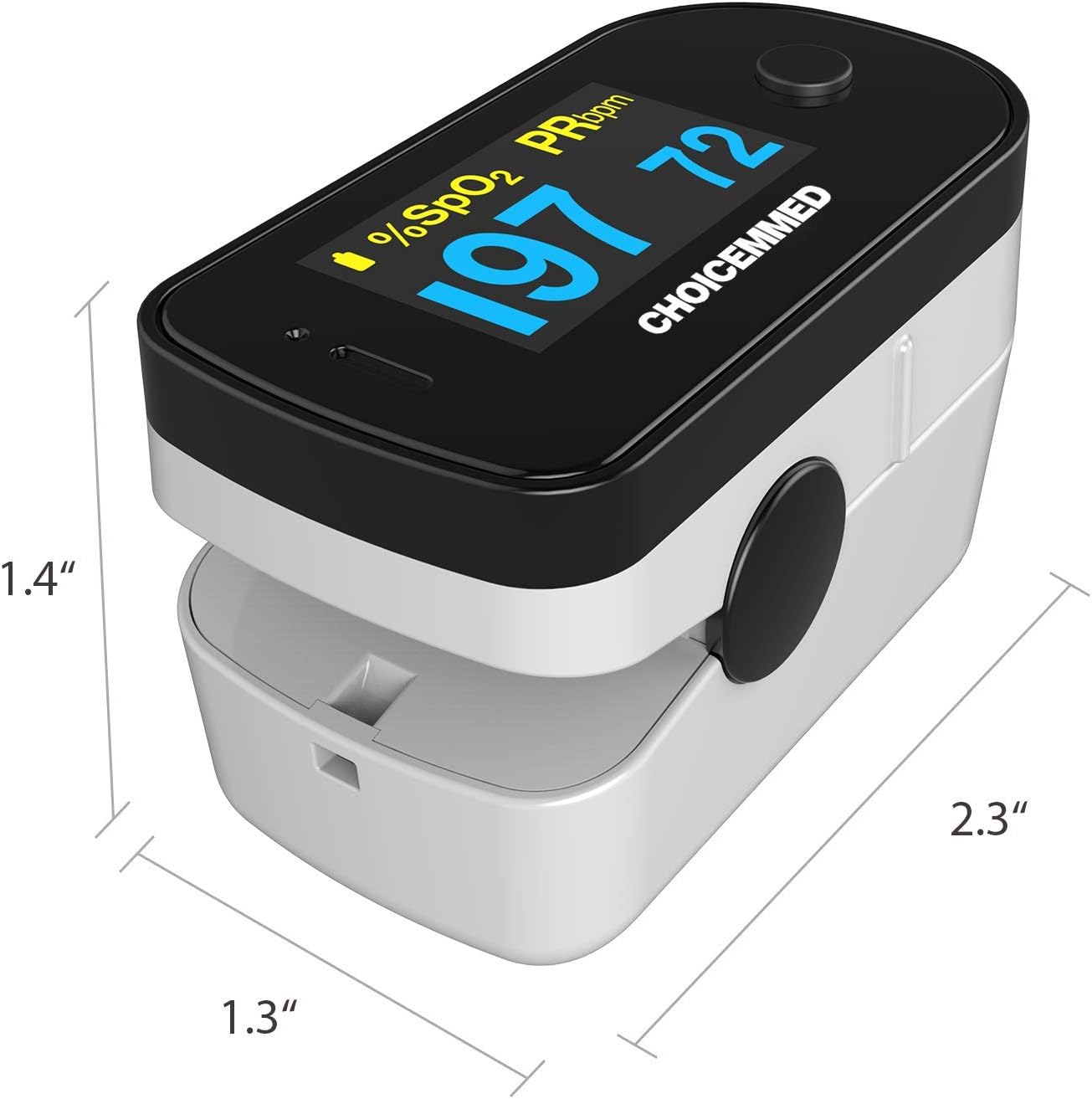
The CHOICEMMED Black Dual Color OLED Finger Pulse Oximeter is a compact and portable device designed for non-invasive spot-checking of blood oxygen saturation (SpO2) and pulse rate (PRbpm). It features a dual-color OLED display for clear readings and a simple one-button operation.
Important Note: This device is intended for sports and aviation use only and is not designed for medical diagnosis or treatment. It is suitable for mountain climbers, bikers, trainers, aviators, and general sport enthusiasts to spot-check SpO2 on the fly.
2. Package Contents
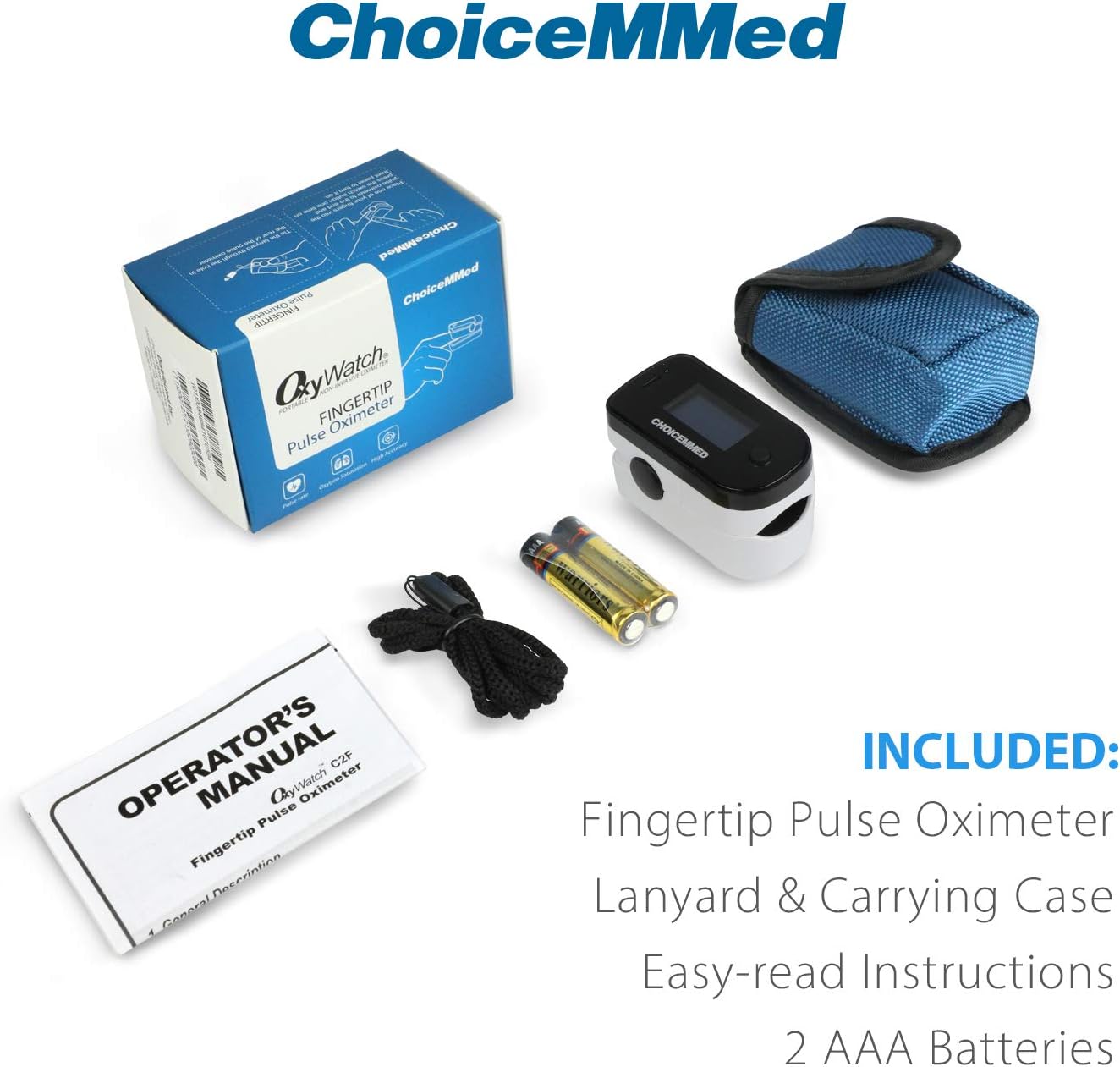
Upon opening the package, verify that all the following items are included:
- CHOICEMMED Fingertip Pulse Oximeter
- Durable Protective Pouch (with loop for belt)
- Neck Lanyard (detachable and adjustable length)
- 2 x AAA Alkaline Batteries
- Instruction Manual

The complete package includes the fingertip pulse oximeter, a protective carrying case, a neck lanyard, two AAA batteries, and the operator's manual.
3. Setup
3.1 Battery Installation
Before first use, install the two AAA alkaline batteries provided:
- Open the battery compartment cover located on the back of the device.
- Insert the two AAA batteries according to the polarity indicators (+ and -) marked inside the compartment. Ensure correct alignment to prevent damage to the device.
- Close the battery compartment cover securely.

The CHOICEMMED Finger Pulse Oximeter, shown with its carrying pouch, lanyard, and two AAA batteries, ready for battery installation.
4. Operating Instructions
4.1 Taking a Measurement
The oximeter features an efficient one-button operation for quick and easy measurements:
- Open the clamp of the oximeter.
- Insert one of your fingers (preferably the index, middle, or ring finger) fully into the rubber opening of the oximeter, ensuring your fingernail is facing upwards towards the display.
- Release the clamp.
- Press the power button once to turn on the device.
- Keep your hand still. The device will automatically begin measuring. Your SpO2 (blood oxygen saturation) and PRbpm (pulse rate in beats per minute) readings will appear on the display within approximately 10 seconds. A pulse bar graph will also be displayed, indicating the strength of your pulse signal.
A visual guide demonstrating the quick and simple steps to take a measurement: open the oximeter, insert your finger, press the power button, and wait for the readings.

Ensure your finger is fully inserted into the device for accurate readings.
4.2 Understanding the Display
The OLED display offers 6 display modes, 4 display directions, and 10 levels of adjustable brightness for optimal viewing.
- SpO2: Blood Oxygen Saturation percentage.
- PRbpm: Pulse Rate in beats per minute.
- Pulse Bar Graph: Visual representation of pulse signal strength.
- Battery Indicator: Shows remaining battery life.

The oximeter's display can rotate in four directions for easy viewing from any angle.
Key components of the oximeter's display and controls, including the oxygen saturation reading, battery indicator, pulse bar graph, pulse rate, and power button.
4.3 Automatic Shut-Off
The device will automatically shut off after 8 seconds of inactivity to conserve battery life.
5. Maintenance and Care
5.1 Cleaning the Device
To clean the oximeter, wipe its surface with a soft cloth dampened with medical alcohol (75% ethanol) or isopropyl alcohol. Do not immerse the device in water or any cleaning solution. Ensure the device is dry before use.
5.2 Storage
Store the oximeter in a cool, dry place, away from direct sunlight, extreme temperatures, and humidity. If the device will not be used for an extended period, remove the batteries to prevent leakage and potential damage.
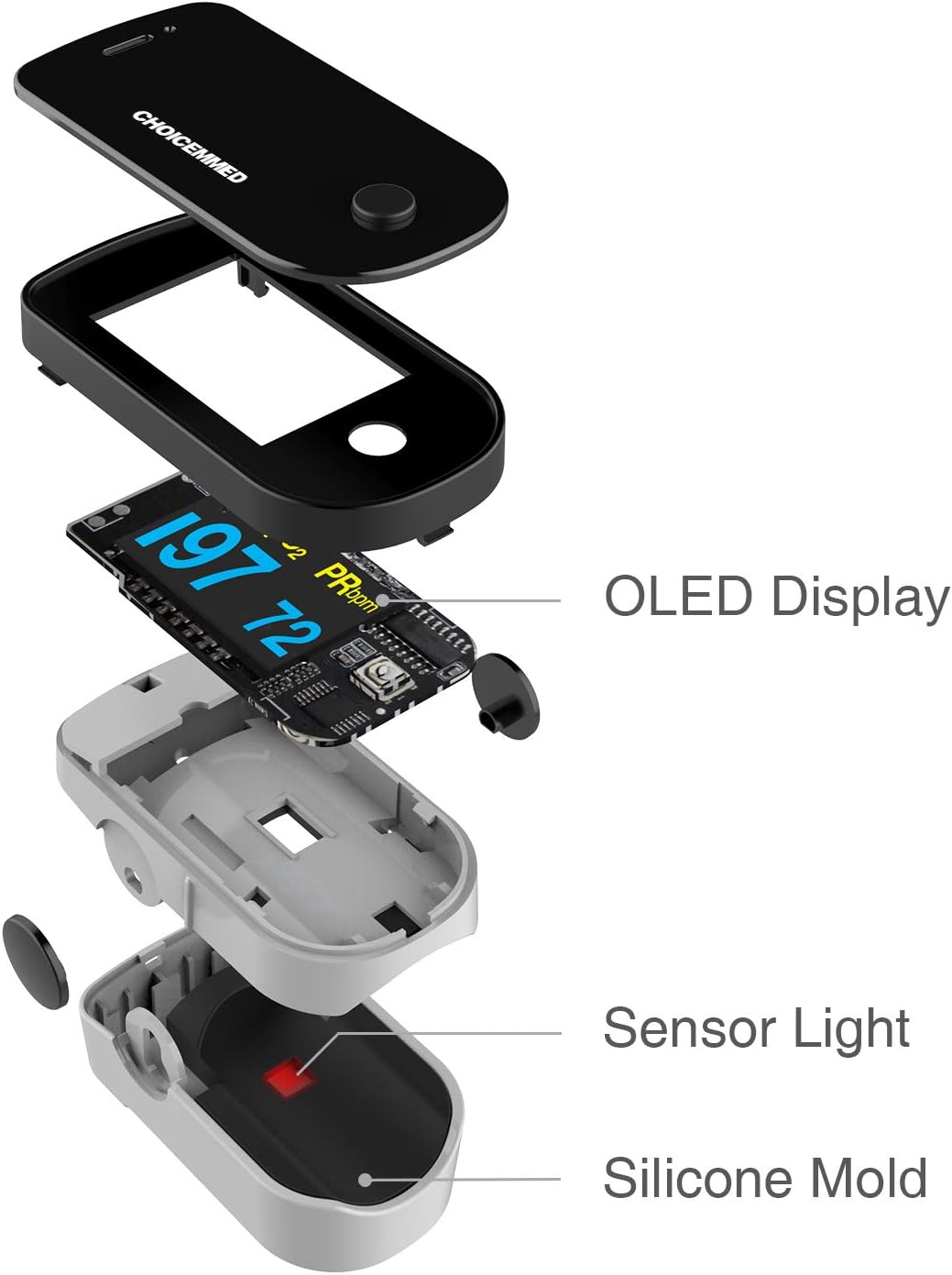
An internal view of the oximeter, highlighting the OLED display, the sensor light, and the comfortable silicone mold for finger placement, which should be kept clean.
6. Troubleshooting
If you encounter issues with your oximeter, refer to the following common problems and solutions:
- No Reading or Inaccurate Reading:
- Ensure your finger is fully inserted into the device.
- Keep your hand still during measurement. Movement can affect accuracy.
- Cold hands, poor circulation, or nail polish/acrylic nails can lead to inaccurate readings. Warm your hands if they are cold.
- Verify battery levels. The battery indicator only appears when the battery is low. Replace batteries if needed.
- Device Not Turning On:
- Check battery installation. Ensure batteries are inserted with correct polarity (+/-) and the battery compartment cover is securely closed.
- Replace batteries with new ones if they are depleted.
- Pulse Rate Changing Rapidly:
- Your heart rate naturally changes with emotions, excitement, and physical exercise. This is normal behavior.

A section addressing common questions regarding pulse oximeters, including normal ranges, causes of inaccurate readings, and display behavior.
7. Specifications
| Feature | Specification |
|---|---|
| Model Name | Black Dual Color OLED Finger Pulse Oximeter |
| Model Number | C2F |
| Item Dimensions (LxWxH) | 2.05 x 1.26 x 1.18 inches |
| Item Weight | 3.2 ounces |
| SpO2 Measuring Range | 0-100% |
| Pulse Rate Measuring Range | Typically 30-250 bpm |
| Number of Batteries | 2 AAA batteries required |
| Display Type | Dual Color OLED |
| Automatic Shut-off | 8 seconds of inactivity |
8. Warranty and Support
For product support or inquiries, please contact CHOICEMMED customer service. The product is supported by US-based customer service.
Please refer to the product packaging or the official CHOICEMMED website for the most current warranty information and contact details.