
1. Introduction
Welcome to the Dash Clear View Toaster instruction manual. This appliance is designed to provide a precise toasting experience with its unique clear-view window and versatile functions. Please read this manual thoroughly before use to ensure safe and efficient operation.
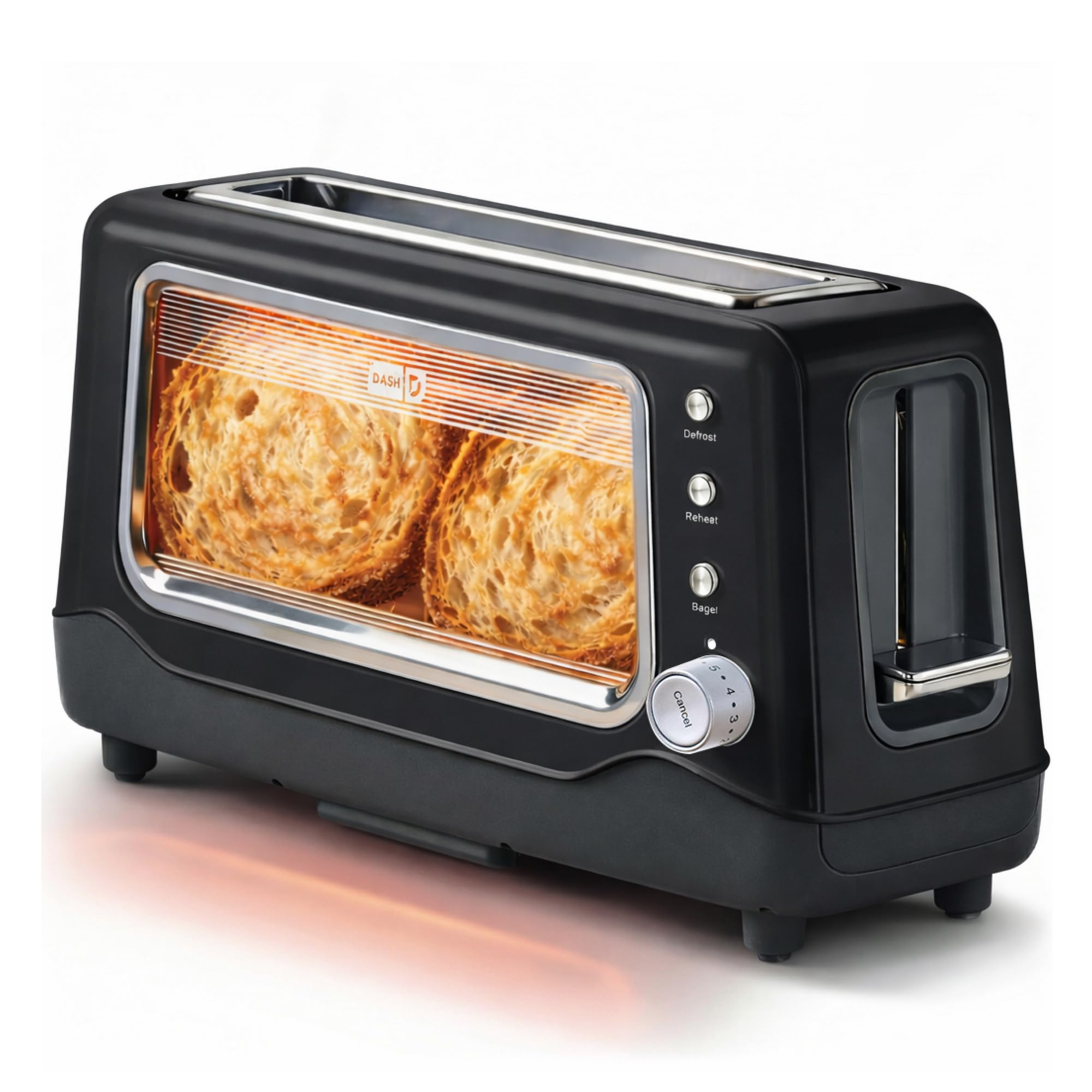
Image 1: The Dash Clear View Toaster in Black, showcasing its sleek design and prominent clear viewing window.
2. Important Safeguards
When using electrical appliances, basic safety precautions should always be followed, including:
- Read all instructions before operating the toaster.
- Do not touch hot surfaces. Use handles or knobs.
- To protect against electrical shock, do not immerse cord, plugs, or appliance in water or other liquid.
- Close supervision is necessary when any appliance is used by or near children.
- Unplug from outlet when not in use and before cleaning. Allow to cool before putting on or taking off parts.
- Do not operate any appliance with a damaged cord or plug, or after the appliance malfunctions or has been damaged in any manner.
- Do not use outdoors.
- Do not let cord hang over edge of table or counter, or touch hot surfaces.
- Do not place on or near a hot gas or electric burner, or in a heated oven.
- Do not use appliance for other than intended use.
- Oversize foods, metal foil packages, or utensils must not be inserted in a toaster as they may create a fire or risk of electric shock.
- A fire may occur if toasters are covered or touching flammable material, including curtains, draperies, walls, and the like, when in operation.
- Do not attempt to dislodge food when toaster is plugged in.
- Do not operate unattended.
3. Product Features
The Dash Clear View Toaster is equipped with several features designed for convenience and optimal toasting results:
- Clear-View Window: Allows you to monitor the toasting process to achieve your desired browning level.
- Seven-Browning Levels: Adjustable dial for precise control over toast shade, from light to dark.
- Extra-Wide Slots: Accommodates various bread types, including bagels, artisan bread, and Texas toast.
- 1-Touch Defrost Function: Ideal for toasting frozen items directly from the freezer.
- 1-Touch Reheat Function: Warms previously toasted items without further browning.
- 1-Touch Bagel Function: Toasts the cut side of bagels while gently warming the outer side.
- Auto-Shut Off Feature: Automatically turns off the toaster when the cycle is complete, preventing over-toasting.
- Slide-Out Crumbs Tray: Easily removable for quick and convenient cleaning.
- Removable Glass Panel: The clear viewing window can be removed for thorough cleaning.

Image 2: The Dash Clear View Toaster, highlighting its compact dimensions (15.5" W x 8" H x 6.5" D) and space-saving design on a kitchen countertop.

Image 3: A visual representation of the seven browning levels available on the Dash Clear View Toaster, ranging from very light to very dark toast.
4. Setup
- Unpack: Carefully remove the toaster and all packaging materials from the box. Retain packaging for future storage or returns.
- Placement: Place the toaster on a stable, heat-resistant, and dry surface away from flammable materials. Ensure adequate ventilation around the appliance.
- First Use: Before first use, operate the toaster without bread on the highest setting to burn off any manufacturing residues. A slight odor or smoke may be present; this is normal.
- Power Connection: Plug the power cord into a standard 110V electrical outlet. The toaster lever will only stay down when the unit is plugged in.
5. Operating Instructions
Follow these steps for optimal toasting:
- Insert Food: Place slices of bread, bagels, or other items into the extra-wide toasting slots.
- Select Browning Level: Turn the browning control dial to your desired setting (1 for lightest, 7 for darkest).
- Choose Function (Optional):
- Press the Defrost button for frozen items.
- Press the Reheat button to warm already toasted items.
- Press the Bagel button for bagels (toasts cut side, warms outer side).
- Start Toasting: Push the toast lever down until it locks into place. The heating elements will activate, and you can observe the browning through the clear-view window.
- Cancel Toasting: To stop the toasting cycle at any time, press the Cancel button. The toast will automatically pop up.
- Retrieve Toast: Once the toasting cycle is complete, the toast will automatically pop up. Carefully remove the toasted items.

Image 4: The Dash Clear View Toaster with two bagel halves placed in its extra-wide slots, ready for toasting using the dedicated bagel function.
Video 1: A seller-provided video demonstrating the Dash Clear View Toaster's features, including the clear window and various settings. The video shows a person using the toaster with a large slice of sourdough bread, highlighting the extra-wide slot and the ability to monitor browning.
6. Maintenance and Cleaning
Regular cleaning ensures the longevity and performance of your toaster:
- Unplug and Cool: Always unplug the toaster from the power outlet and allow it to cool completely before cleaning.
- Empty Crumb Tray: Slide out the crumb tray located at the bottom of the toaster. Discard crumbs and wipe the tray clean with a damp cloth. Reinsert the tray securely.
- Clean Glass Panel: The clear-view glass panel can be removed for thorough cleaning. Locate the release mechanism (often a lever or clip) at the bottom or side of the glass panel, slide it out, wash with warm soapy water, rinse, and dry completely before reinserting.
- Exterior Cleaning: Wipe the exterior of the toaster with a damp cloth. Do not use abrasive cleaners or immerse the toaster in water.
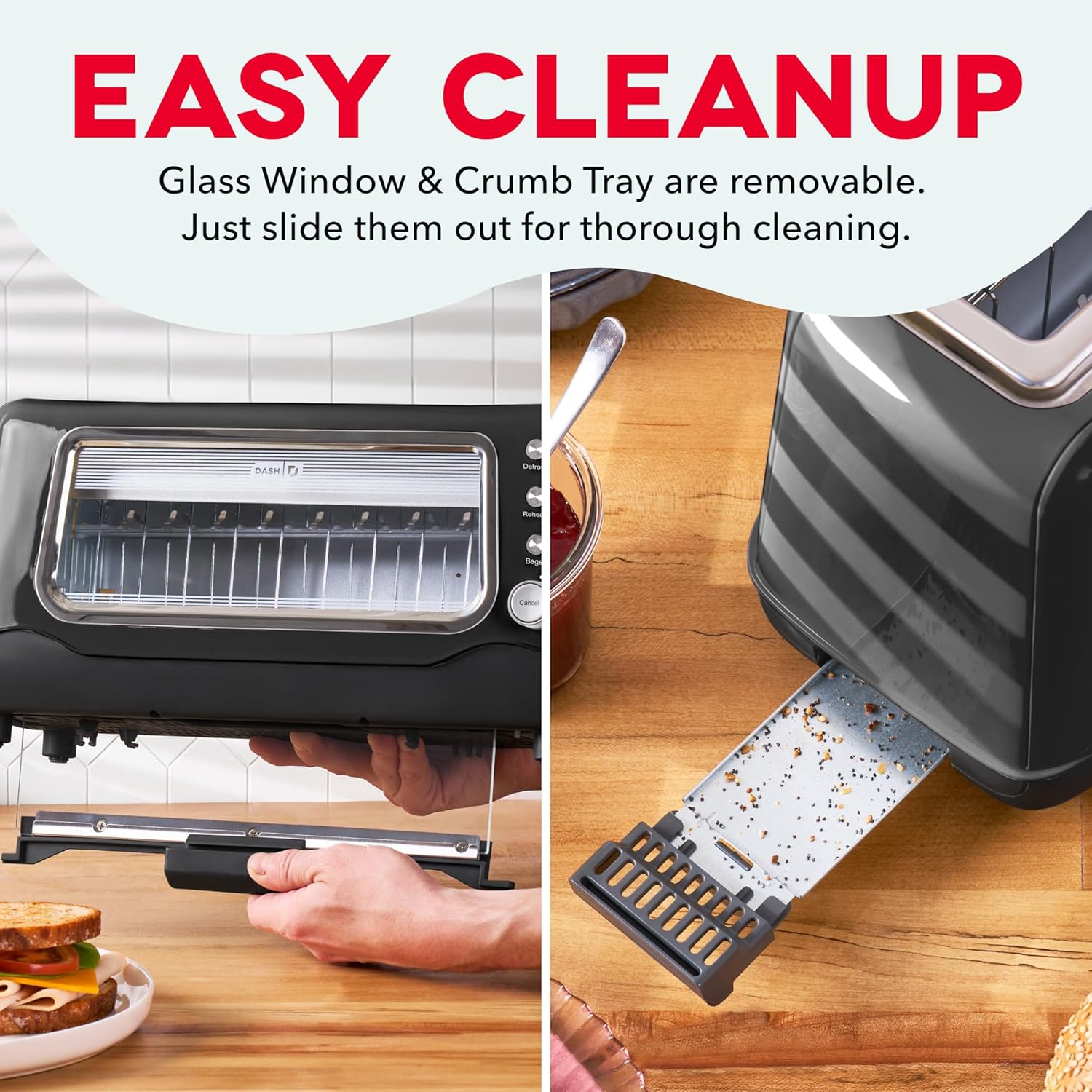
Image 5: The Dash Clear View Toaster demonstrating its easy cleaning features, including the removable slide-out crumb tray and the detachable glass panel for thorough maintenance.
Video 2: A seller-provided video showcasing the Dash Clear View Toaster's unboxing and features, including a demonstration of how to remove and clean the crumb tray and glass panel.
7. Troubleshooting
- Toast Lever Does Not Stay Down: Ensure the toaster is properly plugged into a functioning electrical outlet. The lever is designed to only engage when power is supplied.
- Uneven Toasting: Different types of bread toast differently. Adjust the browning level as needed. For very thick or dense items, a slightly higher setting or a second cycle might be required (monitor closely through the clear window).
- Smoke from Toaster: A small amount of smoke during first use is normal. If smoke persists, unplug the toaster immediately. Check for any lodged food particles or excessive crumbs in the crumb tray or heating elements.
- Food Stuck: Unplug the toaster and allow it to cool. Carefully remove the stuck food using non-metallic utensils. Never use metal objects.
8. Specifications
| Attribute | Value |
|---|---|
| Brand | DASH |
| Model Number | DVTS501BK |
| Color | Black |
| Material | Glass, Polypropylene (PP), Stainless Steel |
| Product Dimensions | 6.6"D x 15.7"W x 7.8"H |
| Wattage | 1100 watts |
| Voltage | 110 Volts |
| Slot Count | 2 (extra-wide) |
| Number of Browning Settings | 7 |
| Special Features | Automatic Shut-Off, Defrost Mode, Reheat Mode, Removable Crumb Tray, Variable Browning Control |
9. Warranty and Support
The Dash Clear View Toaster DVTS501BK comes with a 1-year limited warranty. For warranty claims, troubleshooting assistance, or product support, please refer to the contact information provided in your product packaging or visit the official DASH website.
Included Components: Toaster, Recipe Guide, Instruction Manual, Warranty.


