
1. Introduction
This manual provides essential information for the proper use, installation, and maintenance of your Viqua CMB-510-HF Sediment Filter. Please read these instructions carefully before proceeding with installation or replacement to ensure optimal performance and safety.
2. Product Overview
The Viqua CMB-510-HF is a genuine replacement whole house sediment filter designed to improve water quality by reducing dirt, sediment, and rust particles down to 5 microns. It is constructed from 100% melt-blown polypropylene, ensuring it is surfactant-free, binder-free, and adhesive-free. This filter is compatible with most 10 x 4.5-inch filter housings, including the Viqua IHS12-D4 and VH200-F10 water treatment systems.

Image of the Viqua CMB-510-HF sediment filter packaging, showing the model number, micron rating, and NSF certification. It indicates a dual gradient density filter, 20 to 5 micron, 4.5 x 10 inches.
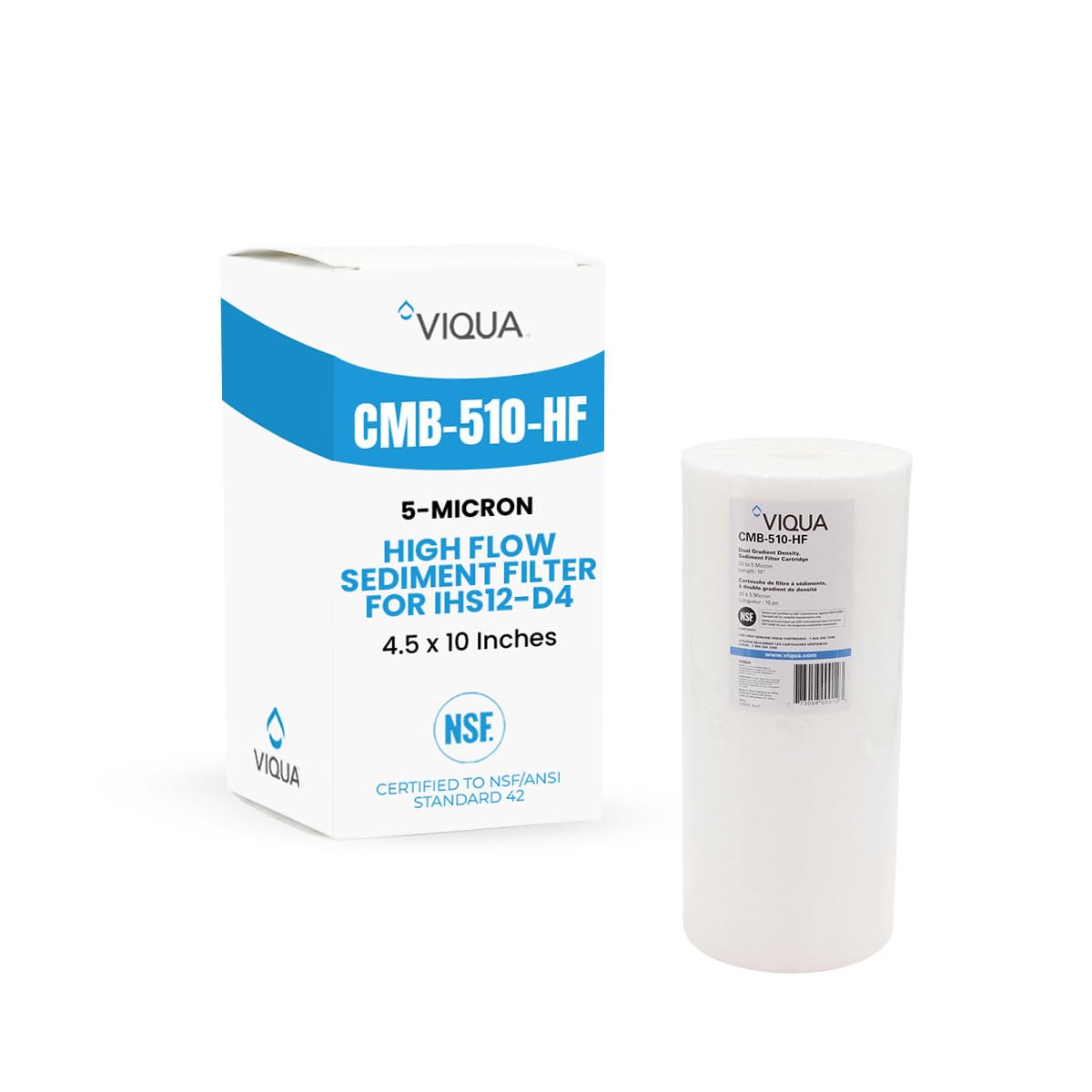
A close-up view of the Viqua CMB-510-HF sediment filter, showcasing its cylindrical shape and textured surface, indicating its melt-blown polypropylene construction.
3. Specifications
| Model Number | CMB-510-HF |
| Material | Polypropylene (PP) |
| Product Dimensions (D x W x H) | 4.47" x 4.47" x 9.78" |
| Micron Rating | 5 Micron (Dual Gradient Density 20 to 5 Micron) |
| Product Benefits | Reduces Sediment, Dirt, Rust |
| External Testing Certification | NSF |
| Unit Count | 1.0 Count |
4. Installation and Replacement
This filter is designed for replacement in existing whole-house filter housings. Always use genuine Viqua replacement cartridges for optimal performance and system compatibility.
Safety Precautions:
- Always turn off the main water supply before beginning any work on your water filtration system.
- Relieve pressure from the system before opening the filter housing.
- Wear appropriate personal protective equipment, such as gloves and eye protection.
Replacement Steps:
- Turn off Water Supply: Locate the main water shut-off valve for your home or the specific valve for your filter system and turn it off.
- Relieve Pressure: Open a nearby cold water faucet to drain water from the lines and relieve pressure in the filter housing.
- Open Filter Housing: Use a filter wrench to unscrew the filter housing sump. Carefully lower the sump, as it will contain water.
- Remove Old Filter: Discard the used filter cartridge.
- Clean Housing: Clean the inside of the filter housing sump with warm, soapy water and a non-abrasive brush. Rinse thoroughly. Inspect and lubricate the O-ring with a silicone-based lubricant if necessary, or replace it if damaged.
- Insert New Filter: Place the new Viqua CMB-510-HF filter cartridge into the housing sump. Ensure it is seated correctly on the center standpipe.
- Close Filter Housing: Carefully screw the housing sump back onto the filter head. Hand-tighten first, then use the filter wrench for a snug fit. Do not overtighten.
- Restore Water Supply: Slowly turn on the main water supply. Allow the filter housing to fill with water.
- Check for Leaks: Inspect the filter housing for any leaks. If leaks occur, turn off the water, relieve pressure, and re-tighten the housing.
- Flush System: Run cold water from a nearby faucet for several minutes to flush out any air and fine carbon particles (if applicable, though this is a sediment filter).
5. Maintenance
For optimal performance and to maintain water quality, the Viqua CMB-510-HF sediment filter should be replaced every 3 to 4 months. The actual replacement frequency may vary depending on your water quality and usage. A decrease in water flow or noticeable decline in water clarity indicates that the filter may need to be replaced sooner.
6. Troubleshooting
Reduced Water Flow:
- Clogged Filter: The most common cause. Replace the filter cartridge as per the maintenance schedule or sooner if water quality is poor.
- Improper Installation: Ensure the filter is seated correctly within the housing.
Leaks from Filter Housing:
- Loose Housing: Ensure the filter housing sump is tightened securely, but do not overtighten.
- Damaged O-ring: Inspect the O-ring for cracks, pinches, or wear. Replace if damaged. Ensure it is properly seated and lubricated.
Poor Water Quality (e.g., visible sediment):
- Expired Filter: The filter may have reached the end of its service life. Replace the filter cartridge.
- Bypass Valve Open: Ensure any bypass valves around the filter system are fully closed, directing water through the filter.
7. Warranty and Support
For warranty information or technical support regarding your Viqua CMB-510-HF Sediment Filter, please contact Viqua directly. Ensure you have your product model number and purchase details available when contacting support.
Viqua Contact Information:
- Website: www.viqua.com
- Phone: 1-800-265-7246


