
Introduction
This manual provides essential information for the safe and effective use of your UpBright 2-Prong AC Charging Cable. This cable is designed to provide power to compatible Duracell Powerpack Pro and Peak Jump Starter models. Please read these instructions carefully before use to ensure proper operation and to prevent damage to the product or connected devices.
Setup Instructions
Before connecting the AC charging cable, ensure that your device is compatible with a 2-prong AC input and the specified voltage. This cable is designed for 12V power supplies.
- Inspect the Cable: Before each use, visually inspect the AC charging cable for any signs of damage, such as cuts, frayed wires, or bent prongs. Do not use a damaged cable.
- Identify Connectors: The cable features a standard 2-prong male plug for wall outlets and a 2-prong (figure-8) female connector for your compatible device.
- Connect to Device: Insert the 2-prong female connector firmly into the corresponding AC input port on your Duracell Powerpack Pro or Peak Jump Starter.
- Connect to Power Outlet: Plug the 2-prong male plug into a standard, grounded AC wall outlet. Ensure the outlet provides the correct voltage for your device.
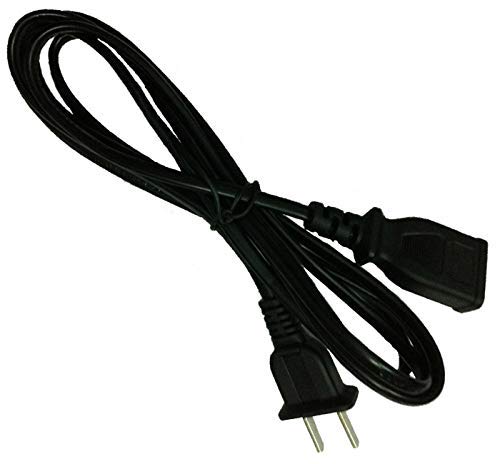
Image: The UpBright AC Charging Cable, showing its 2-prong male plug for wall outlets and the figure-8 female connector for compatible devices.
Operating Instructions
Once the cable is securely connected to both the device and a power outlet, the charging process should begin automatically, depending on your device's design. Refer to your device's specific manual for charging indicators and estimated charging times.
- Charging Indicator: Monitor your device's charging indicator to confirm that it is receiving power.
- Unplugging: To disconnect, first unplug the cable from the wall outlet, then disconnect it from your device.
- Battery Condition: Note that rechargeable batteries have a limited lifespan, typically 1 to 3 years. If your device's battery is old or faulty, it may not accept a charge, which is not an indication of a charger problem.
Maintenance
- Cleaning: Keep the cable clean and free from dust and debris. Use a dry, soft cloth for cleaning. Do not use liquid cleaners.
- Storage: When not in use, store the cable in a cool, dry place, away from direct sunlight and extreme temperatures. Avoid tightly coiling or bending the cable, which can damage the internal wires.
- Regular Inspection: Periodically inspect the cable for any signs of wear or damage. Replace the cable if any damage is observed.

Image: The UpBright AC Charging Cable, shown coiled for proper storage.
Troubleshooting
| Problem | Possible Cause | Solution |
|---|---|---|
| Device not charging | Loose connection, faulty power outlet, incompatible device, or old/bad device battery. | Ensure all connections are secure. Test the power outlet with another device. Verify your device's compatibility. If the battery is old, it may need replacement. |
| Cable does not fit device port | Incorrect cable type or incompatible device model. | Double-check your device's input port type and compare it with the cable's 2-prong (figure-8) female connector. Confirm your device model is listed as compatible. |
| Cable appears damaged | Physical wear and tear. | Discontinue use immediately. Replace the cable to prevent electrical hazards or damage to your device. |
Specifications
| Feature | Detail |
|---|---|
| Product Dimensions | 5 x 2 x 1 inches |
| Item Weight | 2.89 ounces |
| Manufacturer | UpBright |
| Brand | UPBRIGHT |
| Connector Gender | Female to Female, Male to Male (referring to the cable's overall connection type) |
| Voltage | 12 Volts (for compatible devices) |
| Plug Format | Type A (US standard 2-prong) |
Warranty Information
This UpBright product comes with a warranty that includes:
- 30 Days Refund: If you are not satisfied with your purchase, you may be eligible for a refund within 30 days of purchase.
- 24 Months Exchange: The product is covered by a 24-month exchange policy for manufacturing defects.
Please retain your proof of purchase for warranty claims. For detailed terms and conditions, refer to the UpBright warranty policy or contact customer support.
Customer Support
For further assistance, technical support, or warranty inquiries, please contact UpBright customer service.
- Manufacturer: UpBright
- Online Store: Visit the UpBright Store on Amazon for more products and information.