
Introduction

Image: The Rii I8+ Mini Wireless Keyboard, a compact wireless keyboard with an integrated touchpad.
The Rii I8+ 2.4GHz Mini Wireless Keyboard is a compact, multifunctional input device designed for seamless interaction with various systems. It combines a QWERTY keyboard, touchpad, and multimedia control keys into a portable unit. This manual provides essential information for setting up, operating, and maintaining your device.
It is compatible with a wide range of devices, including PC, notebooks, Smart TV, HTPC, Android TV BOX, PS3, XBOX, and Raspberry Pi.

Image: The Rii I8+ keyboard demonstrating its wide compatibility with various devices such as smartphones, PCs, Macs, tablets, TVs, Xbox, PS3, and Raspberry Pi.
Package Contents
Verify that all items are present in the package:
- 1x Rii Wireless Keyboard
- 1x Wireless Receiver (USB Dongle)
- 1x Charging Data Cable
- 1x User Manual
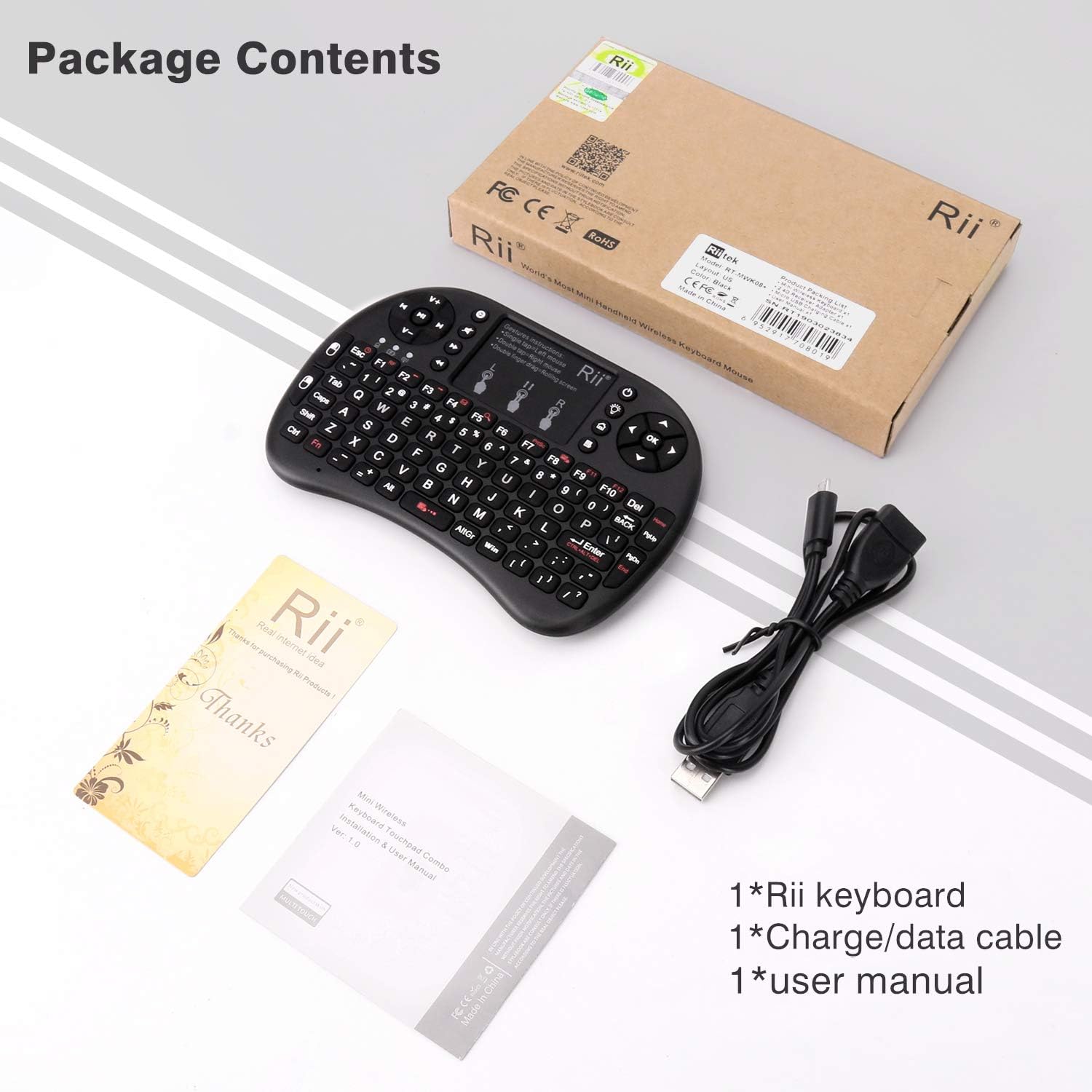
Image: The Rii I8+ Mini Wireless Keyboard and its included accessories: the keyboard itself, a USB wireless receiver, a charging cable, and the user manual.
Product Features
- 3-in-1 Multifunction: Integrates a 2.4GHz QWERTY keyboard, touchpad, and multimedia control keys.
- Touchpad: Supports multi-finger functions including single-finger click for left mouse, two-finger click for right mouse, and double-finger drag for scrolling.
- Wireless Connectivity: Utilizes 2.4G wireless technology for anti-interference and reliable connection up to 25 meters.
- LED Backlit: Features LED backlighting for visibility in low-light conditions.
- Rechargeable Battery: Built-in rechargeable polymer Lithium-ion battery.
- Plug and Play: No manual driver installation required with the included USB Dongle/Receiver.
- Auto Sleep/Wake: Automatically enters sleep mode after inactivity and wakes up with a key press.
- Ergonomic Design: Compact and lightweight for comfortable handling.
- Broad Compatibility: Works with PC, Notebook, Smart TV, HTPC, Android TV BOX, PS3, XBOX, and Raspberry Pi.
Setup Guide
- Locate the USB Receiver: The USB receiver (dongle) is stored in a compartment on the back of the keyboard. Open the compartment and remove the receiver.

Image: The back of the Rii I8+ keyboard with the USB receiver stored in its dedicated compartment.
- Connect the Receiver: Insert the USB receiver into an available USB port on your device (PC, Smart TV, game console, etc.). Your device needs a standard USB port to operate with the mini keyboard.
- Power On the Keyboard: Locate the power switch on the side of the keyboard and slide it to the "ON" position.
- Initial Connection: The device should automatically detect and install necessary drivers. This process is typically quick. If the connection is not established automatically, you may need to manually pair the device.
- Manual Pairing (if needed):
- Ensure the keyboard is charged. The blue battery indicator light should be solid. If it's blinking, charge the keyboard.
- Turn on your PC or TV.
- Press and hold the Fn key and the F1 key simultaneously.
- While holding these keys, turn on the keyboard using the power switch. The yellow pairing indicator light will flash rapidly.
- Insert the USB receiver into your device. The yellow light should stop flashing, indicating successful pairing.
Video: An overview of the Rii i8+ Mini Wireless Keyboard, demonstrating its unboxing, components, and basic setup process.
Operating Instructions
Touchpad Gestures
The integrated touchpad supports various gestures for navigation:
- Single-finger tap: Functions as a left mouse click.
- Two-finger tap: Functions as a right mouse click.
- Two-finger drag: Allows for scrolling up and down on the screen.

Image: Visual guide to the touchpad gestures, illustrating single-finger tap for left click, two-finger tap for right click, and two-finger drag for scrolling.
Hotkeys and Function Combinations
The keyboard features an Fn key to access secondary functions printed in red on certain keys:
- Fn + F7: Print Screen
- Fn + F8: Enable/Disable Touchpad
- Fn + F9: F11
- Fn + F10: F12
- Fn + Enter: Ctrl + Alt + Del
- Fn + Space: Adjust Touchpad Speed
- Fn + Esc: Adjust Sleep Mode Timer (3 minutes or 2 hours)
- Backlight Key: Press the light bulb icon key to toggle the LED backlight or adjust its brightness.
Auto Sleep and Wake-up Function
To conserve battery, the keyboard will automatically enter sleep mode after a period of inactivity (default 3 minutes, configurable to 2 hours via Fn+Esc). To wake the device, simply press any key on the keyboard. Note that moving your finger on the touchpad will not wake the device.
Charging the Keyboard
The Rii I8+ Mini Wireless Keyboard features a built-in rechargeable lithium-ion battery. To charge the device:
- Connect the smaller end of the provided charging data cable to the micro-USB port on the keyboard.
- Connect the standard USB-A end of the cable to a USB power source (e.g., computer USB port, USB wall adapter).
- The red indicator light will illuminate during charging. Once fully charged, the red light will turn off.
The charging cable also features a USB-A female port, allowing it to act as an extension for the USB receiver if needed.

Image: The micro-USB charging port located on the side of the Rii I8+ keyboard.
Troubleshooting
- Keyboard not responding:
- Ensure the keyboard is powered on.
- Check if the battery is charged. If the blue indicator light is blinking, charge the keyboard.
- Verify the USB receiver is securely plugged into your device.
- Try re-pairing the keyboard with the USB receiver (refer to "Manual Pairing" in the Setup Guide).
- Test the keyboard on a different USB port or another compatible device to rule out device-specific issues.
- Touchpad erratic or unresponsive:
- Ensure your finger is making good contact with the touchpad. Some users find using an index finger more consistent than a thumb.
- Clean the touchpad surface if there is any dirt or debris.
- Adjust the touchpad speed using Fn + Space.
- Keys not typing characters, but moving cursor:
- This behavior is unusual. Try re-pairing the keyboard. If the issue persists, contact customer support.
Specifications
| Model | Rii I8+ |
| Wireless Type | 2.4 GHz Radio Frequency |
| Operating Range | Up to 15 meters (MAX), without signal disturbance and no direction limit. |
| Operational Voltage | 3.3V |
| Charge Voltage | 4.4V - 5.25V |
| Modulation | GFSK |
| Layout | US QWERTY |
| Transmission Rate | 1M bit/sec |
| Power Consumption | 55mA (on), 1mA (sleep) |
| Battery Type | Built-in Lithium-ion battery |
| Item Weight | 3.2 ounces |
| Product Dimensions (LxWxH) | 5 x 3.5 x 0.5 inches |
| Hardware Platform | Gaming Console |
| Operating System Compatibility | Android, Mac, Windows |
Warranty and Support
For specific warranty details and technical support, please refer to the documentation included with your product or visit the official Rii website. You can also find more information and contact options through the Rii Store on Amazon.


