
Introduction
This manual provides detailed instructions for the safe and proper installation and operation of your Mount-It! MI-604 Universal Projector Mount. Please read all instructions carefully before installation to ensure correct setup and to prevent damage to the product or property.
Product Features
- 3-In-1 Universal Design: Supports Flush Ceiling Installation, Telescoping Arm Ceiling Installation, and Wall Installation.
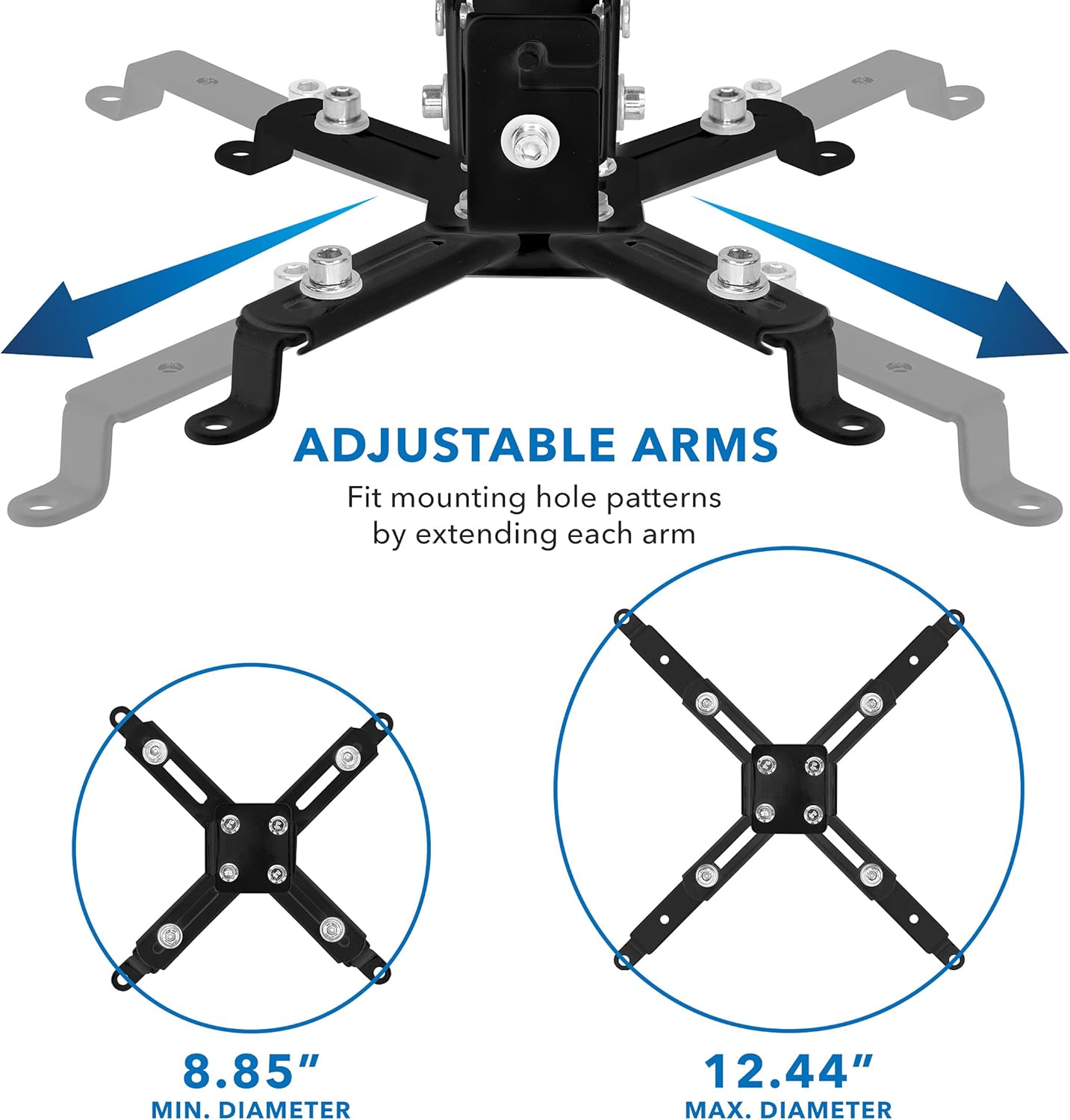
- Universal Compatibility: Mounting holes on projectors must be between 8.85" and 12.40" to fit.
- Full-Motion Adjustments: Offers +/- 15 degrees pitch, +/- 8 degrees roll, and 360 degrees swivel for optimal viewing angles.
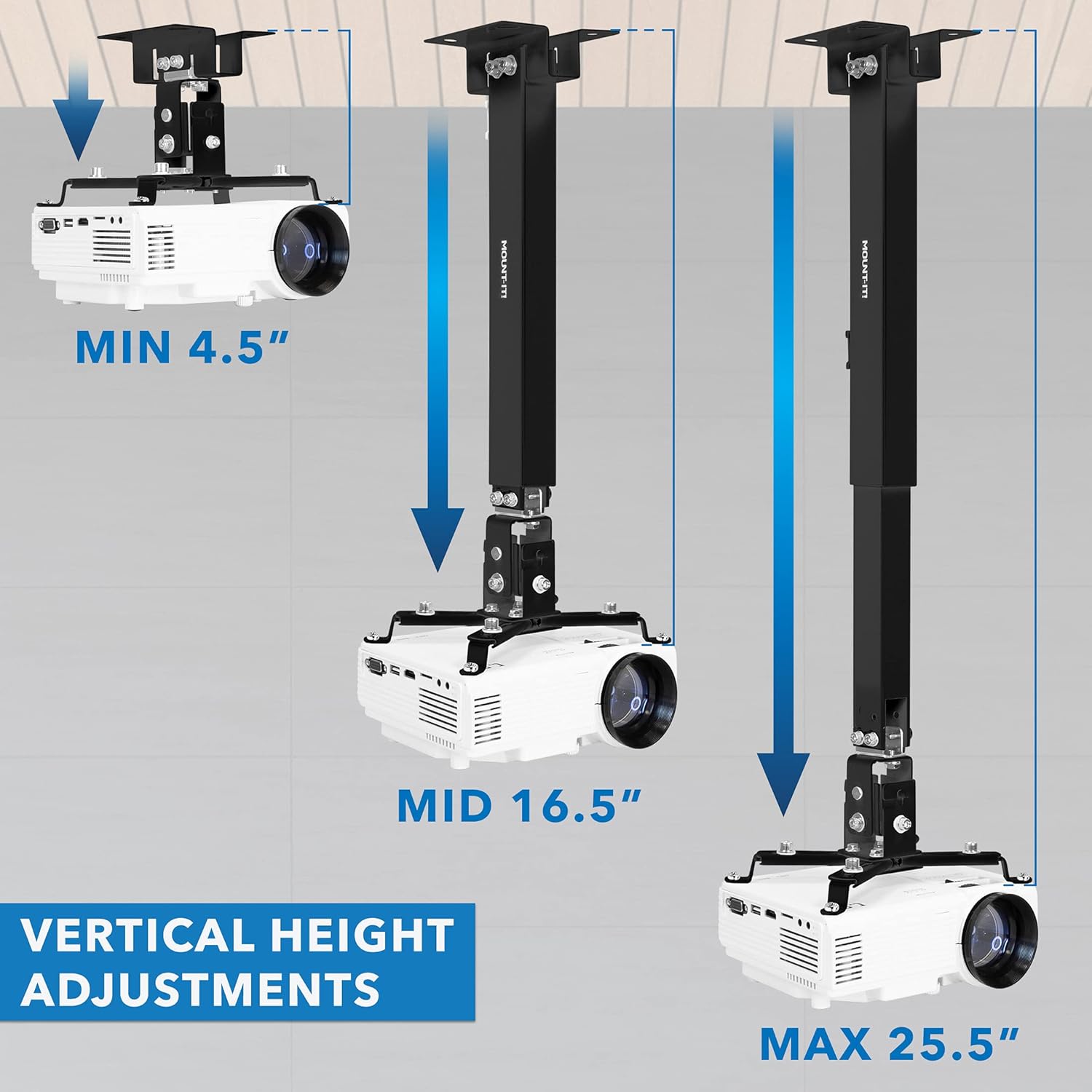
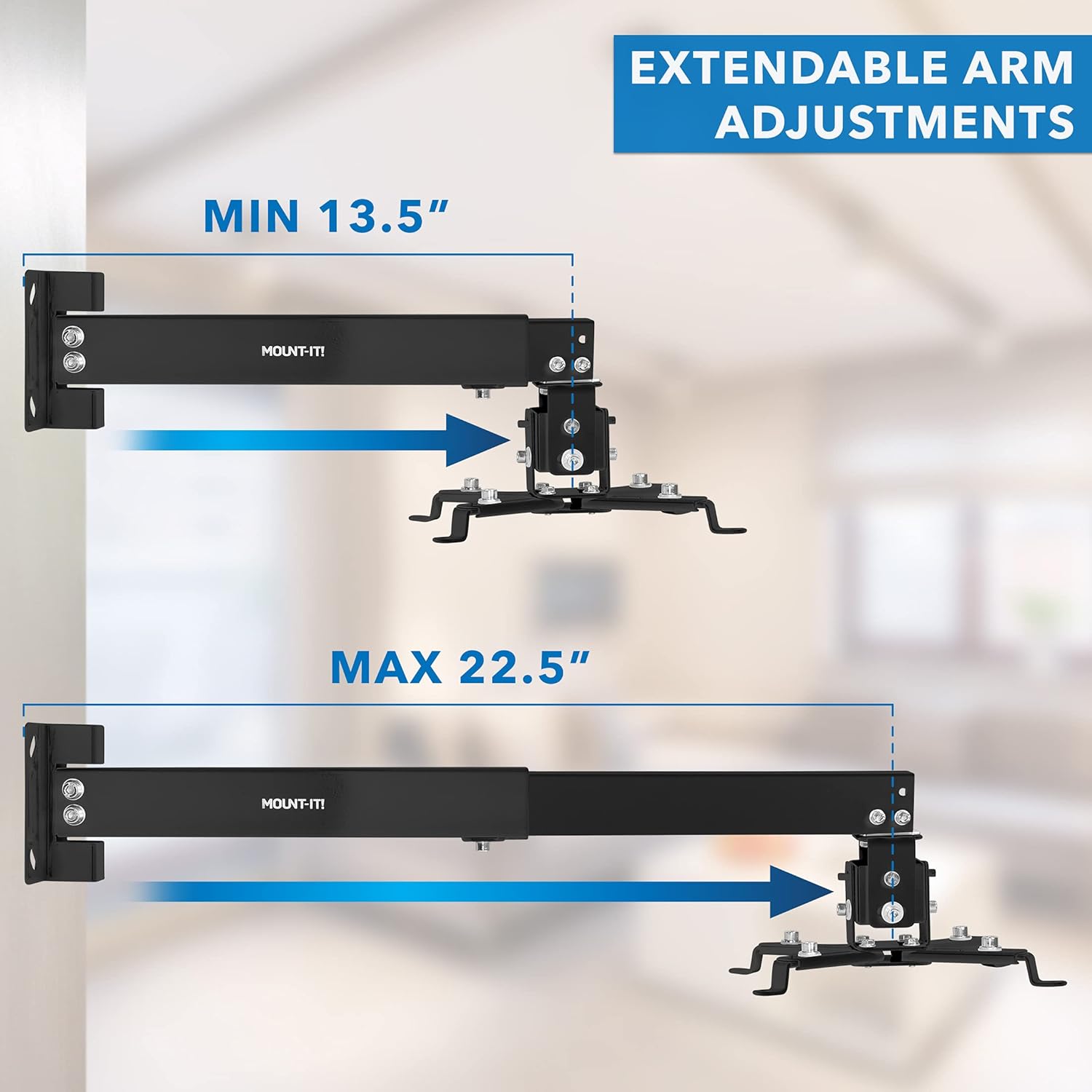
- Adjustable Height/Extension: Height adjustment for ceiling installation ranges from 5 inches to 25.6 inches. Extension from the wall for wall-mounted installation ranges from 16.9 inches to 25.6 inches.
- Cable Management System: Integrated system helps conceal and organize cables for a clean setup.
- Robust Construction: Made from solid steel material with a durable powder-coated finish (black).
- High Load Capacity: Safely holds projectors up to 44 lbs.
Setup and Installation
The MI-604 mount offers versatile installation options. Choose the method that best suits your needs.
1. Mounting Options Overview

2. Height and Extension Adjustments
3. Universal Projector Compatibility
4. Cable Management

5. Load Capacity and Wall Plate Dimensions

Installation Video
Operating and Adjustments
Once installed, the MI-604 mount allows for precise adjustments to achieve the perfect projection angle.
Full Motion Movement

The mount also supports 360 degrees swivel, enabling you to direct the projector output in any desired direction.
Maintenance
To ensure the longevity and safe operation of your projector mount, perform the following maintenance checks periodically:
- Regularly inspect all screws and bolts to ensure they are securely tightened.
- Check for any signs of wear or damage to the mount components. Replace any damaged parts immediately.
- Keep the mount clean by wiping it with a soft, dry cloth. Avoid using abrasive cleaners.
Troubleshooting
If you encounter issues with your projector mount, consider the following:
- Mount is not stable: Ensure all mounting hardware is correctly installed and tightened into a sturdy surface (wall stud or ceiling joist).
- Projector is not level: Use the pitch and roll adjustments to fine-tune the projector's angle. Ensure the adjustment screws are tightened after positioning.
- Cables are visible: Utilize the integrated cable management system to route and conceal cables within the mount's arm.
- Projector mounting holes do not align: Verify that your projector's mounting hole pattern falls within the supported range of 8.85" to 12.40". Adjust the mount's arms as needed.
Specifications
| Model Number | MI-604 |
| Product Dimensions | 12.6 x 9.9 x 2.5 inches |
| Item Weight | 3.55 pounds |
| Brand | Mount-It! |
| Color | Black |
| Compatible Devices | Projectors |
| Mounting Type | Ceiling Mount, Wall Mount |
| Load Capacity | 44 lbs |
| Pitch Adjustment | +/- 15 degrees |
| Roll Adjustment | +/- 8 degrees |
| Swivel Adjustment | 360 degrees |
| Ceiling Height Adjustment | 5 inches to 25.6 inches |
| Wall Extension | 16.9 inches to 25.6 inches |
Warranty and Support
Specific warranty information is not provided in the product details. For warranty claims or technical support, please contact Mount-It! customer service directly or visit their official website.


