
Introduction
Thank you for choosing the Weiser Lock GED2100 SmartKey Keypad Lock. This advanced electronic deadbolt provides enhanced security and convenience for your home. Featuring a capacitive touchscreen, "SecureScreen" technology to prevent fingerprint analysis, and Weiser's patented "SmartKey" re-key technology, this lock offers a secure and user-friendly experience. This manual provides comprehensive instructions for installation, operation, programming, and maintenance of your new lock.

Figure 1: Weiser Lock GED2100 SmartKey Keypad Lock (Front View)
Safety Information
- Read all instructions completely before attempting installation or operation.
- Do not use abrasive cleaners or harsh chemicals on the lock's finish or touchscreen.
- Ensure batteries are inserted with correct polarity. Replace all four AA batteries simultaneously when needed.
- Keep your MasterCode and user codes confidential.
- This product is designed for residential use.
Package Contents
Your Weiser Lock GED2100 package typically includes the following components:
- Exterior Keypad Assembly
- Interior Assembly (Thumbturn and Battery Cover)
- Deadbolt Latch
- Strike Plate
- Mounting Plate
- Mounting Screws
- Keys (2)
- Installation Guide / User Manual
- AA Batteries (4)
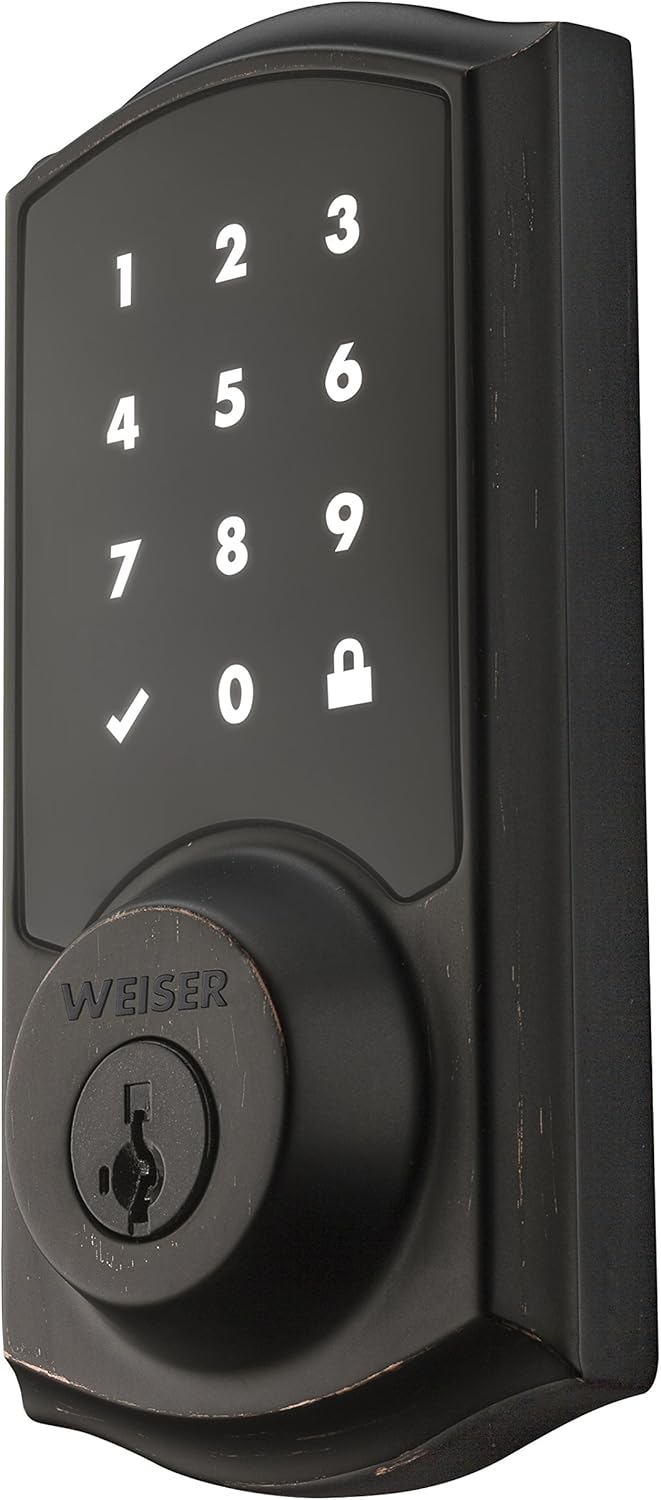
Figure 2: Weiser Lock GED2100 (Angled View)
Setup and Installation
Installation of the Weiser Lock GED2100 is designed to be straightforward and typically requires only a screwdriver. Ensure your door thickness is between 1-3/8 inches (35mm) and 1-3/4 inches (44mm) for proper fit.
Installation Steps:
- Prepare the Door: Check that the door bore hole and backset are correctly sized and aligned.
- Install the Latch: Insert the deadbolt latch into the door edge and secure it with screws. Ensure the latch bolt is facing the correct direction.
- Install the Exterior Assembly: Feed the cable and spindle through the latch hole. Position the exterior keypad assembly flush against the door.
- Install the Mounting Plate: Secure the mounting plate to the exterior assembly using the provided screws, ensuring the cable passes through the plate.
- Install the Interior Assembly: Connect the cable from the exterior assembly to the interior assembly. Align the interior assembly with the spindle and secure it to the mounting plate with screws.
- Install Batteries: Insert the four AA batteries into the battery pack within the interior assembly.
- Perform Door Handing Process: This step is crucial for the lock to learn the orientation of your door. Follow the specific instructions in the included installation guide for this process, which typically involves pressing a button while the door is open.
- Install Battery Cover: Attach the battery cover to the interior assembly.
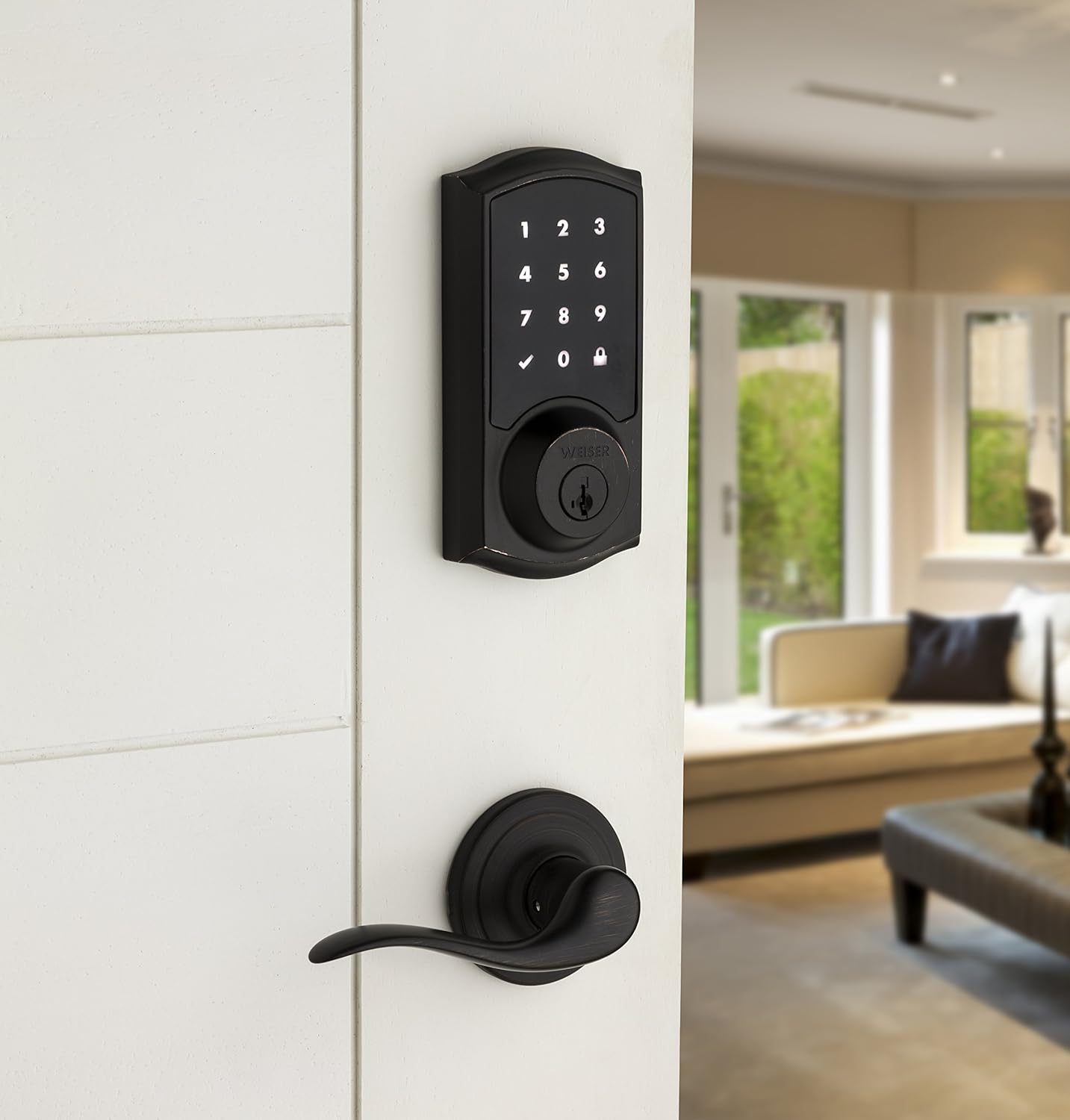
Figure 3: Weiser Lock GED2100 Installed on a Door
Operating Instructions
The Weiser Lock GED2100 features a responsive capacitive touchscreen for easy operation.
Unlocking the Door:
- Touch the keypad with your palm or fingers to activate the screen.
- Enter your 4-8 digit user code.
- Press the checkmark (✓) symbol.
- The deadbolt will retract, and the door will unlock.
Note: The "SecureScreen" patent-pending security feature displays random digits before your code entry to prevent fingerprint analysis on the touchscreen.
Locking the Door:
- One-Touch Locking: Simply press the lock (🔒) symbol on the keypad. The deadbolt will extend, locking the door.
- Automatic Locking: The lock can be configured to automatically lock 30 seconds after being unlocked. Refer to the programming section for enabling/disabling this feature.

Figure 4: Weiser Lock GED2100 (Interior Assembly)
Programming User Codes
The lock supports up to 16 user codes. It also features a MasterCode for improved user access code management.
Setting the MasterCode:
The MasterCode is a security feature that allows you to add and delete user codes without requiring access to the lock's interior programming button. It must be set before any user codes can be programmed.
- Ensure the door is unlocked and open.
- Press the Program button on the interior assembly once.
- Enter your new 4-8 digit MasterCode on the keypad.
- Press the checkmark (✓) symbol.
- Re-enter the MasterCode.
- Press the checkmark (✓) symbol again.
- A successful programming tone will sound.
Adding a User Code:
- Enter your MasterCode.
- Press the checkmark (✓) symbol.
- Press the 1 key on the keypad.
- Press the checkmark (✓) symbol.
- Enter the new 4-8 digit user code.
- Press the checkmark (✓) symbol.
- Re-enter the new user code.
- Press the checkmark (✓) symbol again.
- A successful programming tone will sound.
Deleting a User Code:
- Enter your MasterCode.
- Press the checkmark (✓) symbol.
- Press the 2 key on the keypad.
- Press the checkmark (✓) symbol.
- Enter the user code you wish to delete.
- Press the checkmark (✓) symbol.
- A successful programming tone will sound.
SmartKey Re-keying
The Weiser Lock GED2100 features SmartKey re-key technology, allowing you to re-key your lock yourself in seconds, in three easy steps, to work with any other SmartKey compatible key. This provides enhanced security against common break-in techniques.

Figure 5: Weiser SmartKey Security Features
Re-keying Steps:
- Insert your functioning key into the lock and turn it 90 degrees clockwise to the horizontal position.
- Insert the SmartKey tool fully into the SmartKey hole. Apply firm, but gentle, pressure. You will feel a slight click as the cylinder shifts.
- Remove the SmartKey tool.
- Remove your functioning key.
- Insert your new key fully into the lock.
- Turn the new key 90 degrees counter-clockwise back to the vertical position.
- Remove the new key. The lock is now re-keyed to your new key.
Important: Always test the new key multiple times before closing the door.
Maintenance
Battery Replacement:
The lock is powered by four (4) AA batteries. When the batteries are low, the lock will provide a visual indicator (e.g., a red light or specific blinking pattern) and/or an audible alert. Replace all four batteries simultaneously with new, high-quality alkaline AA batteries.
- Remove the battery cover from the interior assembly.
- Remove the old batteries.
- Insert four new AA batteries, ensuring correct polarity (+/-).
- Replace the battery cover.
Note: Lithium batteries are also compatible and may offer longer life.
Cleaning:
To clean the lock, use a soft, damp cloth. Do not use abrasive cleaners, solvents, or harsh chemicals, as these can damage the finish and the touchscreen. Avoid spraying cleaners directly onto the lock.
Troubleshooting
If you encounter issues with your Weiser Lock GED2100, refer to the following common problems and solutions:
| Problem | Possible Cause | Solution |
|---|---|---|
| Keypad does not respond or light up. | Dead batteries; Incorrect battery installation; Lock in sleep mode. | Replace all four AA batteries. Ensure batteries are inserted with correct polarity. Touch the keypad with your palm to wake it up. |
| Lock does not unlock with valid code. | Incorrect code entered; Door handing process not completed; Latch bolt binding. | Verify the user code. Perform the door handing process (refer to installation guide). Check for door alignment or frame issues preventing smooth bolt operation. |
| Lock does not lock automatically. | Automatic locking feature is disabled. | Refer to the programming section to enable the automatic locking feature. |
| Keypad is difficult to read in direct sunlight. | High glare from sunlight. | This is a characteristic of some touchscreen displays. Shield the keypad with your hand or body to reduce glare. |
| Touchscreen is laggy or unresponsive. | Environmental factors (cold weather); Low battery; Temporary software glitch. | Ensure batteries are fresh. Try touching the screen firmly with a larger surface area (e.g., palm). If issues persist, a factory reset (refer to full manual) might be necessary. |
Specifications
| Feature | Detail |
|---|---|
| Model Number | 9GED21000-003 |
| Brand | Weiser |
| Lock Type | Keypad Deadbolt |
| Material | Metal |
| Power Source | 4 AA Batteries (included) |
| Door Thickness Compatibility | 1-3/8" to 1-3/4" (35mm to 44mm) |
| Number of User Codes | Up to 16 |
| Product Dimensions (L x W x H) | 8.9 x 13.7 x 25.1 cm (3.5 x 5.4 x 9.9 inches) |
| Item Weight | 1.42 Kilograms (3.13 lbs) |
| Keypad Type | Capacitive Touchscreen |
| Security Features | SmartKey Re-key Technology, SecureScreen, MasterCode |
Warranty and Support
Weiser provides a limited warranty for its products. Based on typical product warranties, the electronic components of the GED2100 lock are generally covered for one (1) year from the date of purchase, while the mechanical components and finish may have a longer warranty period. Please refer to the warranty card included with your product or visit the official Weiser website for the most current and detailed warranty information.
For technical assistance, troubleshooting beyond this manual, or warranty claims, please contact Weiser Customer Support. Contact information can typically be found on the Weiser website or in the product packaging.
Note: No official product videos from the seller were available for embedding in this manual.