
1. Introduction
This manual provides essential information for the proper installation, function, and maintenance of the PORTER-CABLE 892552 Lever. This component is an Original Equipment Manufacturer (OEM) authorized replacement part designed to fit various PORTER-CABLE power tool models. It is manufactured in the United States to ensure compatibility and performance.
The 892552 Lever is a critical component for specific power tools, facilitating mechanical action or control. Refer to your specific power tool's manual to confirm compatibility and the exact role of this lever within your equipment.
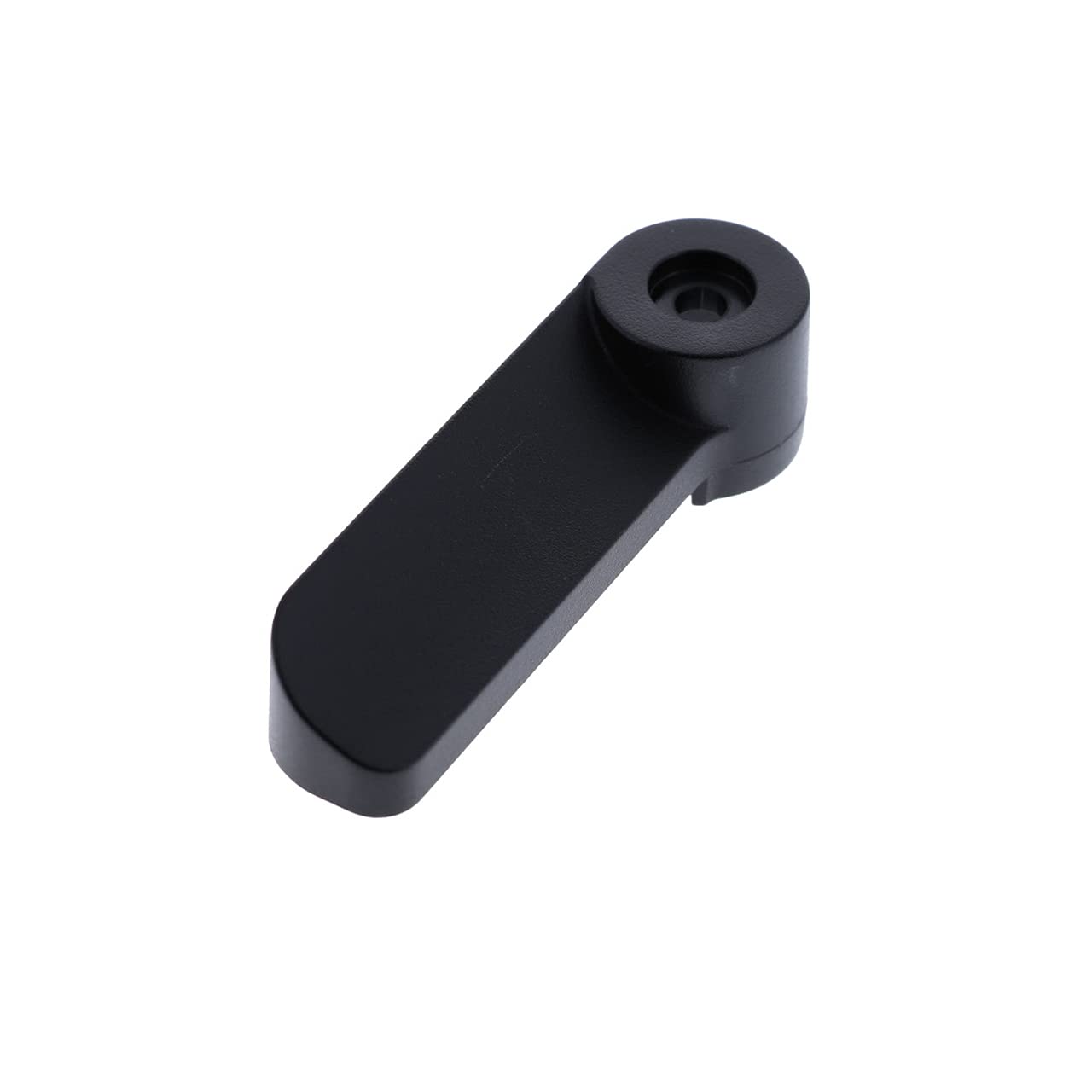
Image 1.1: The PORTER-CABLE 892552 Lever. This image displays the replacement lever, which is an L-shaped component, typically made of aluminum with a brass finish, designed for specific power tool applications.
2. Setup and Installation
The PORTER-CABLE 892552 Lever is designed for straightforward replacement. Always ensure the power tool is disconnected from its power source before beginning any installation or maintenance procedures to prevent accidental operation and potential injury.
2.1 Safety Precautions
- Disconnect Power: Always unplug the power tool from the electrical outlet or remove the battery pack before installation.
- Wear Protective Gear: Use appropriate personal protective equipment, such as safety glasses and gloves.
- Refer to Tool Manual: Consult your specific PORTER-CABLE power tool's instruction manual for detailed disassembly and reassembly steps relevant to your model.
2.2 Installation Steps (General)
- Identify the Old Lever: Locate the existing lever that needs replacement on your power tool.
- Remove Fasteners: Carefully remove any screws, pins, or clips securing the old lever. Keep track of all fasteners for reassembly.
- Detach Old Lever: Gently remove the old lever from its position. Note its orientation and how it connects to internal mechanisms.
- Position New Lever: Align the new PORTER-CABLE 892552 Lever in the exact position and orientation as the old one. Ensure any connecting points or pivots are correctly engaged.
- Secure New Lever: Reinstall all fasteners removed in Step 2. Ensure they are tightened securely but do not overtighten, which could damage the part or tool housing.
- Test Functionality: Once installed, manually operate the lever to ensure it moves freely and engages correctly without power.
- Reconnect Power: Reconnect the power tool to its power source and perform a functional test according to your tool's manual.
Note: Specific installation procedures may vary depending on the power tool model. Always prioritize safety and refer to your tool's dedicated manual for precise instructions.
3. Operating Function
The PORTER-CABLE 892552 Lever serves as a functional control mechanism within your power tool. Its primary purpose is to facilitate a specific mechanical action, such as engaging a lock, adjusting a setting, or releasing a component. The exact operation will depend on the power tool it is installed in.
- Engagement: The lever is typically moved or pressed to engage a mechanism.
- Disengagement: Releasing or moving the lever back to its original position disengages the mechanism.
- Adjustment: In some applications, the lever might be used to adjust depth, angle, or other operational parameters.
Always operate the lever smoothly and intentionally. Avoid forcing the lever if it encounters resistance, as this may indicate an obstruction or incorrect assembly. Refer to your power tool's manual for specific instructions on how to use the lever in conjunction with your tool's functions.
4. Maintenance
Proper maintenance of the PORTER-CABLE 892552 Lever ensures its longevity and reliable performance within your power tool. While the lever itself requires minimal maintenance, periodic inspection is recommended.
4.1 Cleaning
- Keep the lever and surrounding area free from dust, debris, and sawdust.
- Use a clean, dry cloth to wipe down the lever. For stubborn grime, a slightly damp cloth can be used, followed by immediate drying.
- Avoid using harsh chemicals or solvents, as these can damage the material or finish.
4.2 Inspection
- Regularly inspect the lever for any signs of wear, cracks, bends, or damage.
- Check that the lever moves freely and smoothly without excessive play or stiffness.
- Ensure all fasteners securing the lever are tight. Retighten if necessary, but do not overtighten.
If the lever shows significant wear or damage, or if its operation becomes compromised, replace it with a genuine PORTER-CABLE 892552 replacement part to maintain tool safety and performance.
5. Troubleshooting
This section addresses common issues that may arise with the PORTER-CABLE 892552 Lever. Always ensure the power tool is disconnected from its power source before performing any troubleshooting steps.
| Problem | Possible Cause | Solution |
|---|---|---|
| Lever does not move freely or is stiff. |
|
|
| Lever feels loose or has excessive play. |
|
|
| Lever does not engage/disengage mechanism. |
|
|
If issues persist after troubleshooting, contact PORTER-CABLE customer support or a certified service center.
6. Specifications
Key specifications for the PORTER-CABLE 892552 Lever:
- Part Number: 892552
- Brand: PORTER-CABLE
- Material: Aluminum
- Handle Material: Brass
- Exterior Finish: Brass
- Finish Types: Polished
- Handle Type: Lever
- Shape: L-Shaped
- Item Weight: Approximately 0.01 Ounces
- Unit Count: 1.0 Count
- Number of Items: 1
- Specific Uses For Product: Door, Drawer (Note: This refers to the general handle type, not necessarily the power tool application.)
- Additional Features: Easy to Install
- Manufacturer: PORTER-CABLE
- Country of Manufacture: United States
7. Warranty and Support
7.1 Warranty Information
Specific warranty terms for the PORTER-CABLE 892552 Lever, as a replacement part, are typically covered under the general warranty policy for PORTER-CABLE parts. Please refer to the official PORTER-CABLE website or contact their customer service directly for the most current and detailed warranty information applicable to replacement parts.
7.2 Customer Support
For technical assistance, questions regarding installation, or to inquire about service and replacement parts, please contact PORTER-CABLE customer support:
- Website: Visit the official PORTER-CABLE website for support resources, FAQs, and contact information.
- Phone: Refer to the contact section of the PORTER-CABLE website for their customer service telephone number.
When contacting support, please have your power tool's model number and the part number (892552) readily available.


