
1. Overview
This manual provides essential information for the proper use and care of your San Andreas Blu-ray disc. This product is a high-definition optical disc containing the feature film San Andreas, directed by Brad Peyton, along with various bonus features. It is designed for playback on Blu-ray compatible players.

Figure 1: Front cover of the San Andreas Blu-ray disc.
1.1 Disc Contents
- Main Feature Film: San Andreas
- Bonus Content:
- Commentary by Director Brad Peyton
- San Andreas: The Real Fault Line
- Dwayne Johnson to the Rescue
- Scoring the Quake
- Deleted Scenes
- Deleted Scenes with Commentary by Director Brad Peyton
- Gag Reel
- Stunt Reel
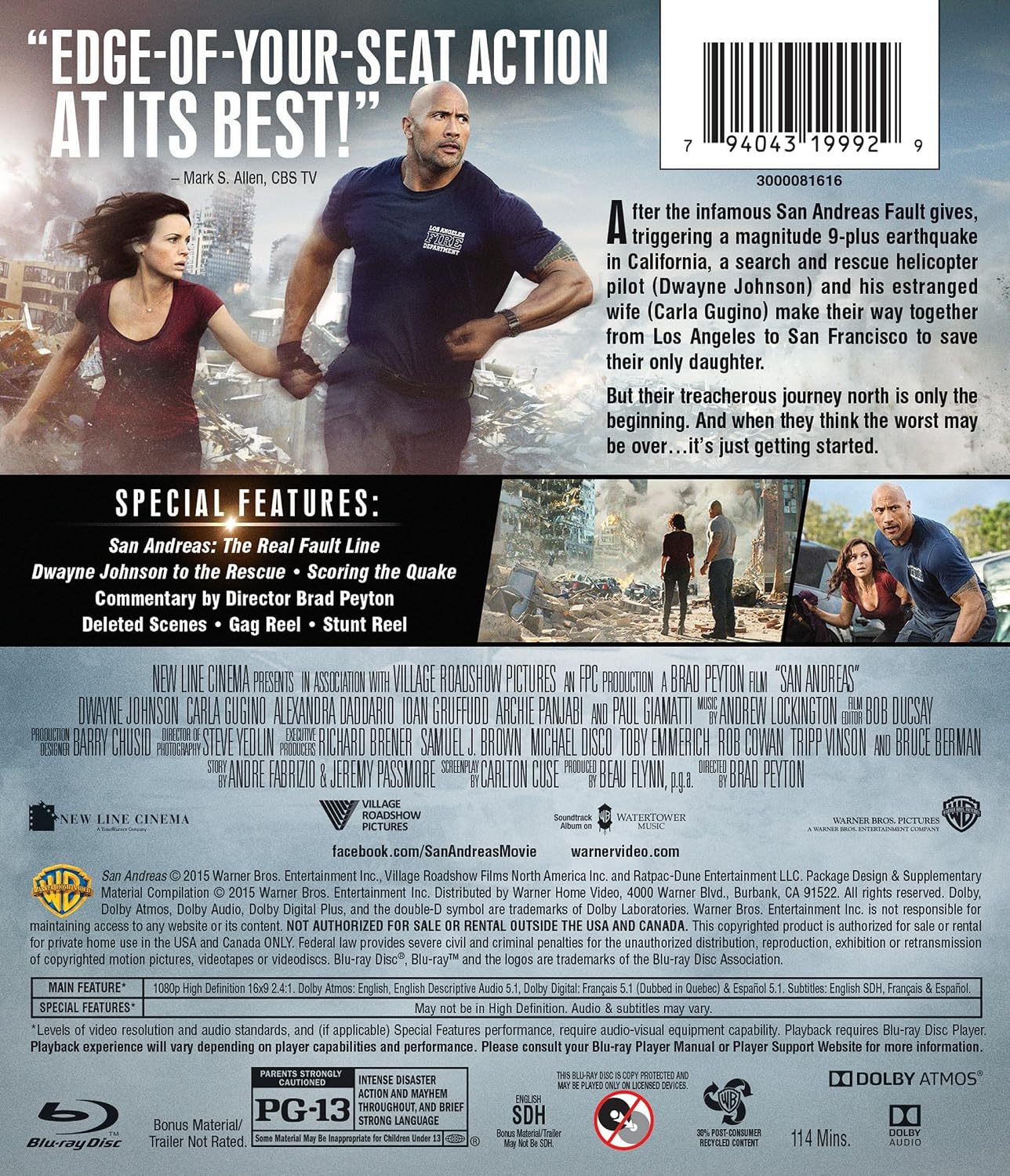
Figure 2: Back cover detailing bonus features and movie information.
2. Setup
Follow these steps to prepare your San Andreas Blu-ray disc for playback.
- Unpack the Disc: Carefully remove the Blu-ray disc from its packaging. Avoid touching the playback surface.
- Inspect the Disc: Before insertion, check the disc for any visible scratches, smudges, or debris. Clean if necessary (refer to Section 4: Maintenance).
- Prepare Your Player: Ensure your Blu-ray player is connected to your television or display device and audio system according to the player's instruction manual. Power on all connected equipment.
- Insert the Disc: Open the disc tray or slot on your Blu-ray player and gently insert the San Andreas Blu-ray disc with the label side facing up. Close the disc tray/slot.
- Digital Copy (if applicable): If your product includes a digital copy, please note that the Digital Copy Expiration Date for this release was December 31, 2018. Access to digital content may no longer be available.
3. Operating Instructions
Once the disc is inserted, your player should automatically load the disc menu. If not, select the 'Play' or 'Disc' option on your player's remote control.
3.1 Main Menu Navigation
- Use the arrow keys on your remote control to navigate through menu options.
- Press the 'Enter' or 'OK' button to select an option.
- Common menu options include:
- Play Movie: Starts the main feature film.
- Scene Selection: Allows you to jump to specific chapters of the film.
- Audio: Select from available audio tracks (e.g., English, French, Spanish).
- Subtitles: Turn subtitles on or off, and select language (e.g., English, French, Spanish).
- Special Features: Access the bonus content listed in Section 1.1.
3.2 During Playback
- Use the 'Play', 'Pause', 'Stop', 'Fast Forward', and 'Rewind' buttons on your remote for playback control.
- The 'Pop-up Menu' or 'Top Menu' button may allow you to return to the main disc menu without stopping playback.
4. Maintenance
Proper care will ensure the longevity and optimal performance of your Blu-ray disc.
- Handling: Always hold the disc by its edges or by placing a finger through the center hole. Avoid touching the shiny playback surface.
- Cleaning: If the disc becomes dirty or smudged, gently wipe it with a soft, lint-free cloth (e.g., microfiber cloth) from the center outwards. Do not use abrasive materials, solvents, or household cleaners.
- Storage: Store the disc in its original case, away from direct sunlight, extreme temperatures, and high humidity. Keep it in a vertical position to prevent warping.
- Avoid Scratches: Do not place the disc on rough surfaces or expose it to sharp objects.

Figure 3: Proper storage of the Blu-ray disc in its case.
5. Troubleshooting
If you encounter issues, try the following solutions before seeking further assistance.
| Problem | Solution |
|---|---|
| Disc does not play or load. |
|
| Video or audio skipping/freezing. |
|
| Cannot access bonus features or specific menus. |
|
6. Specifications
- Product Title: San Andreas (Blu-ray)
- Brand/Studio: Warner Home Video
- Model Number: 1000507625
- Format: Blu-ray, NTSC, Widescreen
- Number of Discs: 2
- Run Time: 1 hour and 54 minutes
- MPAA Rating: PG-13 (Parents Strongly Cautioned)
- Audio Languages: English, French, Spanish
- Subtitle Languages: English, French, Spanish
- Release Date: October 13, 2015
- Product Dimensions: 0.7 x 7.5 x 5.4 inches (packaging); 0.01 ounces (approximate weight)
- Digital Copy Expiration: December 31, 2018 (Note: Digital copy access may no longer be available after this date.)
7. Warranty & Support
This Blu-ray disc is manufactured by Warner Home Video. For information regarding product defects or playback issues not covered in the troubleshooting section, please refer to the contact information provided on the product packaging or visit the official Warner Home Video support website. Standard manufacturer warranties typically cover manufacturing defects for a limited period from the date of purchase. Please retain your proof of purchase for warranty claims.
For general inquiries or technical support related to your Blu-ray player, please consult the instruction manual provided with your player or contact its manufacturer directly.