Introduction
The Fulltone 2B Boost Pedal is designed to enhance your guitar signal, providing a clean boost to increase volume and drive your amplifier or other pedals. Utilizing a JFET op-amp, it helps preserve your instrument's tone and dynamics, especially when used within a complex pedalboard setup. This manual provides essential information for setting up, operating, and maintaining your 2B Boost Pedal.
Features
- Guitar Boost Pedal with Buffered-bypass
- Germanium Diode Limiter
- JFET Op-amp
Controls and Connections
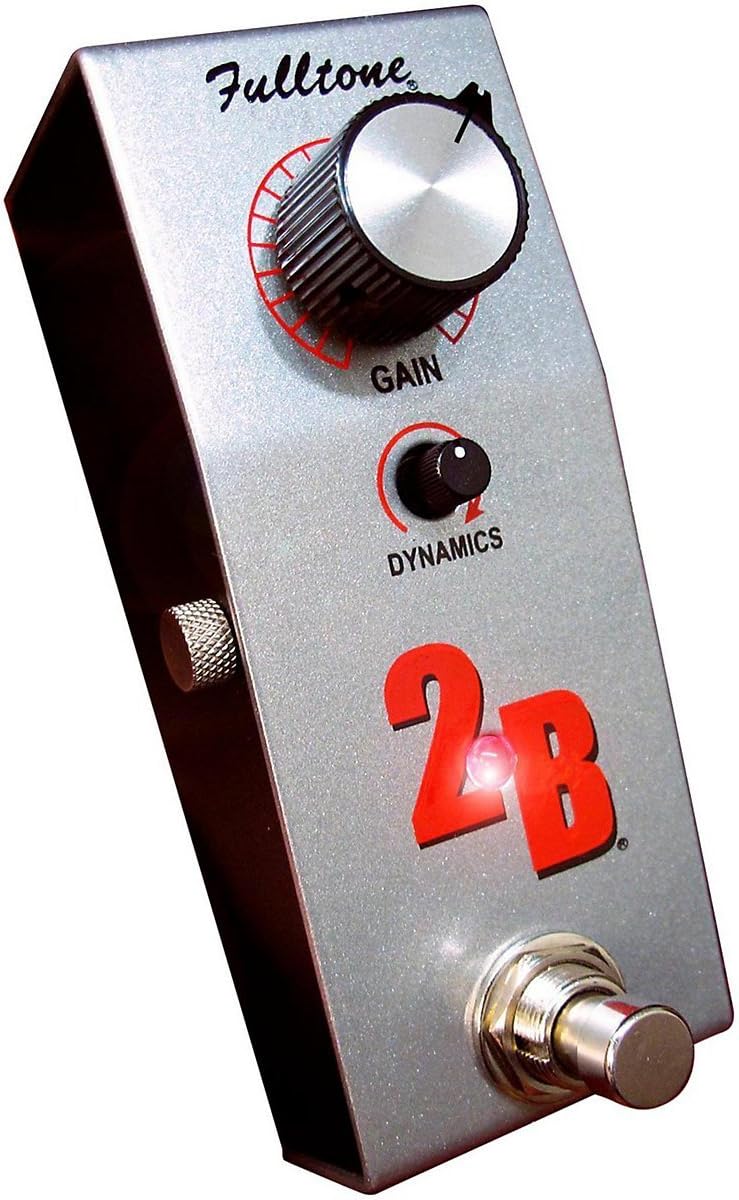
This image displays the Fulltone 2B Boost Pedal. The pedal features a metallic silver enclosure. On the top surface, there is a large black knob labeled 'GAIN' with a red semi-circular indicator. Below it, a smaller black knob is labeled 'DYNAMICS' with a similar red indicator. The prominent '2B' logo is in red, and a bright LED is visible near the '2B' text. A chrome footswitch is located at the bottom right.
- GAIN Knob: Controls the amount of boost applied to your signal. Turning it clockwise increases the boost level.
- DYNAMICS Knob: Adjusts the pedal's response to your playing dynamics. This control offers subtle tonal shaping.
- Footswitch: Engages or bypasses the boost effect.
- Input Jack: Connect your guitar or the output of a preceding pedal here.
- Output Jack: Connect this to your amplifier's input or the input of the next pedal in your signal chain.
- Power Input: Connect a compatible 18-volt DC power supply (center negative) here.
Setup
- Power Connection: Connect an 18-volt DC power supply (center negative) to the pedal's power input. The pedal can also be powered by a 9-volt battery (not included), accessible by removing the bottom plate.
- Signal Chain:
- Connect your guitar to the pedal's Input jack.
- Connect the pedal's Output jack to your amplifier's input or the next pedal in your effects chain.
- Ensure all cables are securely connected before powering on your amplifier.
Operation
Once connected, press the footswitch to engage the boost effect. The LED indicator will illuminate when the effect is active. Adjust the GAIN knob to achieve the desired volume increase or to drive your amplifier into natural overdrive. Experiment with the DYNAMICS knob to fine-tune the pedal's response to your playing style. This pedal is designed to be transparent, preserving your core tone while providing a significant boost.
Maintenance
- Cleaning: Use a soft, dry cloth to clean the pedal's enclosure. Avoid abrasive cleaners or solvents.
- Storage: Store the pedal in a dry environment, away from extreme temperatures and humidity.
- Battery Replacement (if applicable): If using battery power, replace the battery when the LED indicator dims or the pedal's performance degrades. Disconnect power and signal cables, then carefully remove the bottom plate to access the battery compartment.
Troubleshooting
| Problem | Possible Cause | Solution |
|---|---|---|
| No sound or weak signal. | Incorrect power supply, dead battery, faulty cables, incorrect connections. | Ensure 18V DC (center negative) power supply is used or replace battery. Check all cables for damage and ensure they are securely connected to the correct jacks. |
| Unwanted noise or hum. | Ground loop, faulty power supply, interference from other electronics. | Use an isolated power supply. Try a different power outlet. Move the pedal away from other electronic devices. |
| LED does not light up. | No power, faulty LED. | Verify power supply connection and functionality. If using battery, check battery level. |
Specifications
- Model: 2B
- Item Weight: 14.8 ounces (0.42 Kilograms)
- Product Dimensions: 5.71 x 3.35 x 3.15 inches
- Power Source: Battery Powered / 18 Volts DC (center negative)
- Signal Format: Analog
- Color: Silver
- First Available: May 28, 2015
Warranty and Support
Fulltone products are manufactured to high standards. For information regarding warranty coverage, service, or technical support, please refer to the official Fulltone website or contact their customer service department. Keep your purchase receipt as proof of purchase.


