
1. Introduction
Thank you for choosing the Benro Mach3 TMA27A Aluminum Tripod. This professional-grade tripod is designed for stability, durability, and versatility, making it suitable for a wide range of photography and videography applications. This manual provides essential information for the proper setup, operation, and maintenance of your tripod.
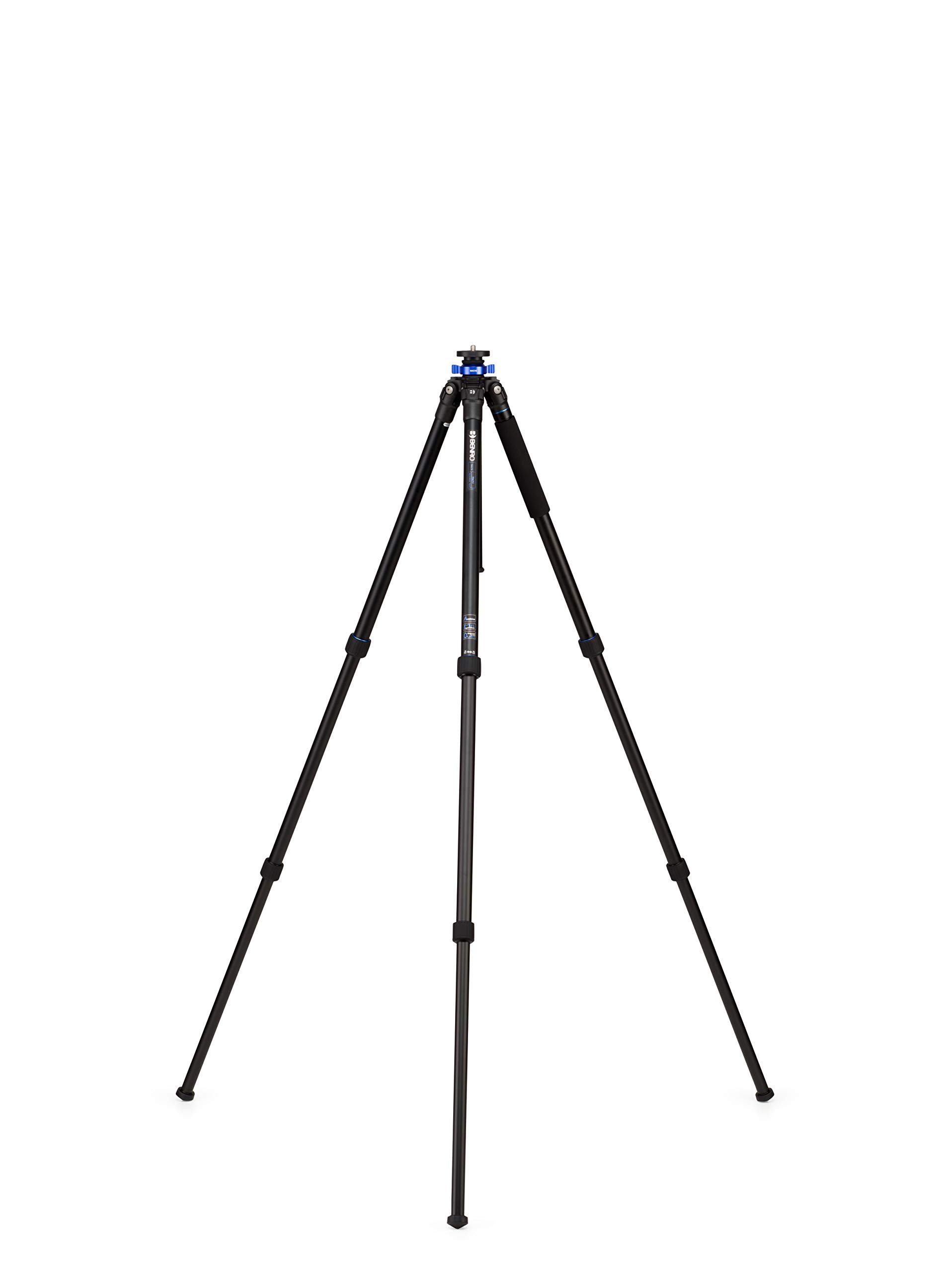
Image 1: The Benro Mach3 TMA27A Aluminum Tripod in its fully extended position, showcasing its robust design.
2. Product Features
- Robust Aluminum Construction: Crafted from high-strength aluminum alloy for exceptional stability and durability.
- High Load Capacity: Supports up to 30.9 lbs (14 kg) while weighing only 4.1 lbs (1.86 kg), ideal for various camera setups.
- 3-Section Twist-Lock Legs: Features weather-resistant twist locks for quick and secure height adjustments.
- Versatile & Adaptable Design: Includes a removable center column for low-angle and macro photography, and interchangeable rubber and spiked feet for diverse terrains.
- Professional Carry Kit: Comes with a padded carrying case and maintenance tools for convenient transport and upkeep.
3. Setup
3.1 Unfolding the Tripod
- Place the tripod on a flat, stable surface.
- Release the leg angle locks located at the top of each leg.
- Extend each leg to your desired angle. The legs offer multiple angle stops for flexibility.
- Twist the leg locks counter-clockwise to loosen each section, then pull to extend the leg sections. Twist clockwise to secure.

Image 2: The tripod with its legs fully extended, ready for use.
3.2 Attaching a Camera Head
The Benro Mach3 TMA27A features a standard 3/8"-16 threaded screw on the mounting plate, allowing compatibility with most tripod heads. To attach your camera head:
- Ensure the mounting plate is clean and free of debris.
- Carefully screw your camera head onto the 3/8"-16 thread until it is securely tightened.
- Verify that the head is firmly attached before mounting any camera equipment.
4. Operating Instructions
4.1 Adjusting Height and Leg Angles
- Leg Sections: Loosen the twist locks on each leg section, extend to the desired height, and then firmly tighten the locks.
- Leg Angles: Press the leg angle locks to adjust each leg independently to one of the preset angles. This allows for stable positioning on uneven terrain or for low-angle shots.
- Center Column: To extend the center column, loosen the center column locking knob, raise the column to the desired height, and then firmly tighten the knob.

Image 3: The center column of the tripod extended for additional height.
4.2 Reversible Center Column for Low-Angle Shooting
For extreme low-angle or macro photography, the center column can be reversed:
- Fully extend and remove the center column by unscrewing the locking knob and pulling it out.
- Invert the center column and reinsert it into the tripod chassis from below.
- Secure the center column by tightening the locking knob.

Image 4: The center column reversed, allowing for very low camera positioning.
4.3 Monopod Conversion
One of the tripod legs can be detached and combined with the center column to form a full-size monopod:
- Identify the leg with the foam grip. This leg is designed for monopod conversion.
- Unscrew this leg from the tripod chassis.
- Remove the center column from the tripod chassis.
- Attach the detached leg to the bottom of the center column.
- Your monopod is now ready for use.
4.4 Interchangeable Feet
The tripod comes with pre-installed rubber feet and a set of spiked feet for different shooting environments:
- Rubber Feet: Ideal for indoor use or smooth, hard surfaces to prevent slipping and protect floors.
- Spiked Feet: Recommended for outdoor use on soft ground, grass, ice, or uneven terrain for maximum grip and stability.
To change the feet, simply unscrew the current feet and screw on the desired type.

Image 5: Close-up view of the tripod leg, showing the interchangeable foot mechanism.
5. Maintenance
- Cleaning: After each use, especially in dusty or wet conditions, wipe down the tripod with a soft, dry cloth. For stubborn dirt, use a damp cloth and mild soap, then dry thoroughly.
- Lubrication: Periodically check the leg locks and center column for smooth operation. If they become stiff, apply a small amount of silicone-based lubricant. Avoid oil-based lubricants as they can attract dirt.
- Inspection: Regularly inspect all screws, bolts, and moving parts for tightness. Use the provided tools to tighten any loose components.
- Storage: Store the tripod in its padded carrying case in a cool, dry place when not in use to protect it from dust and moisture.
6. Troubleshooting
- Legs not extending/retracting smoothly: Check for dirt or debris in the twist locks. Clean and apply a small amount of silicone lubricant if necessary. Ensure locks are fully loosened before adjusting.
- Tripod feels unstable: Verify that all leg sections and the center column are fully extended and securely locked. Ensure leg angles are set appropriately for the terrain. Check for loose connections on the camera head.
- Camera head wobbles: Ensure the camera head is securely tightened onto the tripod's mounting plate. Check if the quick release plate is properly seated and locked onto the camera head.
7. Specifications
| Feature | Specification |
|---|---|
| Model Name | TMA27A |
| Material | Aluminum |
| Product Dimensions | 24.6 x 4.9 x 53.15 inches (folded) |
| Item Weight | 3.86 pounds (1.75 kg) |
| Weight Limit | 26.5 pounds (12 kg) |
| Maximum Height | 63.58 inches (161.5 cm) |
| Leg Sections | 3 |
| Tripod Head Type | Other (compatible with standard 3/8"-16 thread heads) |
| Color | Black |
| Compatible Devices | Camera |
8. Official Product Video
Watch this official video for an overview of the Benro Mach3 series tripods, highlighting key features and versatility.
Video 1: Benro Mach Series Aluminum Tripod - An overview of the tripod's features and capabilities.
9. Warranty and Support
9.1 Limited Warranty
The standard limited warranty for your Benro Mach3 TMA27A Aluminum Tripod is 3 years from the date of purchase for the original owner. If you register the product online, the warranty is extended by an additional 2 years, totaling 5 years in applicable regions.
For warranty claims or further support, please visit the official Benro website or contact their customer service.

