Introduction
This manual provides instructions for the proper installation, use, and maintenance of your Dirt Devil Dirt Cup, an O.E.M. authorized replacement part. This dirt cup is designed to fit various Royal Dirt Devil Gator Hand Vacuum models, including BD10085, BD10090, and BD10100. The OEM Part Number for this component is 2DS1100000.
Please read these instructions carefully before installing or using the dirt cup to ensure safe and efficient operation of your hand vacuum.
Safety Information
- Always disconnect the hand vacuum from the power source before attempting any installation, removal, or maintenance of the dirt cup.
- Ensure the dirt cup is securely latched in place before operating the vacuum.
- Do not operate the vacuum without the dirt cup properly installed.
- Keep hands and fingers away from moving parts during operation.
- This dirt cup is designed for dry pick-up only. Do not use it to vacuum liquids.
Setup and Installation
Follow these steps to properly install the replacement dirt cup onto your Dirt Devil Gator Hand Vacuum:
- Power Disconnection: Ensure your Dirt Devil hand vacuum is turned off and unplugged from any power source.
- Remove Old Dirt Cup (if applicable): Locate the release button or latch for the existing dirt cup on your hand vacuum. Press the button or unlatch, and carefully remove the old dirt cup. Dispose of the old dirt cup responsibly.
- Align New Dirt Cup: Take the new Dirt Devil Dirt Cup (OEM Part Number 2DS1100000). Align the dirt cup with the main body of the hand vacuum. There are usually grooves or tabs that guide it into place.
- Secure the Dirt Cup: Gently push the dirt cup onto the vacuum body until it clicks securely into place. Verify that the latch mechanism is fully engaged and the dirt cup feels firm and stable.
- Check for Proper Fit: Lightly tug on the dirt cup to ensure it is firmly attached and will not detach during operation.
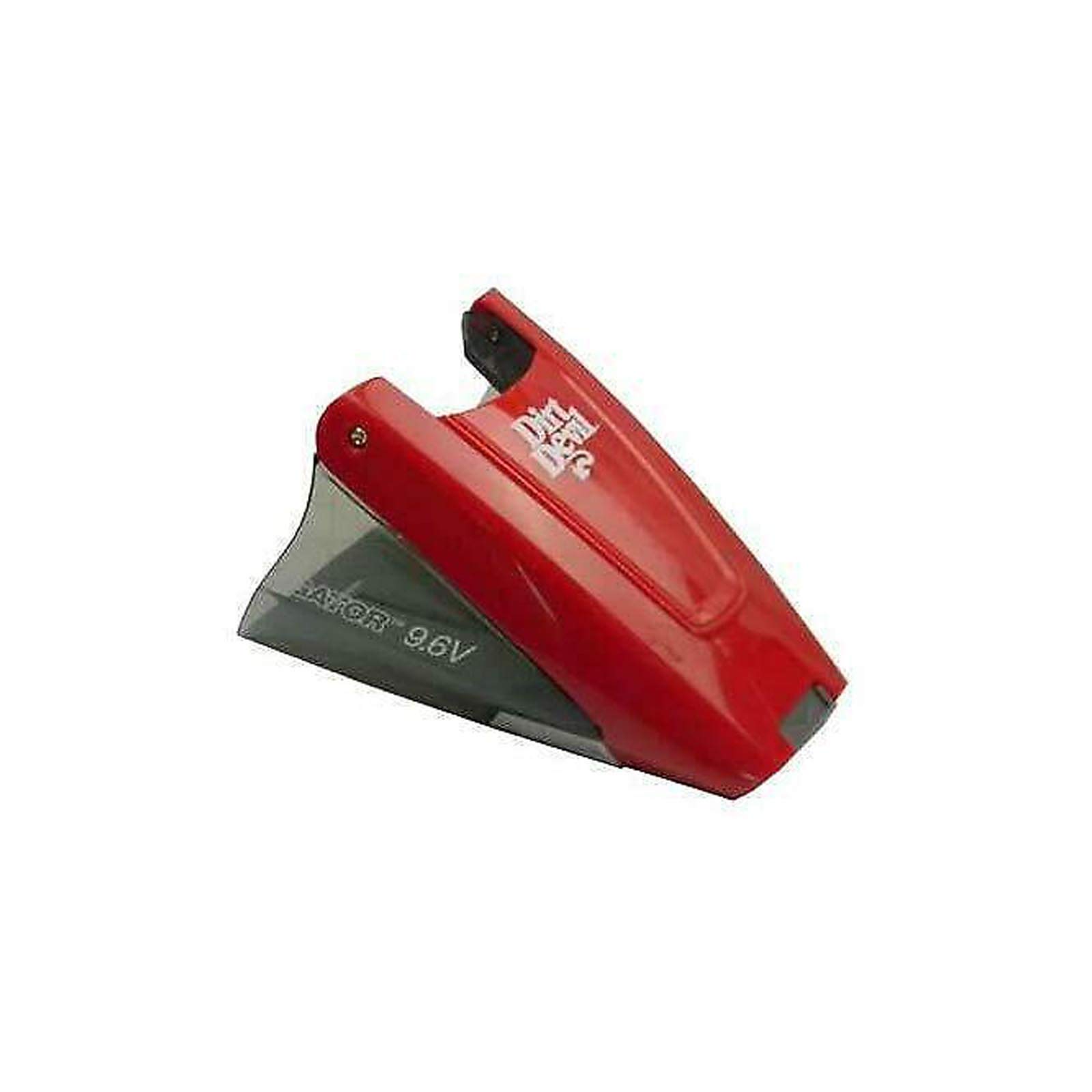
Image 1: The Dirt Devil Dirt Cup, OEM Part Number 2DS1100000, ready for installation. This image shows the overall design and connection points of the replacement dirt cup.
Operating the Dirt Cup
The dirt cup functions as the collection chamber for debris picked up by your hand vacuum. Its operation is integrated with the vacuum's use.
- Vacuum Operation: Once the dirt cup is securely installed, you can operate your Dirt Devil Gator Hand Vacuum as usual. The dirt cup will collect dust, dirt, and debris.
- Monitoring Fill Level: Periodically check the dirt cup to see if it is full. Most dirt cups are translucent, allowing you to visually inspect the fill level.
- Emptying the Dirt Cup: When the dirt cup is full, or after each use, it should be emptied.
- Disconnect the vacuum from power.
- Press the release button/latch to detach the dirt cup.
- Hold the dirt cup over a trash receptacle and open its emptying flap or separate the halves (depending on design) to release the collected debris.
- Close the emptying flap or reassemble the dirt cup, then reattach it to the vacuum.
Maintenance
Regular maintenance of the dirt cup ensures optimal performance of your hand vacuum.
- Empty Regularly: Empty the dirt cup after each use or when it appears full to prevent loss of suction and maintain hygiene.
- Washing (if applicable): Some dirt cups are washable. If your Dirt Devil model's dirt cup is washable, remove it from the vacuum, empty all debris, and rinse it with lukewarm water. Allow it to air dry completely before reattaching it to the vacuum. Do not use harsh detergents or put it in a dishwasher.
- Filter Cleaning/Replacement: The dirt cup often houses a filter. Refer to your specific hand vacuum's manual for instructions on cleaning or replacing the filter. A clogged filter can significantly reduce suction power.
- Inspect for Damage: Periodically inspect the dirt cup for cracks, damage, or worn seals. A damaged dirt cup can lead to reduced suction or leakage of debris. Replace if damaged.
Troubleshooting
If you encounter issues related to the dirt cup, consider the following:
- Dirt Cup Not Attaching Securely:
- Ensure it is aligned correctly with the vacuum body.
- Check for any obstructions preventing it from clicking into place.
- Inspect the latch mechanism on both the dirt cup and the vacuum for damage.
- Reduced Suction Power:
- The dirt cup may be full and needs emptying.
- The filter inside the dirt cup may be clogged and requires cleaning or replacement.
- Check for cracks or poor seals on the dirt cup that could cause air leaks.
- Debris Leaking from Dirt Cup:
- Ensure the dirt cup is fully and securely latched to the vacuum.
- Check the emptying flap or seals for proper closure and any damage.
- The dirt cup may be overfilled.
Specifications
| Part Number | 2DS1100000 |
| Compatibility | Royal Dirt Devil Gator Hand Vacuum Models BD10085, BD10090, BD10100 |
| Product Dimensions | 1 x 1 x 1 inches |
| Item Weight | 1 pound |
| Manufacturer | Royal Dirt Devil |
| Reusability | Disposable (Note: Refers to the product's classification, but the dirt cup itself is designed for repeated emptying and cleaning.) |
| Number of Pieces | 1 |
Warranty Information
As an O.E.M. authorized replacement part, this Dirt Cup may be covered under the original warranty of your Dirt Devil hand vacuum, or by a separate warranty provided by the seller or manufacturer of the part. Please retain your proof of purchase.
For specific warranty details, it is recommended to:
- Consult the warranty documentation that came with your original Dirt Devil hand vacuum.
- Contact the retailer from whom you purchased this replacement part.
- Visit the official Dirt Devil website or contact their customer support.
Support
If you require further assistance or have questions regarding the Dirt Devil Dirt Cup (Part Number 2DS1100000), please utilize the following resources:
- Manufacturer's Website: Visit the official Dirt Devil website for product information, FAQs, and support contacts.
- Customer Service: Refer to the contact information provided in your original hand vacuum manual or on the Dirt Devil website for customer service assistance.
- Retailer Support: For purchase-specific inquiries, contact the seller or retailer where you acquired this replacement part.


