Introduction
This manual provides essential information for the proper installation, operation, and maintenance of your Hoover Replacement Belt, part number 562535001. This genuine OEM part is designed to ensure optimal performance and compatibility with Hoover vacuum cleaner models UH70400 and UH70405. The belt is a critical component that drives the brush roll, enabling effective cleaning by agitating carpet fibers and picking up debris.
Safety Information
Always observe basic safety precautions when performing maintenance on your vacuum cleaner. Failure to do so may result in electric shock, fire, or serious injury.
- Disconnect Power: Always unplug the vacuum cleaner from the electrical outlet before attempting any maintenance, cleaning, or belt replacement.
- Use Genuine Parts: Use only genuine Hoover replacement parts to ensure proper fit and function.
- Avoid Moving Parts: Keep hands, hair, loose clothing, and all body parts away from openings and moving parts.
- Proper Storage: Store the vacuum cleaner and replacement parts in a dry, indoor area.
Installation (Belt Replacement)
Follow these steps to replace the drive belt on your Hoover UH70400 or UH70405 vacuum cleaner. Refer to your vacuum's specific user manual for detailed diagrams if available.
- Prepare the Vacuum: Unplug the vacuum cleaner from the wall outlet. Lay the vacuum flat on its front side on a clean, stable surface to access the brush roll area.
- Remove Base Plate: Locate the screws holding the bottom plate (also known as the nozzle guard or brush roll cover) in place. Use a screwdriver to remove these screws and carefully lift off the base plate.
- Remove Brush Roll: Gently lift out the brush roll assembly. The old belt will likely be stretched, broken, or dislodged. Remove the old belt from both the brush roll and the motor shaft.
- Install New Belt: Take the new Hoover Belt 562535001. Loop one end of the belt around the motor shaft (the small metal spindle). Then, stretch the other end of the belt around the brush roll. Ensure the belt is centered on both the motor shaft and the brush roll.
- Reinstall Brush Roll: Carefully place the brush roll back into its housing, ensuring the belt remains properly seated on both the motor shaft and the brush roll. Spin the brush roll manually a few times to confirm the belt is correctly aligned and moves freely.
- Reattach Base Plate: Position the base plate back onto the vacuum and secure it with the screws removed earlier. Ensure all screws are tightened securely.
- Test Operation: Stand the vacuum upright, plug it back into the electrical outlet, and turn it on to test the brush roll operation. The brush roll should spin smoothly.
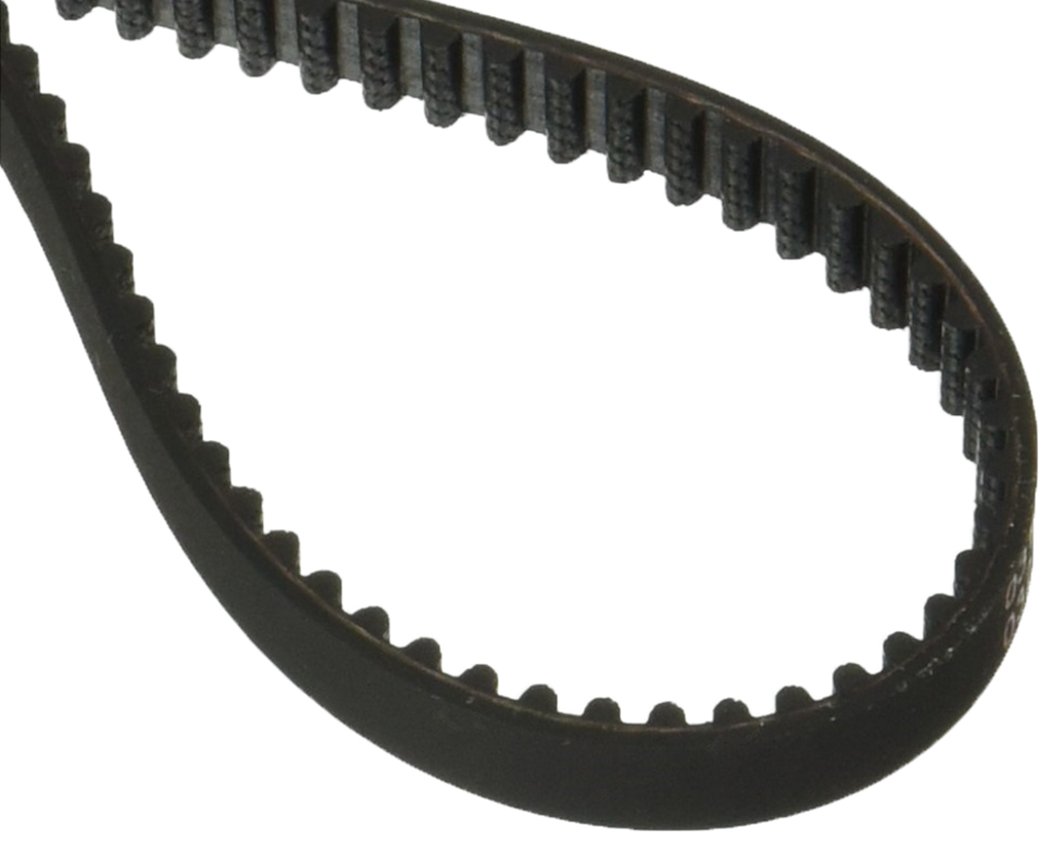
Image: Hoover Vacuum Cleaner Belt 562535001. This image shows the replacement belt, which is a black, rubberized band designed to connect the vacuum's motor to the brush roll for rotation.
Operating Considerations
Once installed, the belt facilitates the rotation of the brush roll, which is essential for deep cleaning carpets and agitating debris. A properly functioning belt ensures consistent brush roll speed and effective dirt pickup. If the brush roll stops spinning or spins intermittently, it may indicate an issue with the belt or other components.
Maintenance
Regular inspection of the vacuum belt is crucial for maintaining optimal cleaning performance and extending the life of your vacuum cleaner. Over time, belts can stretch, crack, or break due to normal wear and tear, or if the brush roll becomes jammed.
- Periodic Inspection: Check the belt every 3-6 months, or more frequently if the vacuum is used heavily.
- Signs of Wear: Look for signs of stretching, cracking, fraying, or hardening. A loose or worn belt will reduce brush roll effectiveness.
- Replacement: Replace the belt immediately if any signs of wear are observed, or if the brush roll stops spinning.
- Clear Brush Roll: Regularly remove hair, threads, and other debris wrapped around the brush roll to prevent strain on the belt and motor.
Troubleshooting
If you experience issues with your vacuum cleaner's brush roll, the belt may be the cause. Here are common symptoms and solutions:
| Symptom | Possible Cause | Solution |
|---|---|---|
| Brush roll not spinning | Broken or dislodged belt; brush roll jammed. | Inspect and replace the belt if broken. Clear any obstructions from the brush roll. Reinstall the belt correctly. |
| Reduced cleaning performance | Stretched or worn belt; brush roll not spinning effectively. | Replace the belt with a new Hoover 562535001 belt. |
| Burning rubber smell | Belt slipping due to wear or brush roll obstruction. | Immediately unplug the vacuum. Clear any brush roll obstructions. Replace the belt if it shows signs of wear or damage. |
Specifications
- Part Number: 562535001
- Brand: Hoover
- Compatible Models: Hoover UH70400, UH70405
- Type: OEM Replacement Belt
- Material: Durable rubber composite
- Product Dimensions: Approximately 1 x 1 x 1 inches (packaging dimensions)
- Item Weight: Approximately 1.6 ounces
Warranty and Support
This Hoover replacement part is manufactured to high-quality standards. For specific warranty information regarding this part, please refer to the documentation included with your original Hoover vacuum cleaner or visit the official Hoover website. For technical support or further assistance, please contact Hoover customer service directly.
You can often find contact information and additional resources on the Hoover Brand Store on Amazon or the official Hoover website.


