1. Introduction
This manual provides essential information for the safe and efficient operation, maintenance, and troubleshooting of your DuroMax XP10000EH Dual Fuel Portable Generator. The XP10000EH is designed to provide reliable power using either gasoline or liquid propane, making it versatile for various applications, including home backup, RV use, and jobsites. Please read this manual thoroughly before operating the generator to ensure proper use and to prevent injury or damage.
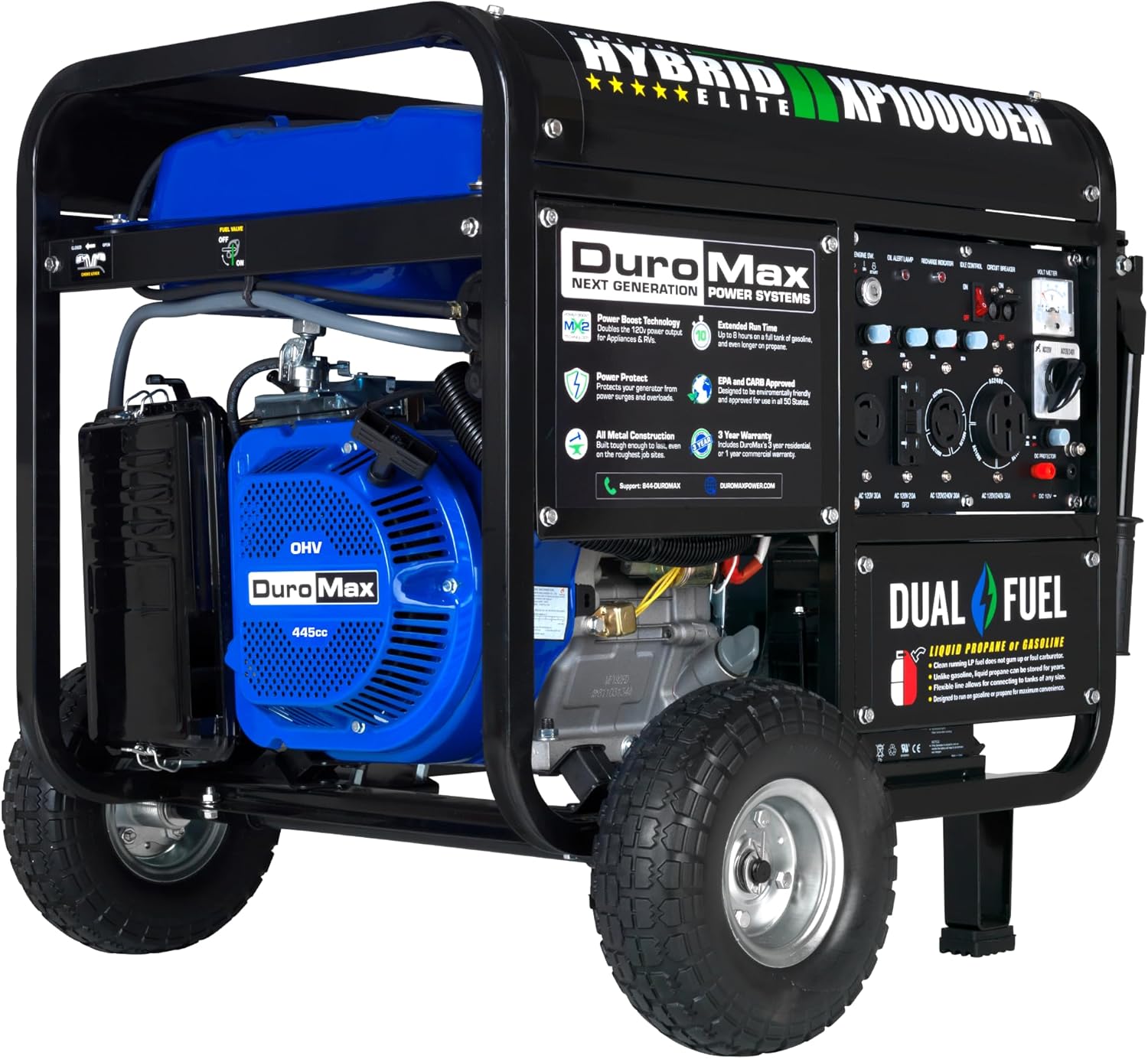
Image 1.1: The DuroMax XP10000EH Dual Fuel Portable Generator.
2. Safety Information
Operating a generator can be hazardous if proper safety precautions are not followed. Always prioritize safety to prevent serious injury or death. This section outlines critical safety guidelines. Refer to the complete owner's manual for a comprehensive list of safety instructions.
2.1 Carbon Monoxide Hazard
- Generators produce carbon monoxide (CO), an odorless, colorless, and poisonous gas.
- NEVER operate the generator indoors, in a garage, or in any enclosed or partially enclosed area.
- Always operate the generator outdoors in a well-ventilated area, far away from windows, doors, and vents.
- Install battery-operated carbon monoxide alarms in your home or RV.
2.2 Electrical Safety
- Do not operate the generator in wet conditions, such as rain or snow.
- Ensure all electrical connections are secure and properly grounded.
- Use only approved extension cords that are rated for outdoor use and the appropriate amperage.
- If connecting to a home's electrical system, use a transfer switch installed by a qualified electrician to prevent backfeeding into the utility grid.
2.3 Fuel Safety
- Gasoline and propane are highly flammable. Handle with extreme care.
- Refuel gasoline only when the engine is off and cool.
- Store fuel in approved containers in a well-ventilated area, away from ignition sources.
- Do not smoke near the generator or fuel.
3. Unpacking and Assembly
Carefully remove the generator and all components from the packaging. Inspect for any shipping damage. The following components are typically included:
- XP10000EH Generator Unit
- Oil Funnel
- Spark Plug Wrench
- Tool Set
- Wheel & Handle Kit
- DC Charging Cables
- Propane Regulator
- Owner's Manual
3.1 Attaching Wheels and Handle
Follow the instructions in the owner's manual to securely attach the wheels and handle kit. This will facilitate moving the generator.
4. Setup
Before starting the generator for the first time, perform the following setup steps:
4.1 Add Engine Oil
The generator is shipped without engine oil. Add the recommended type and amount of oil before first use. Refer to the owner's manual for specific oil type (e.g., 10W-30) and capacity. Use the provided oil funnel to prevent spills.
4.2 Connect Battery
For electric start models, connect the battery terminals according to the instructions in the owner's manual. Ensure correct polarity (positive to positive, negative to negative) to avoid damage.
4.3 Fueling the Generator
The XP10000EH operates on either gasoline or liquid propane.
- Gasoline: Fill the fuel tank with fresh, unleaded gasoline (minimum 87 octane). Do not overfill.
- Liquid Propane: Connect a standard propane tank (not included) to the generator using the provided propane regulator and hose. Ensure all connections are tight and check for leaks.

Image 4.1: The XP10000EH supports both gasoline and propane fuel sources.
5. Operating Instructions
Follow these steps to safely start and operate your generator.
5.1 Pre-Start Checks
- Ensure the generator is on a level surface outdoors, away from combustible materials.
- Check engine oil level.
- Verify fuel level (gasoline) or propane tank connection.
- Ensure all circuit breakers on the control panel are in the 'OFF' position.
5.2 Starting the Generator (Electric Start)
- Turn the fuel valve to the 'ON' position (for gasoline). If using propane, open the valve on the propane tank.
- Set the choke lever to the 'CLOSED' or 'START' position (cold engine).
- Insert the key into the ignition switch and turn it to the 'START' position. Hold until the engine starts, then release to 'RUN'.
- Once the engine is running smoothly, gradually move the choke lever to the 'OPEN' or 'RUN' position.
5.3 Fuel Selection
The XP10000EH features a fuel selector switch on the control panel. Ensure the switch is set to the desired fuel type (Gasoline or Propane) before starting. Do not attempt to switch fuel types while the generator is running.

Image 5.1: The fully loaded power panel with various outlets and controls.
5.4 Connecting Loads
Once the generator is running and stable, you can connect your electrical devices. Flip the circuit breakers on the control panel to the 'ON' position. The XP10000EH includes a variety of outlets, including a transfer switch-ready 50 amp outlet and MX2 Power Boost technology for increased 120V power.
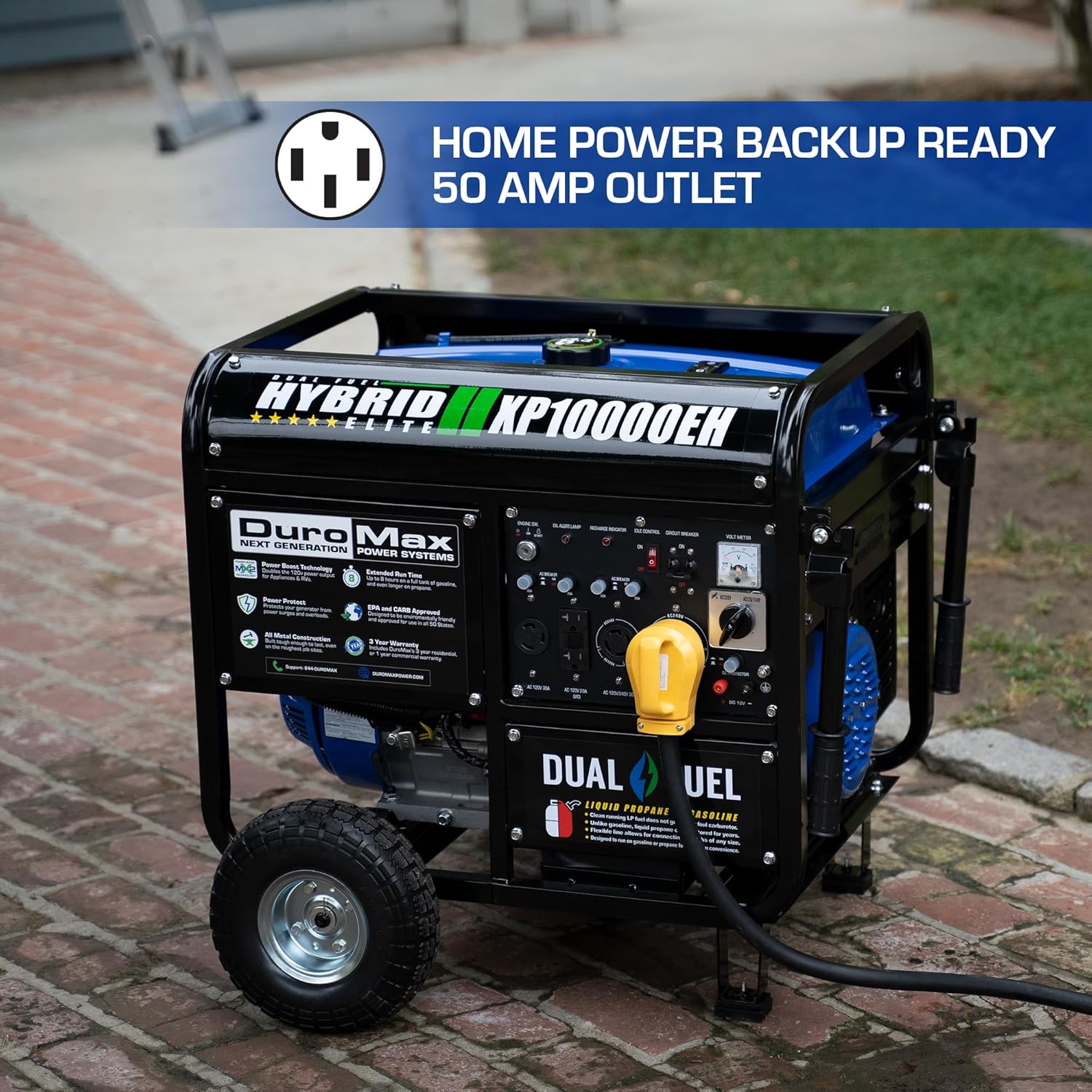
Image 5.2: The 50 Amp outlet for home power backup.
5.5 Stopping the Generator
- Disconnect all electrical loads.
- Turn all circuit breakers to the 'OFF' position.
- Turn the ignition key to the 'OFF' position.
- Close the fuel valve (for gasoline) or the valve on the propane tank.
6. Maintenance
Regular maintenance ensures the longevity and reliable performance of your generator. Always perform maintenance when the engine is off and cool.
- Engine Oil: Check oil level before each use. Change oil after the first 20 hours of operation, then every 100 hours or annually.
- Air Filter: Inspect and clean the air filter regularly. Replace if damaged.
- Spark Plug: Inspect and clean the spark plug annually or every 100 hours. Replace if necessary.
- Fuel Filter: Inspect and replace as needed.
- General Cleaning: Keep the generator clean and free of debris.
6.1 Storage
For extended storage, drain the gasoline fuel tank and carburetor, or add a fuel stabilizer. Disconnect the propane tank. Clean the generator and store it in a dry, well-ventilated area.
7. Troubleshooting
This section addresses common issues you might encounter. For more detailed troubleshooting, consult the full owner's manual.
| Problem | Possible Cause | Solution |
|---|---|---|
| Engine will not start | No fuel, low oil, choke incorrect, spark plug issue, battery low | Check fuel level, add oil, adjust choke, inspect spark plug, charge battery |
| No power output | Circuit breaker tripped, overload, connections loose | Reset breakers, reduce load, check connections |
| Engine runs rough | Stale fuel, dirty air filter, spark plug issue | Use fresh fuel, clean/replace air filter, inspect spark plug |
8. Specifications
Key technical specifications for the DuroMax XP10000EH Dual Fuel Portable Generator:
| Feature | Specification |
|---|---|
| Brand | DuroMax |
| Model Name | XP10000EH |
| Wattage (Starting) | 10000 Watts |
| Wattage (Running) | 8000 Watts |
| Fuel Type | Gasoline / Propane |
| Power Source | Fuel Powered |
| Voltage | 240 Volts |
| Item Weight | 220 Pounds |
| Product Dimensions | 29"L x 30"W x 26"H |
| Engine Type | 4 Stroke |
| Tank Volume | 8.3 Gallons |
| Total Power Outlets | 4 |
| Special Features | Dual Fuel, Foldable Handle, Hour Meter, Low Oil Shutdown, Portable |
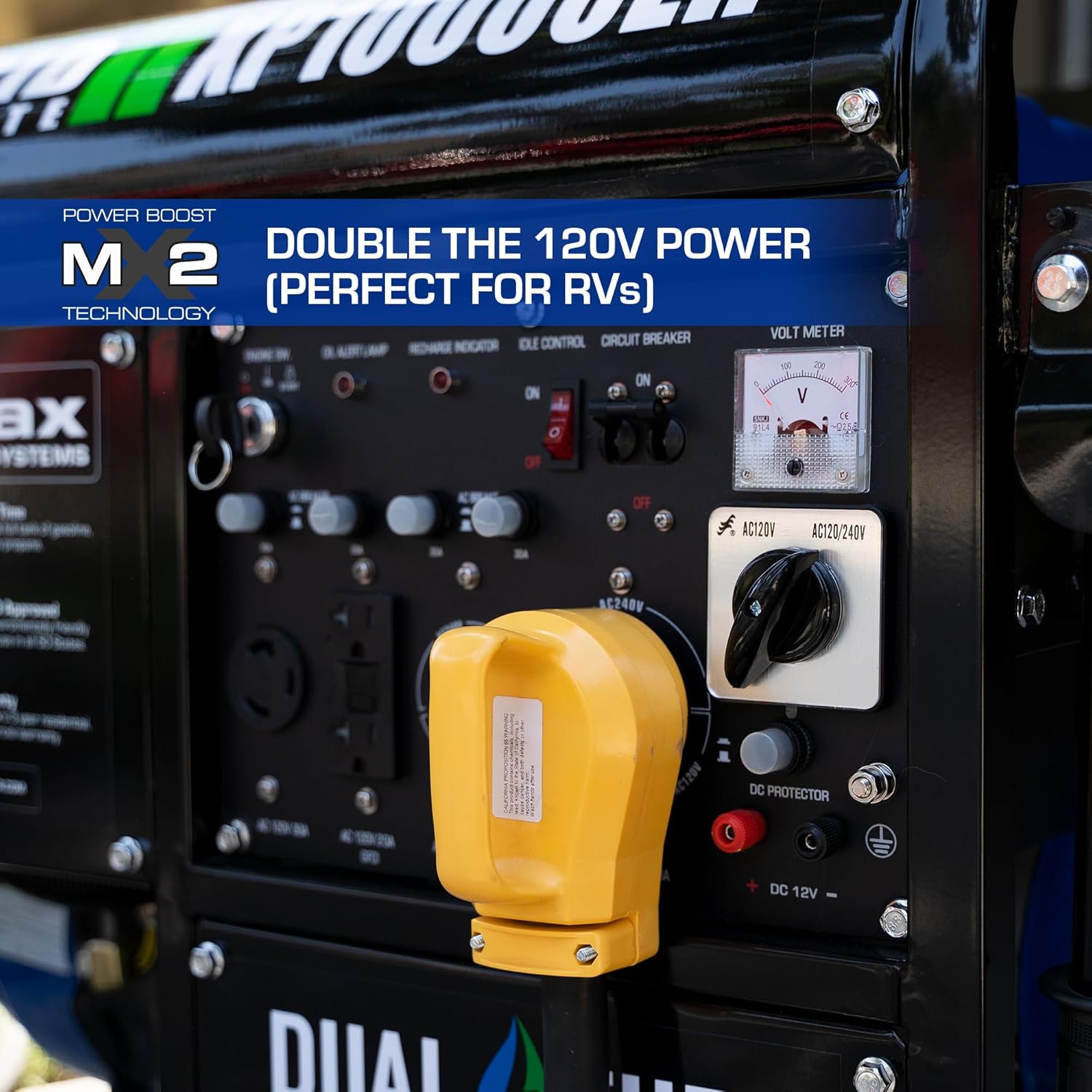
Image 8.1: Product dimensions for the XP10000EH generator.
9. Warranty and Support
The DuroMax XP10000EH Dual Fuel Portable Generator comes with a 3-Year Limited Warranty. For warranty claims, technical assistance, or to purchase replacement parts, please refer to the contact information provided in your original owner's manual or visit the official DuroMax website.


