Introduction
The Google Nest Protect (Wired) is an advanced smoke and carbon monoxide detector designed to provide comprehensive safety for your home. This device offers dual-sensor technology for accurate detection of both smoke and carbon monoxide, ensuring prompt alerts in case of potential hazards. It integrates seamlessly with the Nest ecosystem, allowing for remote monitoring and control via the Nest app.
Key features include intelligent alerts, voice notifications, a built-in pathlight, and self-testing capabilities, all designed to enhance your peace of mind. This manual provides detailed instructions for the setup, operation, maintenance, and troubleshooting of your Nest Protect device.
Safety Information
Please read all safety warnings and instructions carefully before installing and using your Google Nest Protect. Keep this manual for future reference.
Proposition 65 Warning: This product may contain chemicals known to the State of California to cause cancer and birth defects or other reproductive harm. For more information, visit www.P65Warnings.ca.gov.
- Ensure proper placement of the detector as per local building codes and safety guidelines.
- Do not paint or cover the device, as this may interfere with its sensors.
- Test the device regularly as recommended by the manufacturer.
Setup and Installation
The Google Nest Protect (Wired) is designed for straightforward installation, often utilizing existing wiring from previous smoke detectors. For detailed wiring instructions, please refer to the included installation guide or consult a qualified electrician.
- Power Off: Before beginning installation, ensure the power to the circuit where you are installing the Nest Protect is turned off at the circuit breaker.
- Mounting: Attach the provided wall plate to the ceiling or wall using appropriate screws. Connect the electrical wiring from your home to the Nest Protect's wiring harness according to the color-coded instructions.
- Attach Device: Secure the Nest Protect device to the mounted wall plate.
- Power On: Restore power to the circuit. The Nest Protect will power on and begin its startup sequence.
- Connect to App: Download the Google Home app (or Nest app if you have an older setup) on your smartphone. Follow the in-app instructions to add your Nest Protect to your home network. This typically involves scanning a QR code on the device.

Figure 1: Front view of the Google Nest Protect, showing its perforated surface and central button.
Operating Your Nest Protect
Detection and Alerts
The Nest Protect continuously monitors for smoke and carbon monoxide. In the event of detection, it provides multi-level alerts:
- Voice Alerts: The device will speak to warn you of the type and location of the hazard (e.g., "Smoke in the living room").
- Audible Alarm: A loud alarm will sound to alert occupants.
- App Notifications: If connected to Wi-Fi, you will receive immediate notifications on your smartphone via the Google Home app, even when you are away from home.
- Light Ring: The light ring on the device changes color to indicate status (e.g., red for alarm, yellow for warning, green for OK).

Figure 2: The Nest Protect displaying a green light, signifying that all systems are functioning correctly.
Silencing Alarms
For non-emergency situations, such as smoke from cooking, the Nest Protect allows you to silence the alarm directly from the Google Home app on your smartphone. This prevents unnecessary loud alarms while still keeping you informed.
Pathlight Feature
The Nest Protect includes a built-in Pathlight that illuminates when it detects motion in the dark, providing a subtle night light. This feature can be customized or disabled via the app.

Figure 3: The Nest Protect's Pathlight feature providing illumination in a dark room.
Interconnectivity
If you have multiple Nest Protect devices or other Nest products (like a Nest Thermostat), they can communicate with each other. For example, if one Nest Protect detects smoke, all connected Nest Protects can sound the alarm, and your Nest Thermostat can turn off the furnace to prevent smoke circulation.
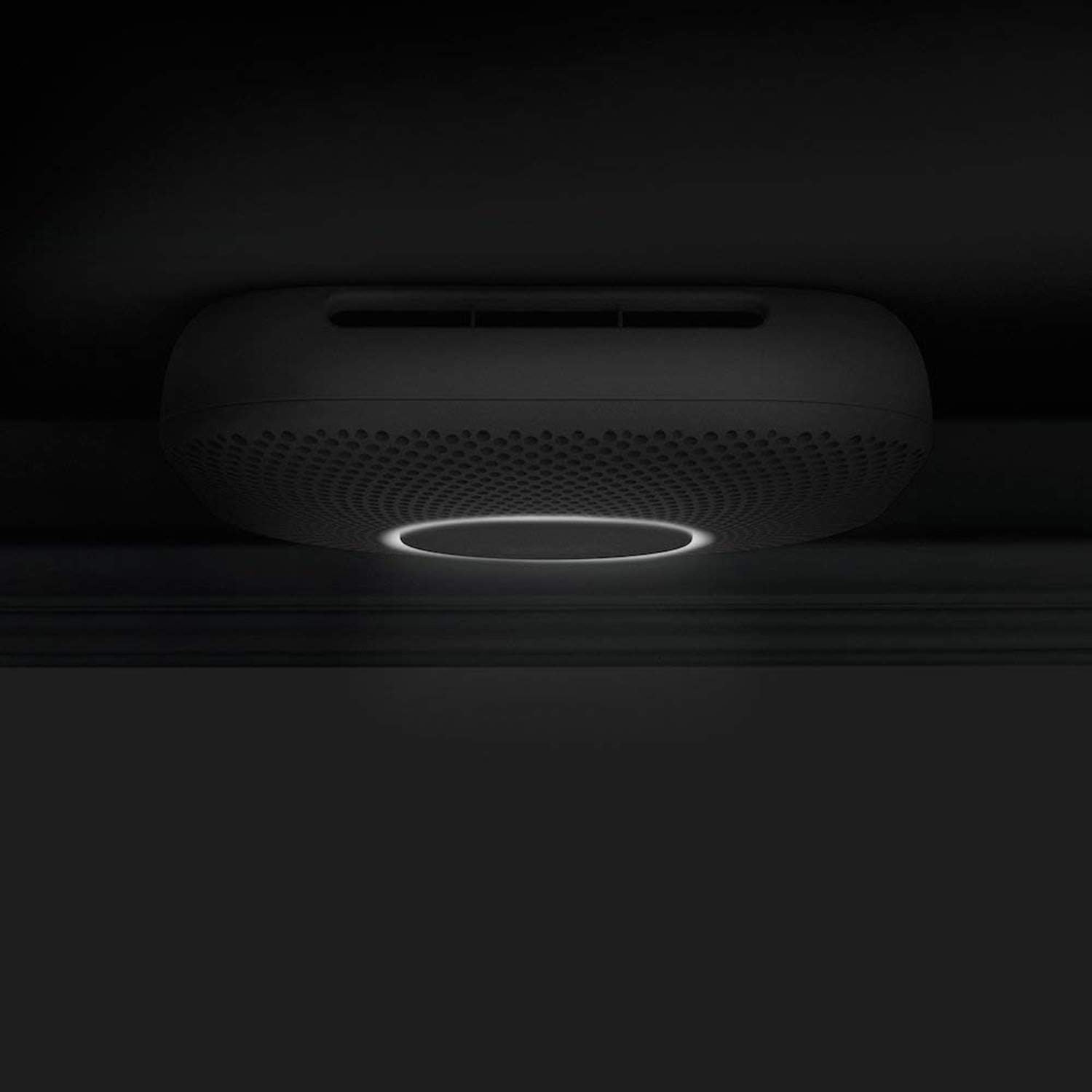
Figure 4: The Google Home app displaying the status of connected Nest Protect devices.
Maintenance
- Self-Test: The Nest Protect performs regular self-tests to ensure its sensors and alarms are functioning correctly. You will receive notifications about these tests via the app.
- Battery Backup: The wired Nest Protect includes 3 Lithium Metal batteries (AA size) for backup power during outages. The device will notify you via the app if the battery level is low.
- Cleaning: Gently wipe the exterior of the Nest Protect with a soft, damp cloth to remove dust. Do not use cleaning sprays or solvents.
- End-of-Life: Like all smoke and CO detectors, the Nest Protect has a lifespan. It will alert you when it's time for replacement, typically after 10 years, both verbally and through app notifications.

Figure 5: A Google Nest Protect installed in a home environment, demonstrating its discreet design.
Troubleshooting
If you encounter issues with your Nest Protect, consider the following common solutions:
- False Alarms: Ensure the device is not installed too close to cooking appliances, fireplaces, or areas with high humidity. Use the app to temporarily silence alarms for non-emergency events.
- Connectivity Issues: Check your Wi-Fi network. Ensure the Nest Protect is within range of your router and that your internet connection is stable. Restarting your router or the Nest Protect (by briefly cutting power at the breaker) may resolve connectivity problems.
- No Power: Verify that the circuit breaker is on. If the device is running on battery backup, check the battery status in the app and replace batteries if necessary.
- Voice Alerts Not Working: Check the volume settings in the Google Home app.
For persistent issues, refer to the comprehensive troubleshooting section in the official Google Nest support website or contact customer support.
Specifications
| Feature | Detail |
|---|---|
| Brand | |
| Model Number | A12 |
| Style | Wired |
| Power Source | Wired (with Battery Backup) |
| Battery Type | 3 Lithium Metal AA batteries (included) |
| Color | White |
| Product Dimensions | 1.5"D x 5.3"W x 5.3"H |
| Item Weight | 1 Pound |
| Alarm Type | Audible, Voice Alerts, App Notifications |
| Sensor Type | Electrochemical (CO), Photoelectric (Smoke) |
| Manufacturer | Google Nest |
| First Available Date | July 17, 2012 |
| Expected Lifespan | 10 years |
Warranty and Support
For warranty information, technical support, or to access the full user guide, please visit the official Google Nest support website. You can also find a PDF version of the user manual here.
Ensure you register your product to receive important updates and support from Google.


