
1. Introduction
This manual provides detailed instructions for the safe and effective use of your Benro BV8 Professional Twin-Leg Aluminum Tripod Kit. Please read this manual thoroughly before operating the equipment and retain it for future reference. Proper understanding and adherence to these instructions will ensure optimal performance and longevity of your tripod system.
2. Product Overview and Key Features
The Benro BV8 Tripod Kit is engineered for professional videographers and hybrid shooters requiring a stable and versatile support system. It is designed to handle camera rigs up to 17.6 lbs (8 kg).
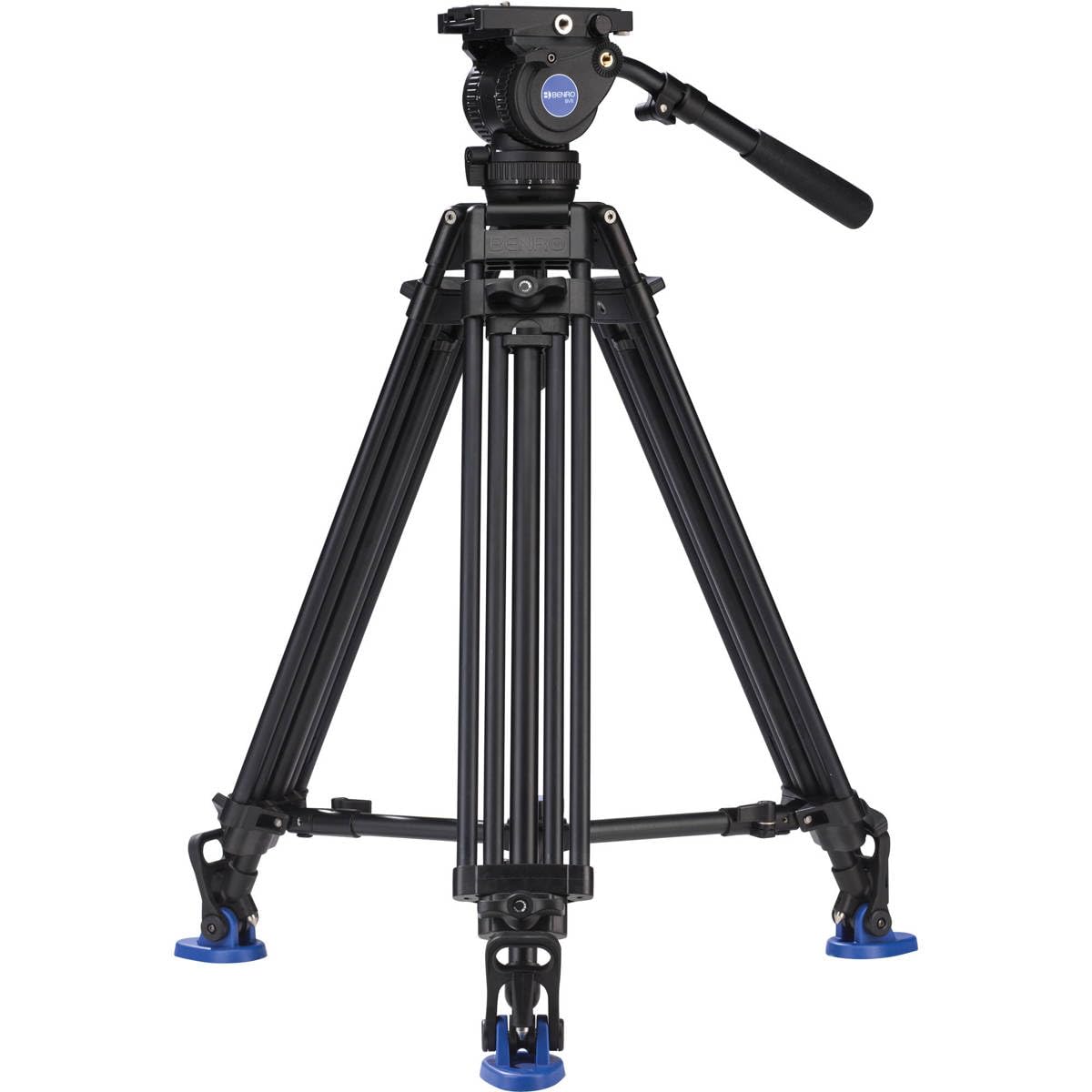
Figure 1: Benro BV8 Professional Twin-Leg Aluminum Tripod Kit with 75 mm Fluid Video Head.
Key Features:
- Heavy-Duty Load Support: Supports camera rigs up to 17.6 lb (8 kg).
- 75 mm Bowl-Mount Fluid Video Head: Provides smooth, professional camera movements with a 5-step counterbalance and independent 4-step pan/tilt drag.
- Twin-Leg Aluminum Design: Features a 2-stage, 3-section aluminum twin-leg design for rugged stability.
- Oversized Quick-Positive Leg Locks: Ensures rapid and secure leg adjustments.
- Removable Mid-Level Spreader: Allows adjustment of the tripod's footprint for enhanced stability on various terrains.
- Dual Spiked Feet with Rubber Pads: Offers versatile footing options for both indoor and outdoor use.
- Versatile Mounting: The head's tie-down stud is removable for flat-base mounting, and two 3/8"-16 accessory threads are available for additional equipment.
- Manfrotto 501/504PL-Style Sliding Plate: Facilitates flexible camera setups and quick release.
3. What's in the Box
Your Benro BV8 Twin Leg Aluminum Tripod Kit includes the following components:
- Benro BV8 Twin Leg Aluminum Tripod Kit (BV8)
- Carry Case with Shoulder Strap
4. Setup Instructions
4.1 Unpacking and Initial Inspection
Carefully remove all components from the packaging. Inspect for any signs of damage. Ensure all listed items in the 'What's in the Box' section are present.
4.2 Deploying the Tripod Legs
- Place the tripod on a flat, stable surface.
- Release the oversized quick-positive leg locks on each leg.
- Extend the legs to the desired height. The dual tandem leg design provides enhanced stability.
- Securely fasten the leg locks to prevent accidental collapse.

Figure 2: Benro BV8 Tripod in its compact, folded state for transport.
4.3 Adjusting the Mid-Level Spreader
The removable mid-level spreader allows you to adjust the tripod's footprint. Loosen the locking mechanism on the spreader to widen or narrow the leg spread. A wider spread increases stability, while a narrower spread allows for use in confined spaces. Ensure the spreader is locked securely after adjustment.
4.4 Foot Options: Rubber Pads and Spikes
The tripod features dual spiked feet with removable rubber pads. For indoor use or delicate surfaces, ensure the rubber pads are attached. For outdoor use on soft ground, gravel, or uneven terrain, remove the rubber pads to expose the spikes for maximum grip and stability.
4.5 Attaching the Fluid Video Head
The 75 mm bowl-mount fluid video head is typically pre-attached. If not, align the head's base with the 75 mm bowl on the tripod and secure it using the tie-down stud. Ensure it is firmly tightened for safe operation.
4.6 Leveling the Tripod
The fluid head includes a built-in bubble level. Adjust the tripod legs and the 75 mm bowl until the bubble is centered, indicating a perfectly level setup. This is crucial for smooth, horizontal panning shots.
4.7 Attaching Your Camera
- Ensure the Manfrotto 501/504PL-style sliding plate is securely attached to the bottom of your camera or camera rig.
- Release the quick-release plate lock on the fluid head.
- Slide the camera plate into the head's receiver until it clicks into place.
- Engage the quick-release plate lock to secure the camera. Always double-check that the camera is firmly attached before use.
5. Operating Instructions
5.1 Adjusting Counterbalance
The BV8 fluid head features a 5-step counterbalance system (steps 0-4). This allows you to match the counterbalance to the weight and center of gravity of your camera setup. Rotate the counterbalance dial to select the appropriate setting. Proper counterbalance prevents the camera from tipping forward or backward when the tilt lock is disengaged, ensuring smooth and controlled tilting movements.

Figure 3: Close-up view of the Benro BV8 fluid head, highlighting the counterbalance and pan/tilt drag adjustment dials.
5.2 Adjusting Pan and Tilt Drag
The fluid head offers independent 4-step pan and tilt drag adjustments. These controls are located on the left side of the head for easy single-hand operation. Rotate the respective dials to increase or decrease the resistance for panning (horizontal) and tilting (vertical) movements. Higher drag settings provide more resistance for slower, more controlled movements, while lower settings allow for faster, freer motion.
5.3 Using Accessory Mounts
The fluid head is equipped with two 3/8"-16 accessory threads. These can be used to attach external monitors, audio recorders, or other accessories directly to the head, streamlining your camera rig.
5.4 Flat Base Conversion
For increased versatility, the tie-down stud on the fluid head is removable. This allows the BV8 head to be converted to a flat base mode, enabling it to be mounted on sliders, jibs, or other flat-base support systems.
5.5 Official Product Videos
Video 1: This video demonstrates the features and setup of the Benro BV8 A673TM Dual Stage AL Video Tripod, including leg adjustments and head controls.
Video 2: This video provides an overview of the Benro BV8 Twin Leg Aluminum Tripod Kit, showcasing its robust design and ease of use in various production environments.
6. Maintenance
6.1 Cleaning
Regularly clean the tripod legs and fluid head with a soft, dry cloth. If necessary, use a slightly damp cloth with mild soap, then wipe dry. Avoid harsh chemicals or abrasive materials that could damage the finish or internal components. Keep sand, dirt, and moisture away from the leg locks and fluid head mechanisms.
6.2 Storage
When not in use, store the tripod in its included carry case in a cool, dry place. Ensure all locks are disengaged to relieve pressure on the mechanisms during long-term storage.
7. Troubleshooting
7.1 Tripod Instability
- Issue: Tripod feels wobbly or unstable.
- Solution: Ensure all leg locks are fully engaged. Verify the mid-level spreader is locked in place. On uneven terrain, adjust leg lengths individually and use the spikes by removing the rubber pads.
7.2 Jerky Pan/Tilt Movements
- Issue: Camera movements are not smooth.
- Solution: Check and adjust the pan and tilt drag settings. Ensure the counterbalance is correctly set for your camera's weight. Verify the camera plate is securely mounted and balanced on the fluid head.
7.3 Difficulty Leveling the Head
- Issue: The bubble level is difficult to center.
- Solution: Loosen the 75 mm bowl lock, adjust the head until the bubble is centered, then re-tighten the lock. Ensure the tripod legs are spread evenly and are on stable ground.
8. Specifications
| Feature | Specification |
|---|---|
| Model Name | BV8 |
| Brand | Benro |
| Material | Aluminum |
| Weight Limit | 17.64 Pounds (8 kg) |
| Item Weight | 13.95 pounds (6.34 kg) |
| Maximum Height | 62.99 Inches (160 cm) |
| Product Dimensions | 9.4 x 9.4 x 38.6 inches (23.9 x 23.9 x 98 cm) |
| Tripod Head Type | Pan Heads (75 mm Bowl) |
| Special Feature | Adjustable |
| Compatible Devices | Camera |
| Color | Black |
9. Warranty and Support
9.1 Warranty Coverage
The Benro BV8 Tripod Kit comes with a standard limited warranty of 3 years from the date of purchase for the original owner. If you register the product online, the warranty is extended by an additional 2 years, totaling 5 years in applicable regions. Please refer to the official Benro website for complete warranty terms and conditions.
9.2 Customer Support
For technical assistance, spare parts, or further inquiries, please visit the official Benro website or contact their customer support. You can also find additional resources and product information by visiting the Benro Store on Amazon.