
1. Product Overview
The Laserliner DistanceMaster Compact is a precise laser distance meter designed for accurate length, area, and volume measurements. It features a color display and a robust, ergonomically designed rubber casing, making it suitable for various environments, including construction sites and indoor applications.
Key Features:
- Precise point-accurate laser measurement for accurate length determination.
- Area and volume functions for calculating room sizes and material quantities.
- Measured value memory for up to 10 entries.
- Measuring accuracy of ±3 mm up to 25 meters.
- Internal measuring range from 0.1 meters to 25 meters.
- Two selectable reference points for measurement: front and rear.
- Min/Max function for determining diagonals, vertical, and horizontal distances.
- Illuminated three-line color LCD display for clear readability.
- Robust, ergonomically designed rubber casing with IP54 protection against dust and splashing water.
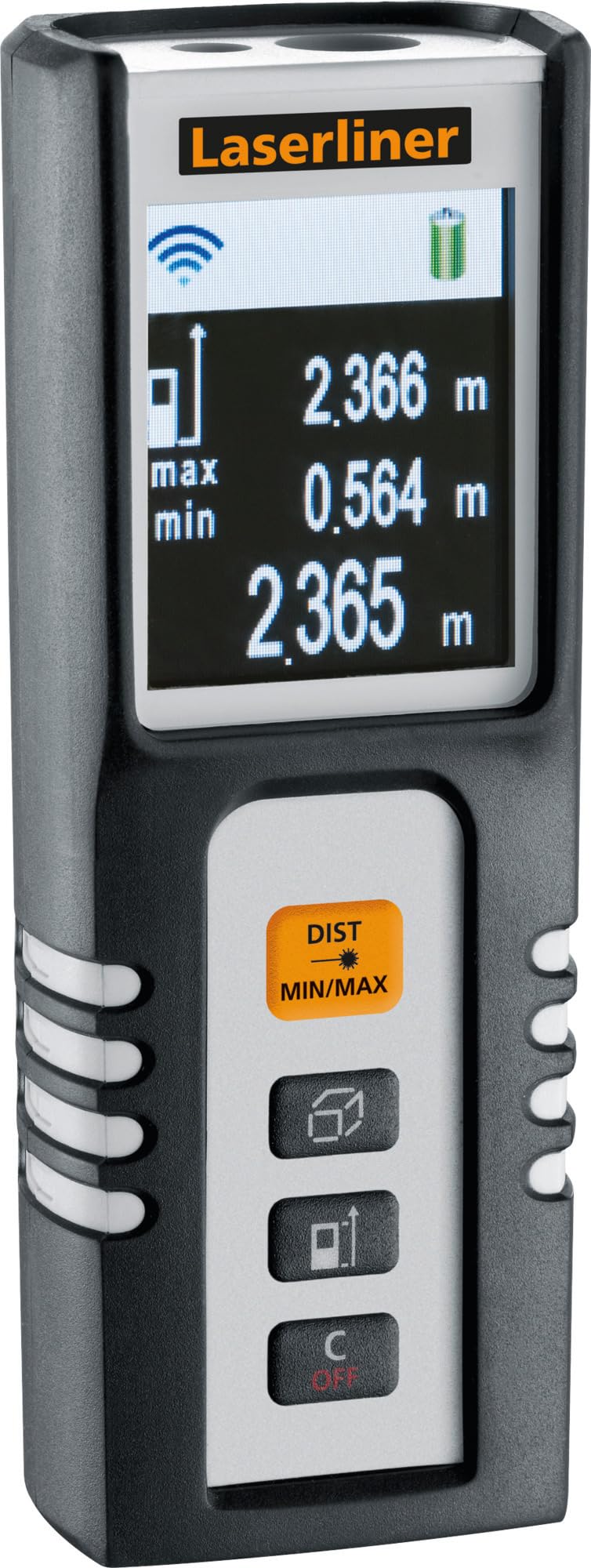
Image 1.1: The Laserliner DistanceMaster Compact laser rangefinder with its protective carrying case. The device features a clear digital display showing measurement readings and battery status.
2. Setup
2.1 Battery Installation
The DistanceMaster Compact requires two AAA batteries for operation. These are typically included with the device.
- Locate the battery compartment cover on the rear of the device.
- Slide or unclip the cover to open the compartment.
- Insert two AAA batteries, ensuring correct polarity (+/-) as indicated inside the compartment.
- Close the battery compartment cover securely.
2.2 Powering On/Off
To power on the device, press the DIST button. To power off, press and hold the C/OFF button.
3. Operating Instructions
3.1 Basic Distance Measurement
For a single distance measurement:
- Point the laser beam at the target surface.
- Press the DIST button once. The measured distance will appear on the display.
3.2 Area and Volume Measurement
The device can calculate area and volume automatically after taking the necessary measurements.
- Press the button with the square/cube icon to select area or volume mode.
- Follow the on-screen prompts to measure the required dimensions (length, width, height).
- The calculated area or volume will be displayed.

Image 3.1: The laser rangefinder being used to measure dimensions for calculating the area of a wall, illustrating its practical application for material estimation.
3.3 Min/Max Tracking
The Min/Max function allows for continuous measurement, displaying the minimum and maximum distances recorded during a sweep. This is useful for finding diagonals or precise horizontal/vertical distances.
- Press and hold the DIST MIN/MAX button.
- Sweep the device across the desired area. The display will continuously update with the minimum and maximum measured values.
- Press DIST MIN/MAX again to stop tracking.

Image 3.2: A detailed view of the control panel, highlighting the 'DIST MIN/MAX' button used for continuous measurement and tracking.
3.4 Reference Point Selection
The measurement reference point can be switched between the front and rear of the device. This is important for accurate measurements depending on where the device is placed.
- Press the button with the arrow icon to toggle between front and rear reference points. The active reference point will be indicated on the display.
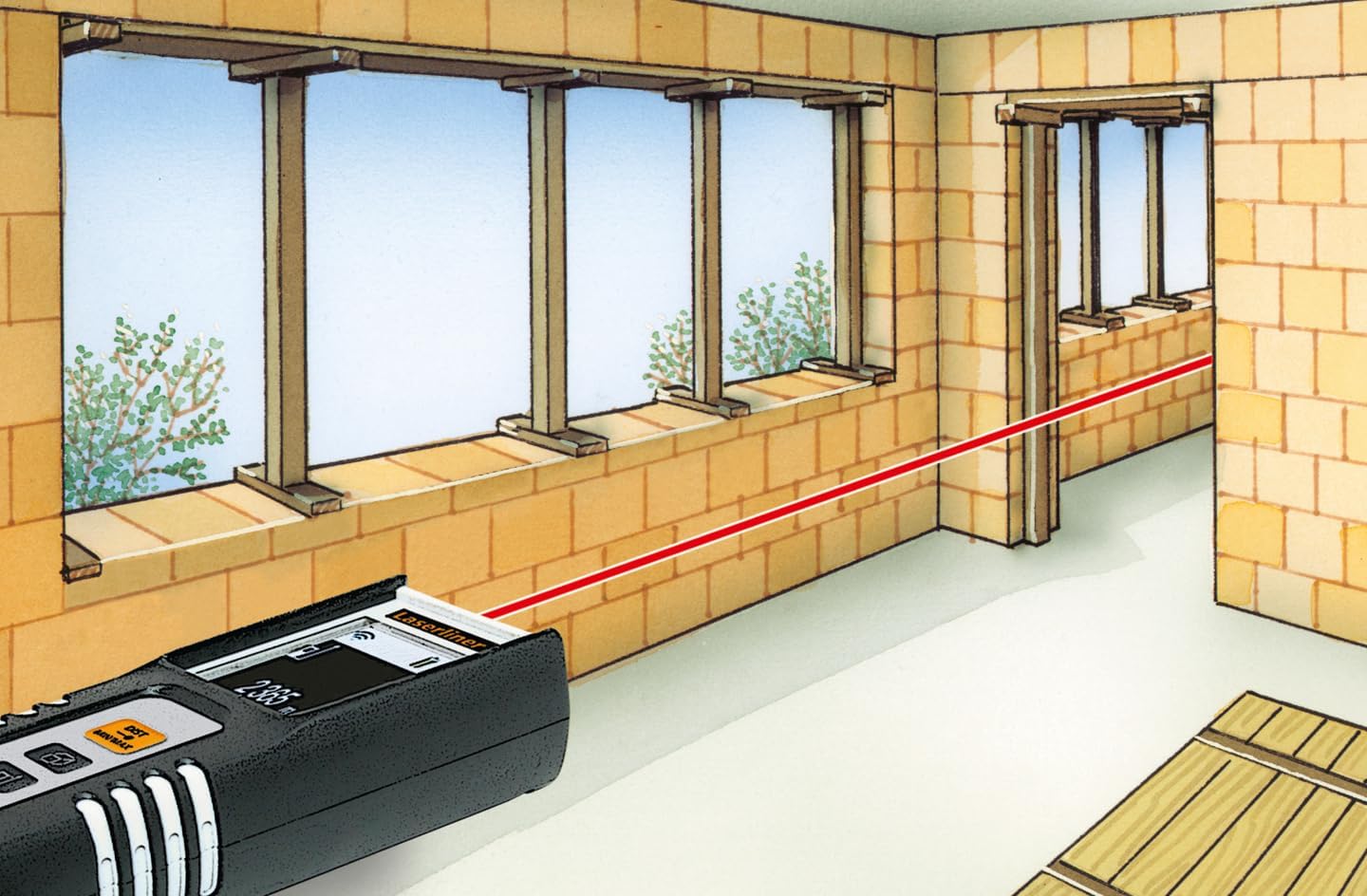
Image 3.3: The laser rangefinder in use, demonstrating a distance measurement across a room, emphasizing the importance of selecting the correct reference point.
3.5 Memory Function
The device can store up to 10 measured values. To access or clear the memory, refer to the on-screen menu or specific button combinations detailed in the full manual (not provided here).
4. Maintenance
4.1 Cleaning
- Wipe the device with a soft, damp cloth. Do not use abrasive cleaners or solvents.
- Keep the laser lens clean and free from dust or debris to ensure accurate measurements.
4.2 Storage
- Store the device in its protective case when not in use.
- Remove batteries if the device will not be used for an extended period to prevent leakage.
- Store in a dry place, away from extreme temperatures.
5. Troubleshooting
- Device does not turn on: Check battery polarity and ensure batteries are not depleted. Replace if necessary.
- Inaccurate measurements: Ensure the laser lens is clean. Verify the correct reference point is selected. Avoid measuring through transparent surfaces or highly reflective materials.
- Display issues: If the display is dim or flickering, replace the batteries.
6. Specifications

Image 6.1: The vibrant color LCD display of the DistanceMaster Compact, designed for clear visibility of measurements and functions.
| Feature | Specification |
|---|---|
| Model Number | 080.936A |
| Measuring Range | 0.1 m to 25 m (0.3 ft to 82 ft) |
| Accuracy | ±3 mm |
| Measuring Units | Meters (m), Feet (ft), Inches (in) |
| Laser Class | 2 |
| Wavelength | 650 nm |
| Memory Records | 10 |
| Display | Illuminated 3-line color LCD |
| Power Supply | 2 x AAA Alkaline Batteries (included) |
| Operating Temperature | -10 °C to 40 °C (14 °F to 104 °F) |
| Protection Rating | IP54 (dust and splash water protected) |
| Material | Rubber casing |
| Color | Black, White |
| Product Dimensions | 110 mm (H) x 43 mm (W) x 27 mm (D) |
| Product Weight | 100 grams |

Image 6.2: The robust design of the laser rangefinder, featuring anti-shock rubber for durability and protection in demanding environments, indicated by the IP54 rating.
7. Warranty and Support
For warranty information, technical support, or service inquiries regarding your Laserliner DistanceMaster Compact, please refer to the official Laserliner website or contact their customer service department. Keep your purchase receipt as proof of purchase for warranty claims.
For further assistance, you may visit the Laserliner official website.


