
1. Product Overview
The TOUCHBeauty Facial Cleansing Brush Electric TB-0759D is designed to provide effective facial cleansing and exfoliation. It features a 360° rotating brush head and two-speed settings to cater to various skin types and cleansing needs. The device is IPX5 waterproof, making it suitable for use in wet environments.
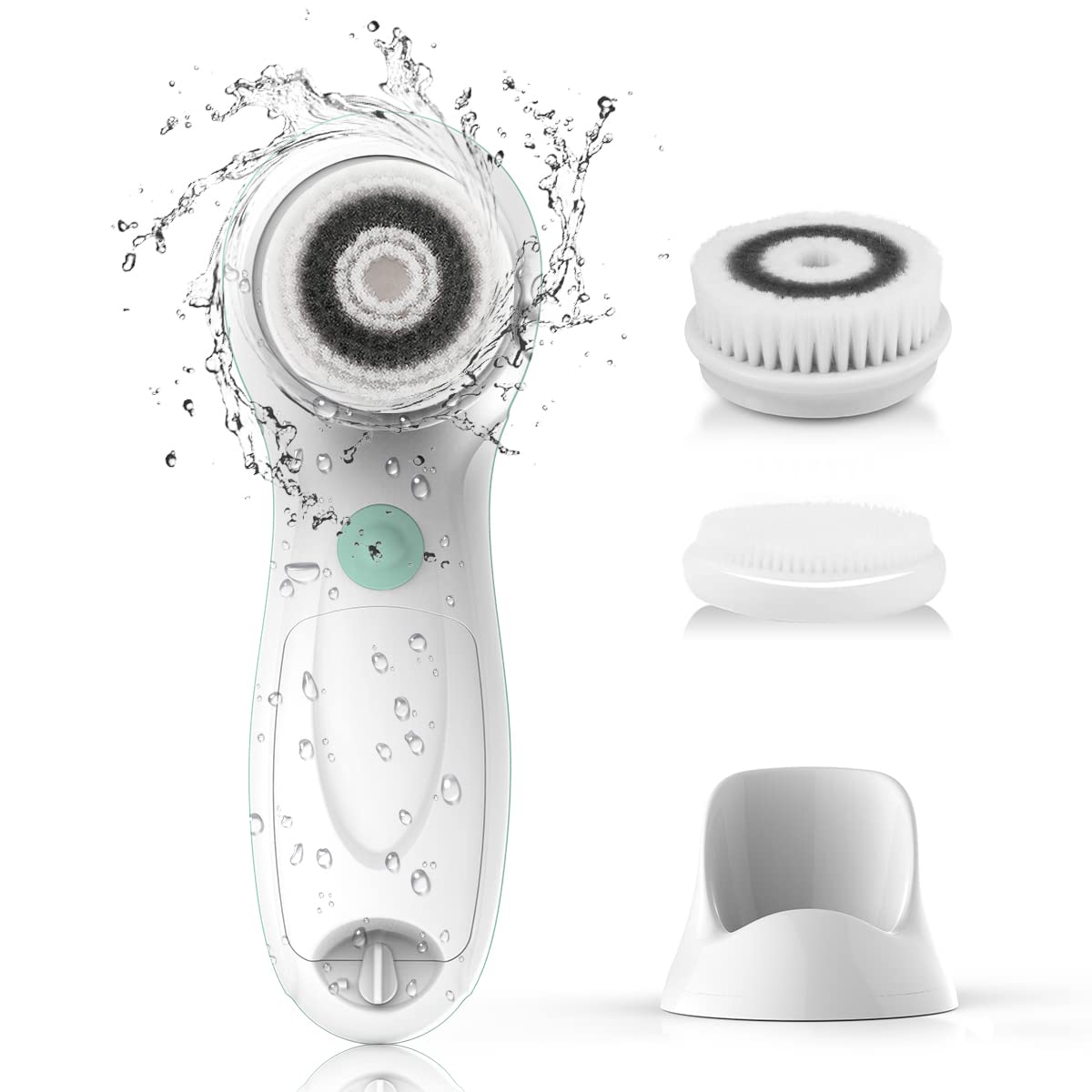
Image 1.1: The TOUCHBeauty Facial Cleansing Brush Electric TB-0759D.
2. Package Contents
Your TOUCHBeauty Facial Cleansing Brush package includes:
- 1 x Facial Cleansing Device (TB-0759D)
- 2 x Soft Cleansing Brush Heads
- 1 x Silicone Brush Head
- 1 x Convenient Storage Stand

Image 2.1: The device with its three interchangeable brush heads.
3. Setup
3.1. Battery Installation
- Locate the battery compartment cover at the bottom of the device.
- Twist the cover counter-clockwise to unlock and remove it.
- Insert 2 AA batteries (not included) into the compartment, ensuring correct polarity (+/-).
- Replace the battery cover and twist clockwise to secure it.

Image 3.1: Illustration of battery compartment and device components.
3.2. Attaching a Brush Head
- Select the desired brush head (soft cleansing or silicone) based on your skin type and cleansing needs.
- Align the brush head with the rotating shaft on the device.
- Press the brush head firmly onto the shaft until it clicks into place.

Image 3.2: The facial cleansing device with a brush head attached and placed on its stand.
4. Operating Instructions
4.1. Preparation
- Wet your face with warm water.
- Apply your preferred facial cleanser directly to your face or onto the brush head.
4.2. Power On and Speed Selection
- Press the power button located on the handle to turn on the device.
- The device has two-speed settings: low (460r/min) for gentle cleaning and high (660r/min) for deep cleaning. Press the power button again to switch between speeds.

Image 4.1: The device offers two speed settings for different cleansing intensities.
4.3. Cleansing Your Face
- Gently move the rotating brush in circular motions across your face. Avoid applying excessive pressure.
- Focus on different areas of your face: cheeks (20 seconds each), forehead (20 seconds), and T-zone (20 seconds). You may also extend to the neck area (30 seconds).
- After cleansing, rinse your face thoroughly with water and pat dry.
- Apply your regular skincare products.

Image 4.2: Visual guide for the four simple steps of facial cleansing.
Video 4.3: Demonstration of the TOUCHBeauty Facial Cleansing Brush in use, showing the application and circular motion for effective cleansing.
5. Maintenance
5.1. Cleaning the Device and Brush Heads
- After each use, remove the brush head from the device.
- Rinse the brush head thoroughly with warm water to remove any cleanser residue.
- Clean the device body with a damp cloth. Do not use abrasive cleaners.
Image 5.1: The device is IPX5 waterproof and can be rinsed under running water.
5.2. Storage
Store the device in its convenient stand in a dry and ventilated position. Ensure the brush heads are dry before storing to prevent bacterial growth.

Image 5.2: The device and its brush heads stored neatly on the provided stand.
6. Troubleshooting
- Device not turning on: Check if the batteries are inserted correctly and have sufficient charge. Replace batteries if necessary.
- Brush head not rotating: Ensure the brush head is securely attached to the device. If the issue persists, check for any obstructions or damage to the rotating shaft.
- Reduced performance: This may indicate low battery power. Replace the AA batteries.
- Water leakage into battery compartment: While the device is IPX5 waterproof, prolonged immersion is not recommended. Ensure the battery cover is tightly sealed after battery installation. If water enters, remove batteries and allow the compartment to dry completely before re-inserting.
7. Specifications
| Feature | Detail |
|---|---|
| Model Name | TB-0759D |
| Product Dimensions | 6.5 x 2.78 x 2.24 inches |
| Item Weight | 7.84 ounces (0.49 Pounds) |
| Power Source | Battery Powered (2 AA batteries required) |
| Number of Speeds | 2 (Low: 460r/min, High: 660r/min) |
| Waterproof Rating | IPX5 |
| Material Type | Plastic |
| Product Benefits | Cleanses, exfoliates, reduces blackheads, improves skin texture |
8. Warranty and Support
All TOUCHBeauty products come with a 1-year warranty. In case of any quality issues, a free new replacement is available within 360 days of purchase. For further assistance or inquiries, please contact TOUCHBeauty customer support.
You can visit the official TOUCHBeauty store for more information: TOUCHBeauty Store
