
Alarm.com ADC-T2000
Alarm.com Smart Thermostat User Manual
Model: ADC-T2000
Brand: Alarm.com
Introduction
The Alarm.com Smart Thermostat (Model ADC-T2000) is designed to provide advanced climate control for your home or business. It offers remote access and control, custom scheduling, critical temperature alerts, and Geo-Services automation for efficient HVAC management. This manual provides essential information for setting up, operating, and maintaining your thermostat.
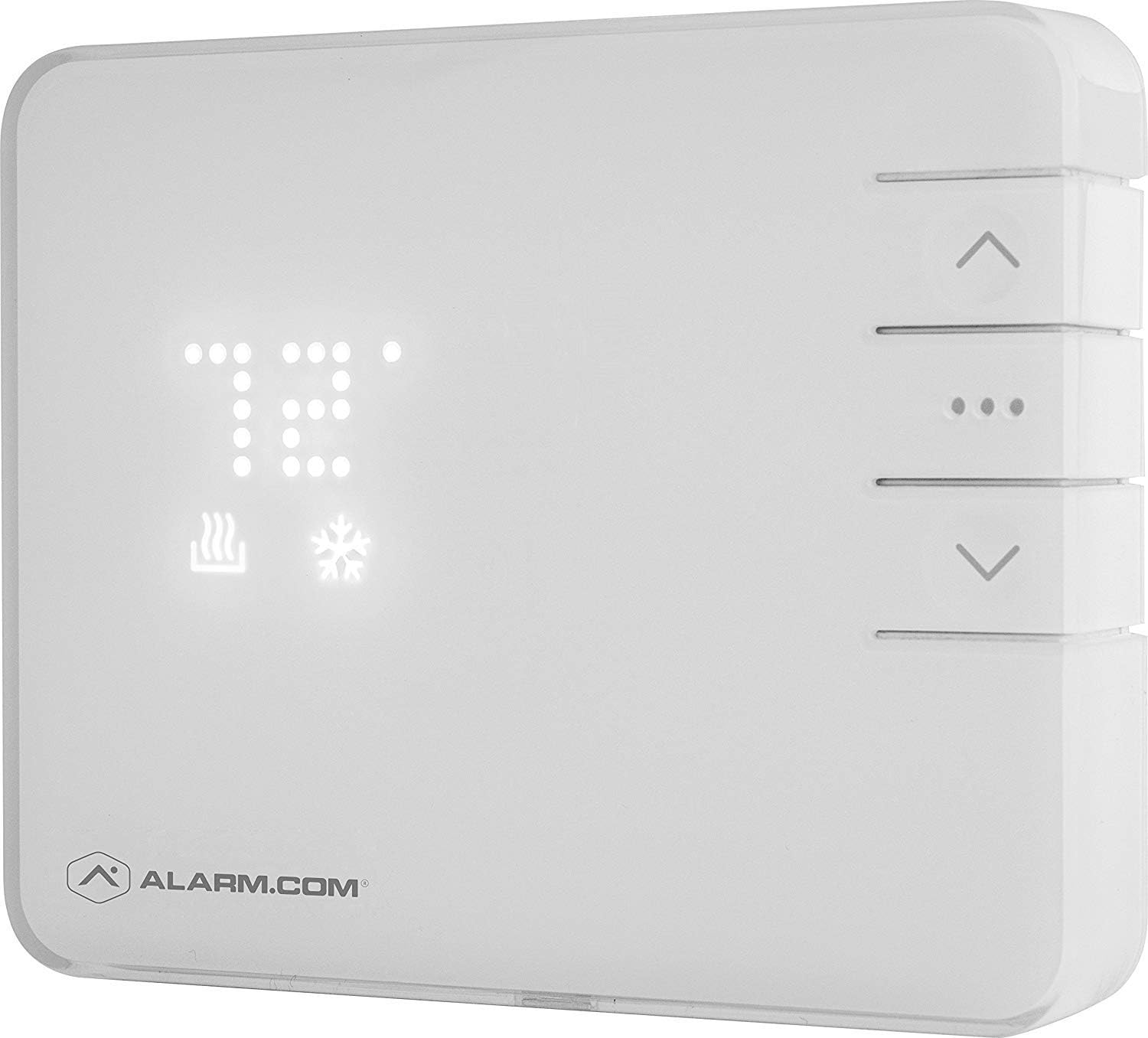
Figure 1: Alarm.com Smart Thermostat (Model ADC-T2000)
Setup
Proper installation is crucial for optimal performance. It is recommended to consult a qualified HVAC professional for installation, especially if you are unfamiliar with thermostat wiring.
Before Installation:
- Power Off: Ensure the power to your HVAC system is completely turned off at the circuit breaker before beginning any wiring.
- Document Existing Wiring: Take a clear photograph of your current thermostat's wiring connections before disconnecting any wires. This will serve as a valuable reference during installation.
Installation Steps:
- Remove Old Thermostat: Carefully remove your existing thermostat from the wall.
- Mount New Thermostat: Securely mount the Alarm.com Smart Thermostat to the wall using the provided hardware. This unit is designed for wall mount installation.
- Wire Connections: Connect the wires from your HVAC system to the corresponding terminals on the new thermostat. Refer to the wiring diagram provided with your specific unit. The thermostat operates on 24 Volts (AC).
- Insert Batteries: Install 2 AA batteries (required) into the battery compartment. The thermostat can also be powered by the HVAC system's 24V AC common wire (C-wire).
- Power On: Restore power to your HVAC system at the circuit breaker.
- System Integration: The thermostat uses Wi-Fi and Z-Wave connectivity. It will learn into your Alarm.com system immediately upon power-up. Contact your Alarm.com service provider if you encounter any issues with system integration.
- Temperature Sensor: The thermostat includes a temperature sensor. Additional temperature sensors can be paired separately to achieve precise temperature readings in different rooms.
Operating Instructions
The Alarm.com Smart Thermostat is primarily controlled through the Alarm.com website or mobile application, offering comprehensive management features.
Remote Access and Control:
- Access and control your thermostat from anywhere using the Alarm.com app or website.
- Adjust temperature settings, change modes (heating, cooling, off), and control fan settings remotely.
Custom Schedules:
- Create and manage daily schedules for heating, cooling, and fan operation directly through the Alarm.com app.
- Set specific temperatures for different times of the day to optimize comfort and energy savings.
Advanced Features:
- Critical Temperature Alerts: Receive notifications if your home's temperature goes above or below predefined thresholds.
- Geo-Services Automation: Utilize location-based services to automatically adjust thermostat settings when you leave or approach your home.
- Voice Control: The thermostat supports voice control through compatible platforms such as Vera and Amazon Alexa.
- External Temperature Sensor Integration: If an external temperature sensor is paired, the thermostat can use its readings to adjust the overall temperature, providing more accurate climate control in specific areas.
On-Device Controls:
While most advanced settings are managed via the app, basic adjustments can be made directly on the thermostat unit:
- Temperature Adjustment: Use the up and down arrows on the right side of the unit to manually change the set temperature.
- Mode Selection: Press the center button (three dots) to cycle through heating, cooling, and off modes.
Maintenance
Battery Replacement:
The Alarm.com Smart Thermostat requires 2 AA batteries. If the thermostat is not connected to a C-wire for continuous power, the batteries will need to be replaced periodically. A low battery indicator will typically appear on the display or in the Alarm.com app.
- Gently remove the thermostat from its wall mount.
- Locate the battery compartment on the back of the unit.
- Replace the old batteries with 2 new AA batteries, ensuring correct polarity.
- Re-mount the thermostat securely to the wall.
Cleaning:
To maintain the appearance and functionality of your thermostat, periodically wipe the exterior with a soft, dry cloth. Avoid using abrasive cleaners or solvents.
Troubleshooting
| Issue | Possible Cause | Solution |
|---|---|---|
| Thermostat not responding to app commands. | App hanging or connectivity issue. | Completely close and restart the Alarm.com app. Ensure your mobile device has a stable internet connection. Verify the thermostat is connected to your Wi-Fi network. |
| Temperature readings seem inaccurate or slow to respond. | Thermostat placement, internal sensor obstruction, or system settings. | Ensure the thermostat is not in direct sunlight or near heat sources/drafts. Check Alarm.com app settings for "Swing" and "Overshoot" values and adjust if necessary (e.g., to +/- 1F). If using an external sensor, ensure it is properly placed and connected. |
| Thermostat frequently consumes batteries. | Lack of C-wire connection or internal malfunction. | Verify if your HVAC system provides a 24V AC common wire (C-wire) connection to the thermostat. If not, consider having one installed by a professional. If a C-wire is present and batteries are still consumed rapidly, the unit may be malfunctioning. |
| Cannot integrate thermostat with Alarm.com system. | Service provider restrictions or Z-Wave pairing issue. | Contact your Alarm.com service provider to confirm compatibility and ensure they allow the addition of this thermostat to your system. Follow Z-Wave pairing instructions in the Alarm.com app. |
Specifications
| Feature | Detail |
|---|---|
| Brand | Alarm.com |
| Model Number | ADC-T2000 |
| Color | White |
| Material | Plastic |
| Dimensions | 8 x 8 x 2 inches |
| Item Weight | 1.19 Pounds |
| Power Source | Battery Powered (2 AA batteries required), 24 Volts (AC) |
| Connectivity Technology | Wi-Fi, Z-Wave |
| Controller Type | Vera, Amazon Alexa |
| Specific Uses For Product | HVAC Systems |
| Temperature Control Type | Smart/Remote |
| Included Components | Temperature Sensor |
| Mounting Type | Wall Mount |
| Backlight | Yes |
| UPC | 866258000076 |
| Date First Available | May 4, 2015 |
Warranty and Support
The Alarm.com Smart Thermostat typically comes with a 1-year manufacturer's warranty. For warranty claims, technical support, or any product-related inquiries, please contact your Alarm.com service provider or the manufacturer directly. Ensure you have your model number (ADC-T2000) and purchase details available when seeking support.
For additional resources and frequently asked questions, visit the official Alarm.com support website: www.alarm.com/support
Related documentsADC-T2000


Ask a question about this manual
Ask about setup, troubleshooting, compatibility, parts, safety, or missing instructions. Manuals+ will review the question and use this page’s manual context to help answer it.