
Product Overview
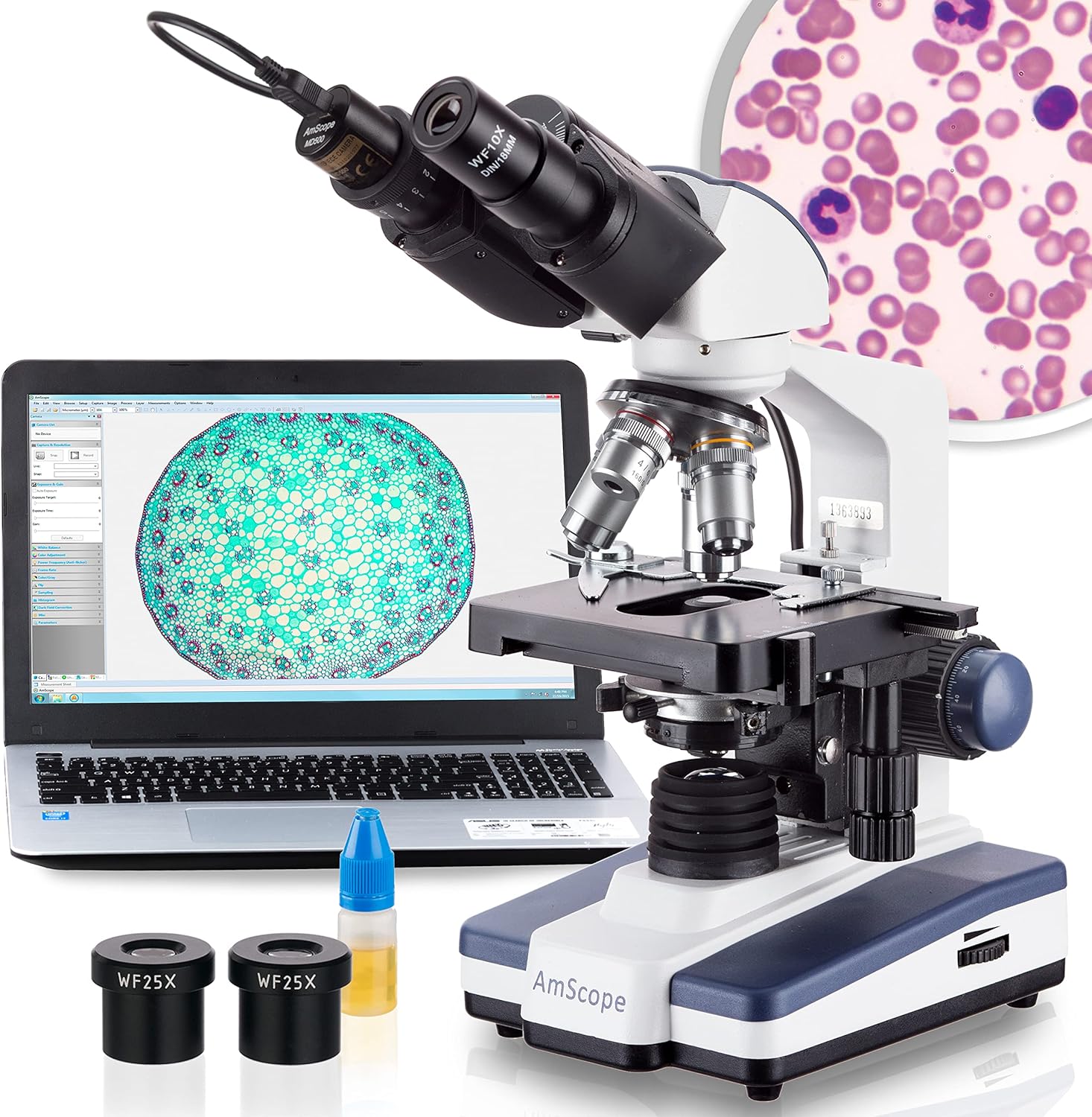
Discover the wonders of the microscopic world with the AmScope B120 Series, a high-caliber binocular compound microscope designed for both students and professionals. With a magnification range stretching from 40X to 2500X, detailed observation of cellular structures and microorganisms is brought to the forefront of your studies or professional endeavors.
The microscope's LED lighting system is engineered to cast an even, daylight-balanced glow across specimens. This LED illumination not only provides superior visibility but also ensures energy efficiency and longevity. The Siedentopf binocular head, adjustable for different interpupillary distances, allows for comfortable viewing.
Integration with digital technology is effortless, courtesy of the included USB microscope camera. Capturing high-resolution images and videos is as simple as connecting the camera to a PC. Professionals can utilize the accompanying software for in-depth image analysis, adding a layer of sophistication to presentations and research. The AmScope B120 is a gateway to a microscopic universe, waiting to be explored with precision and ease.
Key Features
- Economical Microscope: The AmScope B120 Series is a high-quality, LED binocular compound microscope, an economical choice for both students and professionals.
- Educational Value: Offering magnification from 40X to 2500X, this compound microscope excels in educational environments, labs, and clinics.
- Illumination Excellence: Features LED light with a specialized fly-eye lens, providing bright, daylight-balanced illumination.
- Digital Integration: Includes a 5MP USB microscope camera with professional software, allowing for the capture and analysis of images.
- About AmScope: We have the industry's leading collection of microscopes, microscopes cameras, accessories and other related products.
Setup Guide
Proper assembly and setup are crucial for optimal performance and longevity of your AmScope B120 Series microscope. Follow these steps carefully:
- Unpacking: Carefully remove all components from the packaging. Inspect for any damage during transit.
- Base Placement: Place the microscope base on a stable, level surface.
- Head Assembly: Gently insert the binocular head into the top port of the microscope body. Secure it with the set screw if provided.
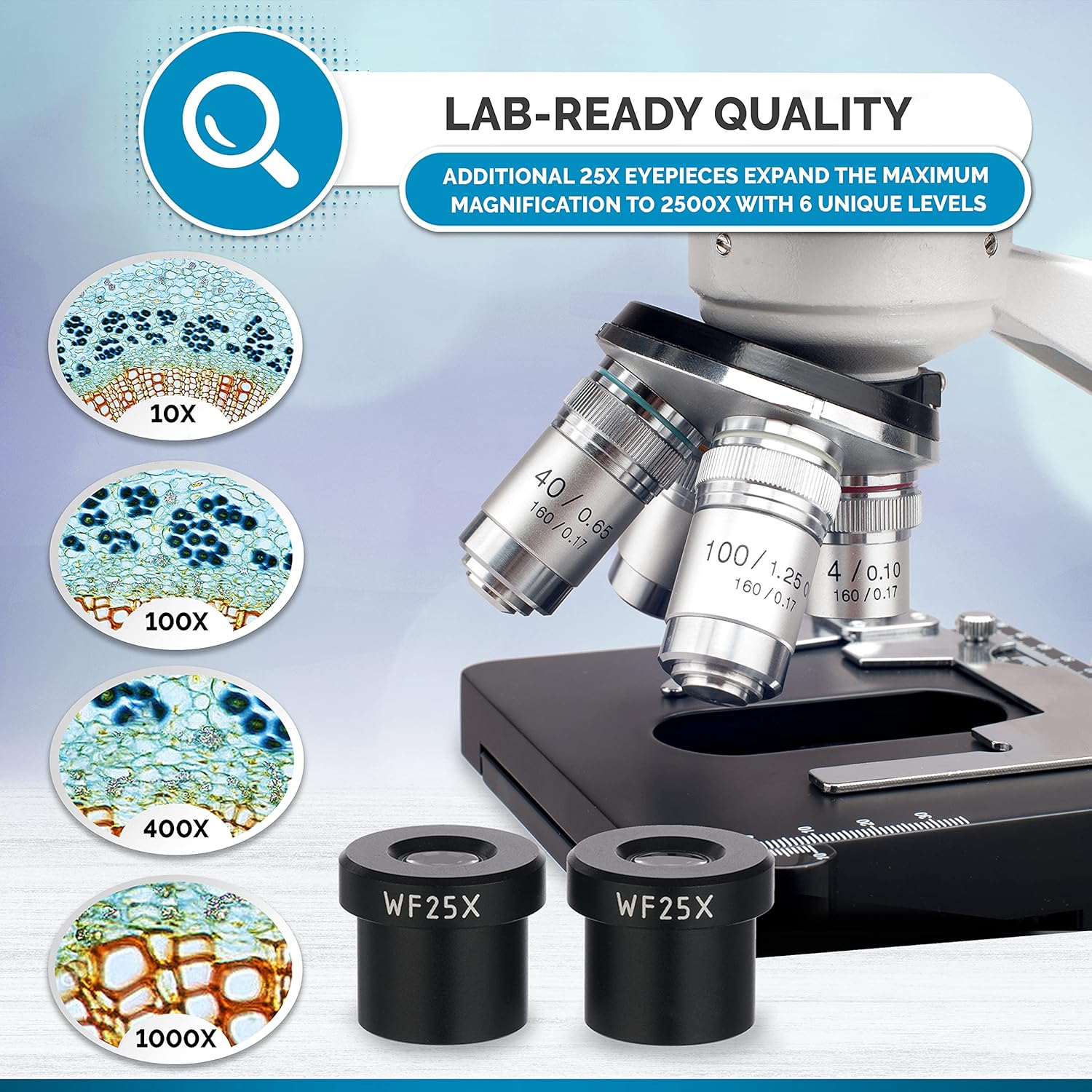
- Eyepiece Installation: Insert the wide-field eyepieces (WF10x and WF25x) into the eyepiece tubes of the binocular head.
- Objective Lenses: Ensure the objective lenses (4x, 10x, 40x, 100x) are securely screwed into the revolving nosepiece.
- Power Connection: Connect the power cord to the microscope and then to a suitable electrical outlet (110 Volts AC).
- Camera Installation (if applicable): If using the 5MP USB camera, remove one eyepiece and insert the camera into the eyepiece tube. Connect the USB cable to your computer and install the provided software.


Operating Your Microscope
Once assembled, your AmScope B120 Series microscope is ready for use. Follow these instructions to begin your observations.
Powering On and Illumination
Locate the power switch and brightness control knob on the microscope base. Turn on the power and adjust the LED illumination to a comfortable level. The LED sub-stage lighting provides cool, energy-efficient, and daylight-balanced illumination for clear imaging.

Placing and Moving Specimens
Place your prepared specimen slide onto the mechanical stage. Use the stage clips to hold it securely. The 2-layer mechanical stage allows for smooth and precise movement of the slide using the X-Y axis control knobs, enabling you to scan the specimen area efficiently.

Adjusting Magnification
Rotate the revolving nosepiece to select the desired objective lens (4x, 10x, 40x, 100x). Combined with the WF10x and WF25x eyepieces, this provides magnification levels from 40X to 2500X. Always start with the lowest magnification (4x) for initial viewing and then switch to higher powers as needed.

Focusing
Use the coarse focus knob for large adjustments to bring the specimen into approximate focus. Then, use the fine focus knob for precise adjustments to achieve a sharp, clear image. Adjust the interpupillary distance of the binocular head to match your eyes for comfortable viewing.

Digital Camera Operation
For digital viewing and image capture, ensure the 5MP USB camera is correctly installed and connected to your computer. Launch the accompanying software. The software allows for live viewing of the microscopic image on your screen, capturing still images, and recording videos. Refer to the camera software's specific manual for detailed instructions on its features and analysis tools.
Maintenance and Care
Proper maintenance ensures the longevity and performance of your AmScope B120 Series microscope.
- Cleaning Lenses: Use only specialized lens cleaning paper and lens cleaning solution. Gently wipe objective lenses and eyepieces. Avoid touching optical surfaces with bare hands.
- Cleaning Body: Wipe the microscope body with a soft, damp cloth. Avoid using harsh chemicals or abrasive cleaners.
- Storage: When not in use, cover the microscope with a dust cover to protect it from dust and debris. Store in a dry, cool place.
- Handling: Always carry the microscope by its arm and base. Avoid sudden impacts or vibrations.
- Electrical Safety: Disconnect power before cleaning or performing any maintenance.
Troubleshooting Common Issues
This section addresses common issues you might encounter with your microscope.
| Problem | Possible Cause | Solution |
|---|---|---|
| No illumination | Power cord disconnected, bulb burnt out, brightness knob set to minimum. | Check power connection, replace LED bulb if necessary, adjust brightness knob. |
| Image blurry/cannot focus | Incorrect focus adjustment, slide upside down, objective lens dirty. | Use coarse and fine focus, ensure slide is correctly oriented, clean objective lens. |
| Dark spots in field of view | Dust on eyepiece or objective lens, dirt on specimen slide. | Clean eyepieces and objectives, clean specimen slide. |
| Camera image not appearing on computer | USB cable disconnected, software not installed/running, driver issues. | Check USB connection, ensure software is open, reinstall camera drivers if needed. |
Technical Specifications
| Feature | Detail |
|---|---|
| Model Number | B120C-E5 |
| Magnification Range | 40X-2500X |
| Head Type | Siedentopf Binocular, 360° Rotatable, 30° Inclined |
| Eyepieces | WF10x, WF25x |
| Objective Lenses | 4x, 10x, 40x, 100x (Oil Immersion) |
| Illumination | LED Transmitted, Adjustable Brightness |
| Stage | 2-Layer Mechanical Stage |
| Focus System | Coaxial Coarse and Fine Focus |
| Digital Camera | 5MP USB Camera with Software |
| Power Supply | 110 Volts (AC) |
| Product Dimensions | 12 x 9.5 x 17.5 inches |
| Item Weight | 9.13 pounds |
| Material | Optical Glass |
Warranty and Support
For detailed warranty information and customer support, please refer to the official AmScope website or the documentation included with your purchase. A digital version of the user manual is also available for download:
You can also visit the official AmScope store for additional products and support:


