
AcuRite 02049
AcuRite Digital Indoor/Outdoor Thermometer
Model: 02049
Introduction
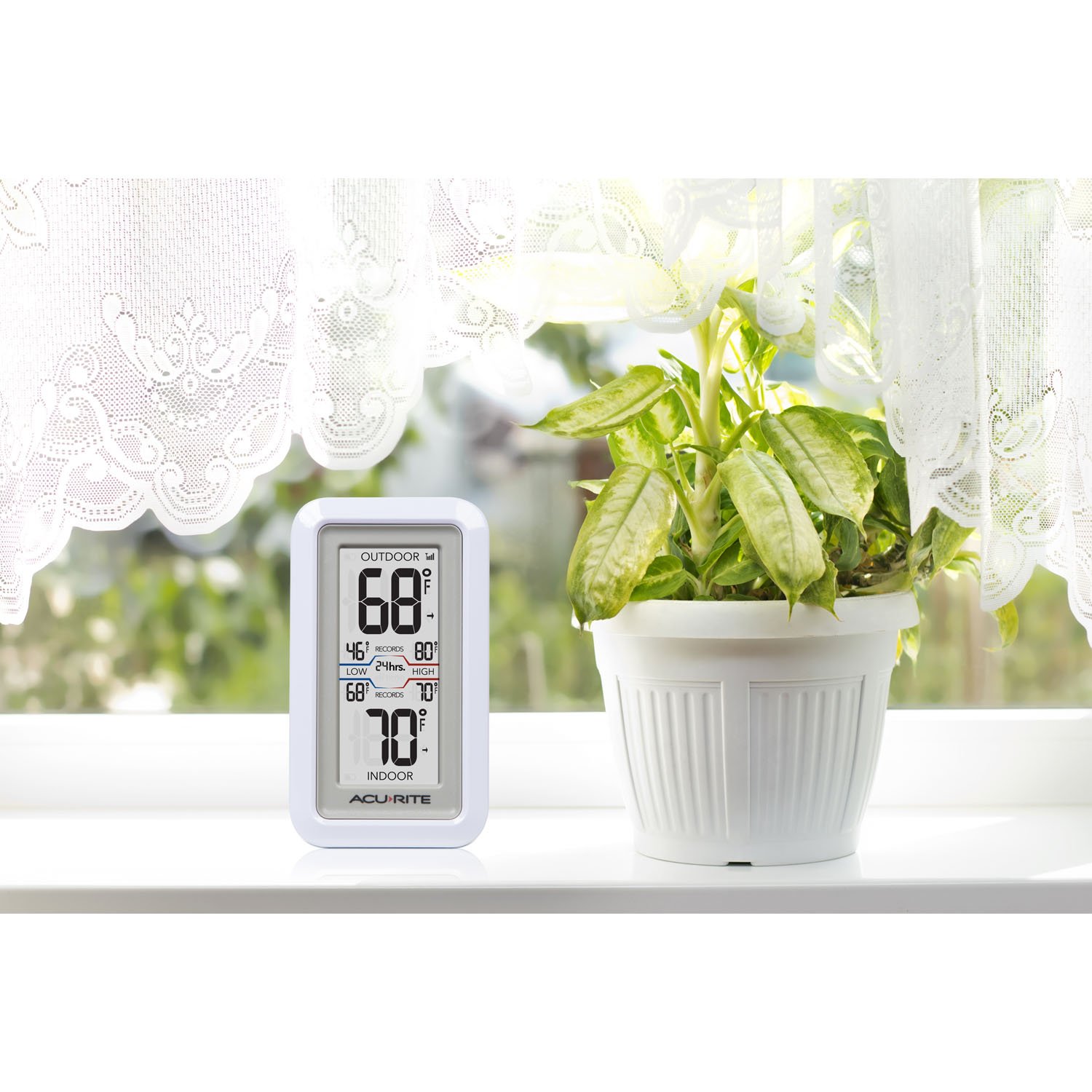
The AcuRite Digital Indoor/Outdoor Thermometer provides accurate and reliable temperature readings for both indoor and outdoor environments. Its easy-to-read LCD screen displays current temperatures along with historical high and low records. The compact design allows for versatile placement, either freestanding on a tabletop or mounted on a wall.
Setup Guide
1. Battery Installation
The display unit and the outdoor sensor each require 2 AA batteries (not included). Ensure batteries are inserted with correct polarity (+/-) as indicated inside the battery compartments.
2. Sensor Placement
Place the outdoor sensor in a location that is protected from direct sunlight and precipitation for the most accurate readings. The sensor features an integrated hanger for easy mounting. For optimal wireless communication, ensure the sensor is within 165 feet (50 meters) of the display unit and minimize obstructions like thick walls or large metal objects.


Operating Instructions
1. Reading Temperatures
The large LCD screen displays the current outdoor temperature at the top and the current indoor temperature at the bottom. Temperatures can be viewed in Fahrenheit or Celsius.
2. Historical Records
The thermometer automatically cycles through high and low temperature records for various timeframes: past 12 hours, 24 hours, 36 hours, 48 hours, and all-time. To manually cycle through these records or to clear them, refer to the button located in the battery compartment on the back of the display unit. Pressing it once cycles through the records, holding it clears them.
3. Temperature Trend Indicator
Small arrows next to the temperature readings indicate whether the temperature is rising, falling, or remaining steady compared to its last reading.
4. Wireless Signal Indicator
A signal strength icon in the upper right corner of the display indicates the connection quality between the display unit and the outdoor sensor.
Maintenance
To clean the thermometer, simply wipe it with a clean, damp cloth. Do not use abrasive cleaners or immerse the unit in water.
Troubleshooting
No specific troubleshooting steps are provided in the product information. If you encounter issues, ensure batteries are fresh and correctly installed, and that the outdoor sensor is within range and free from interference.
Specifications
| Feature | Detail |
|---|---|
| Product Dimensions | 4.2 x 1.4 x 2.25 inches; 4.8 ounces |
| Item Model Number | 02049 |
| Batteries Required | 4 AA batteries (2 for display, 2 for sensor) |
| Manufacturer | Chaney Instruments |
| Special Feature | High Accuracy |
| Color | White |
| Included Components | Digital Display, Wireless Sensor, Instruction Manual |
| Outer Material | Plastic |
| Display Type | LCD |
| Connectivity Technology | RF |
Warranty and Support
For detailed warranty information and additional support, please refer to the official user manual. A digital version of the user manual is available for download:
Related documents02049


Ask a question about this manual
Ask about setup, troubleshooting, compatibility, parts, safety, or missing instructions. Manuals+ will review the question and use this page’s manual context to help answer it.