Ford F-Series, Super Duty, F-150, F-250, F-350, Bronco, E-150, E-250, E-350

Download PDF
Contents

1988 Ford Pickup Truck Repair Shop Manual CD

F-Series, Super Duty, F-150, F-250, F-350, Bronco, Econoline

Product Overview

This CD-ROM provides a comprehensive repair and service manual for various 1988 Ford trucks and vans. It consolidates information from multiple original shop manuals, offering detailed guidance for maintenance, diagnostics, and repair procedures for both 4x2 and 4x4 configurations.

The manual covers the Bronco, F-150, F-250, F-350 Pickup Truck, F-Series Super Duty, and the E-150, E-250, E-350 Econoline Van models, including Club Wagon, Super Wagon, Cargo Van, Window Van, Display Van, RV "Cutaway", and Commercial "Cutaway" & Chassis variants.
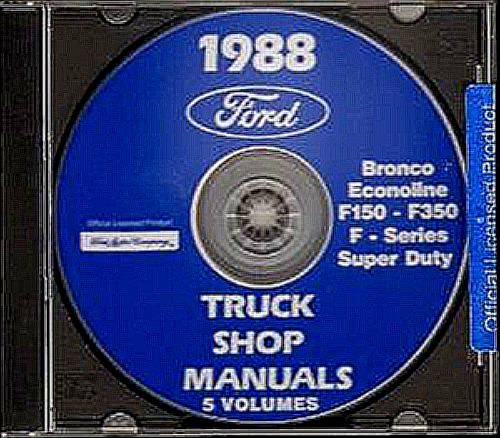
1988 Ford Pickup Truck Repair Shop Manual CD cover

Image: Front cover of the 1988 Ford Pickup Truck Repair Shop Manual CD, showing the title and covered models.

System Requirements

To ensure proper functionality and access to the manual's content, your computer system should meet the following minimum requirements:

  • Operating System: Windows 98, ME, 2000, XP, Vista, 7, 8, 10 (Compatibility with newer OS versions may vary).
  • Processor: Pentium II 300 MHz or higher.
  • RAM: 128 MB or more.
  • Storage: CD-ROM drive.
  • Display: SVGA monitor with 800x600 resolution or higher.
  • Software: Adobe Acrobat Reader (or compatible PDF viewer) for viewing PDF documents.

Installation and Setup

Follow these steps to access the repair manual content from the CD-ROM:

  1. Insert the CD-ROM: Place the "1988 Ford Pickup Truck Repair Shop Manual CD" into your computer's CD-ROM drive.
  2. Auto-run (if enabled): If auto-run is enabled on your system, the CD's main menu or an installation prompt should appear automatically. Follow the on-screen instructions.
  3. Manual Access (if auto-run fails): If the CD does not auto-run, navigate to "My Computer" or "This PC," locate your CD-ROM drive (e.g., D:), and double-click on the drive icon. Look for an executable file (e.g., "setup.exe", "start.exe", or "index.html") or a folder containing PDF files. Open the appropriate file to begin.
  4. Viewing Content: The manual content is typically provided in PDF format. Ensure you have a PDF reader installed to view the documents.

Note: No permanent software installation is usually required for this type of manual CD; content is accessed directly from the disc.

Navigating the Manual

Once the manual is open, utilize the features of your PDF reader for efficient navigation:

  • Table of Contents: Most PDF readers display a navigable table of contents or bookmarks panel on the side. Use this to jump to specific sections like Engine, Transmission, Electrical, or Body.
  • Search Function: Use the search function (usually Ctrl+F or Cmd+F) within your PDF reader to find specific keywords, part names, or diagnostic codes throughout the entire manual.
  • Zoom and Pan: Adjust the zoom level to view diagrams and detailed illustrations clearly. Pan across pages as needed.
  • Printing: Individual pages or entire sections can be printed for convenience during repair work.

Manual Content Overview

This CD-ROM compiles several original Ford shop manuals, providing extensive coverage for your 1988 Ford truck or van. Key areas covered include:

  • Electrical & Vacuum Trouble Shooting Manual (140 pages): Specific to Bronco, F-150, F-250, F-350, and F-Super Duty Series Pick Up Trucks.
  • Light Truck Shop Manual - Body, Chassis & Electrical (1691 pages): Covers Bronco, Econoline E150-E350, F150-F350, and F-Series Super Duty Pick Up Trucks.
  • Engine / Emission Diagnosis Manual Volume H (892 pages): Applicable to 1988 Ford Cars & Trucks.
  • Pre-delivery Manual (235 pages): Covers all 1988 Ford vehicles.
  • Light Truck Engine Shop Manual Volume B (561 pages): Covers Bronco, Econoline E150-E350, F150-F350, and F-Series Super Duty Pick Up Trucks.

The manual provides detailed diagrams, specifications, diagnostic procedures, and repair instructions for various vehicle systems.

Troubleshooting (CD-ROM)

If you encounter issues accessing the manual from the CD-ROM, consider the following:

  • CD Not Reading: Ensure the CD is clean and free of scratches. Try inserting it into another CD-ROM drive or computer to rule out a drive issue.
  • Auto-run Not Starting: Manually navigate to the CD-ROM drive in "My Computer" or "This PC" and look for an executable file (e.g., "start.exe") or the main PDF document.
  • PDF Files Not Opening: Verify that you have a PDF reader (like Adobe Acrobat Reader) installed on your system. If installed, try reinstalling or updating it.
  • Slow Performance: Ensure your system meets the minimum requirements. Close other demanding applications to free up resources.

CD-ROM Specifications

FeatureDetail
FormatMultimedia CD-ROM (PDF documents)
LanguageEnglish
Total Pages (Equivalent)Approximately 3519 pages
Publication DateJanuary 1, 2015 (CD release)
Item Weight1 pound (for physical CD package)

Support Information

For technical assistance related to the CD-ROM's functionality or content access, please refer to the contact information provided by the seller or publisher at the time of purchase. General troubleshooting steps are outlined in the "Troubleshooting (CD-ROM)" section of this manual.

This manual provides information for vehicle repair and maintenance. For specific vehicle issues, consult a certified mechanic or refer to official Ford service centers.

Ask a question about this manual

Ask about setup, troubleshooting, compatibility, parts, safety, or missing instructions. Manuals+ will review the question and use this page’s manual context to help answer it.

After a successful submission, we securely hash the supplied account or form email before sending it to Microsoft Advertising for conversion attribution. Privacy details.