
1. Product Overview
The Radial J48 Stereo is a professional active direct box designed for converting high-impedance instrument signals into low-impedance balanced signals. This device is ideal for touring stages, studio recording, and any application requiring pristine audio signal integrity over long cable runs. It features two independent channels, offering versatile connectivity for stereo instruments like keyboards, or for two separate mono instruments such as guitars and basses.
Built with rugged 14-gauge steel construction and Radial's award-winning engineering, the J48 Stereo ensures durability and reliable performance in demanding environments. Its transparent signal path preserves the natural tone of your instruments, making it a preferred choice for audio professionals.
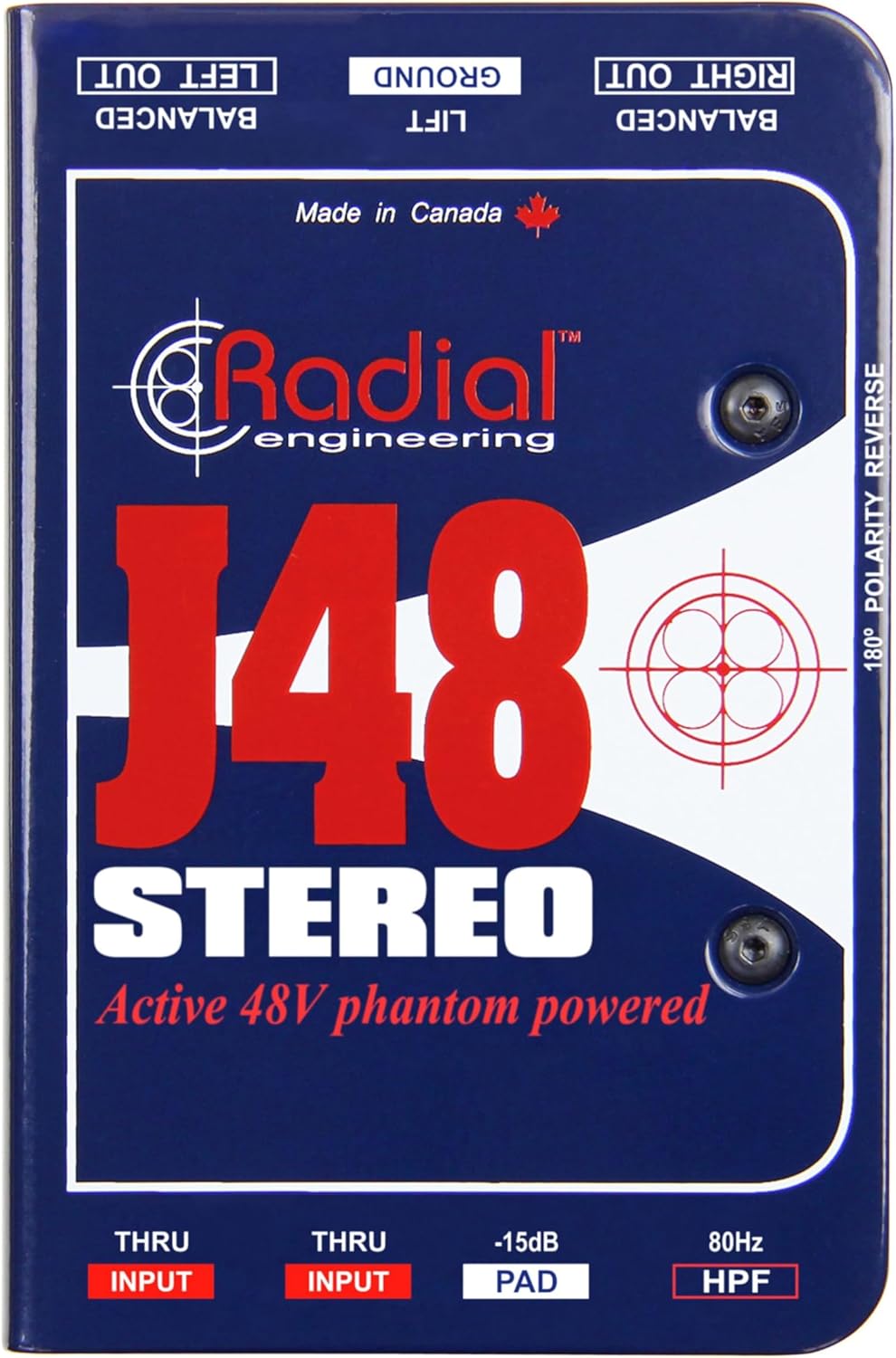
Image 1: Top view of the Radial J48 Stereo Direct Box, showing the brand logo and model name.
2. Key Features
- Active 48-volt Phantom-powered: Ensures optimal signal integrity and high headroom.
- 2-Channel Stereo Operation: Accommodates stereo instruments or two independent mono sources.
- Rugged 14-Gauge Steel Construction: Provides exceptional durability for road and studio use.
- I-Beam Construction: Resists twisting and protects internal components.
- Glass-Filled Nylon Connectors: Features extra-large, tarnish-free nickel-silver contacts for reliable connections.
- -15dB PAD: Attenuates hot input signals to prevent distortion.
- 80Hz High-Pass Filter (HPF): Reduces unwanted low-frequency rumble.
- 180° Polarity Reverse: Corrects phase issues between direct and amplified signals.
- Ground Lift Switch: Eliminates hum and buzz caused by ground loops.
3. Setup and Connections
The J48 Stereo is designed for straightforward integration into any audio setup. Follow these steps for proper connection:
- Powering the Unit: The J48 Stereo is an active direct box and requires 48V phantom power. Ensure your mixer or audio interface provides phantom power to the XLR inputs connected to the J48 Stereo.
- Instrument Input: Connect your instrument(s) to the 1/4-inch INPUT jacks on the J48 Stereo. For stereo instruments, use both LEFT and RIGHT inputs. For mono instruments, you can use either input.
- THRU Output: The 1/4-inch THRU jacks provide an unprocessed signal directly from your instrument. Connect these to your instrument amplifier or personal monitor for local monitoring.
- Balanced XLR Output: Connect the BALANCED XLR OUTPUTs (LEFT OUT and RIGHT OUT) to the microphone inputs of your mixer or audio interface. These outputs provide a low-impedance, balanced signal suitable for long cable runs without signal degradation.

Image 2: Close-up view of the input side of the Radial J48 Stereo, showing 1/4-inch INPUT and THRU jacks, PAD, and HPF switches.
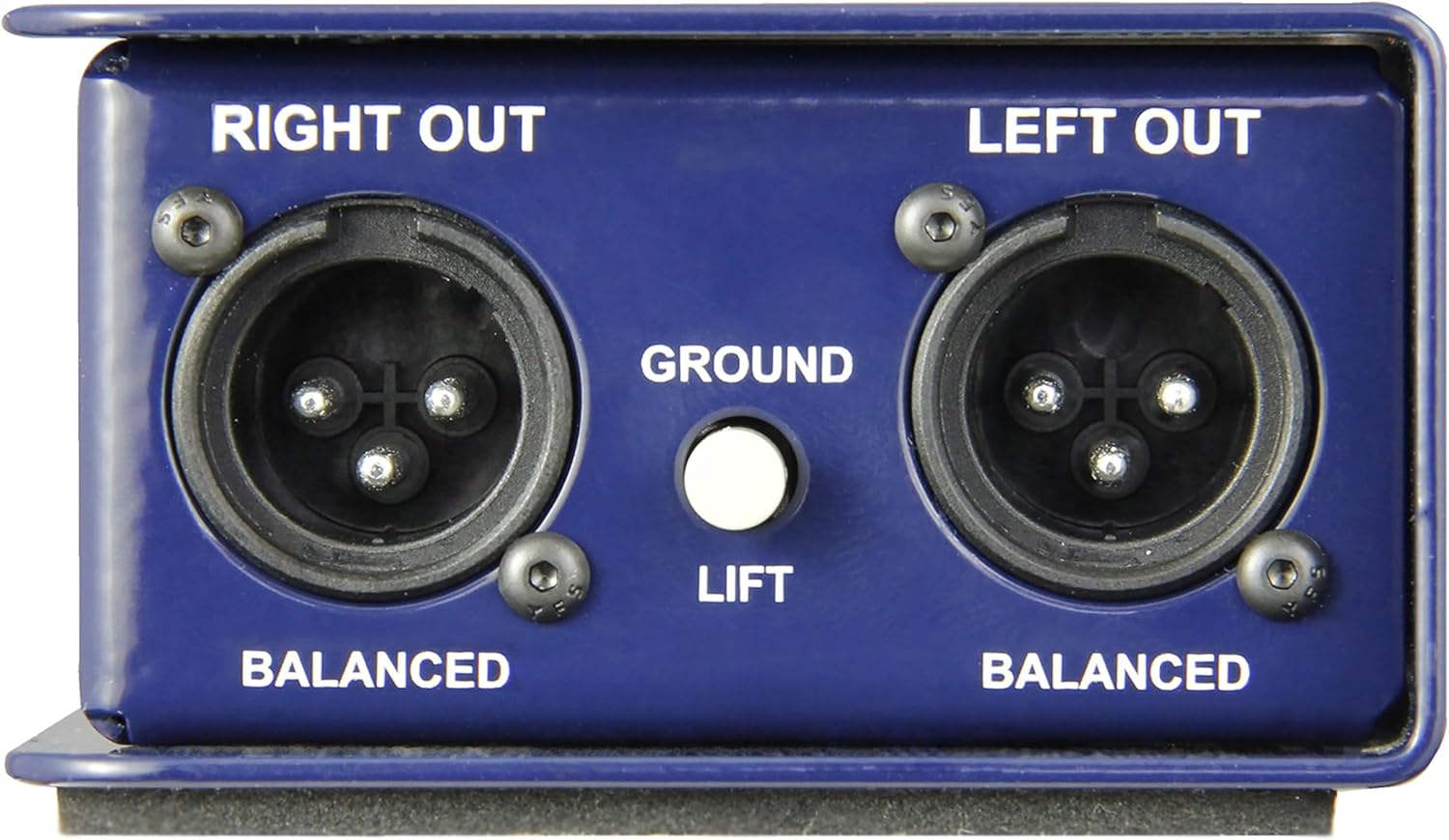
Image 3: Close-up view of the output side of the Radial J48 Stereo, showing balanced XLR outputs, Ground Lift, and 180° Polarity Reverse switches.

Image 4: Diagram illustrating a typical setup with the Radial J48 Stereo connecting instruments to a mixer and amplifiers.
4. Operating Instructions
The J48 Stereo offers several controls to optimize your signal:
- -15dB PAD: If your instrument has a very high output (e.g., active bass, high-output keyboard), engage the -15dB PAD switch. This attenuates the input signal to prevent overloading the J48 Stereo's internal circuitry and subsequent distortion.
- 80Hz High-Pass Filter (HPF): Engage the 80Hz HPF switch to remove unwanted low-frequency rumble or stage noise. This can help clean up your mix, especially for instruments that don't produce significant low-end frequencies.
- 180° Polarity Reverse: This switch reverses the polarity of the signal. It is useful for correcting phase cancellations that can occur when combining the direct signal from the J48 Stereo with a miked amplifier signal, or when using multiple direct boxes. Listen for the fullest sound when adjusting.
- Ground Lift: If you experience hum or buzz in your audio signal, engage the GROUND LIFT switch. This disconnects the ground connection between the J48 Stereo and your mixer, often resolving ground loop issues.
5. Maintenance
To ensure the longevity and optimal performance of your Radial J48 Stereo, follow these maintenance guidelines:
- Cleaning: Use a soft, dry cloth to clean the exterior of the unit. Avoid using abrasive cleaners, solvents, or harsh chemicals, as these can damage the finish and internal components.
- Connector Care: Periodically inspect all input and output jacks for dust or debris. Use compressed air to clear any obstructions. Ensure cables are inserted and removed carefully to prevent damage to the connectors.
- Storage: When not in use, store the J48 Stereo in a cool, dry place away from direct sunlight and extreme temperatures. Protect it from excessive moisture and dust.
- Handling: Despite its rugged construction, avoid dropping or subjecting the unit to severe impacts, as this can compromise its internal circuitry.
6. Troubleshooting
If you encounter issues with your Radial J48 Stereo, try the following troubleshooting steps:
- No Sound:
- Verify all cables are securely connected to the correct inputs and outputs.
- Ensure 48V phantom power is enabled on your mixer or audio interface for the channels connected to the J48 Stereo.
- Check the volume levels on your instrument, amplifier, and mixer.
- Test with different cables and instruments to isolate the problem.
- Hum or Buzz:
- Engage the GROUND LIFT switch on the J48 Stereo.
- Ensure all audio equipment is plugged into the same electrical circuit or a power conditioner.
- Check for faulty or unshielded cables.
- Distorted Sound:
- Engage the -15dB PAD switch if your instrument has a high output level.
- Reduce the output level of your instrument or the input gain on your mixer/interface.
- Thin or Phased Sound:
- Engage the 180° POLARITY REVERSE switch to correct phase issues.
7. Specifications
| Specification | Value |
|---|---|
| Brand | Radial Engineering |
| Model Name | J48 Stereo |
| Model Number | R800 3002 00 |
| Type | Active Direct Box |
| Channels | 2 (Stereo) |
| Power Source | 48V Phantom Power |
| Input Connectors | 1/4-inch TS (Left, Right) |
| Thru Connectors | 1/4-inch TS (Left, Right) |
| Output Connectors | XLR (Left, Right) |
| Pad | -15dB |
| High-Pass Filter | 80Hz |
| Polarity Reverse | 180° |
| Ground Lift | Yes |
| Construction | 14-gauge Steel |
| Item Weight | 1 Pound |
| Item Dimensions | 1 x 1 x 1 inches |
| UPC | 676101043439 |
8. What's in the Box
- Radial J48 Stereo 2-Channel Active Instrument Direct Box
- XLR cable
- 1/4-inch cable
9. Warranty and Support
The Radial J48 Stereo 2-Channel Active Instrument Direct Box comes with a 2-year warranty from the manufacturer. For warranty claims, technical support, or service inquiries, please contact Radial Engineering directly through their official website or authorized service centers. Keep your purchase receipt as proof of purchase for warranty validation.


