
Product Overview
The Pelican 8060 Tactical LED Flashlight is engineered for durability and high performance, designed for professionals and demanding environments. This robust lighting tool provides multiple light modes and is powered by a rechargeable NiMH battery pack, offering reliable illumination when needed.
Key Features
- High Lumen Output: Up to 803 lumens in high mode for powerful illumination.
- Multiple Modes: Features high, medium, low, and strobe modes for versatile use.
- Rechargeable Battery: Operates on a rechargeable NiMH battery pack (included) or 4 C batteries.
- Durable Construction: Constructed with a Xenoy body for enhanced resilience.
- Extended Run Time: Up to 69 hours in low mode.
- Water Resistant: Designed to withstand exposure to water.
Package Contents
- Pelican 8060 Tactical LED Flashlight
- 4 C NiMH rechargeable batteries
- Charging unit (docking station)
Setup and Charging
Battery Installation
The Pelican 8060 flashlight comes with 4 C NiMH rechargeable batteries pre-installed. If replacing batteries, ensure they are inserted with the correct polarity as indicated inside the battery compartment.
Charging the Flashlight
To charge the flashlight, place it into its designated charging dock. The flashlight features two metal contacts on its body that align with the contacts in the charging unit. Ensure a secure connection.

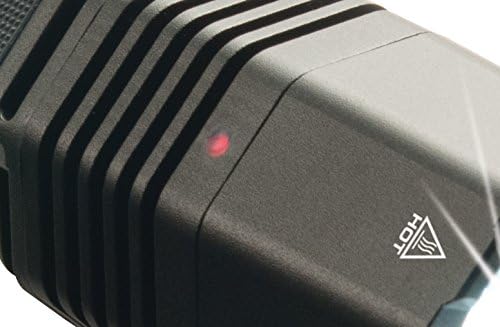
A red indicator light on the flashlight will illuminate to confirm that it is charging. The light will change color or turn off once charging is complete, depending on the specific charging unit model.
Operating Instructions
Turning On/Off and Mode Selection
The Pelican 8060 features two activation points: a side switch and a tail-cap switch. Both switches can be used to turn the flashlight on and off, and to cycle through its various light modes.

- Side Switch: Press the textured side switch to activate the flashlight. Subsequent presses will cycle through the available modes (High, Medium, Low, Strobe). Press and hold to turn off.
- Tail-Cap Switch: Press the tail-cap switch for momentary activation or click for constant on. Rapid presses can also cycle through modes.

Mode Programming
The Pelican 8060 allows for customizable mode sequences. Refer to the detailed programming instructions in the full user manual for specific steps on how to set your preferred sequence of high, medium, low, and strobe modes.


Maintenance
Cleaning
Wipe the flashlight body with a damp cloth to remove dirt and debris. For the lens, use a soft, lint-free cloth. Avoid abrasive cleaners or solvents that could damage the finish or lens coating.
Battery Care
To maximize battery life, avoid completely discharging the NiMH battery pack. Recharge the flashlight regularly, especially after prolonged use. If storing the flashlight for an extended period, ensure the battery is fully charged and recharge every few months to prevent deep discharge.
Troubleshooting
- Flashlight not turning on: Ensure the battery pack is properly inserted and fully charged. Check the charging contacts for any obstruction or corrosion.
- Dim light output: Recharge the battery pack. If using standard C batteries, replace them with fresh ones. Clean the lens surface.
- Modes not switching: Ensure the switches are clean and free of debris. Press the switches firmly and deliberately to cycle through modes.
- Charging indicator not lighting up: Verify the flashlight is correctly seated in the charging dock and the power adapter is connected to a live outlet. Check charging contacts for cleanliness.
Specifications
| Feature | Detail |
|---|---|
| Model Name | 8060 |
| Light Source Type | LED |
| Lumens (High) | 803 lumens |
| Lumens (Medium) | 447 lumens |
| Lumens (Low) | 25 lumens |
| Beam Distance | Up to 359 meters |
| Run Time (High) | 2 hours 30 minutes |
| Run Time (Medium) | 4 hours |
| Run Time (Low) | 69 hours |
| Length | 12.67 inches |
| Body Material | Xenoy (Plastic) |
| Battery Type | 4 C NiMH (rechargeable) |
| Water Resistance | Water Resistant |
| Color | Black |
Warranty and Support
Warranty Information
The Pelican 8060 Tactical LED Flashlight is backed by Pelican's legendary lifetime warranty: "You break it, we replace it... forever." This warranty covers defects in materials and workmanship for the lifetime of the product.
Customer Support
For technical assistance, warranty claims, or further inquiries, please visit the official Pelican website or contact their customer service department. Keep your purchase receipt for warranty validation.


